N7201A304E05(1)_0.pdf - 第148页
NPM LNB 4.3 Advanced Setting Page 4-18 EJM9BE-MB-04L-20 4.3.6 Host System Setting You can set the host system. 1 Choose [Host System] in [Advanced] from the menu. • The <Host System> screen is displ ayed. 2 Enter t…
NPM
LNB
4.3 Advanced Setting
EJM9BE-MB-04L-20 Page 4-17
Item
Explanation
Production control information
automatic output setting
Set the function that allows production control information to
be automatically output.
Valid/Invalid The function that allows production control information to be
automatically output becomes valid by selecting valid.
Output folder name Set the name of a folder that outputs production control
information.
The output folder is created under the folder “othersystem” in
LNB.
Output time Set the time to output production control information.
NPM
LNB
4.3 Advanced Setting
Page 4-18 EJM9BE-MB-04L-20
4.3.6 Host System Setting
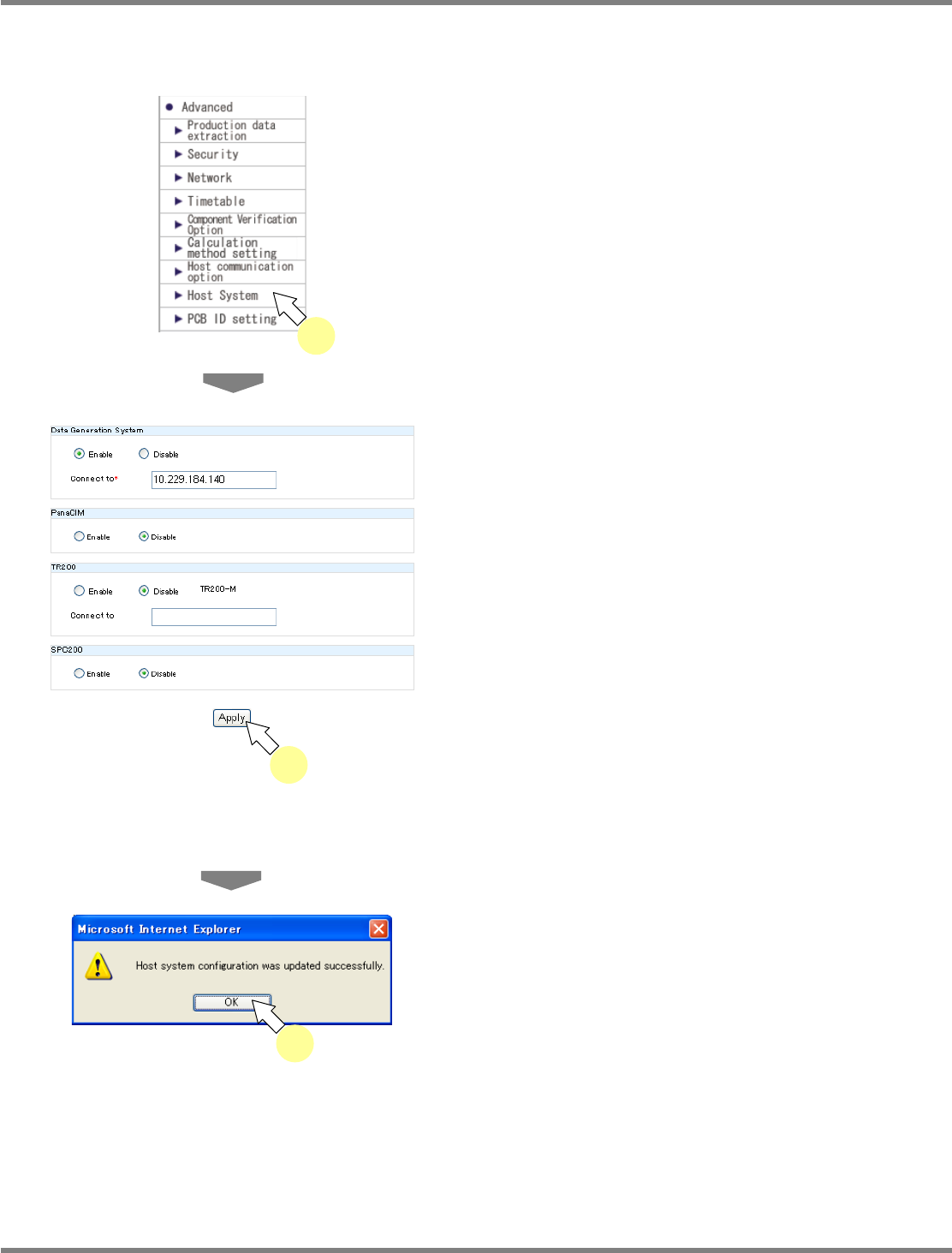
You can set the host system.
1
Choose [Host System] in [Advanced]
from the menu.
•
The <Host System> screen is displayed.
2
Enter the data creating system, the
PanaCIM setting, the TR200 setting
and the SPC200 setting, and click
[Apply].
•
The data creating system, TR200, PanaCIM,
and SPC200 are product names of Panasonic
Factory Solutions Co., Ltd.
∗
To use each host system, you need to register
the license. If the license is not registered, the
message “The license is not registered.”
appears, and you cannot configure the
connection settings.
•
The message of host system
configuration-update completion appears.
3
Click [OK].
lnb4-3024_e
2
lnb4-3001_e
1
lnb4-3025_e
3
NPM
LNB
4.3 Advanced Setting
EJM9BE-MB-04L-20 Page 4-19
4.3.7 Reloaded PCB ID Setting
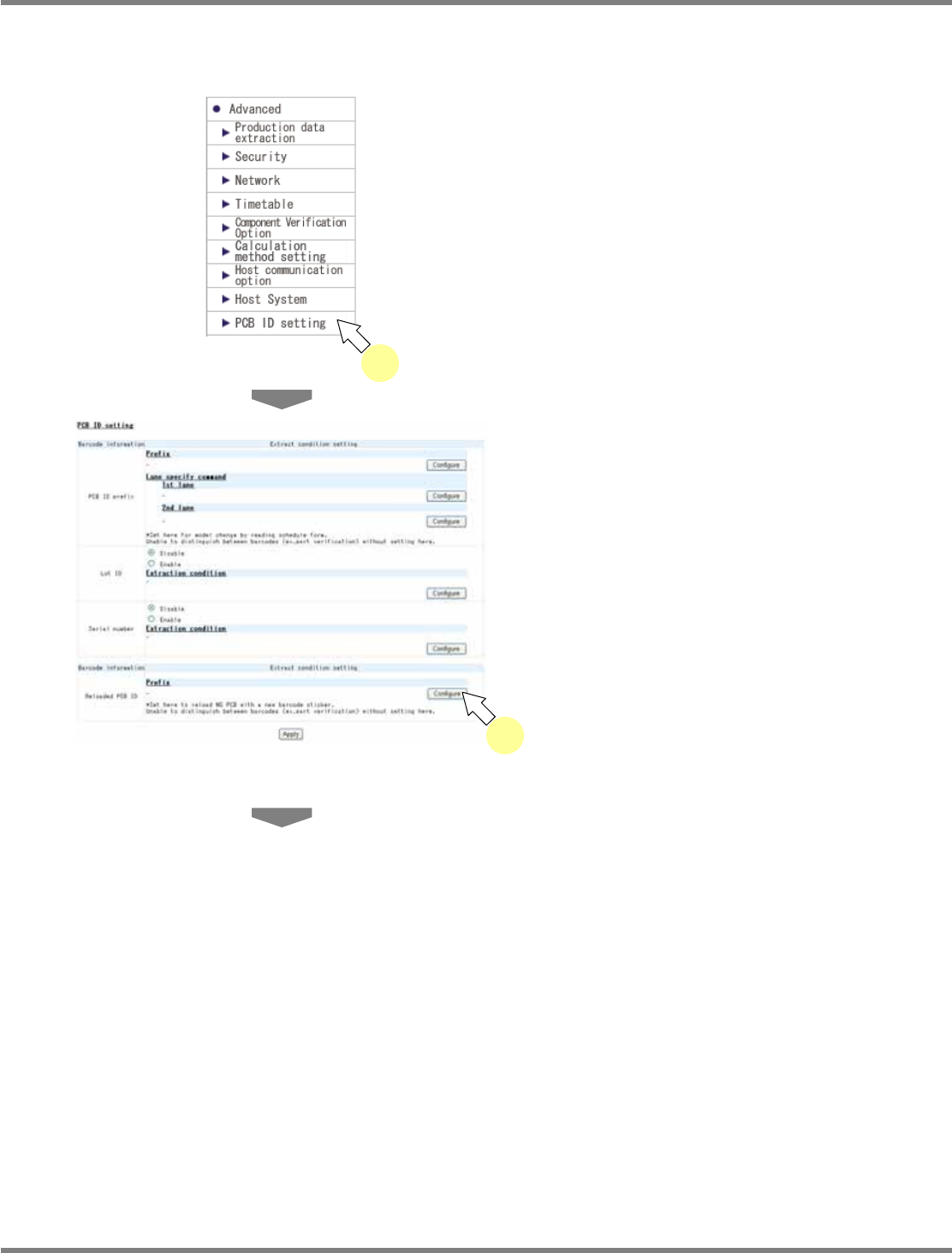
You can set the barcode of reloaded PCB ID.
1
Click [PCB ID setting] in [Advanced]
from the menu.
•
The <PCB ID setting> screen is displayed.
2
Click [Configure] of Prefix in the
‘
Reloaded PCB ID
’
field.
•
The <Barcode setting> screen is displayed.
lnb4-3001_e
1
lnb4-3026_e
2