N7201A304E05(1)_0.pdf - 第157页
NPM LNB 4.6 Update EJM9BE-MB-04L-20 Page 4-27 • When the preparation is complete, the <Installation> screen is displayed. 4 Check off the system to update and the machine, and click [Install]. ∗ Check the current s…
NPM
LNB
4.6 Update
Page 4-26 EJM9BE-MB-04L-20
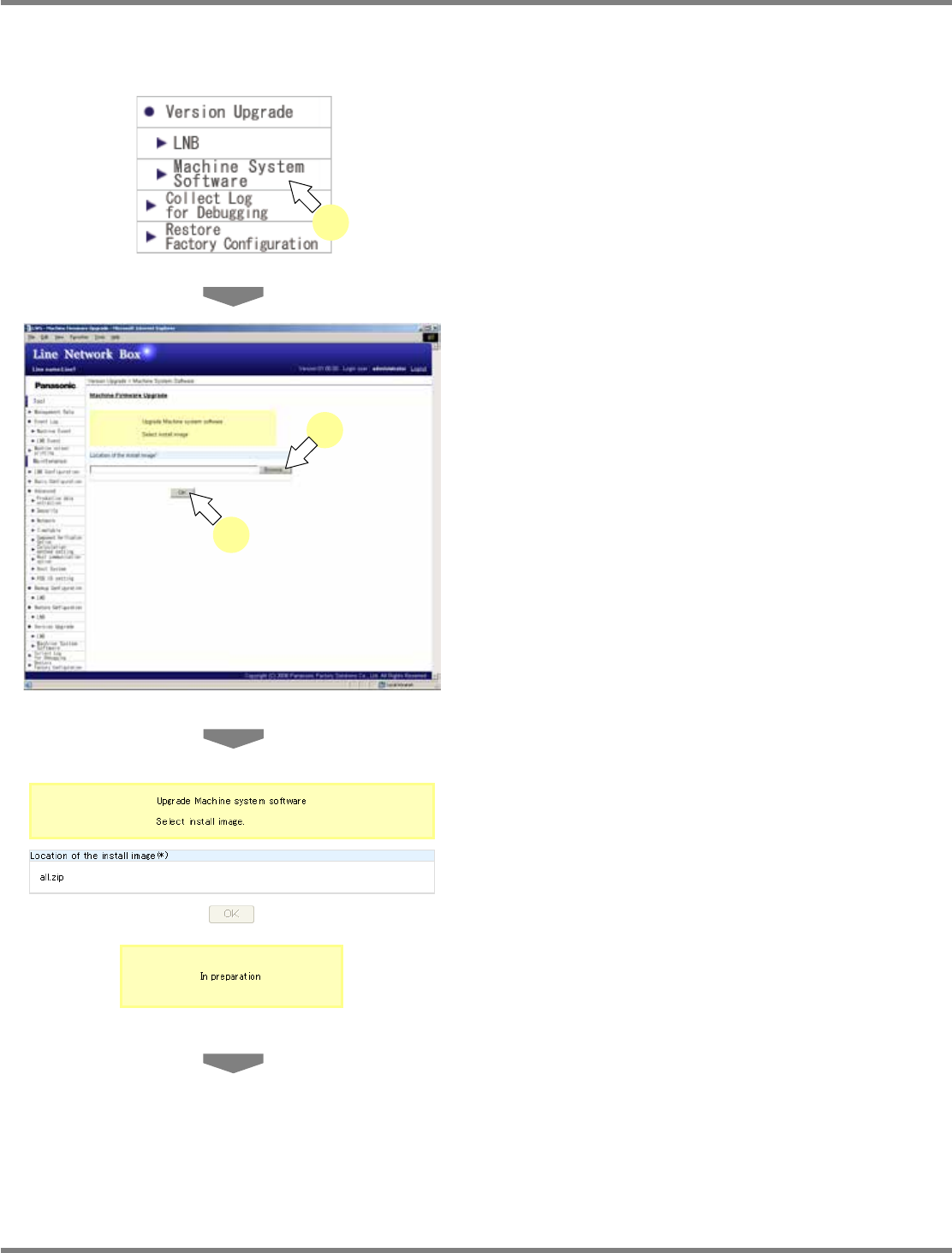
4.6.2 Machine Software
You can update the machine software.
1
Choose [Machine System Software]
in [Version Upgrade] from the menu.
•
The <Machine Software Version Upgrade>
screen is displayed.
2
Click [Browse] to specify the location
of the install image.
•
A dialog prompts for the install image. Specify
the install image.
3
Click [OK].
•
The message “In preparation” appears.
lnb4-6001_e
1
lnb4-6008_e
3
2
lnb4-6009_e
NPM
LNB
4.6 Update
EJM9BE-MB-04L-20 Page 4-27
•
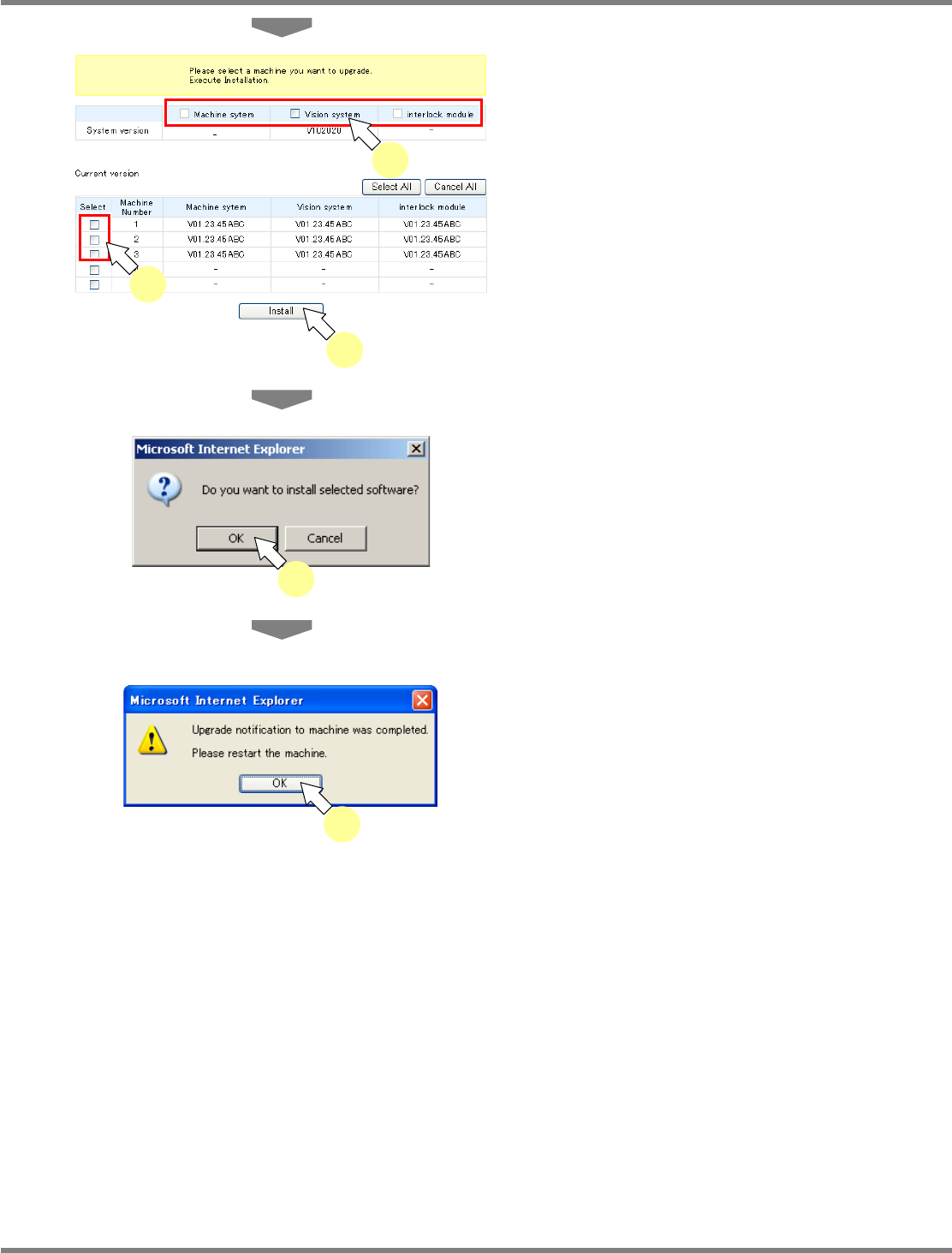
When the preparation is complete, the
<Installation> screen is displayed.
4
Check off the system to update and
the machine, and click [Install].
∗
Check the current system version and the
system version of the system to be installed.
•
[Select All] selects all machines, and [Cancel
All] deselects all machines.
•
The confirmation dialog opens.
5
Click [OK].
•
When the update is complete, the message of
update completion appears.
6
Click [OK].
lnb4-6005_e
5
lnb4-6011_e
6
lnb4-6010_e
4
4
4
NPM
LNB
4.7 Download of Log for Debug
Page 4-28 EJM9BE-MB-04L-20
4.7 Download of Log for Debug
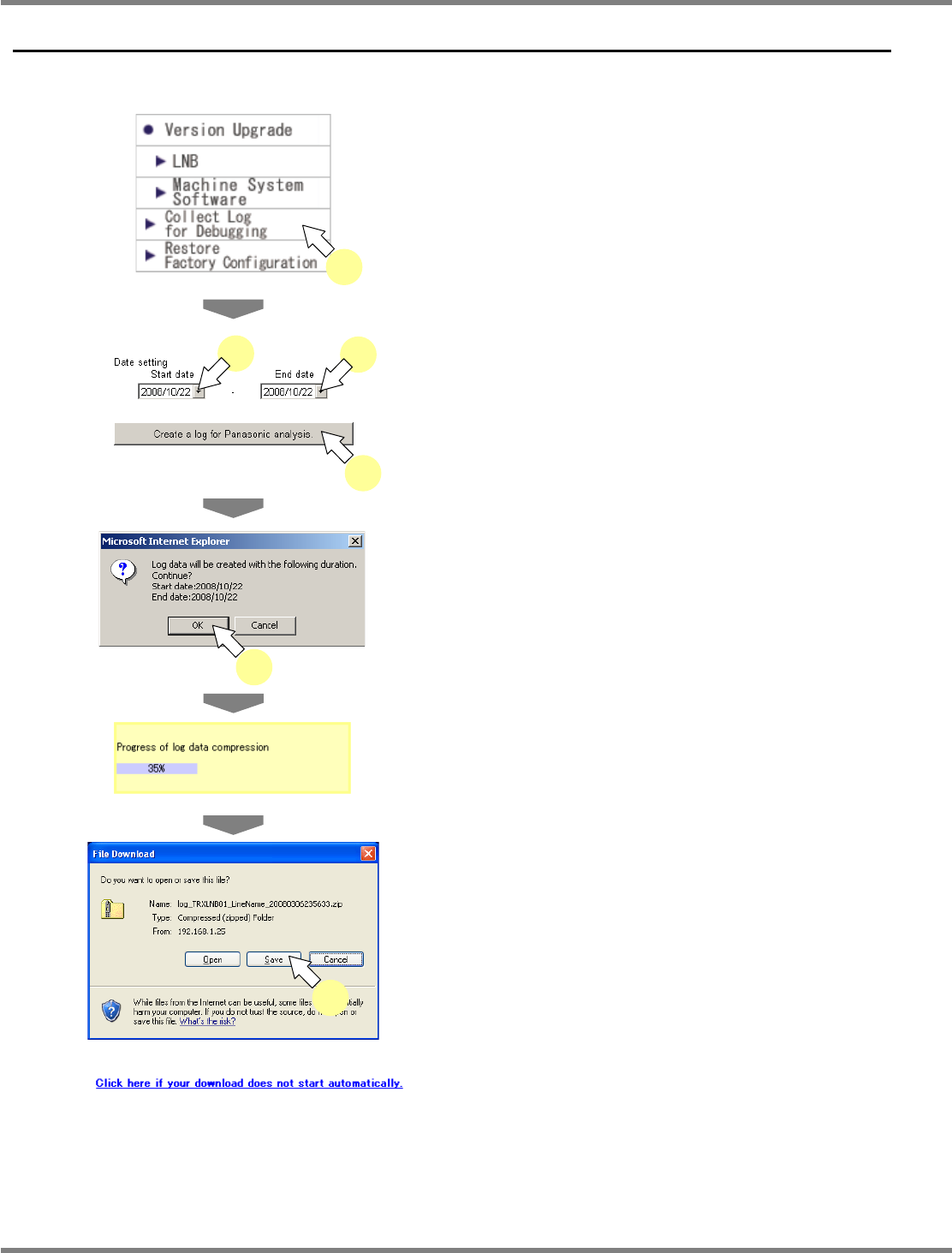
Log data to send to our customer service can be created automatically.
1
Choose [Collect Log for Debugging]
from the menu.
•
The <Collect Log for Debugging> screen is
displayed.
2
After specifying the date range for log
creation, click [Create a log for
Panasonic analysis.].
•
The confirmation dialog opens.
3
Click [OK].
•
The progress of log data creation is displayed.
•
When the progress reaches 100%, the file
download dialog opens.
4
Click [Save].
•
A dialog prompts for the destination to save.
Specify the destination, and download it.
•
If the file download dialog does not open, click
the link shown left that appears on the
<Collect Log for Debugging> screen.
This concludes the procedure for downloading the log
for debug.
After downloading the log for debug, write the log to a
CD, and send it to us.
lnb4-7003_e
lnb4-7004_e
4
lnb4-6001_e
1
lnb4-4004_e
lnb4-7001_e
2
2
2
lnb4-7002_e
3