N7201A304E05(1)_0.pdf - 第73页
NPM LNB 2.2 Screen Flow EJM9BE-MB-02L-20 Page 2-3 2.2 Screen Flow The following flow shows the wh ole structure of screens. For ∗ 1 and ∗ 2, see the following page s. Production management inform ation Machine event info…
NPM
LNB
2.1 Operating Instructions of the Main Power Supply Switch at Production Start/End
Page 2-2 EJM9BE-MB-02L-20
2.1 Operating Instructions of the Main Power Supply
Switch at Production Start/End
2.1.1 Operating Units
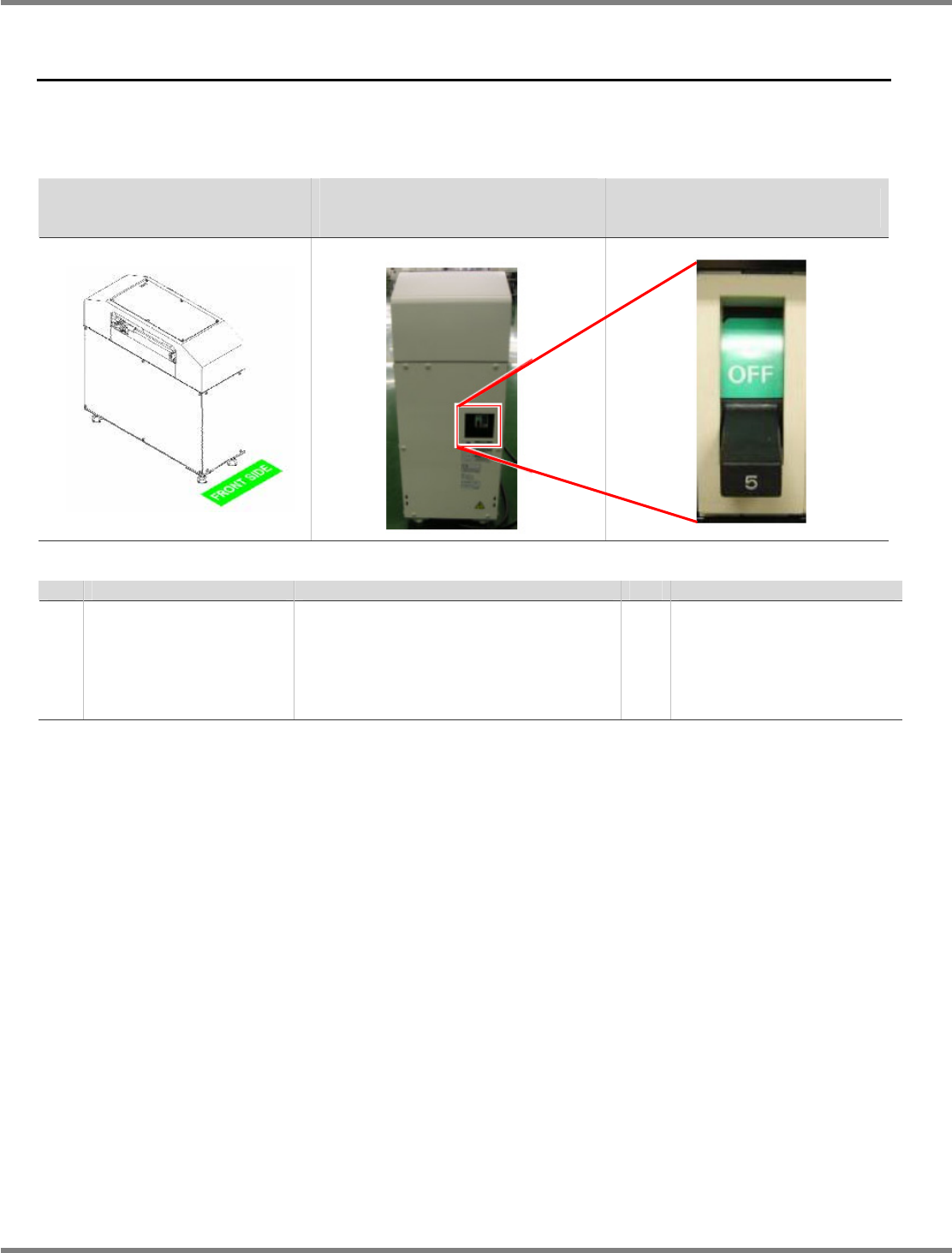
The operating units of the NPM LNB conveyor and NPM HUB conveyor are described below.
NPM LNB conveyor
NPM HUB conveyor general view
NPM LNB conveyor
NPM HUB conveyor general view
(Rear)
Main power supply switch enlarged
view
No. Unit name
Function
Qty. Reference
1 Main power supply switch
This controls the ON/OFF power of the
LNB conveyor or HUB conveyor.
Interlocking with this operation,
launching/shutting down of FA PC on the
LNB conveyor and supplying power to
the HUB is carried out.
1 Instruction manual (LNB)
2.1.2 Production Start
To start production, turn ON the main power supply switches on the back of the LNB conveyor or
HUB conveyor and then on the machine.
Communication errors, which appear on the machine when turning ON the main power to the
LNB conveyor or HUB conveyor, are ignorable.
2.1.3 Production End
To end production, turn OFF the main power supply switches on the machine and then on the
back of the LNB conveyor or HUB conveyor.
Communication errors, which appear on the machine when turning OFF the main power to the
LNB conveyor or HUB conveyor before the machine, are ignorable.
NPM
LNB
2.2 Screen Flow
EJM9BE-MB-02L-20 Page 2-3
2.2 Screen Flow
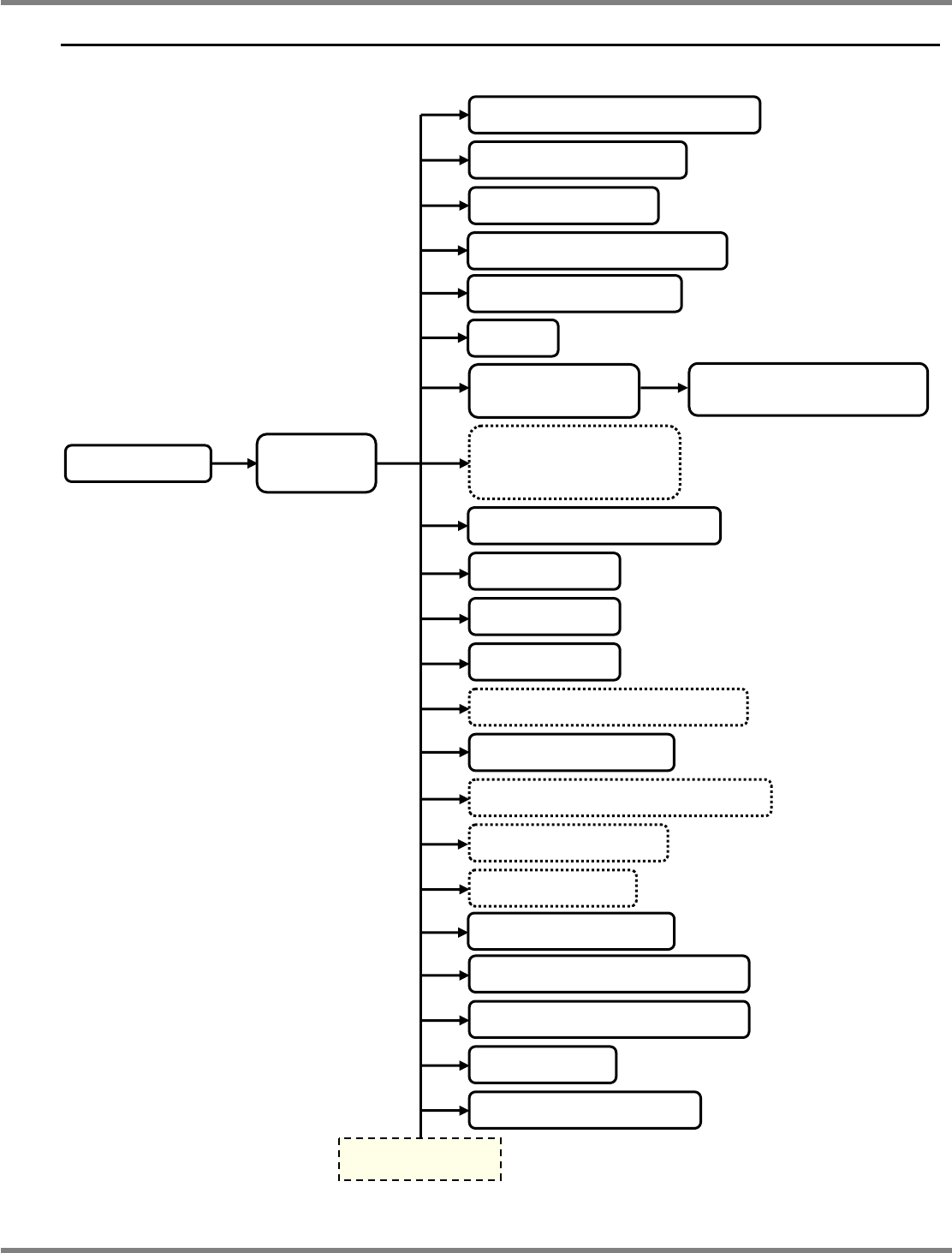
The following flow shows the whole structure of screens.
For
∗
1 and
∗
2, see the following pages.
Production management information
Machine event information
LNB event information
Production machine screen print
Production status monitor
Reports
LNB configuration
information
LNB configuration information
(detailed)
∗
1 Easy setting
{{ setting
Main screen
(Menu)
Login screen
Production data extract setting
Security setting
Network setting
Timetable setting
∗
2 Parts verification option setting
Summary method setting
∗
2 Host communication option setting
∗
2 Host system setting
∗
2 PCB ID setting
Setting information backup LNB
Setting information restore LNB
Update LNB
Update Machine software
To the next page
Time setting
NPM
LNB
2.2 Screen Flow
Page 2-4 EJM9BE-MB-02L-20
∗
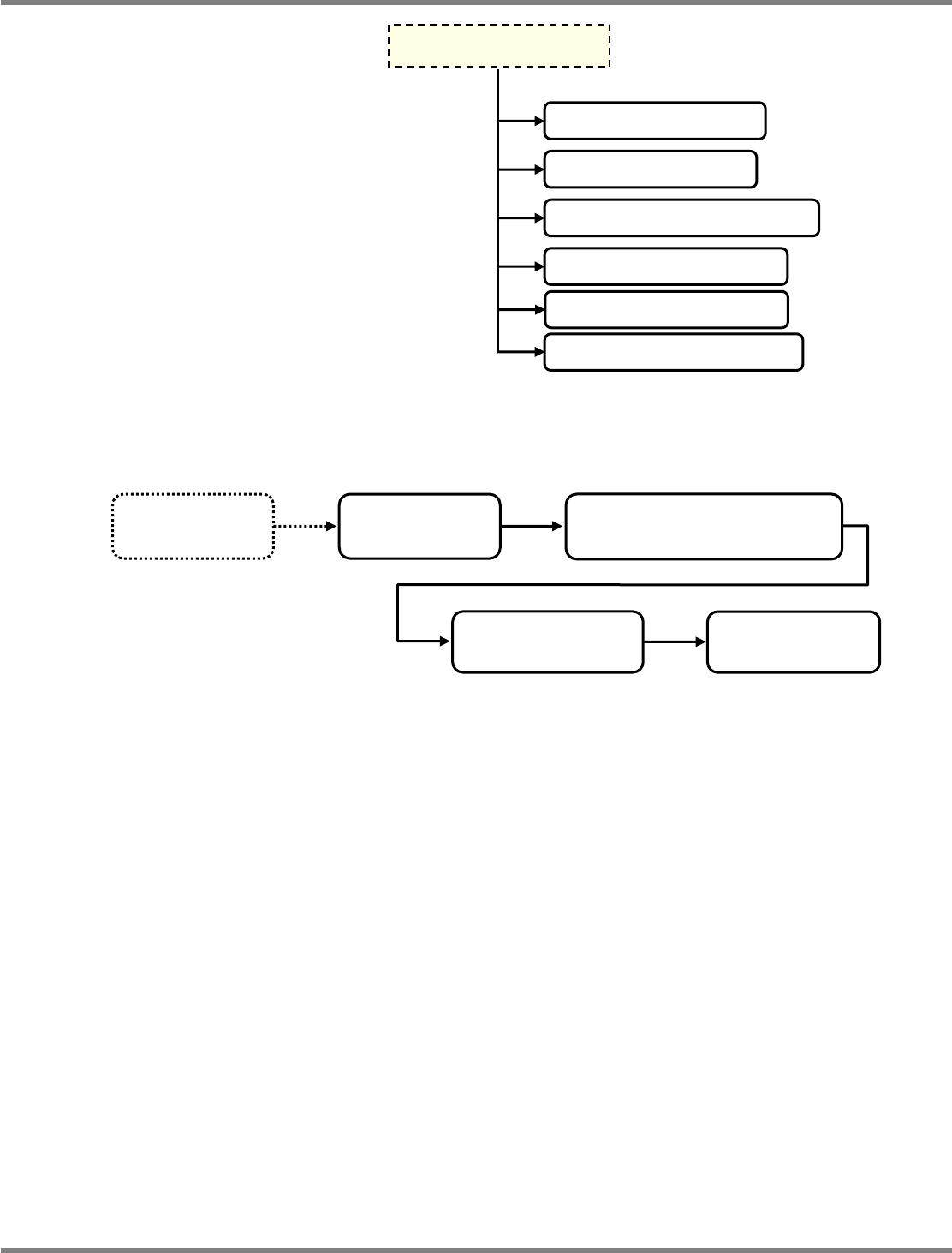
1 Screen transition of [Basic Configuration]
∗
2 Option function setting
If the license is not registered, you cannot configure the settings of option functions though they
are displayed on the menu of the main screen.
When the license is registered, refer to the instruction manual of the corresponding option
function for details.
Main screen
(Menu)
Easy setting
Line ID setting
Easy setting
Backbone connection setting
Easy setting
Timetable setting
Easy setting
Host system setting
Download of log for debug
Restore to factory defaults
Self-diagnosis Connection check
Self-diagnosis Setting check
Parameter edit Line parameter
From the previous page
Self- diagnosis Performance