N7201A304E05(1)_0.pdf - 第75页
NPM LNB 2.3 Operation Flow EJM9BE-MB-02L-20 Page 2-5 2.3 Operation Flow After login to LNB via browser, the operation fl ow of various settings, productio n management information references, and event refere nces is des…
NPM
LNB
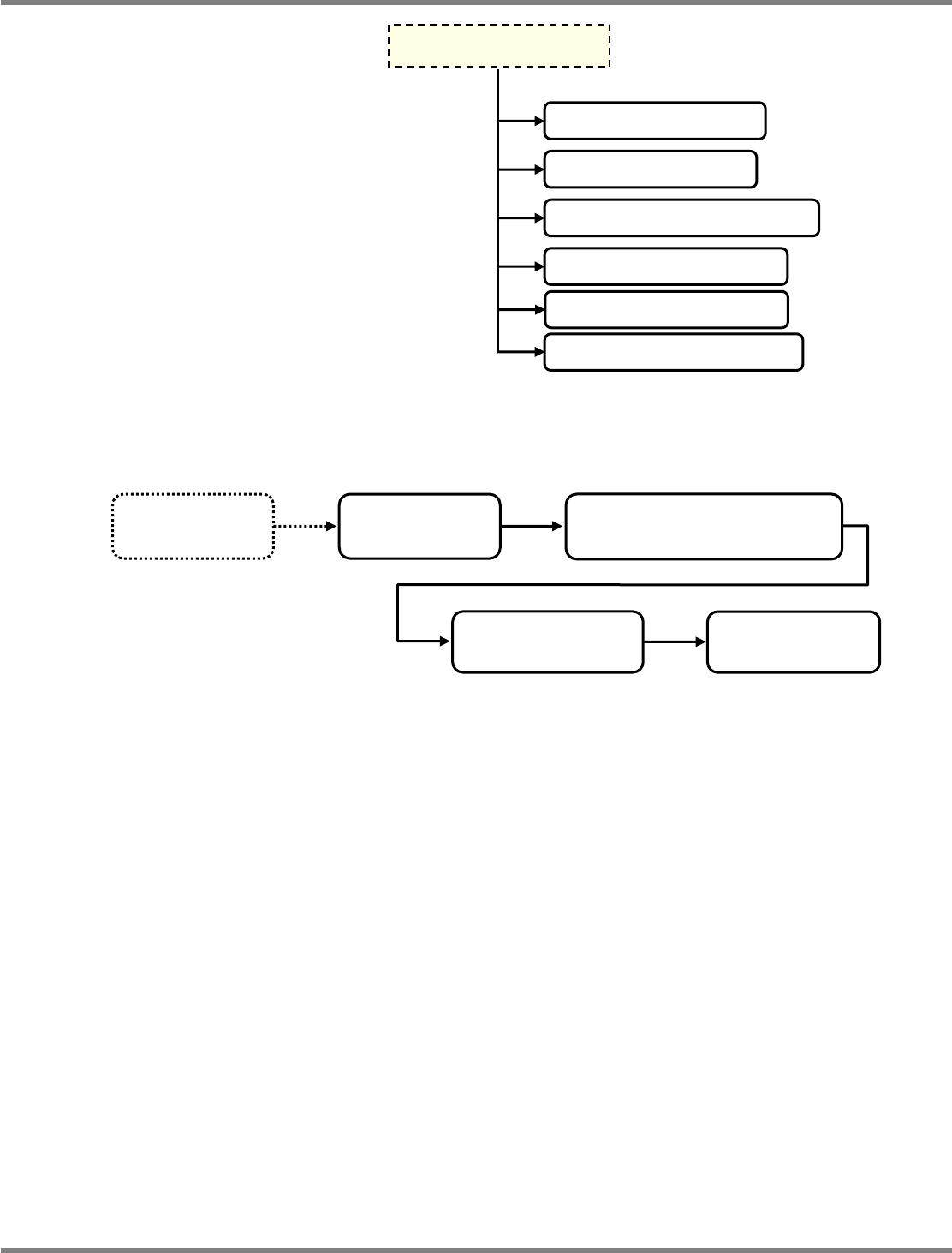
2.2 Screen Flow
Page 2-4 EJM9BE-MB-02L-20
∗
1 Screen transition of [Basic Configuration]
∗
2 Option function setting
If the license is not registered, you cannot configure the settings of option functions though they
are displayed on the menu of the main screen.
When the license is registered, refer to the instruction manual of the corresponding option
function for details.
Main screen
(Menu)
Easy setting
Line ID setting
Easy setting
Backbone connection setting
Easy setting
Timetable setting
Easy setting
Host system setting
Download of log for debug
Restore to factory defaults
Self-diagnosis Connection check
Self-diagnosis Setting check
Parameter edit Line parameter
From the previous page
Self- diagnosis Performance
NPM
LNB
2.3 Operation Flow
EJM9BE-MB-02L-20 Page 2-5
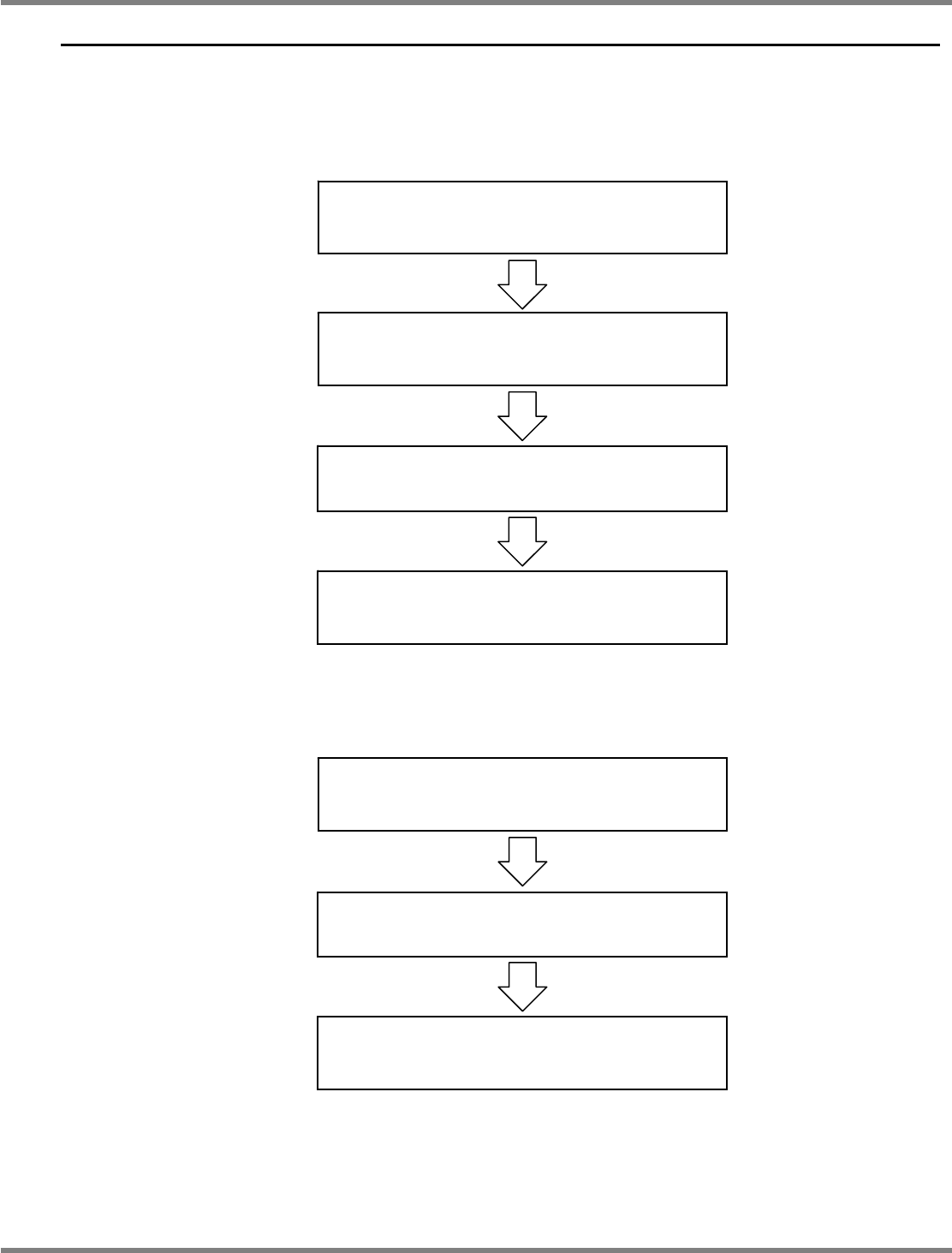
2.3 Operation Flow
After login to LNB via browser, the operation flow of various settings, production management
information references, and event references is described below.
2.3.1 Initial Introduction
2.3.2 Browsing the Production Management Information
Login
(See “2.4.1 Login.”)
Initial setting
(See “2.5 Initial Setting.”)
User registration, administrator password change
(See “4.3.2 Security Setting.”)
Logout
(See “2.4.2 Logout.”)
Login
(See “2.4.1 Login.”)
Tool/Production management information
(See “3.1 Production Management Information.”)
Logout
(See “2.4.2 Logout.”)
NPM
LNB
2.3 Operation Flow
Page 2-6 EJM9BE-MB-02L-20
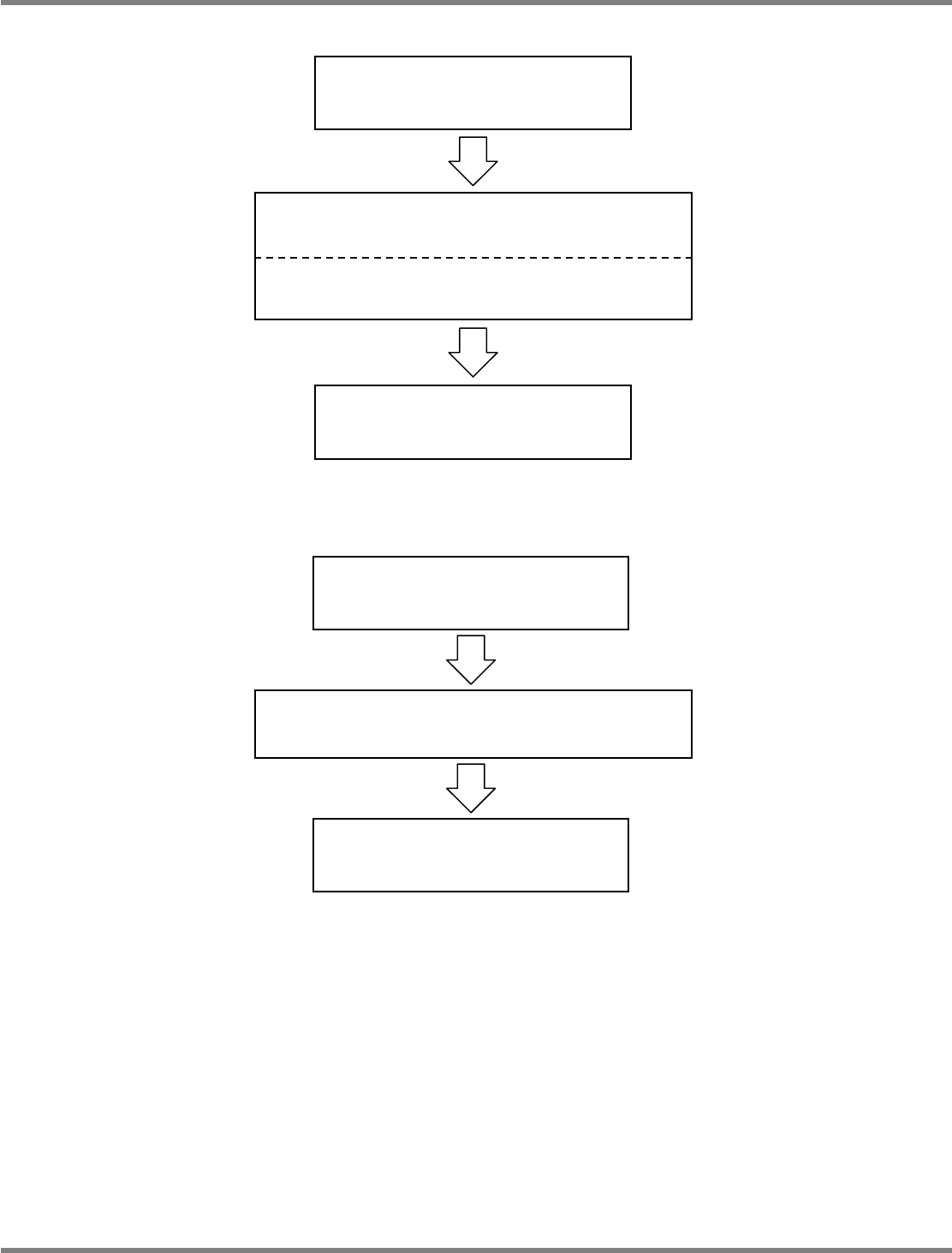
2.3.3 Browsing the Event
2.3.4 Browsing the LNB Configuration Information
Login
(See “2.4.1 Login.”)
Maintenance/LNB configuration information
(See “4.1 LNB Configuration Information.”)
Logout
(See “2.4.2 Logout.”)
Login
(See “2.4.1 Login.”)
Tool/Event log/Machine event information
(See “3.2.1 Machine Event Information.”)
Tool/Event log/LNB event information
(See “3.2.2 LNB Event Information.”)
Logout
(See “2.4.2 Logout.”)