CP43操作手册.pdf.pdf - 第101页
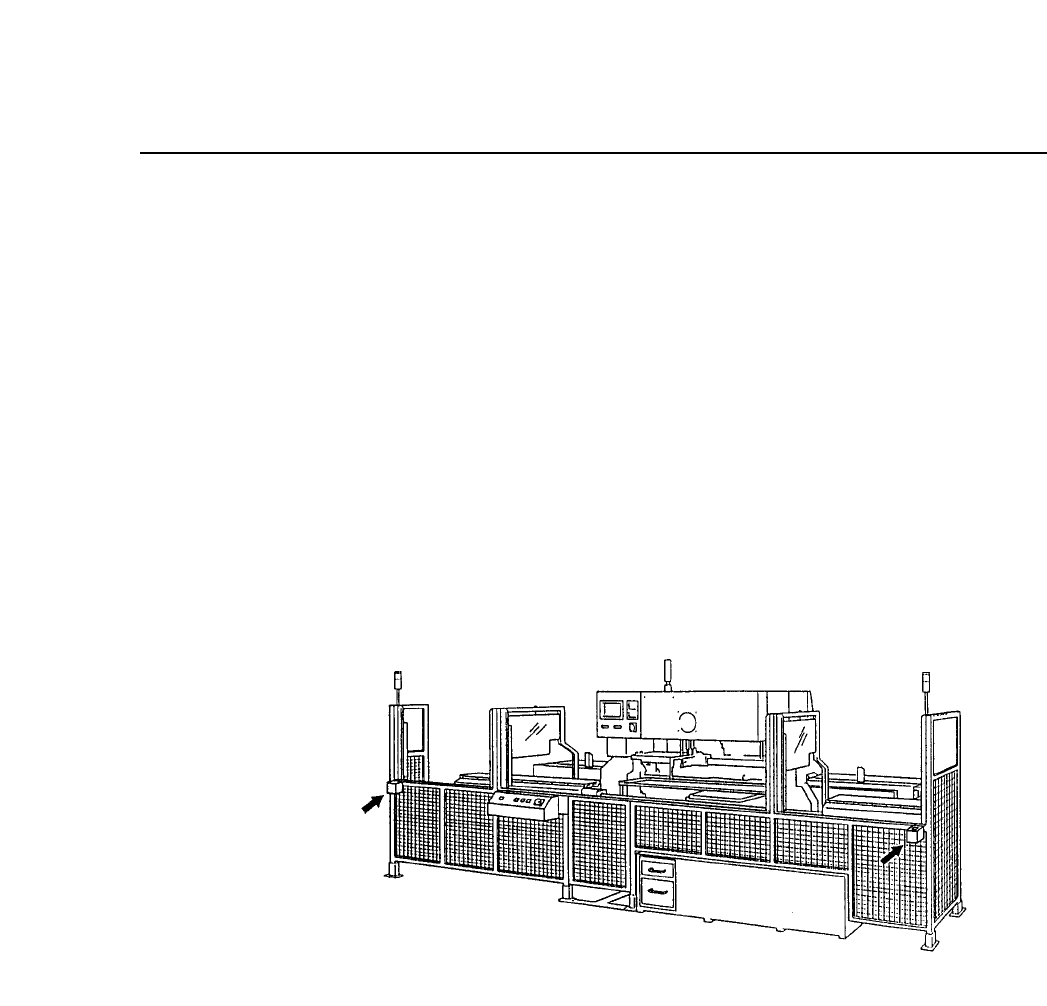
Chapter 4 Device Check Part 2 1. When the device check function is not used In this case production becomes possible with the device table in question when the switch is set to "COMPLETE." The signal tower on t…
Chapter 4 Device CheckPart 2
4.1.2 The [PARTS SET] CANCEL / COMPLETE Switch
The [PARTS SET] CANCEL/COMPLETE switch is used as a final
check switch once the parts set operation is complete. When this
switch is set to "COMPLETE" production becomes possible and the
resupplied device table will move to its part picking position.
On the other hand, if for some reason the device table in the
resupply position is not to be moved to its part picking position
even though the parts set operation is complete, then this switch
can be set to "CANCEL" to prevent the table from being used in
production.
This switch is only enabled when the device table is in its resupply
position. This function does not work when the device table
designated as the original table is in its part picking position.
This switch works differently depending on whether the device
check function is used or not. This difference is explained next.
2 – 32Version 2.0
FCP IV-3 Operation

Chapter 4 Device CheckPart 2
1. When the device check function is not used
In this case production becomes possible with the device table
in question when the switch is set to "COMPLETE." The signal
tower on the rear fence will begin flashing.
On the other hand, if the switch is set to "CANCEL" then
production with the device table in question will not be
possible. The signal tower on the rear fence will be lit.
2. When the device check function is used
In this case when all devices have been checked and the switch
is set to "COMPLETE", production becomes possible and the
device table moves from its resupply position to its part
picking position.
If the switch is set to "CANCEL" the machine remains in device
check mode and production with that table is not possible. The
signal tower on the rear fence will be lit.
To operate in the device change mode the status of one of the
tables, either table 1 or table 2, must be ready for production.
Also note that to operate in the changeover mode it is necessary for
the original table to be ready for production.
In the case where operation is not possible because neither table is
ready for production, the message "Parts are unset" will display
and the machine will wait for the [PARTS SET] switch to be set to
"COMPLETE".
2 – 33Version 2.0
FCP IV-3 Operation

Chapter 4 Device CheckPart 2
4.2 Setting Proper Data
To carry out device check it is necessary to set the following Proper data
items.
70: Device Check SW No: Parts: Miss: Error
This item determines whether or not a mandatory device check will
be performed when parts run out and when a program change has
occurred. If this item is set to "No" device check is not carried out
when a program changes.
No : Mandatory device check is not performed.
Parts : Mandatory device check is performed when parts run out.
Miss : Mandatory device check is performed when parts run out or
when parts are mispicked.
Error : Mandatory device check is performed when parts run out,
parts are mispicked or an image processing error occurs.
71: Verifier Tool Non: Barcode: Handy_term
This item specifies the hardware to be used in device check.
Non : Handy terminal is not used.
Barcode : Not supported.
Handy_term : Handy terminal is used (option)
Note: If "Handy_term" is set then a value other than 0 must be set in
Proper data item 72: Barcode Reader Type.
74: ESC Permission Non: Permit
This item determines whether or not the [ESC] command will be
enabled during device check. The [ESC] command allows the user to
escape from setting all devices.
Non : [ESC] command is disabled.
Permit : [ESC] command is enabled.
75: MAN Permission Non: Permit
This item determines whether or not it is possible to input data from
the handy terminal numerical keypad to the operation panel on the
machine.
Non : Numerical keypad is disabled.
Permit : Numerical keypad is enabled.
If this item is set to "Permit" the numerical keypad and [CR] key on
the operation panel are also enabled.
2 – 34Version 5.0
FCP IV-3 Operation