CP43操作手册.pdf.pdf - 第135页
FCP IV -3 Operation 3. Description of Commands This chapter explains each command using the format shown below . The description of a command begins as shown above. The left box describes the command, the center box name…

SERVO..............................Servo Board Trace List Display.........................................SRV
SERVO..............................Servo Board Trace List Display......................................SRV-1
SERVO..............................Servo Board Trace List Printout...................................SRV-15
POSITION........................Moving to a Specified Position ..................................550/000
X AXIS..............................Moving the X Axis.......................................................551/000
Y AXIS..............................Moving the Y Axis.......................................................552/000
D AXIS..............................Moving to a Specified Device Position.....................553/000
D RESUPPLY...................Retracting the Device Tables ......................................554/000
DUMP PARTS.................Discarding Parts in Reject Part Box...........................555/000
POSITION........................Moving to a Specified Position ..................................550/000
X AXIS..............................Moving the X Axis.......................................................551/000
Y AXIS..............................Moving the Y Axis.......................................................552/000
COUNTER.......................Moving Y Axis to Target Position ..............551/000,552/000
PROGRAM......................Moving Y Axis to Placing Position Y.........551/000,552/000
D AXIS..............................Moving to a Specified Device Position.....................553/000
D RESUPPLY...................Retracting the Device Tables ......................................554/000
DUMP PARTS.................Discarding Parts in Reject Parts Box.........................555/000
Command name Description
Command
page
Chapter 2 Table of Command PagesPart 3
Version 5.0 3 – 9
FCP IV-3 Operation
FCP IV-3 Operation
3. Description of Commands
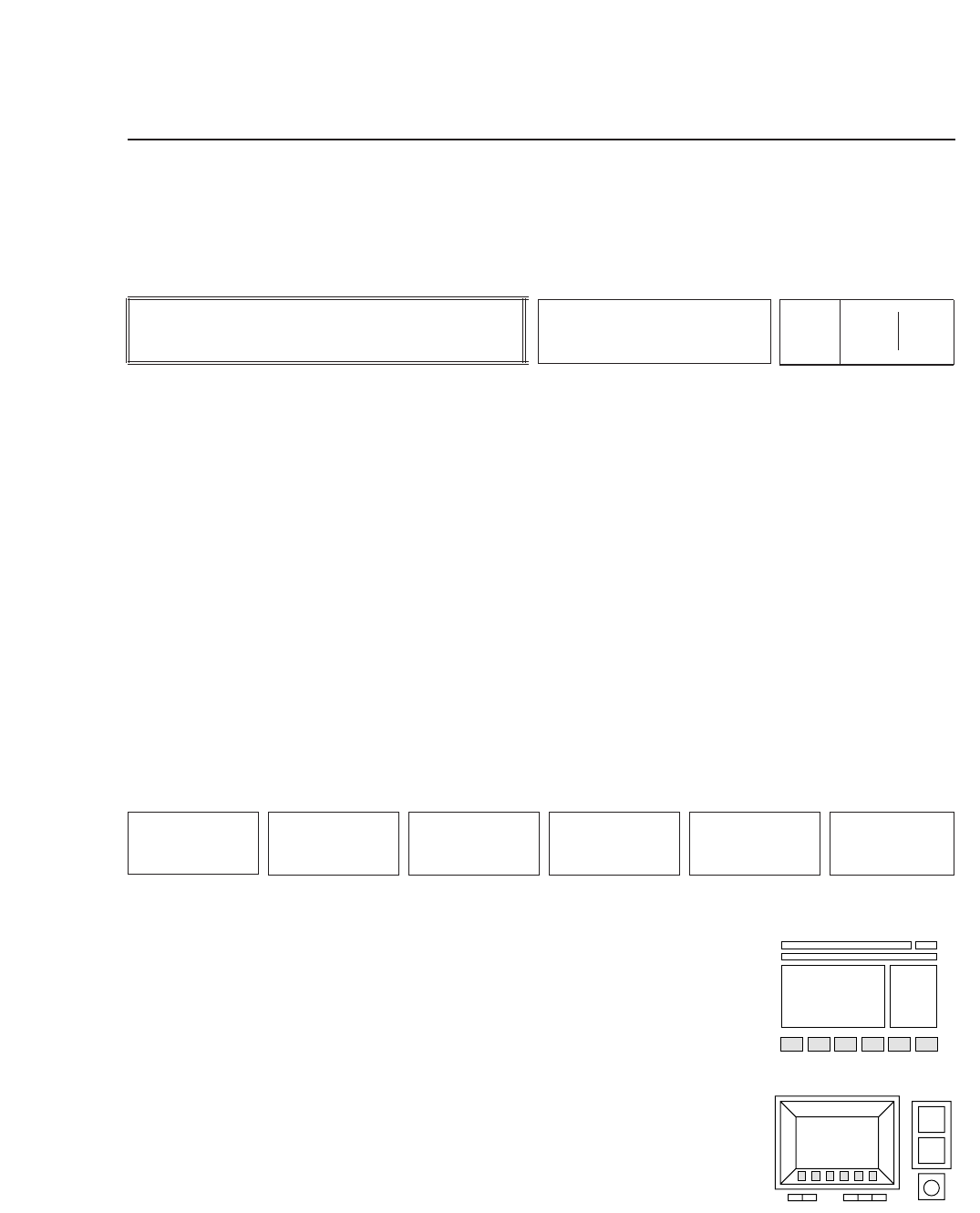
This chapter explains each command using the format shown below.
The description of a command begins as shown above.
The left box describes the command, the center box names the command, and
the two boxes on the right comprise the command page number. The
command page number reflects the sequence of function keys that were pressed
to arrive at that page. For example, if the operator presses function key [F5],
command page number 500 displays. If [F2] is then pressed , command page
number 520 appears, and so on. In this fashion, the command page number
identifies a command's position within the command hierarchy. When more
than three function keys must be pressed to arrive at the desired command
page, only the numbers of the first three keys will actually display on the
machine. These are shown in the left portion of the box above. The numbers in
the right portion complete the sequence of function keys required to reach the
page.
The commands displayed in the function key menu are
shown here. The operator selects a command from the
function key menu by pressing the corresponding function
key, [F1] through [F6].
• Action of the Function Keys
Each command is listed here, along with an explanation of
what happens when the corresponding function key is
pressed.
• Function Key Menu
Chapter 3 Description of Commands
Part 3
3 – 10
F1
F2 F3 F4 F5 F6
Version 5.0
Description
COMMAND NAME
Page
000 000
FCP IV-3 Operation
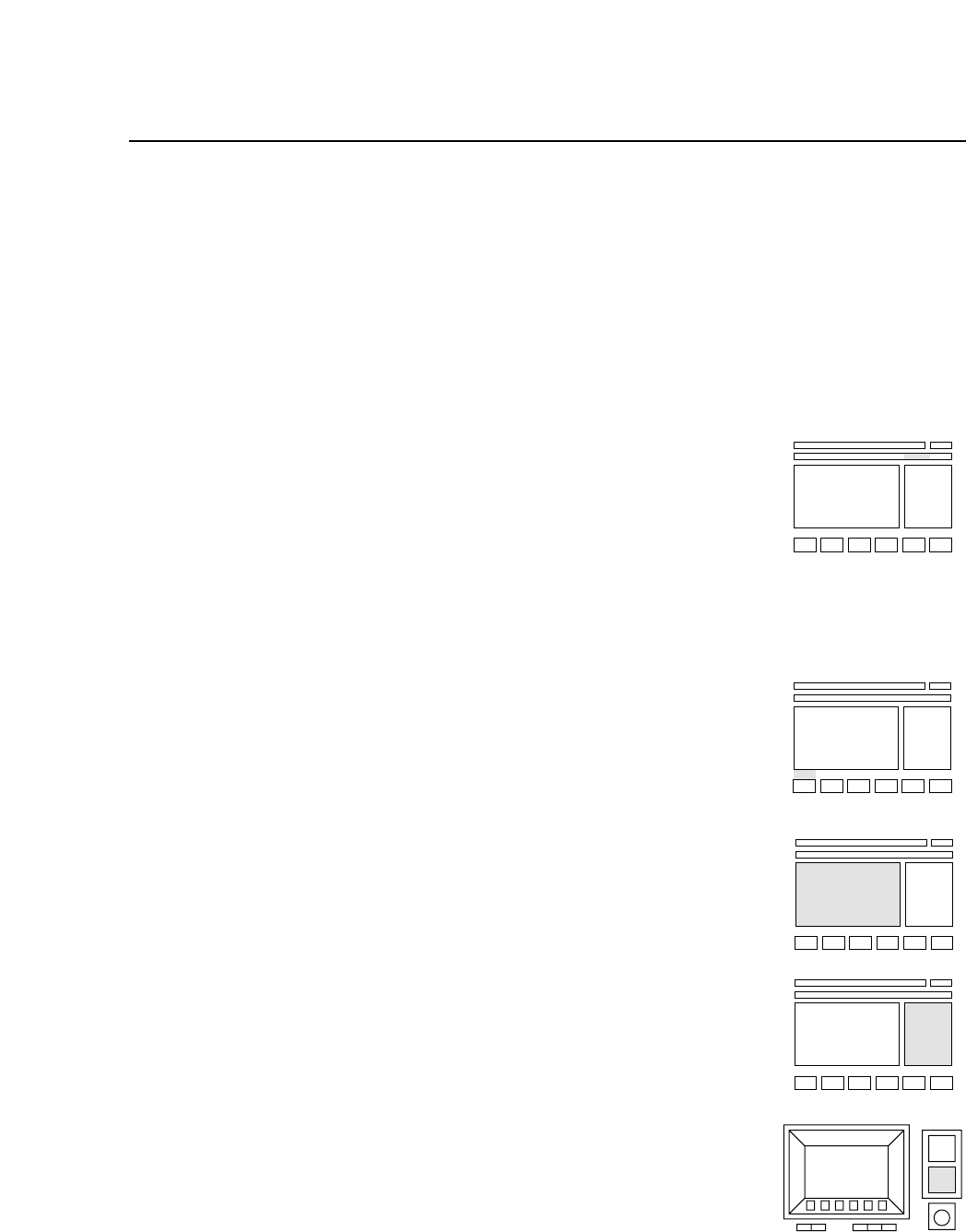
• START Button
A description of what happens when the [START] button is
pressed appears here.
To the right of each explanation a small figure shows where
on the control panel information is displayed, as indicated
by a shaded area.
• First Status Area
Displayed here is the name of the parent command, in other
words, the most recently selected command that has been
pressed to arrive at the current screen display. Because this
display usually shows the command name (the same as that
shown in the center box of each page), this item is excluded
for most command descriptions.
• Second Status Area
Information displayed in the second status area is shown
here.
• First Display Area
Information displayed in the first display area is shown here.
• Second Display Area
Information displayed in the second display area is shown
here.
• Input from Numerical Keypad
A description of what to input from the numerical keypad
and what happens with this input is explained here.
Chapter 3 Description of Commands
Part 3
3 – 11
Version 5.0
NUM