CP43操作手册.pdf.pdf - 第117页
Chapter 7 Fiducial Mark Recovery Command Part 2 After specifying the sequence no. , "Press start" message displays. However , if the value of the current position is within "specified mark coordinates ± ca…

Chapter 7 Fiducial Mark Recovery CommandPart 2
7.3 Actual Operation and the Command System
7.3.1 Displaying Mark Editor Screen
Select the Automatic and then the Step commands to display Mark
Editor command at the F3 position at the bottom of the screen. This
command is available irrespective of Proper data setting.
(Note that "Mark Editor" will not display for a production program
in which a fiducial mark is not used.)
Select F3(Mark Editor) and a message to prompt the operator to
enter a sequence no. of the mark displays.
Page 130
RETURN
ST1
ST2
ST3
ST4
ST5
ST6
ST7
N
N
N
N
N
N
N
3 D 5 Er ****
3 D 5 Er ****
3 D 5 Er ****
3 D 5 Er ****
3 D 5 Er 0
3 D 5 Er 0
3 D 5 Er 0
STATUS
P Mode Product
Recovery 3 times
T mode Joint
Ready
Sequence No:
Input Mark Sequence No.
Page 130
CAM
ORG.POS
RETURN
ST1
ST2
ST3
ST4
ST5
ST6
ST7
N
N
N
N
N
N
N
3 D 5 Er ****
3 D 5 Er ****
3 D 5 Er ****
3 D 5 Er ****
3 D 5 Er 0
3 D 5 Er 0
3 D 5 Er 0
STATUS
P Mode Product
Recovery 3 times
T mode Joint
Press START.
MARK
EDITOR
SEQ.NO. MODE
2 – 48Version 5.0
FCP IV-3 Operation

Chapter 7 Fiducial Mark Recovery CommandPart 2
After specifying the sequence no. , "Press start" message displays.
However, if the value of the current position is within "specified
mark coordinates ±camera F. O. V./2", the Mark Editor screen will
display without pressing the start switch.
Pressing the start switch will move the X robot and Y table to a
position with which specified coordinates come just below the
camera. After that, the Mark Editor screen displays.
Page 130
RETURN
ST1
ST2
ST3
ST4
ST5
ST6
ST7
N
N
N
N
N
N
N
3 D 5 Er ****
3 D 5 Er ****
3 D 5 Er ****
3 D 5 Er ****
3 D 5 Er 0
3 D 5 Er 0
3 D 5 Er 0
STATUS
P Mode Product
Recovery 3 times
T mode Joint
Ready
Move to Read Mark.
2 – 49Version 5.0
FCP IV-3 Operation
Chapter 7 Fiducial Mark Recovery CommandPart 2
7.3.2 Mark Editor Screen
When the last bit of "Machine_Status A" in the Proper data is set to
"1", just press the Reset switch to display the Mark Editor screen
after a mark read error occurs.
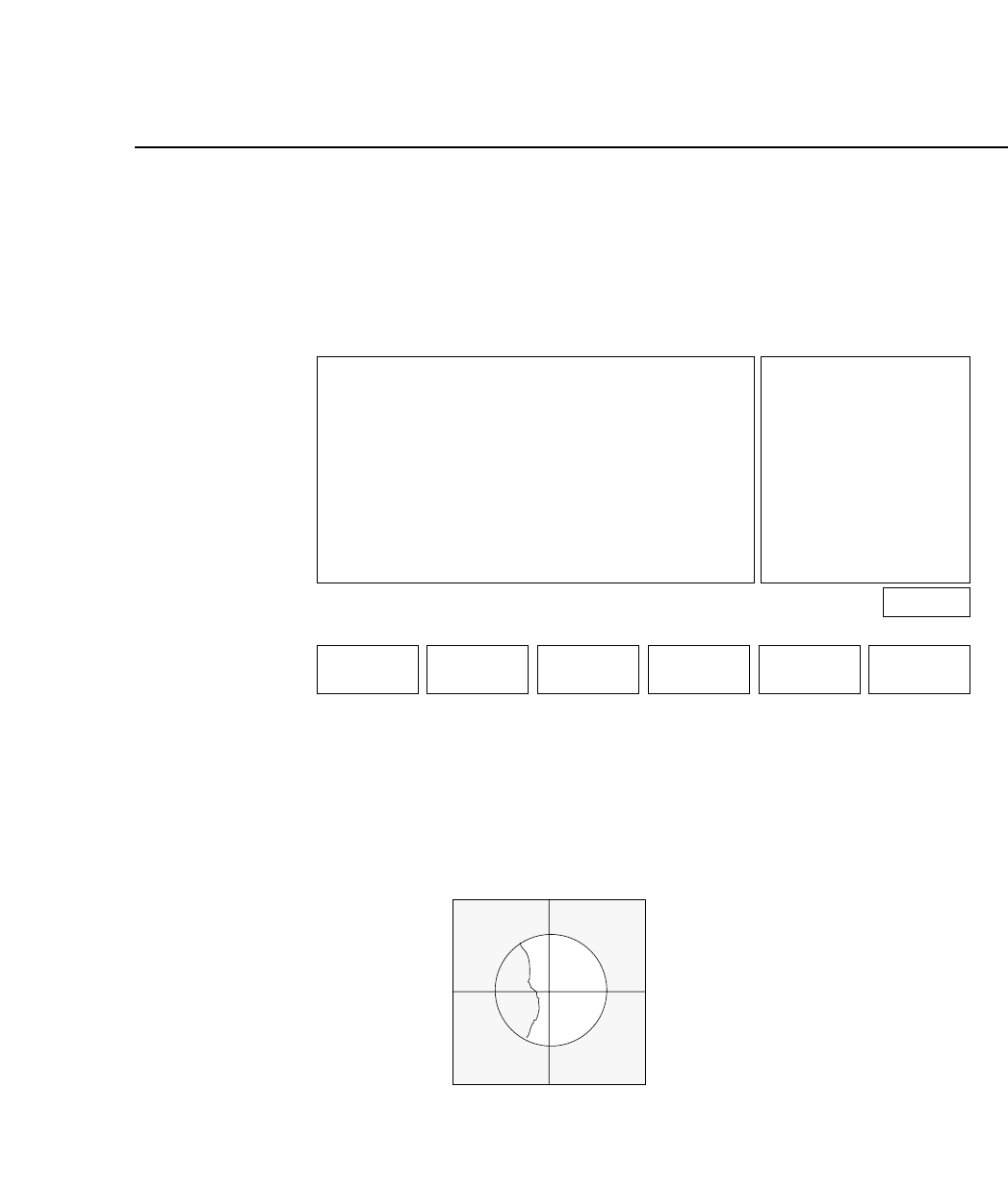
As soon as the Mark Editor screen displays, turn on the fiducial
mark lamp to read the mark. A cross-hair will also display on the
vision processing monitor.
Vision Processing Monitor
Page 130
RETURN
SPEED
MARK EDITOR
SEQUENCE NO. 1 MARK NO. 1
SERVO POS.
PROGRAM
OFST in MEMORY
X DATA
− 1020
− 1000
20
Y DATA
2525 [0.01mm]
2520 [0.01mm]
5 [um]
Ready
SET DATA SKIP BRIGHT
2 – 50Version 5.0
FCP IV-3 Operation