CP43操作手册.pdf.pdf - 第184页
FCP IV -3 Operation 2. No. 1 T ole A display of the inspection results graph laid over the tolerance graph is carried out. When either the [REINSPECT] or [ACQR INSPECT] vision command is carried out this flag will automa…
FCP IV-3 Operation
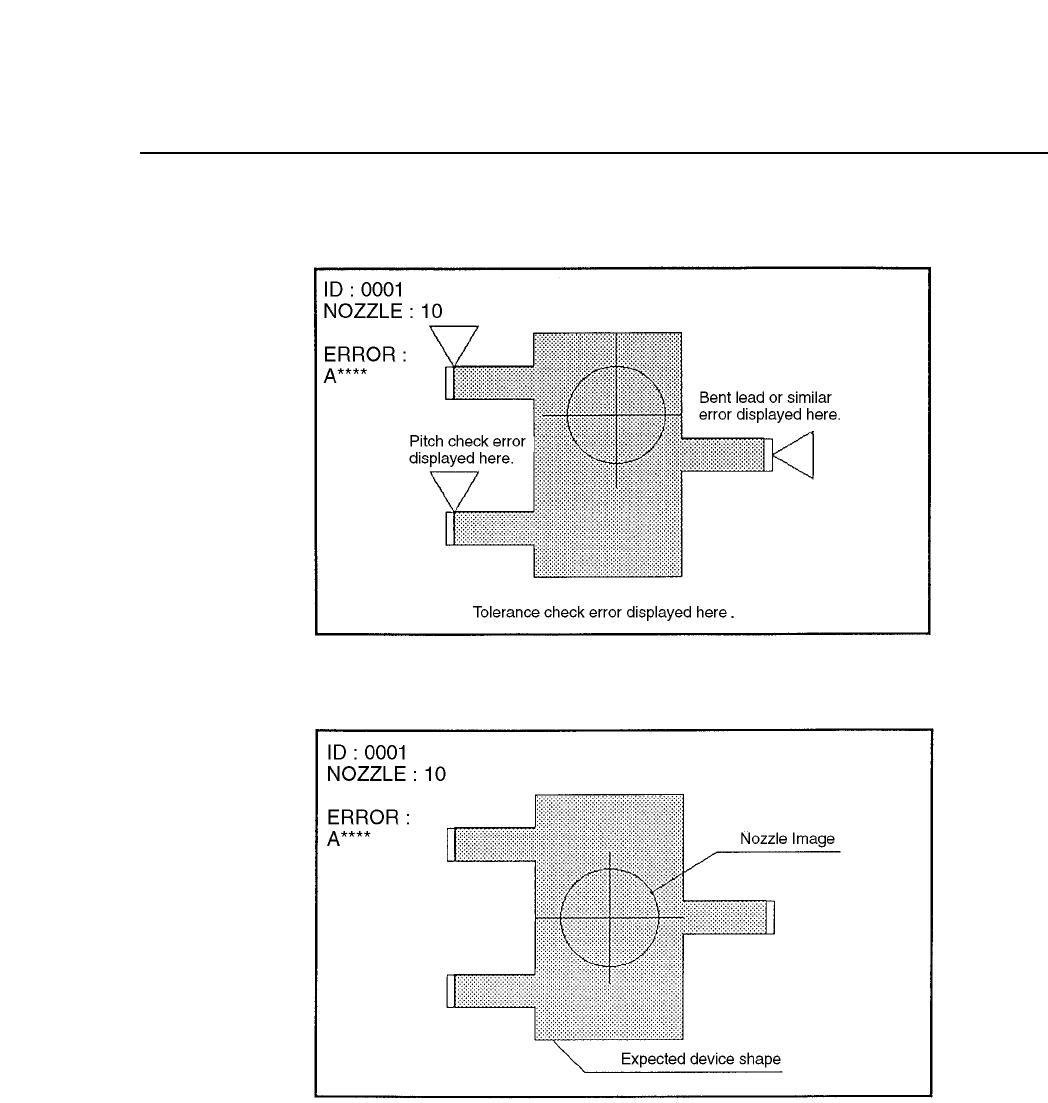
(2) Tolerance Error Display
(3) Pickup Error Display
Chapter 3 Description of Commands
Part 3
3 – 58
Version 5.0
FCP IV-3 Operation
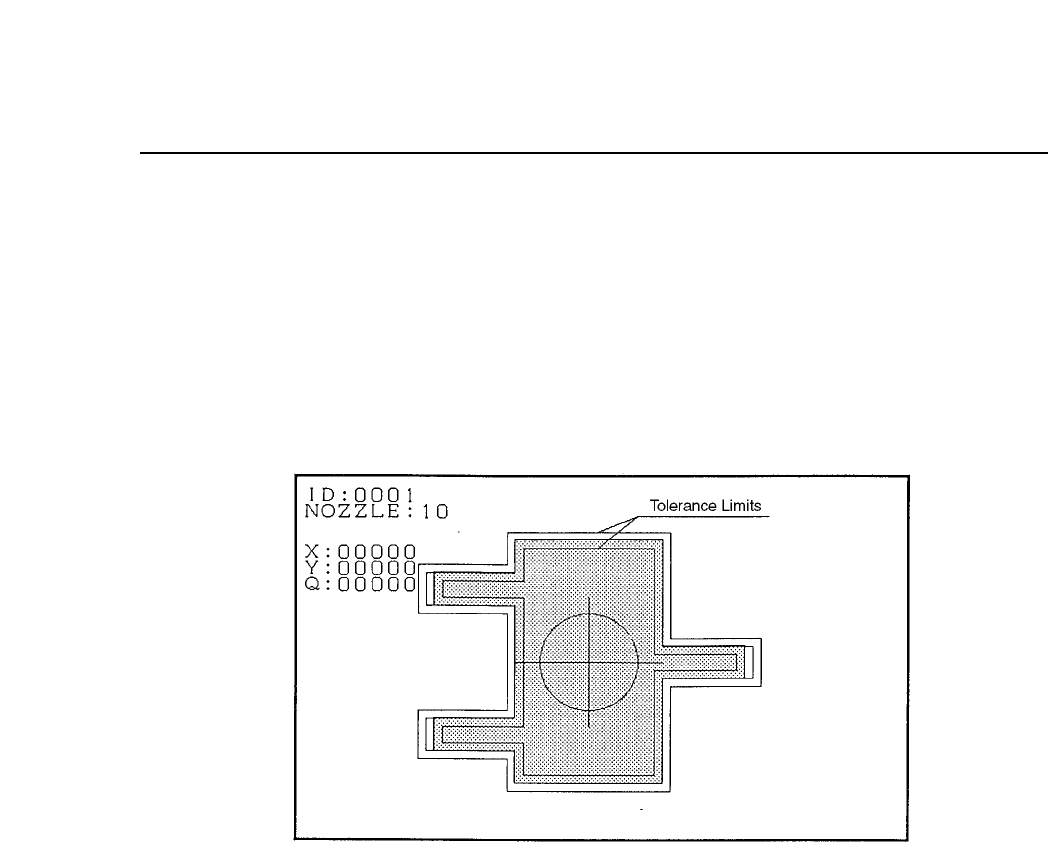
2. No. 1 Tole
A display of the inspection results graph laid over the tolerance graph is
carried out. When either the [REINSPECT] or [ACQR INSPECT] vision
command is carried out this flag will automatically be set to ON. A
graphic display of the inspection results is laid over the tolerance
information.
Tolerance Display Mode
3. No. 3 Point
In accordance with the algorithm the position and size of each
observation window will display along the entire inspection distance.
Chapter 3 Description of Commands
Part 3
3 – 59
Version 5.0
FCP IV-3 Operation
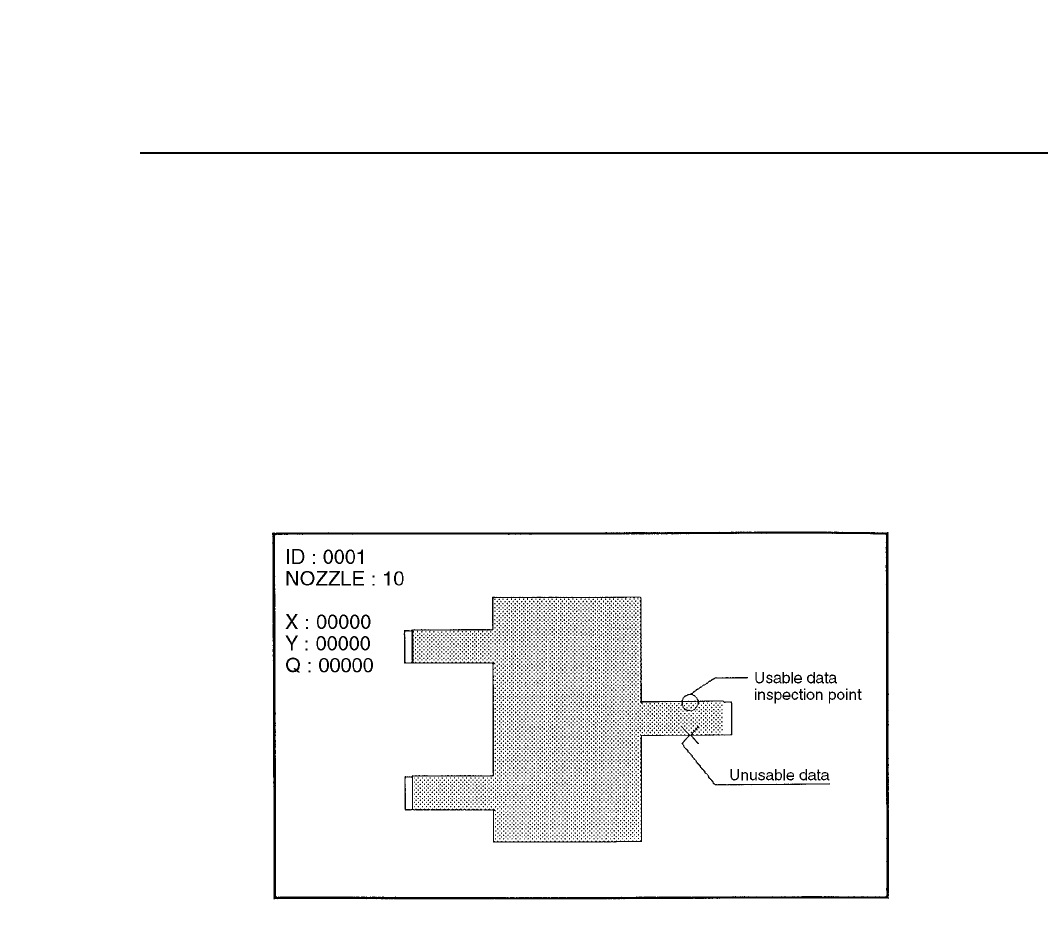
4. No. 4 Line
Display of observation points is carried out. For example, if calipers are
used then by searching for the caliper boundaries and using the
boundary points as data, the algorithm will be able to make use of these
observation points to display a graph.
If the observation point that has been found can be used as data then it
will be indicated by an [o] and if the observation point found is not
suitable foe use as data then it will be indicated by an [x].
Observation Point Display Mode
5. No. 5 Line
Display of the auxiliary observation lines is carried out. These auxiliary
observation lines can be displayed when seeking to base these lines on
the observation points. In determining the auxiliary observation lines the
observation points that are used are indicated by an [o] while the
observation points that are not used are indicated by an [x]. In addition,
the results of the angle finder and the output results of the other essential
tools are displayed for finding the blob center of gravity and the direction
of inertia of the main axis.
6. No. 13 Color
This is used to change the color of the graphic display to black. Normally
this is not set in which case the display appears in white.
Chapter 3 Description of Commands
Part 3
3 – 60
Version 5.0