CP43操作手册.pdf.pdf - 第19页
Part 1 Chapter 2 Operation of the Keys • T urning the light source for the mark camera on and of f. Perform the following steps: (1)While holding down the rapid inching key [F], press axis change key [4]. (2)The mark cam…

Chapter 2 Operation of the KeysPart 1
• Inching Axis Selection Key [2]
Inching axis display: D1 Z FQ
Inching keys:
[M] D1 axis, positive direction [A] D1 axis,negative direction
[J ] Z axis, positive direction [F ] Z axis, negative direction
[]Fθ axis, positive direction [ ] Fθ axis, negative direction
• Inching Axis Selection Key [3]
Inching axis display: D2
Inching keys:
[M] D2 axis, positive direction [A] D2 axis, negative direction
The inching speed may be set by selecting the [Set], [Servo] and [Inching
Speed] function command keys in that order.
Note: Be sure that nothing in the machine will interfere with the movements
during inching.
Using the Special Keys
The functions listed below can be carried out using the special
function keys. However, these functions can be carried out only
when the main operations of the inching keys are enabled (i.e. these
functions cannot be carried out when the inching keys have been
disabled due to machine operation or Proper data measurement).
• Program counter output to the printer.
Connect the MCS 30 computer printer to the machine CPU
board and perform the following steps:
(1)While holding down the fast inching key [F], press axis
change keys [3] and [1] simultaneously.
(2)Release the keys when the printer starts operating.
(3)A program counter list will be printed out.
Note: See Part 6, Section 6 "Trouble shooting" for further details.
1 – 5Version 4.0
FCP IV-3 Operation
Part 1 Chapter 2 Operation of the Keys
• Turning the light source for the mark camera on and off.
Perform the following steps:
(1)While holding down the rapid inching key [F], press axis
change key [4].
(2)The mark camera lamp turns on. Perform this operation
again to turn the mark camera off.
Note: Do not keep the light on for long periods of time, as the
lifespan of the bulb will decrease.
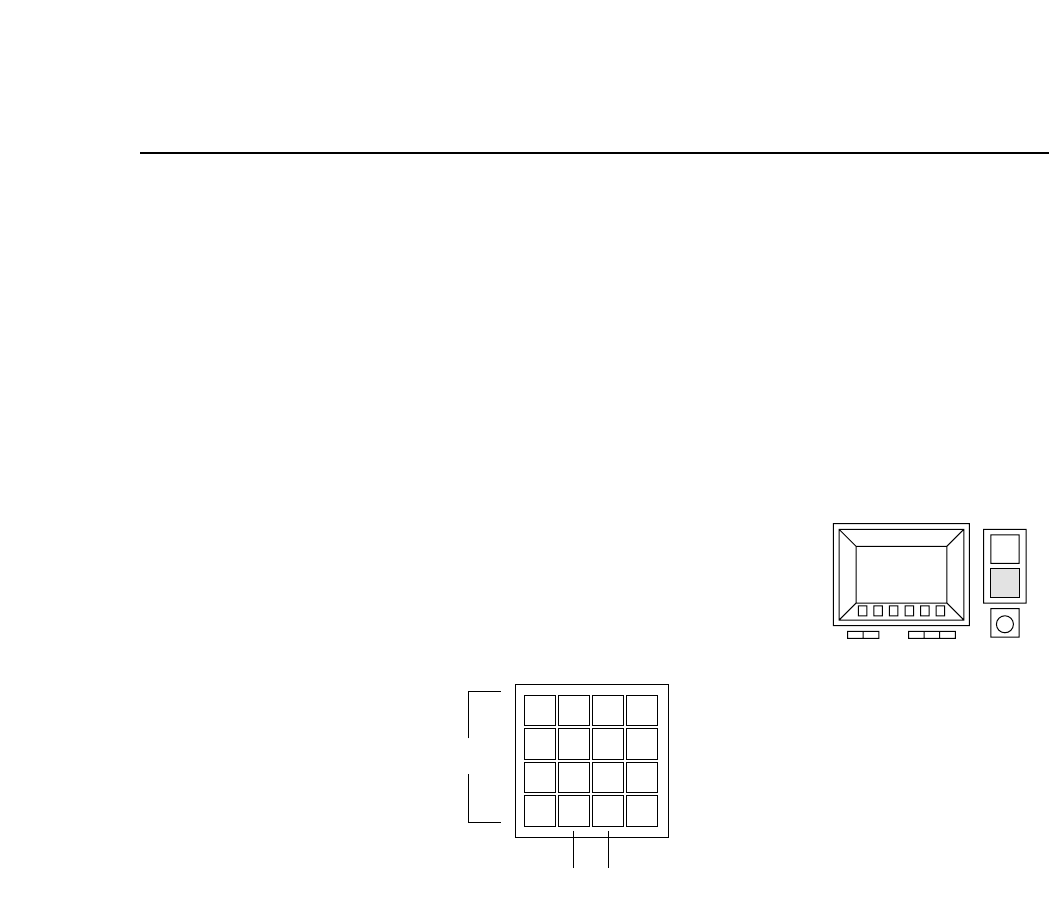
2.3 Numerical Input Keys
These keys are used to input numerical values
(a) Input keys (0 - 9, *, #, D, –)
The numerical keys are used to input numerical values such as
camera threshold levels or I.D. codes.
(b) Backspace key (BS)
When inputting numerical values this key is used to delete previously
input values. Press this key once to move the cursor backward a
single space.
(c) Carriage return key (CR)
This key is used to complete the entry of a numerical value. It may
also be pressed to take the machine out of numerical input mode.
56
7
8
9
D
#
–
1
2
3
4
✽
B
S
C
R
0
(a)
(b) (c)
1 – 6Version 4.0
FCP IV-3 Operation
Chapter 2 Operation of the KeysPart 1
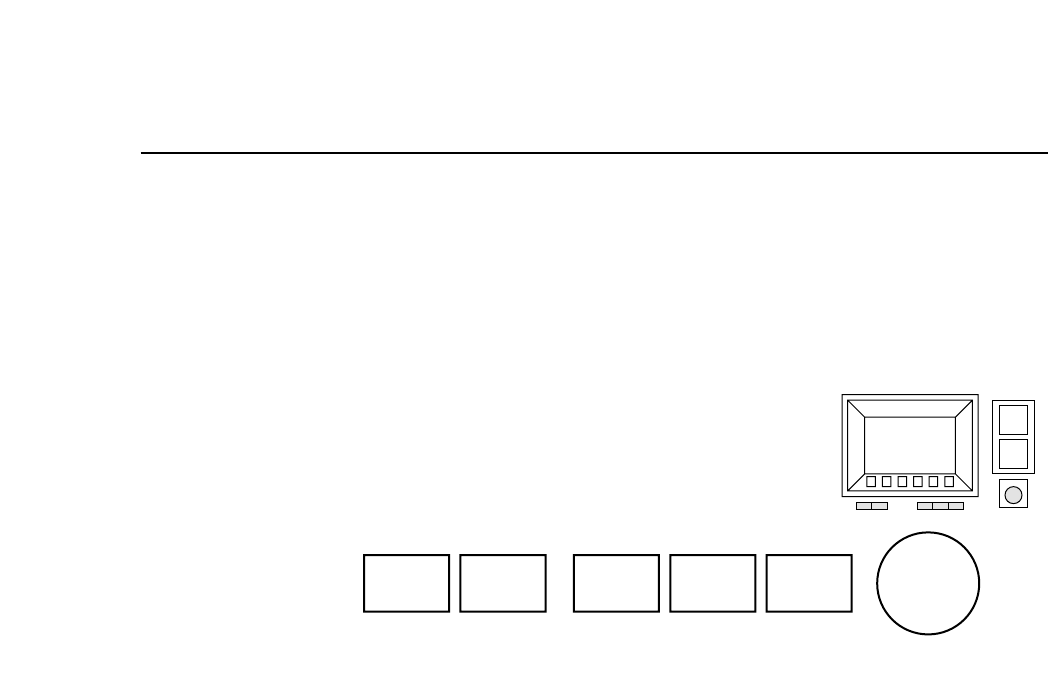
2.4 Buttons
The FCP IV-3 is equipped with several pushbutton switches. This section
describes the use of these buttons.
2.4.1 Buttons on the Front Panel
(a) [POWER OFF] button
This button, when pressed after the [EMERGENCY STOP]
button is pressed, turns the power off.
Note: Pressing this button alone will not turn off the power.
(b) [POWER ON] button
This button turns on the FCP IV-3.
When the machine circuit breaker is turned on, press this
button to turn on the machine’s power supply.
(c) [START] button
This button starts machine operation.
Press this button to start automatic operation and zero setting
when the message “Start SW” is blinking in the second display
area.
(d) [CYCLE STOP] button
This button is used to stop operation.
Press this button during automatic operation to cancel the
automatic operation mode at the end of the current sequence
and return the machine to the [START] button wait mode.
(e) [RESET] button
This button is used to reset an alarm which has occurred.
When an alarm occurs, an error message will be displayed and
(a) (b) (c) (d) (e) (f)
POWER
OFF
POWER
ON
START
CYCLE
STOP
RESET
EMERGENCY
STOP
1 – 7Version 4.0
FCP IV-3 Operation