CP43操作手册.pdf.pdf - 第124页
Chapter 8 Using Standard Program for Reverse Flow Part 2 8.2 Setting Data 8.2.1 Proper Data Use the following data item to specify the board feed dir ection. 22. Conveyor Type L → RR → L (normal flow) (reverse flow) 8.2.…
Chapter 8 Using Standard Program for Reverse FlowPart 2
8. Using Standard Program for Reverse Flow
A reverse flow machine (on which a board flows from right to left) can also use
a program for a normal flow machine only by changing the Proper data.
8.1 Using Standard Program for Reverse Flow
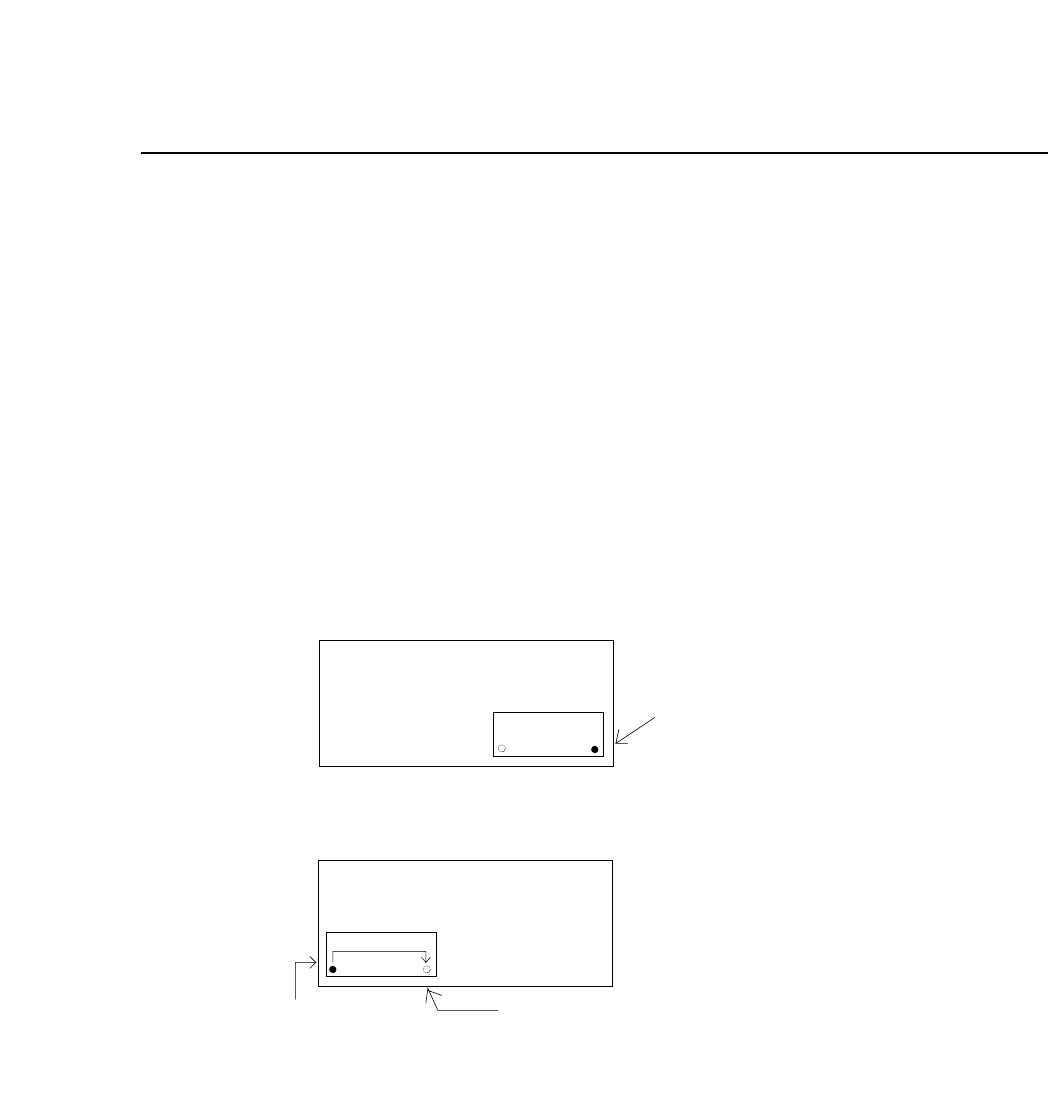
The reference pin of a reverse flow machine is located at the left hand
corner of a board, and for a normal flow machine at the right hand corner.
To use a normal flow program for a reverse flow machine, enter an offset
value so that the machine recognizes the right hand corner of a board as
the program origin. (See the figure below.)
XY TABLE
Normal flow machine
XY TABLE
Reverse flow machine
Reference
pin
Program origin specified
by entering an offset.
Reference pin position
which equals to the
program origin.
offset
2 – 55Version 5.0
FCP IV-3 Operation

Chapter 8 Using Standard Program for Reverse FlowPart 2
8.2 Setting Data
8.2.1 Proper Data
Use the following data item to specify the board feed direction.
22. Conveyor Type L → RR → L
(normal flow) (reverse flow)
8.2.2 Production Program
Enter an offset value to change the position of the origin from the
left hand corner to the right hand corner of a board.
Pcb-data 3. pin-pitch
Pin-pitch is used to specify an offset value only when 22. conveyor
Type of the Proper data is set to R → L (reverse flow).
8.3 Cautions
If an offset value has already been entered to Pcb Data 5. XA to use a
normal flow program for a reverse flow machine, change the value to 0.
If XA includes an offset for fine adjustment of part placement, then enter a
value subtracting the value entered in Pin-pitch from the value originally
entered in XA.
2 – 56Version 5.0
FCP IV-3 Operation

Part Three
FCP IV-3 Commands