SIPLACE-SX4-DX4-用户手册.pdf - 第240页
Settings Gantry Settings 5.4.6 Track Signals and Zero Pulse 240 Service Manual SIPLACE SX4/DX4 ► Manually move the gantry o ver the first zero pulse. ► The following pictur e should appear on the oscilloscope. Correctly …
Settings
5.4.6 Track Signals and Zero Pulse Gantry Settings
Service Manual SIPLACE SX4/DX4 239
5.4.6
5.4.6 Track Signals and Zero Pulse
Track Signals and Zero Pulse
5.4.6.1
5.4.6.1 Checking the Zero Pulse Signal
Checking the Zero Pulse Signal
The zero pulse must be reliably and clearly recognized by the read head. To ensure this, you can check
both the analog and the digital zero pulse. Electronically controlled settings can not be performed on the
incremental length measurement system.
Measuring the Analog Zero Pulse Signal
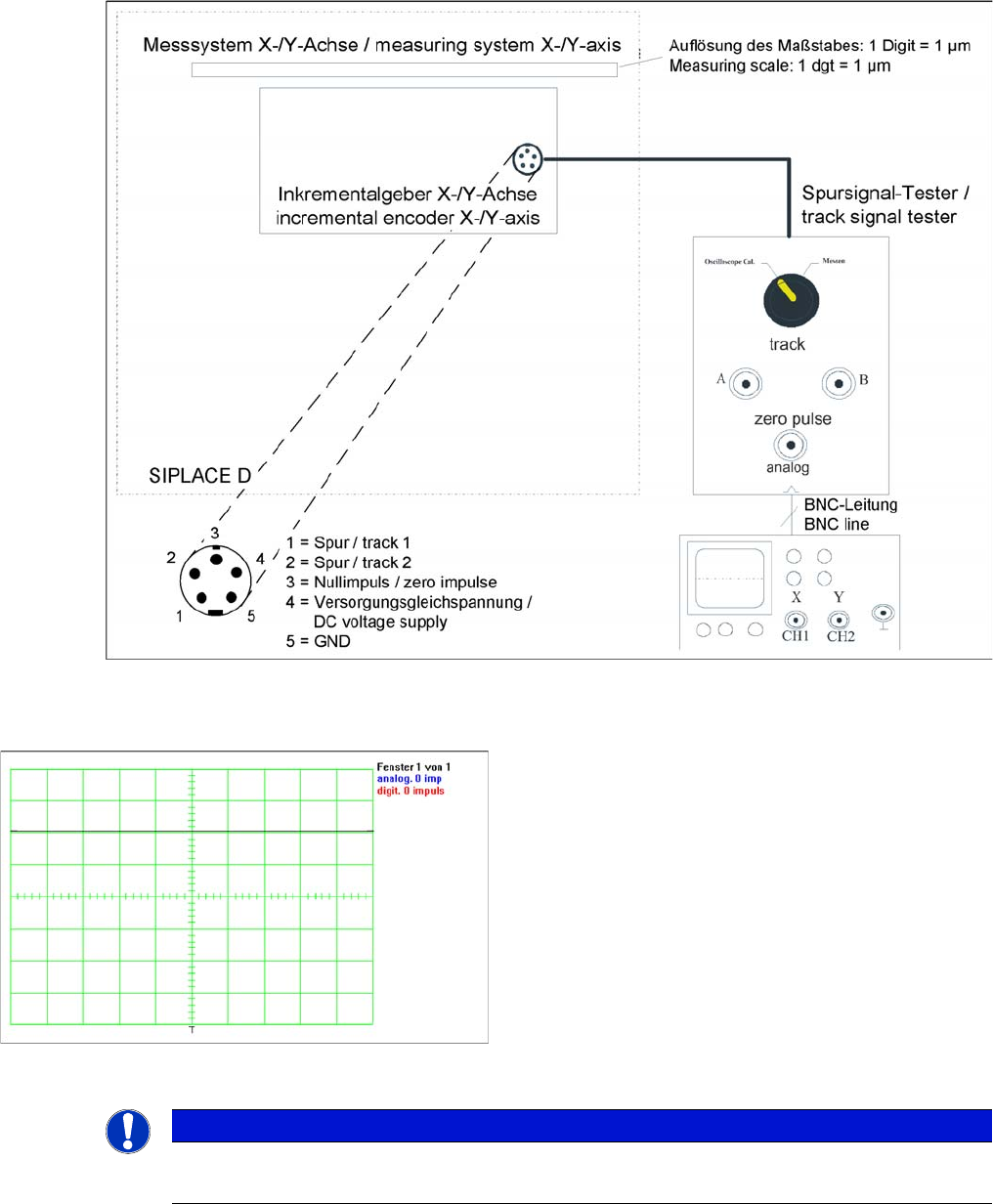
Measurement procedure for checking the analog zero pulse and the analog track signals
Measurement Procedure
Measuring the initial zero pulse position
► Connect the measurement tester to the incremental
encoder.
► Main power switch ON
► Connect the oscilloscope to the measurement tester.
► Set the measuring adapter to Calibrate the oscillo-
scope and position the signal at the top center of the
screen.
NOTICE
Verification
Check the first zero pulse after the limit switch.
Settings
Gantry Settings 5.4.6 Track Signals and Zero Pulse
240 Service Manual SIPLACE SX4/DX4
► Manually move the gantry over the first zero pulse.
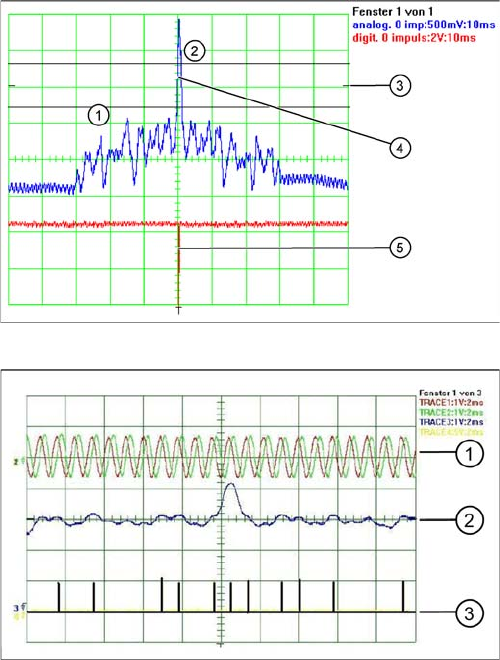
► The following picture should appear on the oscilloscope.
Correctly adjusted read unit
1. There should be no interference pulse in the toler-
ance space of - 0.3 V.
2. The analog zero pulse has to exceed the switching
threshold by more then 0.3V
3. Initial position
4. Analog zero pulse
5. Digital zero pulse
Incorrectly adjusted read unit or contaminated zero pulse
1. Analog track signal A and B
2. Analog zero pulse
3. Digital zero pulse
Settings
5.4.6 Track Signals and Zero Pulse Gantry Settings
Service Manual SIPLACE SX4/DX4 241
Measuring the Digital Zero Pulse Signal
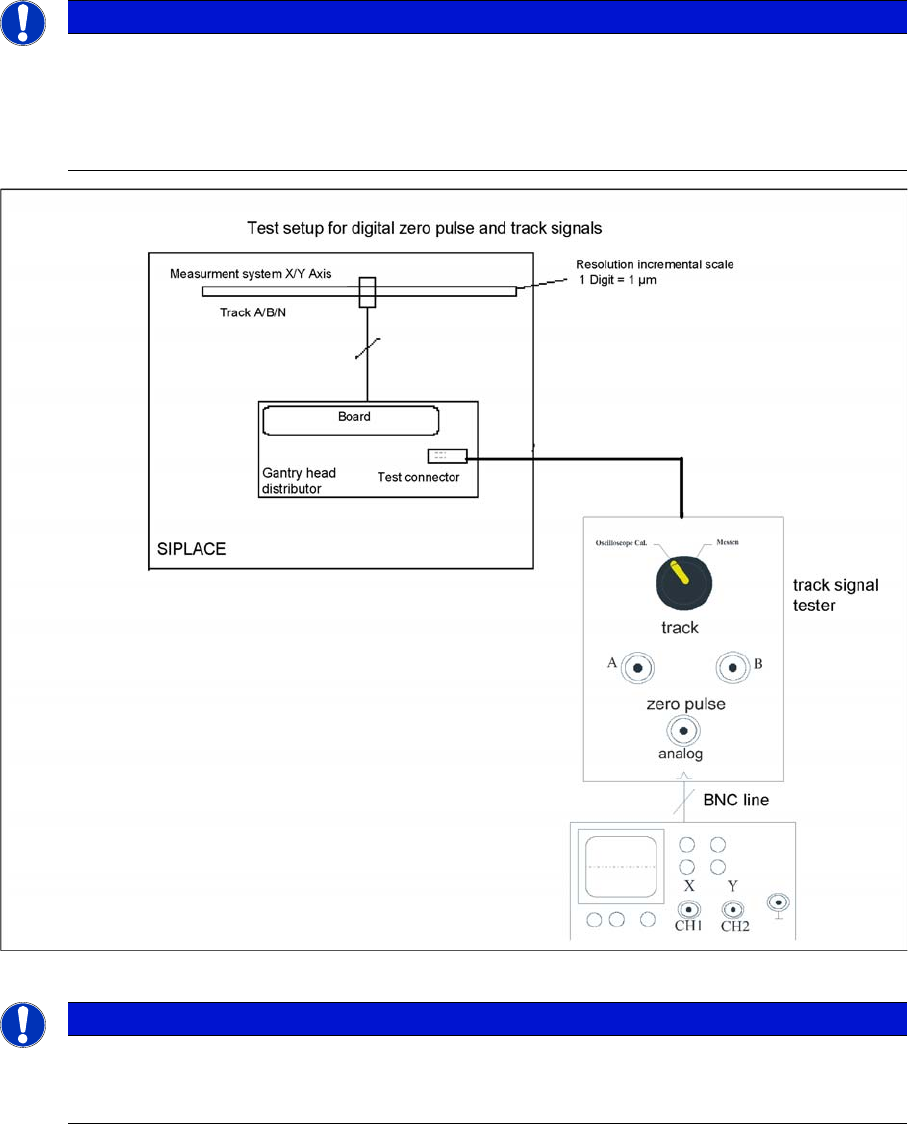
Measurement procedure for checking the digital zero pulse signal and the digital track signals.
NOTICE
Checking the zero pulse
You can also use the BNC socket on the axis test box to check the zero pulse signal (inverted
display of zero pulse signal). The digital signals (for error monitoring purposes) can be checked
at connectors X10 and X24 of the gantry and head interface. (Calculate extra time for Y axes,
dismounting the covers).
NOTICE
Measurement procedure
The procedure for measuring the digital zero pulse is identical to that for measuring the analog
zero pulse.