SIPLACE-SX4-DX4-用户手册.pdf - 第250页
Settings Gantry Settings 5.4.9 Overview of CAN LEDs and CAN I/O Module 250 Service Manual SIPLACE SX4/DX4 5.4.9 5 . 4 . 9 O v e r v ie w o f C A N L E D s a n d C A N I / O M o d u le Overview of CAN LED s and CAN I/O Mo…
Settings
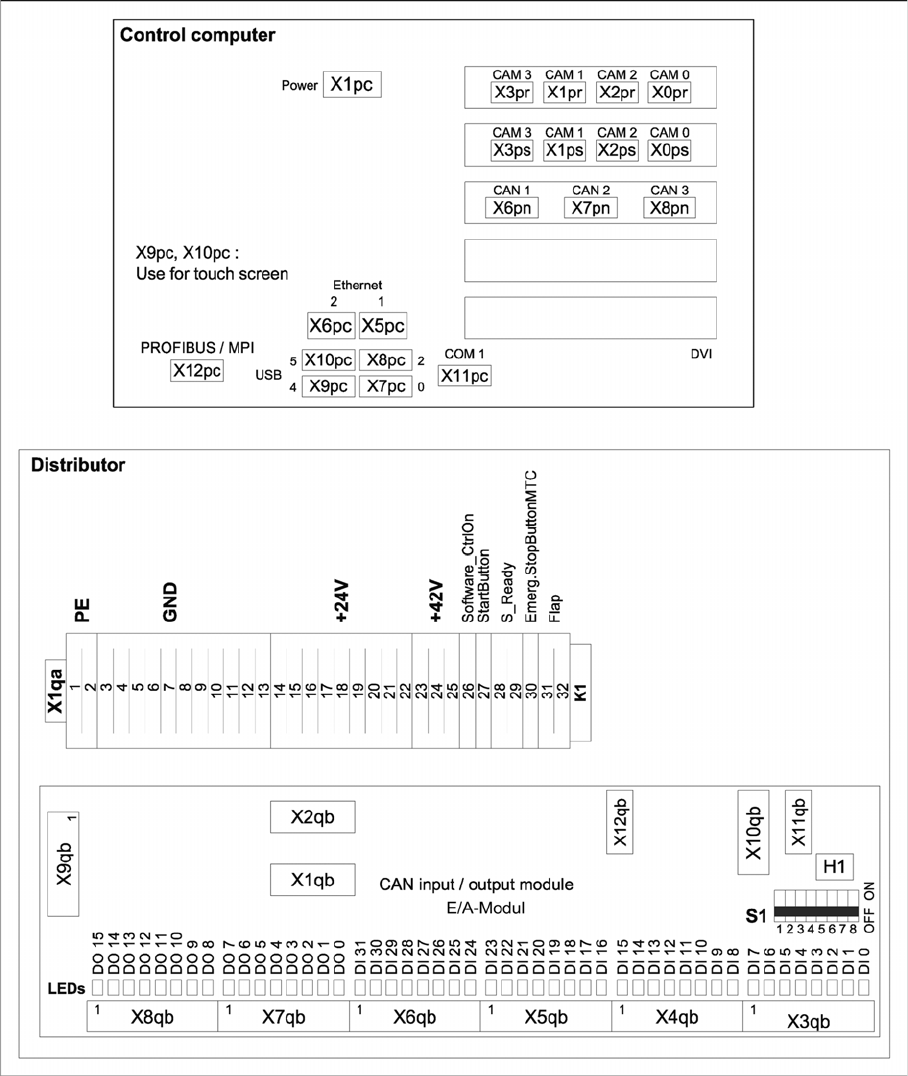
5.4.8 Overview of Station Computer and Distributor Gantry Settings
Service Manual SIPLACE SX4/DX4 249
5.4.8
5.4.8 Overview of Station Computer and Distributor
Overview of Station Computer and Distributor
Settings
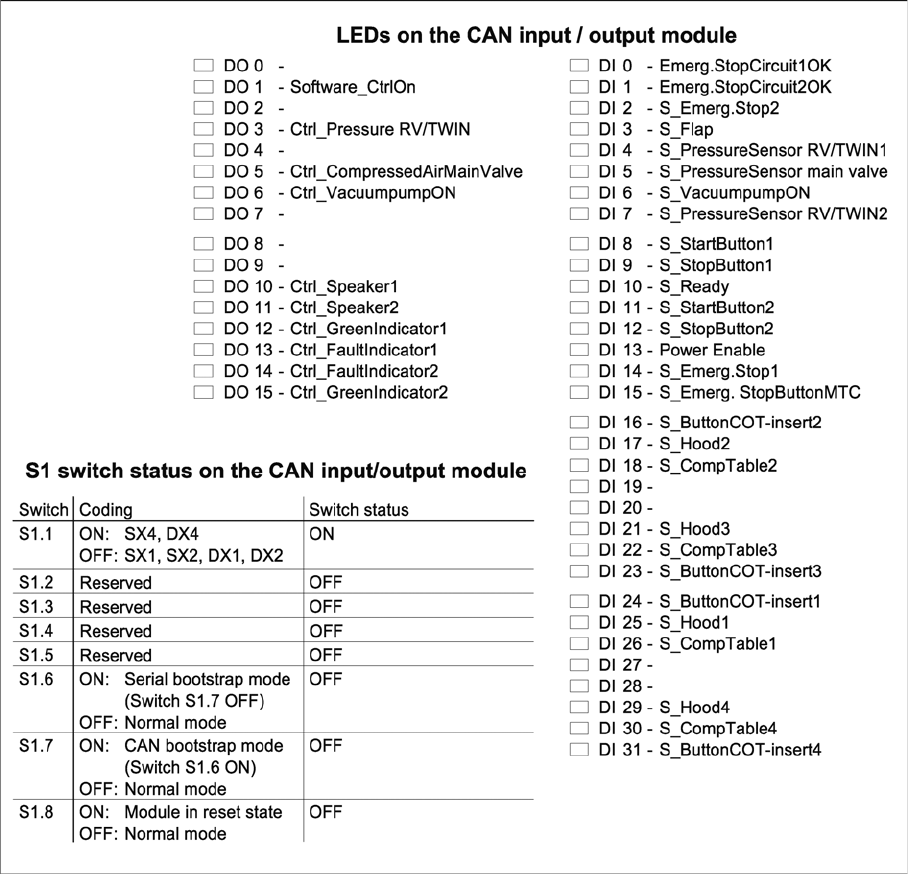
Gantry Settings 5.4.9 Overview of CAN LEDs and CAN I/O Module
250 Service Manual SIPLACE SX4/DX4
5.4.9
5.4.9 Overview of CAN LEDs and CAN I/O Module
Overview of CAN LEDs and CAN I/O Module
Settings
5.5.1 Belt Tension Conveyor Settings
Service Manual SIPLACE SX4/DX4 251
5.5
5.5 Conveyor Settings
Conveyor Settings
5.5.1
5.5.1 Belt Tension
Belt Tension
The precalculated values for setting the belt tension can be found in the following chapters.
In addition, the value for any section of the conveyor belt can be calculated using a formula. (See "5.5.1.4
Calculating the Belt Tension" [ ➙ 255])
5.5.1.1
5.5.1.1 Setting the Conveyor Belt Tension
Setting the Conveyor Belt Tension
Parts, equipment and tools
▪ Belt tension device (00326015-xx)
Setting
► Use the software to move the conveyor sides into the position which allows you best access. As an
alternative, you can loosen the clamps for the relevant sides in dual conveyors.
► Switch off the machine, disconnect it from the power supply and secure it to prevent unauthorized
reactivation. Observe the instructions in section "1.2 Preparatory Work..." [ ➙ 12].
See also
3.6.1 Loosening the Conveyor Side Clamps [ ➙ 95]
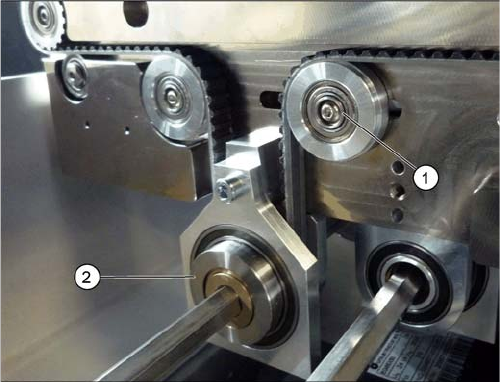
Tension of conveyor toothed belt (using example of SX1/
SX2)
► Set the tension of the conveyor toothed belt to 200 +/
-15 Hz. To do this, measure at the center, between
the flexible guide castor (1) and the tape drive (2).