00198227-03_UM_MaterialSetupAssistant_2.3-R17-1_DE_EN.pdf - 第134页
Preconditions and Configuratio ns Configuration Settings in ASM OIB 134 ASM Material Setup Assistant 2.3 (R17-1) ASM Material Setup Ass i st a n t 2 . 3 2.1 2 . 1 C o n f ig u r a t io n S e t t in g s in A S M O I B Con…
Preconditions and Configurations
ASM Material Setup Assistant 2.3 (R17-1) ASM Material Setup Assistant 2.3 (R17-1) 133
2
2 Preconditions and Configurations
Preconditions and Configurations
The following systems are a prerequisite for the SIPLACE Material Setup Assistant 2.3. These must be
already installed correctly and functional. For more details about the installation procedure, refer to the
relevant installation guide.
To enable SIPLACE Material Setup Assistant to function and communicate with the applications in
-
volved, you need to modify the configuration settings for the following applications.
▪ ASM Setup Center
▪ ASM OIB
▪ ASM Material Manager - full version (not with ASM Material Manager for MSA)
▪ ASM Engineering Data Manager (EDM) – optional
These configurations were performed during the installation of the Order Manager. See also the Instal
-
lation Guide for Material Setup Assistant 2.x [item no. 00198228-02].
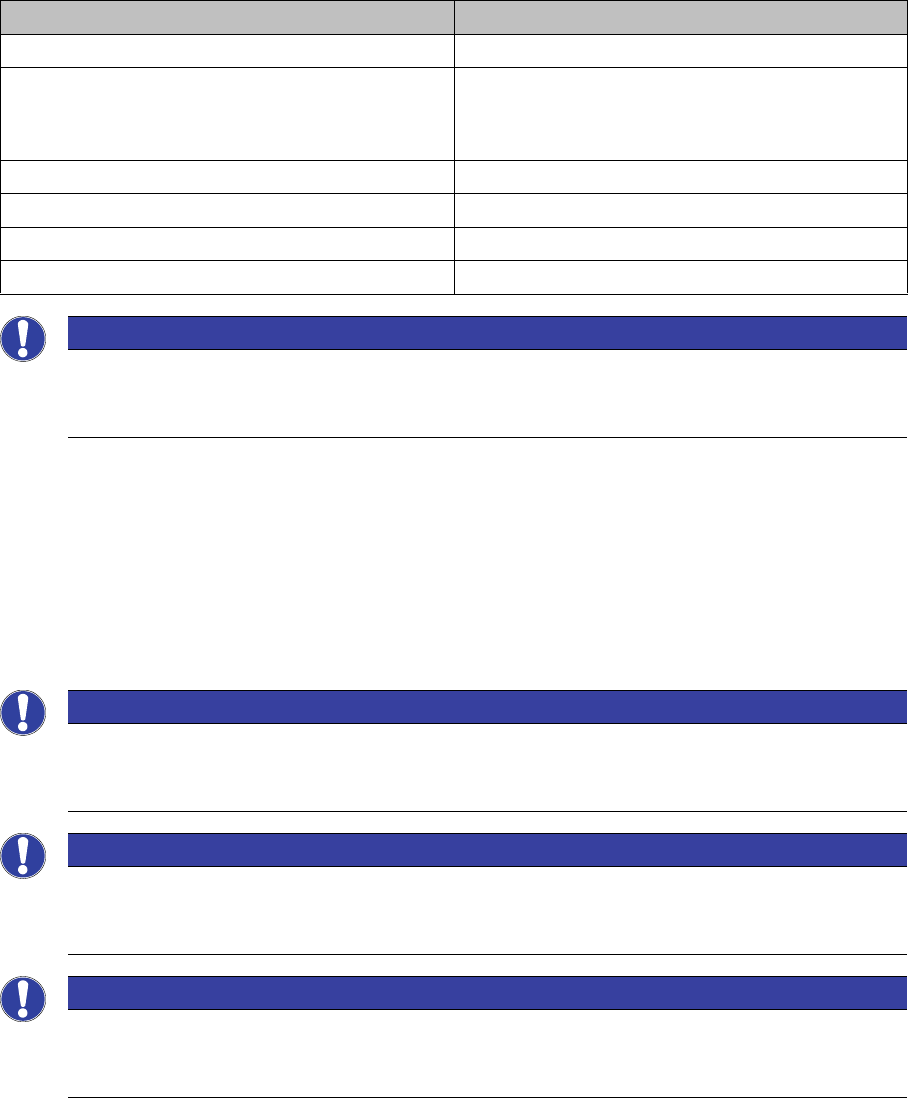
Application From software version
ASM Setup Center 9.1
ASM Material Manager - Full Version
Or
ASM Material Manager for MSA
2.6
SIPLACE Pro with LCGUI 14.1 or higher
ASM OIB 5.1
Order Manager 2.3
ASM Engineering Data Manager (EDM) – optional 3.4
NOTICE
Tearing down all lines and changeover tables before the first commissioning
When introducing SIPLACE Material Setup Assistant, all lines and changeover tables must be
torn down before the first commissioning.
NOTICE
Configuration Settings in ASM OIB
You can adjust the configuration settings in ASM OIB later on, to suit your requirements. See
also "2.1 Configuration Settings in ASM OIB" [ ➙ 134].
NOTICE
Checking the configuration settings in ASM Setup Center
Check the configuration settings in ASM Setup Center. See also "2.2 Configuration Settings in
ASM Setup Center" [ ➙ 154].
NOTICE
Checking the configuration settings in ASM Material Manager
Check the configuration settings in ASM Material Manager. See also "2.3 Configuration Set
-
tings in the ASM Material Manager" [ ➙ 161].
Preconditions and Configurations
Configuration Settings in ASM OIB
134 ASM Material Setup Assistant 2.3 (R17-1) ASM Material Setup Assistant 2.3
2.1
2.1 Configuration Settings in ASM OIB
Configuration Settings in ASM OIB
The configuration settings in ASM OIB are divided into mandatory, recommended and advanced config
-
urations.
Mandatory configurations
The mandatory configurations are required for the SIPLACE Material Setup Assistant workflow.
You need to define the following configurations:
"2.1.2 Defining the Factory Layout" [ ➙ 137]
"2.1.2.2 Assigning Setup Center Adapter with AFP" [ ➙ 139]
"2.1.2.3 Connecting the SIPLACE Pro Line Control Adapter to MSA" [ ➙ 140]
"2.1.3 Defining the Flow of Materials" [ ➙ 141].
Recommended configurations
To enable SIPLACE Material Setup Assistant to calculate realistic schedules, you need to define the
known scheduling times for your factory. For example, these are the known setup times, changeover
times or the picking times for your warehouse. Default times are predefined during the installation.
The following configurations need to be checked and adjusted where necessary.
"2.1.4 Defining Configurations for the Setup Area" [ ➙ 143]
"2.1.5 Defining Warehouse Configurations" [ ➙ 144]
"2.1.6 Defining Factory Configurations" [ ➙ 145]
Set up an e-mail notification service so that errors and problems can be recognized.
"2.1.8 Setting up E-Mail Messages" [ ➙ 149]
To apply the scheduling information for the boards from the SIPLACE Pro comments, you can display
the relevant information in the Order Manager. Define these comment columns.
"2.1.9 Production Order Manager Configurations" [ ➙ 150]
Advanced configurations
The following advanced configurations can be defined when needed:
"2.1.7 Configurations for SIPLACE Pro" [ ➙ 148]
"2.1.10 EDM Configuration" [ ➙ 151]
Preconditions and Configurations
Configuration Settings in ASM OIB
ASM Material Setup Assistant 2.3 (R17-1) ASM Material Setup Assistant 2.3 (R17-1) 135
2.1.1
2.1.1 Starting the Factory Explorer
Starting the Factory Explorer
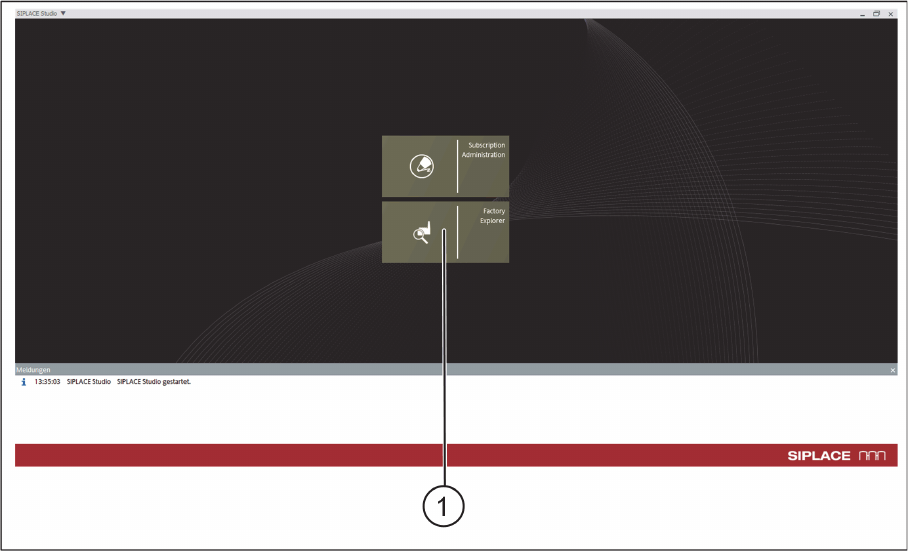
► Go to the ASM Studio and start the Factory Explorer (1) module.
ASM Studio – Start Factory Explorer