00198227-03_UM_MaterialSetupAssistant_2.3-R17-1_DE_EN.pdf - 第189页
Workflow with Flexible Family Setup Importing SIPLACE Pro Jobs ASM Material Setup Assistant 2.3 (R17-1) ASM Material Setup Ass istant 2.3 (R17-1) 189 5 5 W o r k f lo w w it h F le x ib le F a m ily S e t u p Workflow wi…
Getting Started and Overview of the Order Manager
Monitoring
188 ASM Material Setup Assistant 2.3 (R17-1) ASM Material Setup Assistant 2.3
Workflow with Flexible Family Setup
Importing SIPLACE Pro Jobs
ASM Material Setup Assistant 2.3 (R17-1) ASM Material Setup Assistant 2.3 (R17-1) 189
5
5 Workflow with Flexible Family Setup
Workflow with Flexible Family Setup
This chapter describes a typical workflow with three jobs from SIPLACE Material Setup Assistant with
material reuse. This workflow describes how to work with flexible family setups. That is, no fixed setups
and constant tables are used.
5.1
5.1 Importing SIPLACE Pro Jobs
Importing SIPLACE Pro Jobs
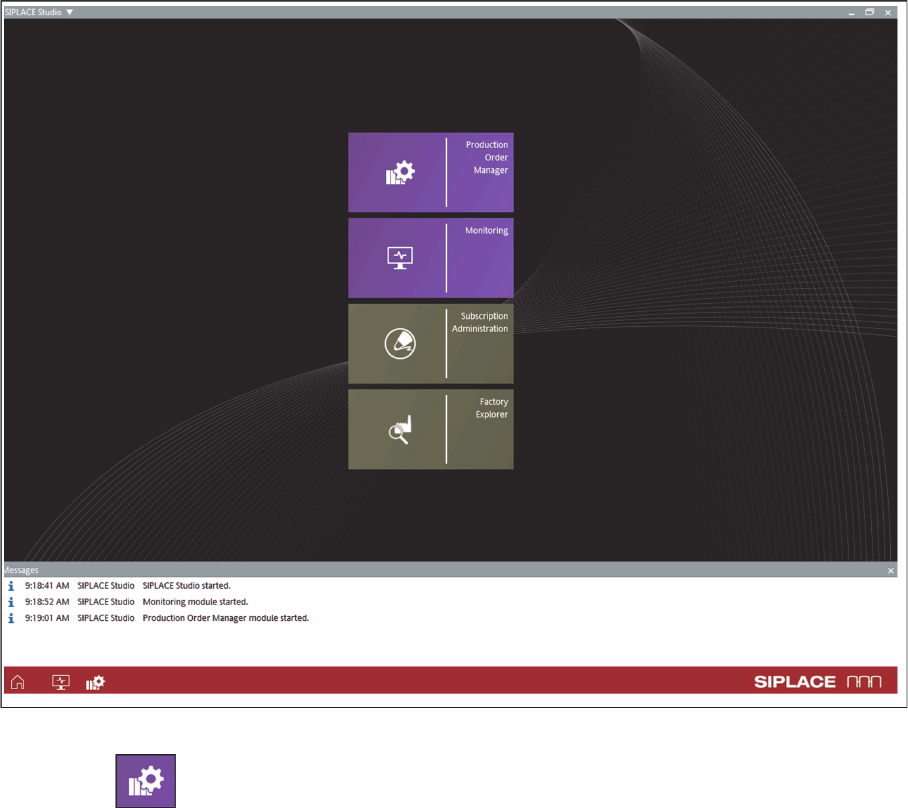
► Start
ASM Studio
.
⇨ ASM Studio will start with the applications installed.
ASM Studio – installed applications
► Start the Production Order Manager module.
Workflow with Flexible Family Setup
Importing SIPLACE Pro Jobs
190 ASM Material Setup Assistant 2.3 (R17-1) ASM Material Setup Assistant 2.3
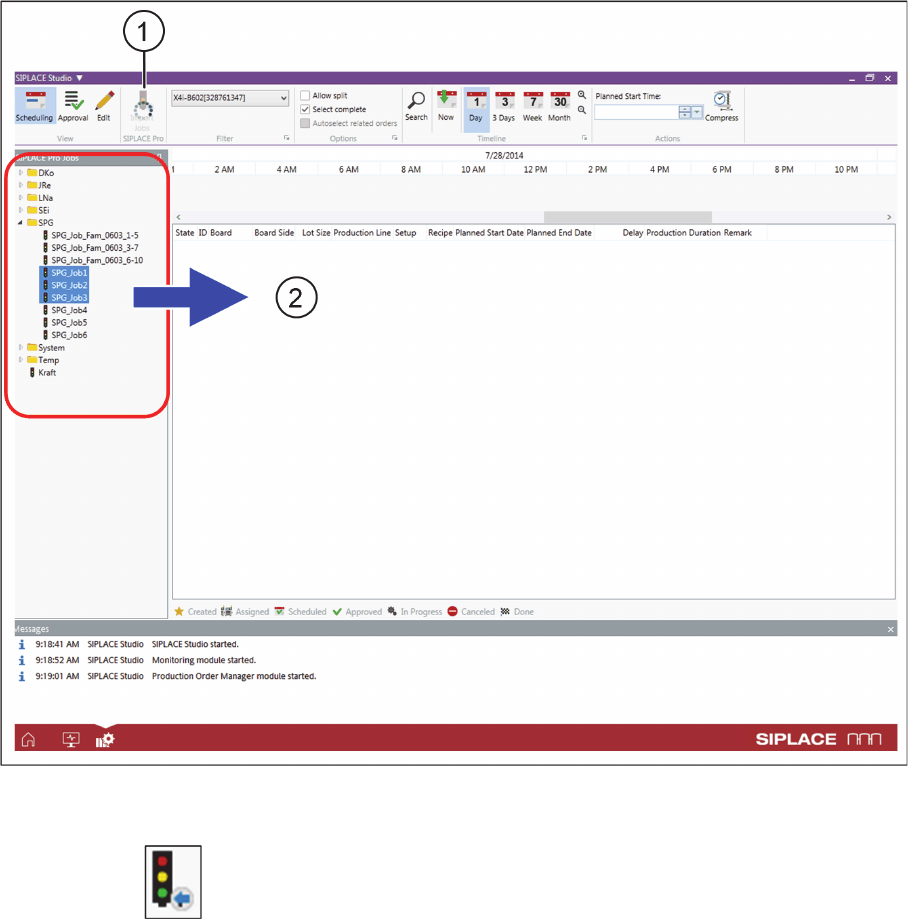
⇨ The Production Order Manager module will open.
► Open the tree structure at SIPLACE Pro Jobs (2).
Production Order Manager - importing SIPLACE Pro jobs
► Select the required jobs. These jobs must be created and optimized completely in SIPLACE Pro.
► Click on the Job Import (1) icon.