00198227-03_UM_MaterialSetupAssistant_2.3-R17-1_DE_EN.pdf - 第188页
Getting Started and Overview of the Order Manager Monitoring 188 ASM Material Setup Assistant 2.3 (R17-1) ASM Material Setup Ass i st a n t 2 . 3
Getting Started and Overview of the Order Manager
Monitoring
ASM Material Setup Assistant 2.3 (R17-1) ASM Material Setup Assistant 2.3 (R17-1) 187
4.3.3.3
4.3.3.3 Dialog - Timeline Monitoring
Dialog - Timeline Monitoring
Select the options for showing the data in the timeline.
Call using:
► Ribbon bar icon at Monitoring => Timeline.
Function Status
Past Days Choose for how many past days you want to see the data in the timeline.
Suppress zero
lines
Select whether you want to suppress the zero line during monitoring. Zero lines are
tasks/progress bars with a duration of less than one minute.
[Lines] You can select which production lines are to be shown. Move the lines up or down
to change the order of production lines.
Getting Started and Overview of the Order Manager
Monitoring
188 ASM Material Setup Assistant 2.3 (R17-1) ASM Material Setup Assistant 2.3
Workflow with Flexible Family Setup
Importing SIPLACE Pro Jobs
ASM Material Setup Assistant 2.3 (R17-1) ASM Material Setup Assistant 2.3 (R17-1) 189
5
5 Workflow with Flexible Family Setup
Workflow with Flexible Family Setup
This chapter describes a typical workflow with three jobs from SIPLACE Material Setup Assistant with
material reuse. This workflow describes how to work with flexible family setups. That is, no fixed setups
and constant tables are used.
5.1
5.1 Importing SIPLACE Pro Jobs
Importing SIPLACE Pro Jobs
► Start
ASM Studio
.
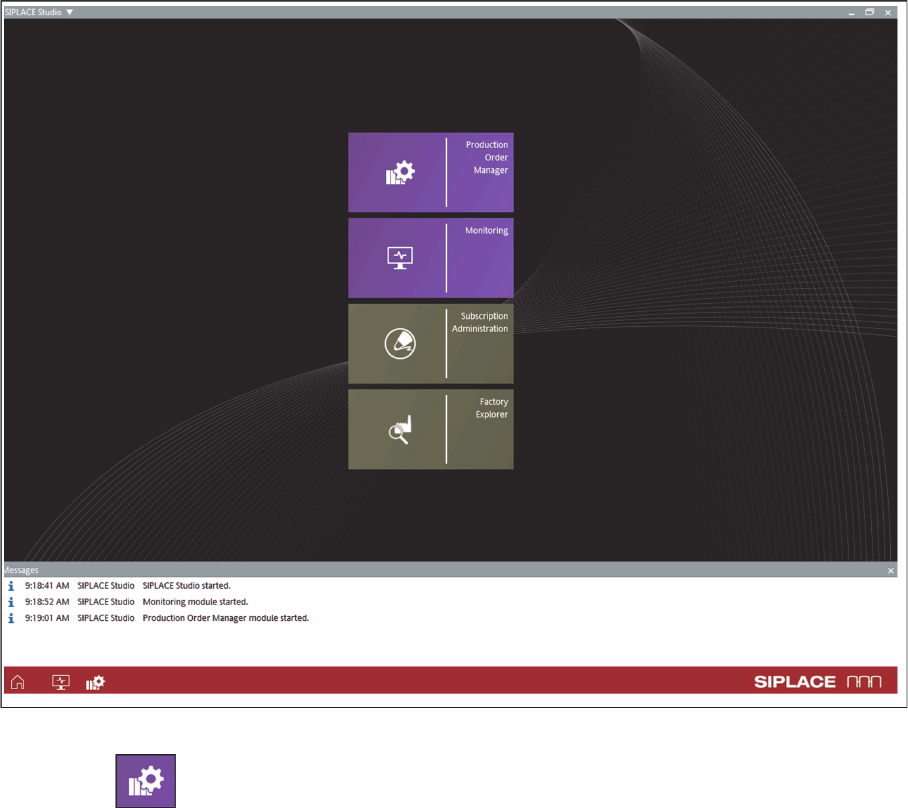
⇨ ASM Studio will start with the applications installed.
ASM Studio – installed applications
► Start the Production Order Manager module.