00198227-03_UM_MaterialSetupAssistant_2.3-R17-1_DE_EN.pdf - 第161页
Preconditions and Configurations Configuration Settings in the ASM Material Manager ASM Material Setup Assistant 2.3 (R17-1) ASM Material Setup Ass istant 2.3 (R17-1) 161 2.3 2 . 3 C o n f ig u r a t io n S e t t in g s …
Preconditions and Configurations
Configuration Settings in ASM Setup Center
160 ASM Material Setup Assistant 2.3 (R17-1) ASM Material Setup Assistant 2.3
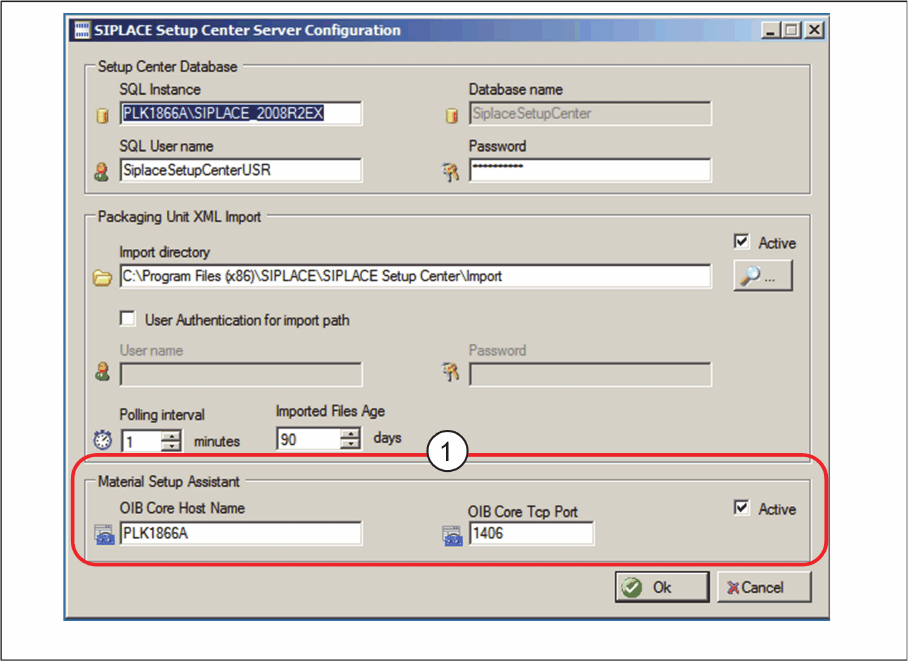
⇨ The ASM Setup Center Server Configuration dialog box will be shown.
ASM Setup Center Server Configuration dialog box
► Go to Material Setup Assistant (1) and enable the option Active.
► Enter the OIB Core Hostname and the OIB Core Tcp Port.
► Confirm with OK.
Preconditions and Configurations
Configuration Settings in the ASM Material Manager
ASM Material Setup Assistant 2.3 (R17-1) ASM Material Setup Assistant 2.3 (R17-1) 161
2.3
2.3 Configuration Settings in the ASM Material Manager
Configuration Settings in the ASM Material Manager
2.3.1
2.3.1 Activating the Order Manager
Activating the Order Manager
Enable the communication between the ASM Material Manager and the Order Manager if you have not
done this during the installation of the ASM Material Manager.
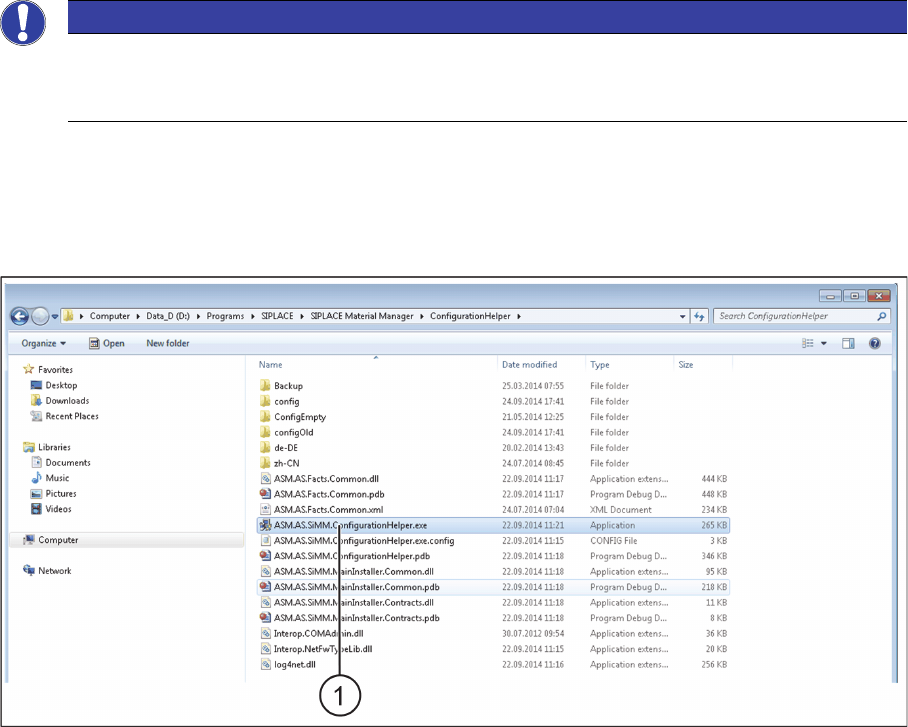
► Switch over to the installation folder for ASM Material Manager => ConfigurationHelper.
Installation folder for ConfigurationHelper
► Double click on the ASM.AS.SiMM.ConfigurationHelper.exe (1) file.
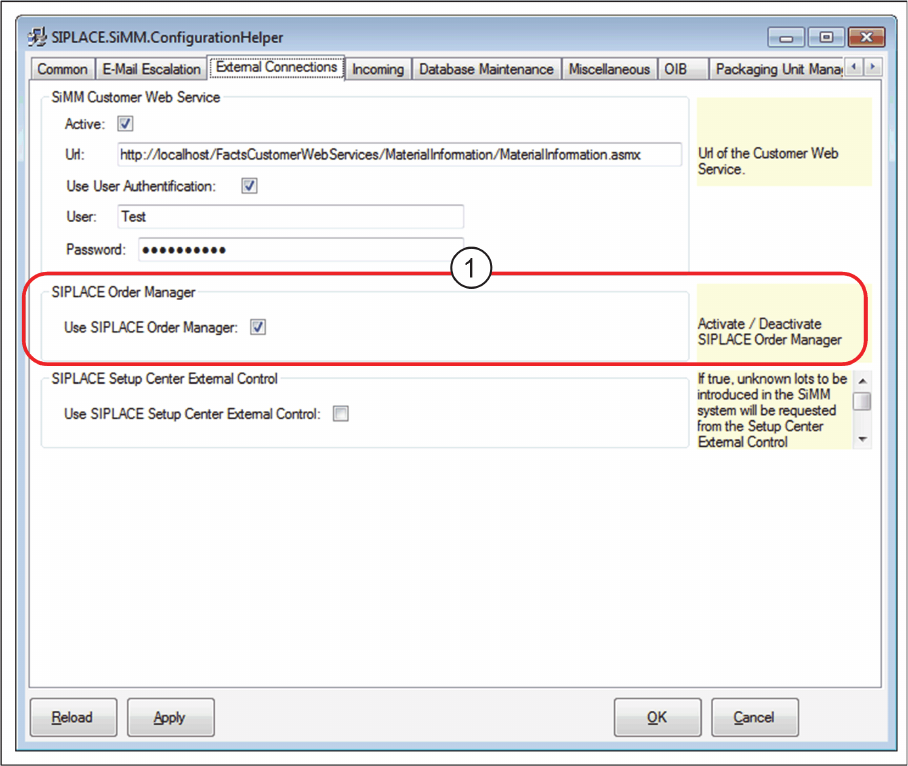
⇨ The SIPLACE.SiMM.ConfigurationHelper dialog box will be shown.
NOTICE
Workflow with ASM Material Manager for MSA
During the installation of ASM Material Manager for MSA, the required settings are configured
automatically. No configuration settings need to be done in ASM Material Manager.
Preconditions and Configurations
Configuration Settings in the ASM Material Manager
162 ASM Material Setup Assistant 2.3 (R17-1) ASM Material Setup Assistant 2.3
Dialog box: SIPLACE.SiMM.ConfigurationHelper
► Enable the Order Manager option (1).
► Confirm with OK.