00198227-03_UM_MaterialSetupAssistant_2.3-R17-1_DE_EN.pdf - 第190页
Workflow with Flexible Family Setup Importing SIPLACE Pro Jobs 190 ASM Material Setup Assistant 2.3 (R17-1) ASM Material Setup Ass i st a n t 2 . 3 ⇨ The Production Order Manager module will open. ► Open the tree structu…
Workflow with Flexible Family Setup
Importing SIPLACE Pro Jobs
ASM Material Setup Assistant 2.3 (R17-1) ASM Material Setup Assistant 2.3 (R17-1) 189
5
5 Workflow with Flexible Family Setup
Workflow with Flexible Family Setup
This chapter describes a typical workflow with three jobs from SIPLACE Material Setup Assistant with
material reuse. This workflow describes how to work with flexible family setups. That is, no fixed setups
and constant tables are used.
5.1
5.1 Importing SIPLACE Pro Jobs
Importing SIPLACE Pro Jobs
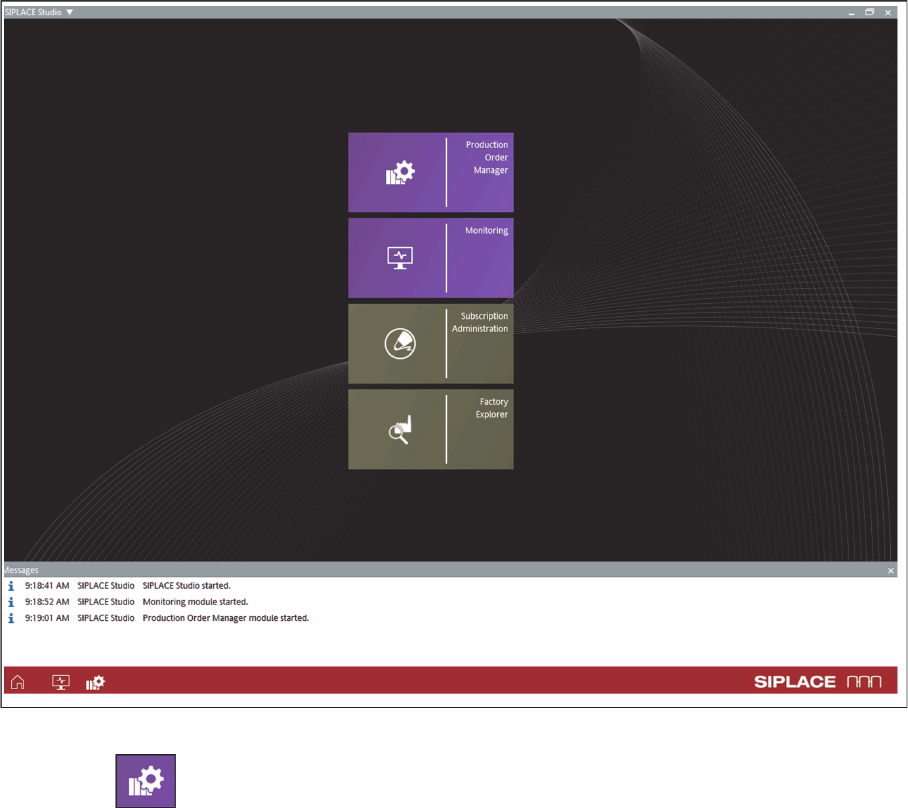
► Start
ASM Studio
.
⇨ ASM Studio will start with the applications installed.
ASM Studio – installed applications
► Start the Production Order Manager module.
Workflow with Flexible Family Setup
Importing SIPLACE Pro Jobs
190 ASM Material Setup Assistant 2.3 (R17-1) ASM Material Setup Assistant 2.3
⇨ The Production Order Manager module will open.
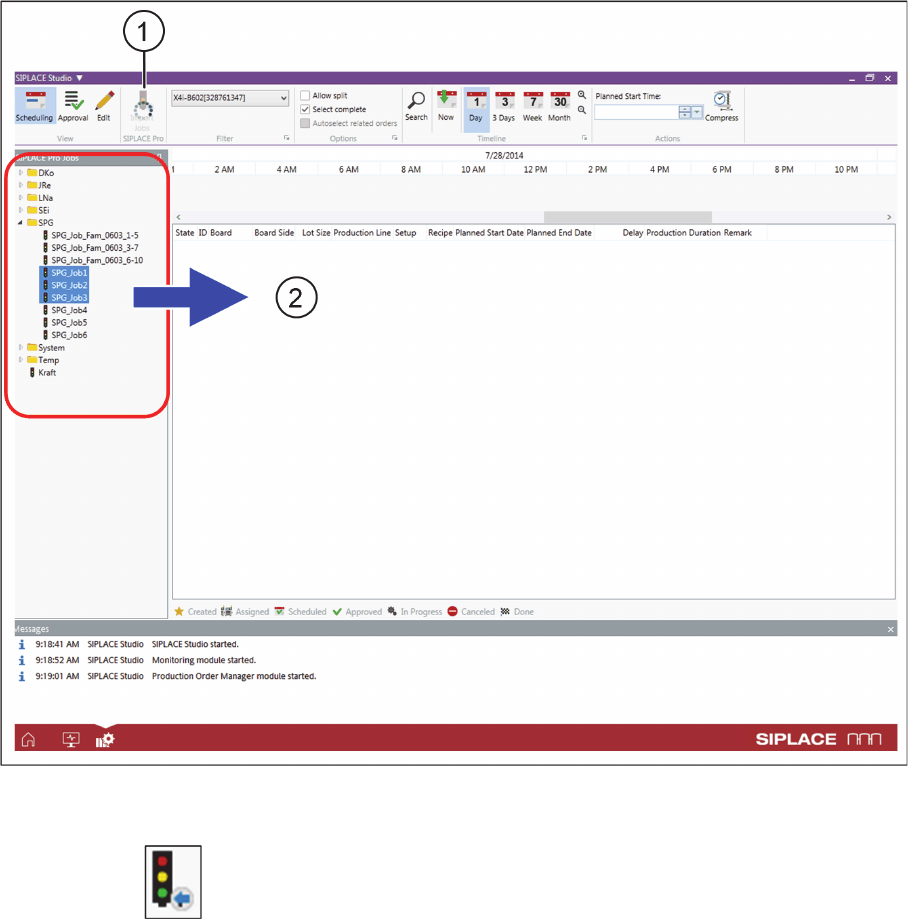
► Open the tree structure at SIPLACE Pro Jobs (2).
Production Order Manager - importing SIPLACE Pro jobs
► Select the required jobs. These jobs must be created and optimized completely in SIPLACE Pro.
► Click on the Job Import (1) icon.
Workflow with Flexible Family Setup
Importing SIPLACE Pro Jobs
ASM Material Setup Assistant 2.3 (R17-1) ASM Material Setup Assistant 2.3 (R17-1) 191
Result
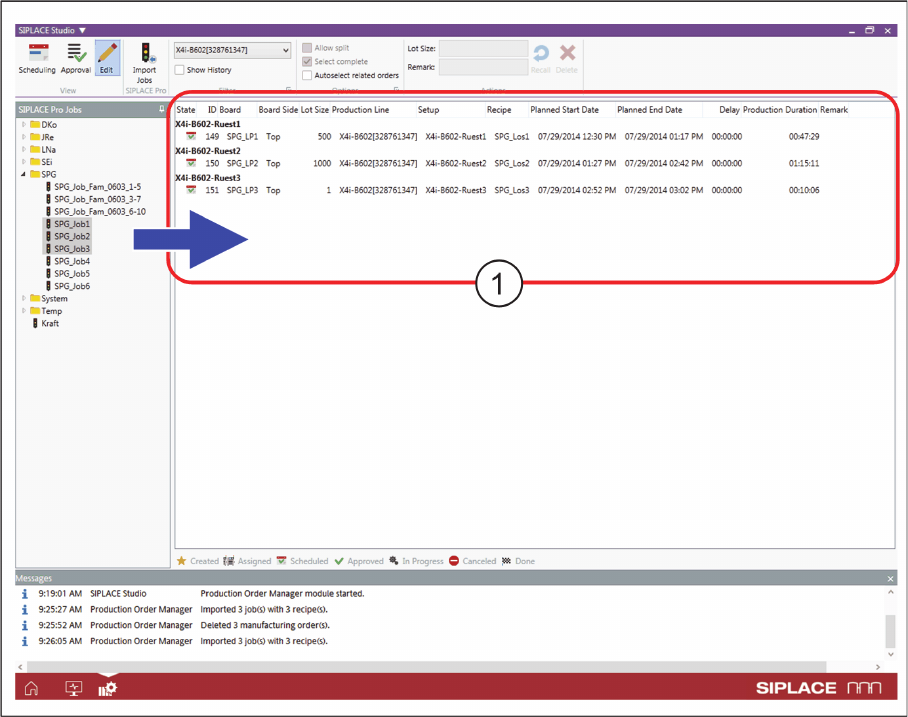
Production Order Manager - SIPLACE Pro jobs imported
▪ The jobs selected in the tree structure will be imported and added to the end of the existing produc
-
tion jobs.
▪ The imported production jobs will be shown in the list of jobs (1).
▪ An internal ID is generated for these production jobs and shown in the ID column. If the top and bot
-
tom of a board are in the same job, a common job ID will be created for both board sides.
▪ Production jobs with the same setup in one job will be automatically connected as a family setup.
This is also the case if recipes from different jobs are later imported with the same setup.
▪The Production Duration for the jobs is automatically calculated. The factory settings (e.g. correction
factors, run in time etc.) for the configuration are taken into account. See also Defining Factory Con
-
figurations.
► In the next step, you schedule the starting times and the order of production.