00198227-03_UM_MaterialSetupAssistant_2.3-R17-1_DE_EN.pdf - 第218页
Workflow with Flexible Family Setup Producing Recipes on the Line 218 ASM Material Setup Assistant 2.3 (R17-1) ASM Material Setup Ass i st a n t 2 . 3 5.9 5 . 9 P r o d u c in g R e c ip e s o n t h e L in e Producing Re…
Workflow with Flexible Family Setup
Executing and Monitoring Setup Preparation
ASM Material Setup Assistant 2.3 (R17-1) ASM Material Setup Assistant 2.3 (R17-1) 217
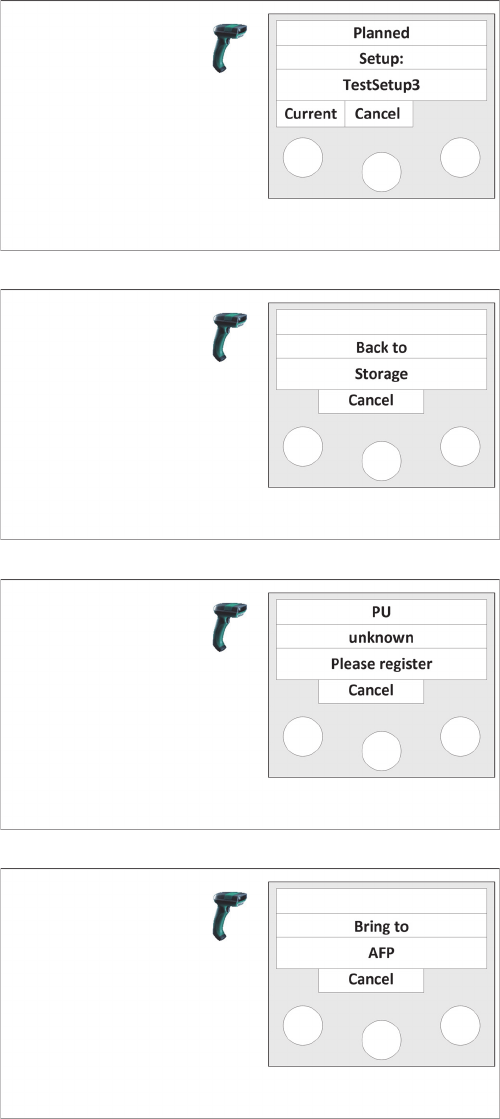
Message B
The current setup is displayed.
Use Current to switch back to the previous menu.
Message C
It is indicated that this packaging unit must be returned to
the warehouse and put into storage.
Message D
It is indicated that this packaging unit is unknown and
must be registered.
Message E
It is indicated that this packaging unit must be put into the
AFP.
Workflow with Flexible Family Setup
Producing Recipes on the Line
218 ASM Material Setup Assistant 2.3 (R17-1) ASM Material Setup Assistant 2.3
5.9
5.9 Producing Recipes on the Line
Producing Recipes on the Line
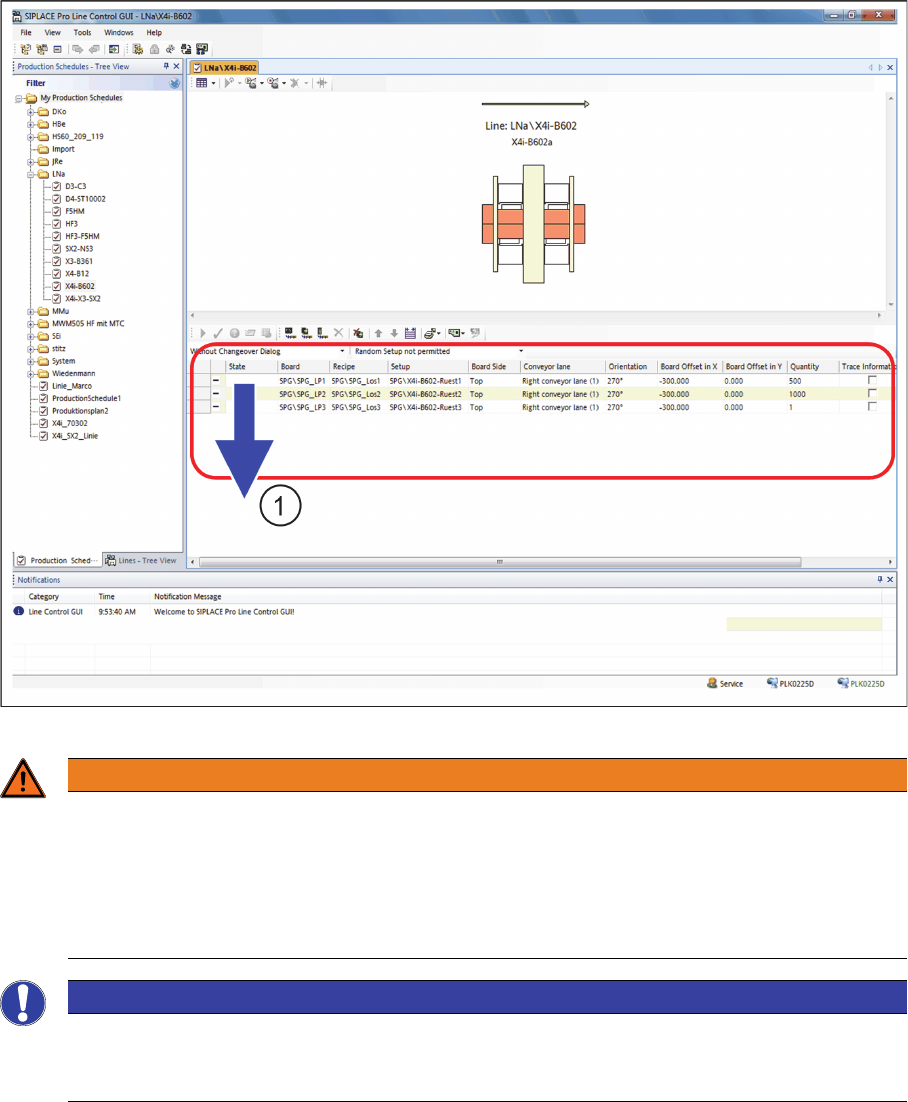
► Perform a download of the first recipe (1) for the production schedule.
SIPLACE LCGUI - Download
WARNING
Handling recipes in the production schedule
You may delete recipes that were planned with the SIPLACE Material Setup Assistant only after
they have been downloaded to the line. You can remove a recipe that has not been downloaded
to the line yet from the production schedule by recalling or deleting it with the Order Manager.
Recipes that have been planned with the SIPLACE Material Setup Assistant must not be added
manually in the SIPLACE Line Control GUI.
NOTICE
Defining restrictions in the SIPLACE Line Control GUI
To ensure that the scheduled production schedules can not be changed, we recommend ena
-
bling this restrictions. See "5.5.2.1 Defining Presettings for the SIPLACE Line GUI" [ ➙ 200].
Workflow with Flexible Family Setup
Producing Recipes on the Line
ASM Material Setup Assistant 2.3 (R17-1) ASM Material Setup Assistant 2.3 (R17-1) 219
5.9.1
5.9.1 Information and Context Menu
Information and Context Menu
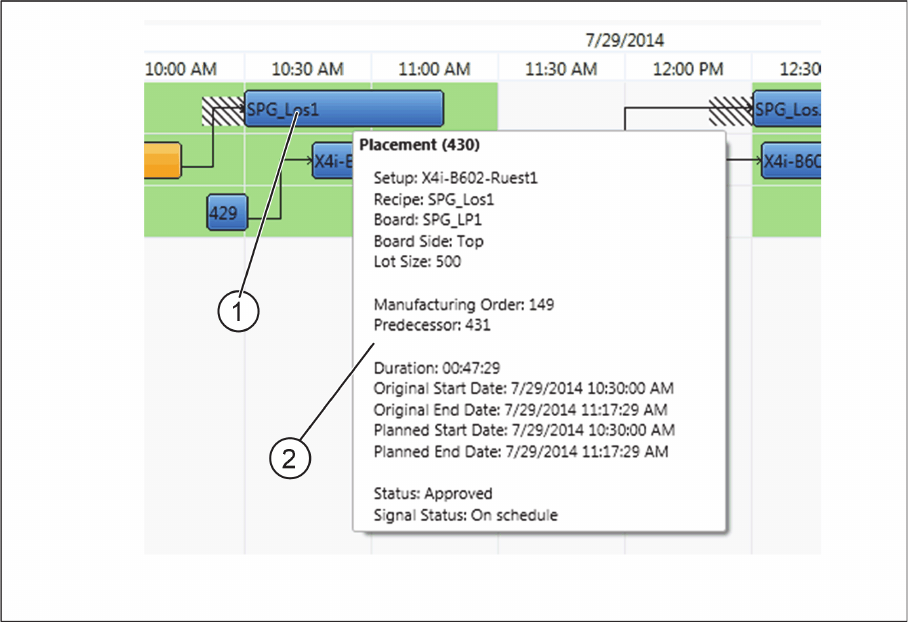
Tool tip information about placement (production of recipe on the line)
► Move the mouse over the placement (1).
⇨ A tool tip (2) with important information about the placement will be shown.
Tool tip information about placement