00198227-03_UM_MaterialSetupAssistant_2.3-R17-1_DE_EN.pdf - 第159页
Preconditions and Configurations Configuration Settings in ASM Setup Center ASM Material Setup Assistant 2.3 (R17-1) ASM Material Setup Ass istant 2.3 (R17-1) 159 2.2.4 2 . 2 . 4 C o n f ig u r in g t h e A S M S e t u p…
Preconditions and Configurations
Configuration Settings in ASM Setup Center
158 ASM Material Setup Assistant 2.3 (R17-1) ASM Material Setup Assistant 2.3
2.2.3
2.2.3 Configuring Feeder Racks
Configuring Feeder Racks
► Go to the main menu and select Extras > Settings to open the Settings window.
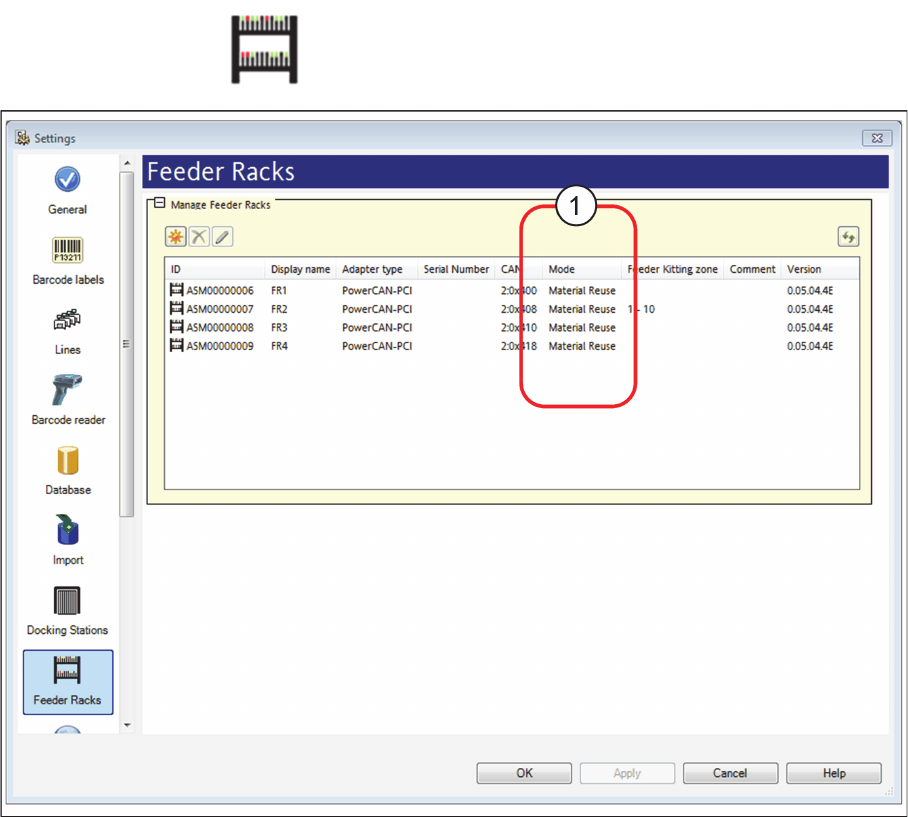
► Select the category Feeder Racks and the settings are opened.
Settings - Feeder Rack
► The Material Reuse mode (1) must be activated for the feeder racks used. Correct this setting, if nec
-
essary.
⇨ In connection with the SIPLACE Material Setup Wizard, this feeder rack is used as AFP hardware
in the pre-setup area. In this feeder rack, set-up feeders are parked for a later reuse.
► For detailed information on the configuration of the feeder racks, please refer to the ASM Setup
Center user manual or to the ASM Setup Center online help.
Preconditions and Configurations
Configuration Settings in ASM Setup Center
ASM Material Setup Assistant 2.3 (R17-1) ASM Material Setup Assistant 2.3 (R17-1) 159
2.2.4
2.2.4 Configuring the ASM Setup Center Server
Configuring the ASM Setup Center Server
Configure the communication between ASM Setup Center and the systems involved with the SIPLACE
Material Setup Assistant workflow. Enable and configure the OIB Core at ASM Setup Center Server.
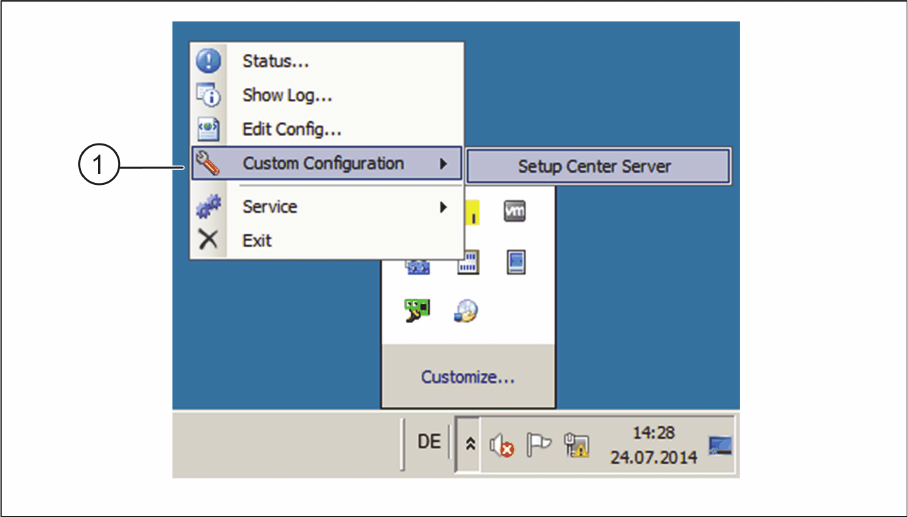
► In the task bar, open the ASM Setup Center context menu and start Custom Configuration => Setup
Center Server (1).
Custom Configuration – Start Setup Center Server
Preconditions and Configurations
Configuration Settings in ASM Setup Center
160 ASM Material Setup Assistant 2.3 (R17-1) ASM Material Setup Assistant 2.3
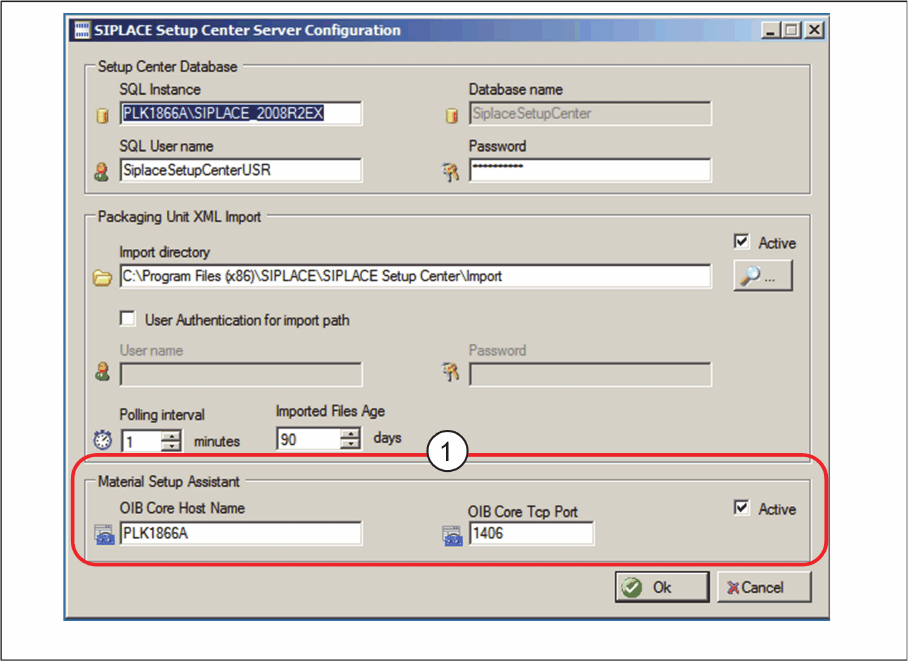
⇨ The ASM Setup Center Server Configuration dialog box will be shown.
ASM Setup Center Server Configuration dialog box
► Go to Material Setup Assistant (1) and enable the option Active.
► Enter the OIB Core Hostname and the OIB Core Tcp Port.
► Confirm with OK.