00198227-03_UM_MaterialSetupAssistant_2.3-R17-1_DE_EN.pdf - 第231页
Workflow with Fixed Setup and Constant Tables Picking Material in ASM Material Manager ASM Material Setup Assistant 2.3 (R17-1) ASM Material Setup Ass istant 2.3 (R17-1) 231 6.4 6 . 4 P ic k in g M a t e r ia l in A S M …
Workflow with Fixed Setup and Constant Tables
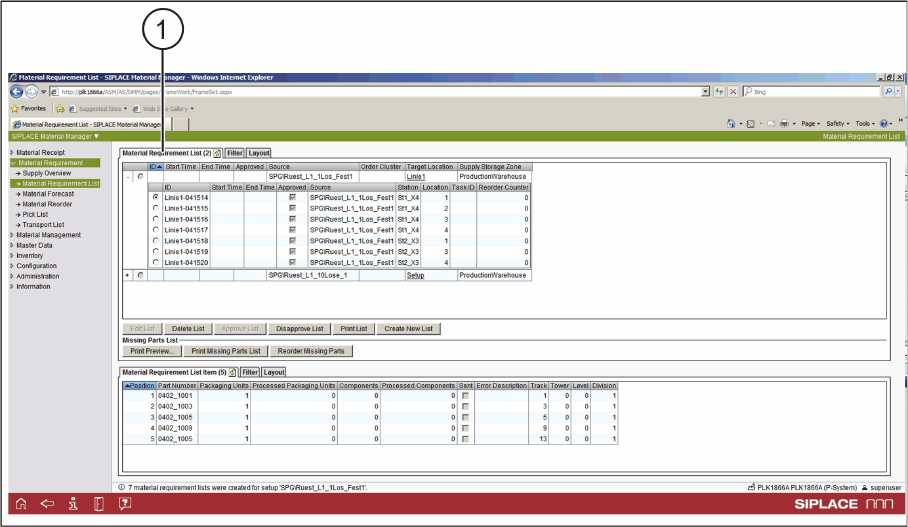
Creating a Material Requirement List in ASM Material Manager
230 ASM Material Setup Assistant 2.3 (R17-1) ASM Material Setup Assistant 2.3
Material Requirement List
ASM Material Manager - Material Requirement List created
1. The material requirement list is created.
► In the next step, you pick the material.
Workflow with Fixed Setup and Constant Tables
Picking Material in ASM Material Manager
ASM Material Setup Assistant 2.3 (R17-1) ASM Material Setup Assistant 2.3 (R17-1) 231
6.4
6.4 Picking Material in ASM Material Manager
Picking Material in ASM Material Manager
► Use the PDA to pick the material for the fixed setup or the constant table.
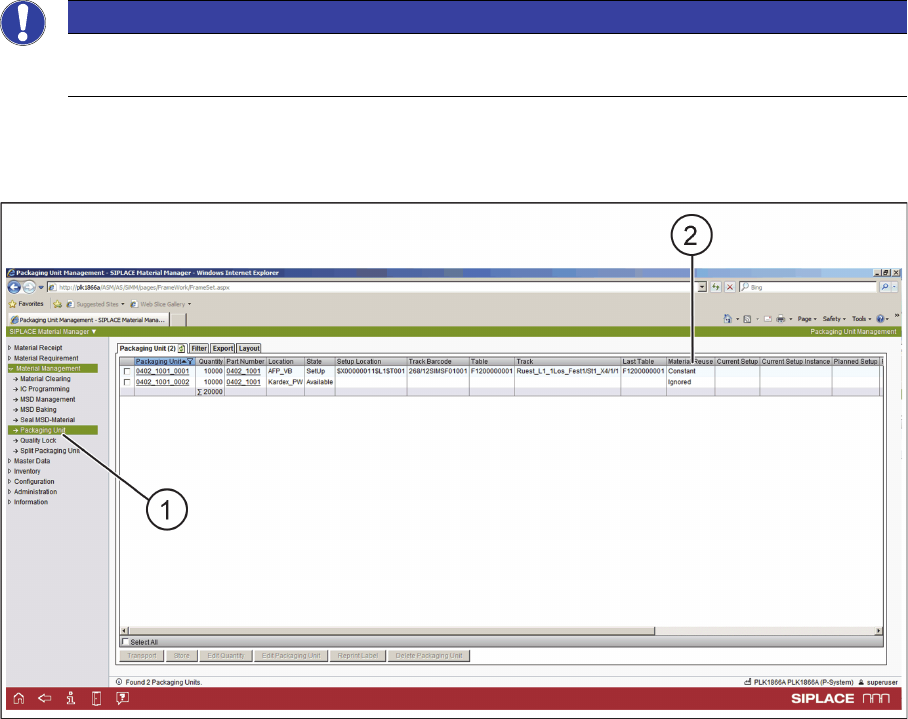
Material Management
ASM Material Manager - Material Management
► In the tree view, select Material Management => Packaging Unit (1).
► In Material Management => Packaging Unit, the usage of the relevant packaging units is displayed.
► The picked material is set to Constant in Material Reuse (2).
NOTICE
Only with ASM Material Manager - full version
Putting material into storage is only possible with the ASM Material Manager - full version.
Workflow with Fixed Setup and Constant Tables
Setting up in ASM Setup Center
232 ASM Material Setup Assistant 2.3 (R17-1) ASM Material Setup Assistant 2.3
6.5
6.5 Setting up in ASM Setup Center
Setting up in ASM Setup Center
If the material for a fixed setup or a constant table in a location is picked, the changeover table can be
set up with SIPLACE Setup Center. Use the ASM Setup Center standard function for "Offline Setup".
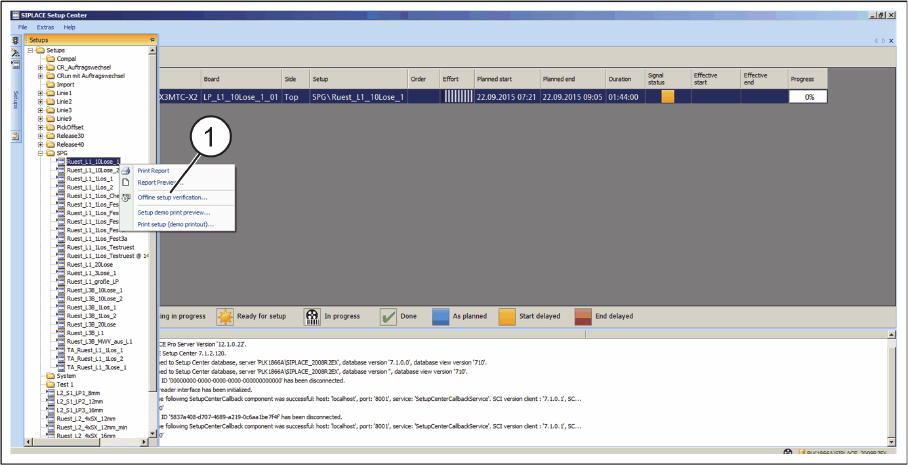
► In the tree view, select the setup.
ASM Setup Center - Print Report
► Print the setup list for the optimized fixed setup or the optimized setup containing one or more con
-
stant tables. Create this setup list using the Print Report function (1) from the context menu.
► Set up the locations using the Setup Center scanner or the PDA.
▪ For fixed setups, set up all locations in succession. For constant tables, set up only the constant lo
-
cations.
6.6
6.6 Importing, Planning, and Approving
Importing, Planning, and Approving
► Import the fixed setup or a setup containing one or more constant tables into the Order Manager.
► Sort the recipes and specify the times.
► Make the approval.
These procedures are identical when working with flexible family setups.
For an example, refer to the sections on working with the flexible family setup:
"5.1 Importing SIPLACE Pro Jobs" [ ➙ 189]
"5.2 Scheduling Starting Times and Production Order" [ ➙ 192]
"5.3 Editing Production Schedules" [ ➙ 193]
"5.4 Approving Production Schedules" [ ➙ 195]