00198227-03_UM_MaterialSetupAssistant_2.3-R17-1_DE_EN.pdf - 第230页
Workflow with Fixed Setup and Constant Tables Creating a Material Requirement List in ASM Material Manager 230 ASM Material Setup Assistant 2.3 (R17-1) ASM Material Setup Ass i st a n t 2 . 3 Material Requirement List AS…
Workflow with Fixed Setup and Constant Tables
Creating a Material Requirement List in ASM Material Manager
ASM Material Setup Assistant 2.3 (R17-1) ASM Material Setup Assistant 2.3 (R17-1) 229
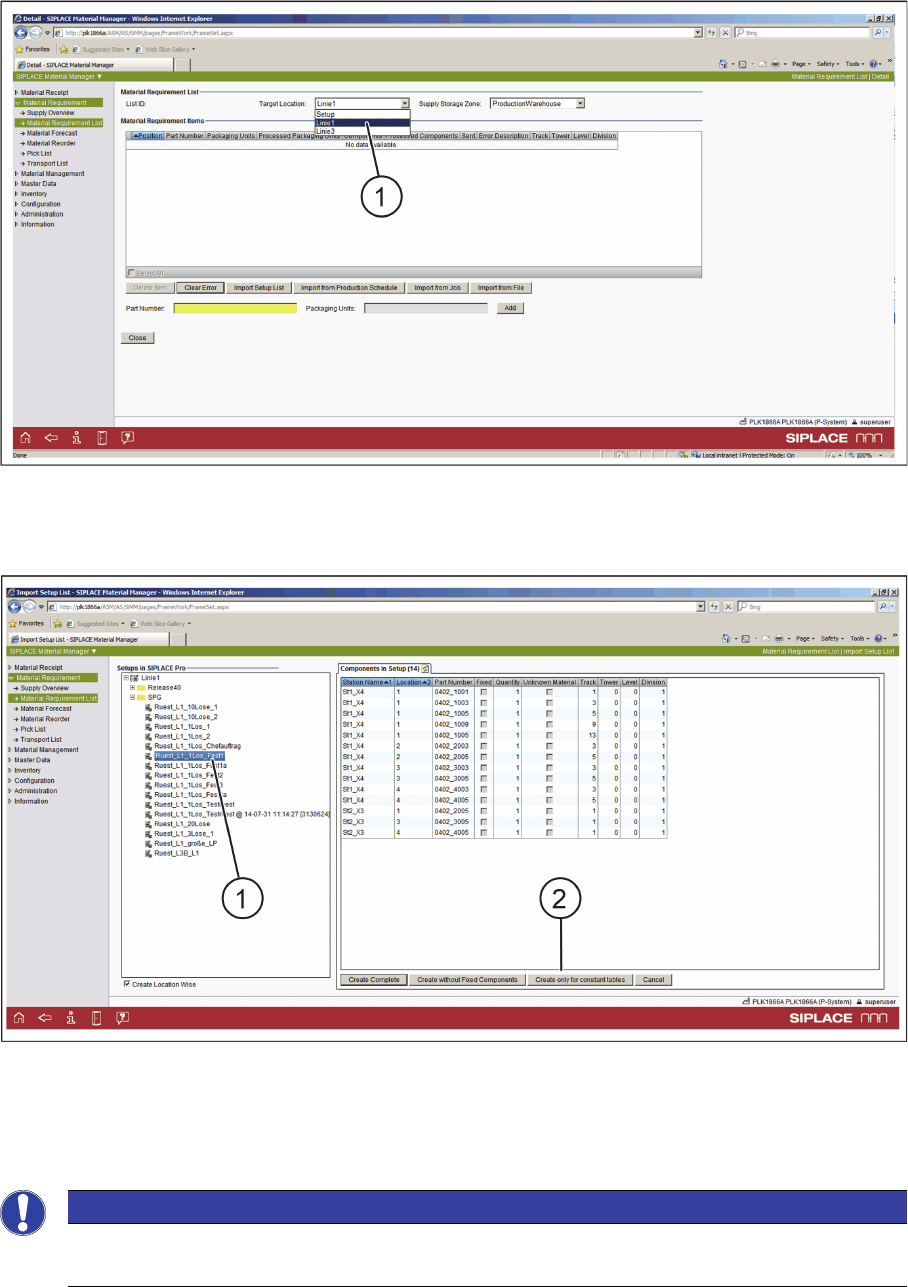
ASM Material Manager - Creating a Material Requirement List - Step 2
► Select the line from the Target Location list (1).
⇨ The SIPLACE Pro setups are shown in the tree view.
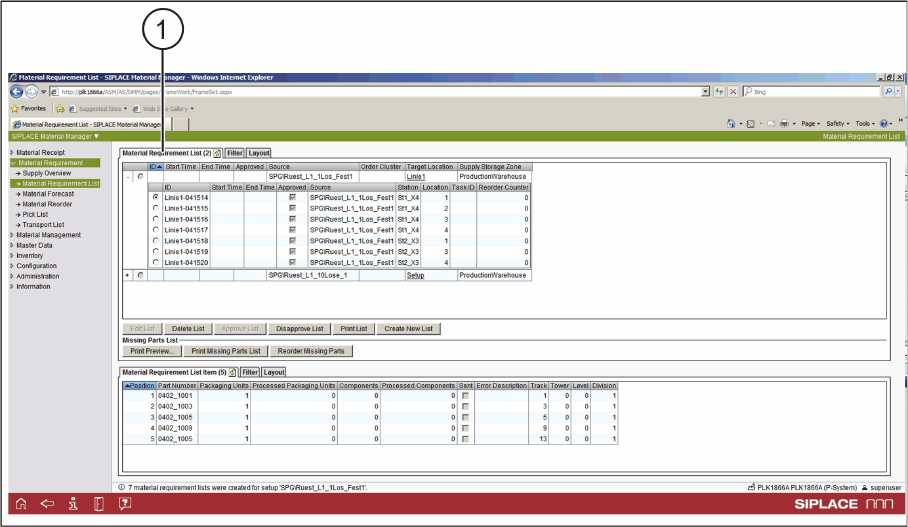
ASM Material Manager - Creating a Material Requirement List - Step 3
► In the tree view (1), select the SIPLACE Pro setup that contains the constant tables.
► Select the Create only for constant tables (2) button.
⇨ The material requirement list is being created.
NOTICE
Applicable for fixed setups
This function is also used for fixed setups.
Workflow with Fixed Setup and Constant Tables
Creating a Material Requirement List in ASM Material Manager
230 ASM Material Setup Assistant 2.3 (R17-1) ASM Material Setup Assistant 2.3
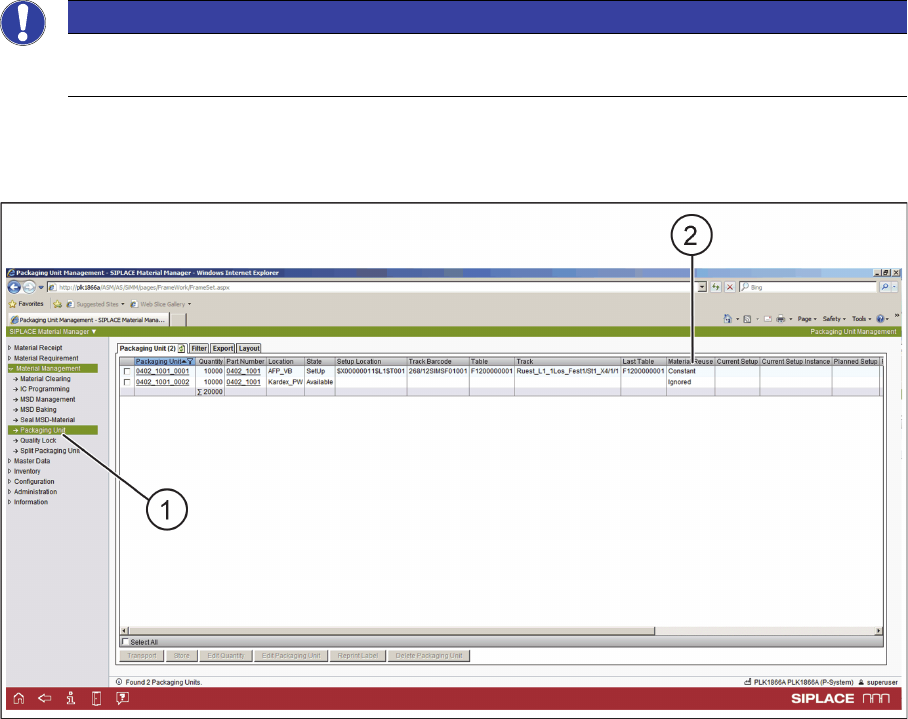
Material Requirement List
ASM Material Manager - Material Requirement List created
1. The material requirement list is created.
► In the next step, you pick the material.
Workflow with Fixed Setup and Constant Tables
Picking Material in ASM Material Manager
ASM Material Setup Assistant 2.3 (R17-1) ASM Material Setup Assistant 2.3 (R17-1) 231
6.4
6.4 Picking Material in ASM Material Manager
Picking Material in ASM Material Manager
► Use the PDA to pick the material for the fixed setup or the constant table.
Material Management
ASM Material Manager - Material Management
► In the tree view, select Material Management => Packaging Unit (1).
► In Material Management => Packaging Unit, the usage of the relevant packaging units is displayed.
► The picked material is set to Constant in Material Reuse (2).
NOTICE
Only with ASM Material Manager - full version
Putting material into storage is only possible with the ASM Material Manager - full version.