SIPLACE Station Software 7xx to 714 介绍.pdf - 第104页
Station Software 7xx to 714.0 (R20-2) / Feature Description 11/2020 Edition 104 7.38.5 Displaying Deviating Feeder Parameter Settings Compatible mode: Not supporte d Figure 7- 36 : Deviating feeder p arameter settings Th…
Station Software 7xx to 714.0 (R20-2) / Feature Description 11/2020 Edition
103
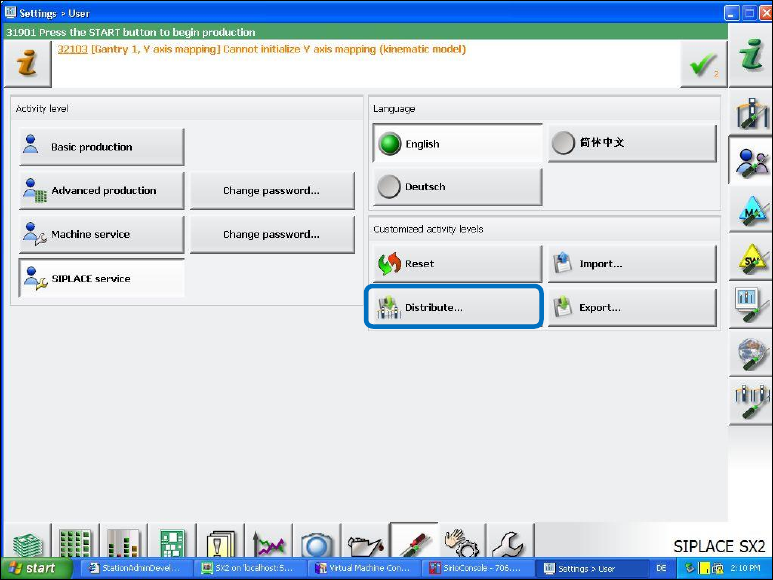
Changed authorizations must be manually uploaded to SIPLACE Pro and be distributed to all
placement machines that are switched-on at that time (via the Distribute button).
Figure 7-35: Manually uploading changed authorizations to SIPLACE Pro
7.38.3 Parameter Changes at the Feeder Operator Panel
Compatible mode: Not supported
The station software records parameter changes at the feeder operator panel.
If a feeder parameter is changed there (PuP, pitch or speed) that is not allowed to be operated on
the current activity level, the following actions are performed:
– The concerned feeder will briefly be set to faulty (red state LED) and pick-up from this track will
be suppressed.
– The original parameter values are restored on the feeder.
– The feeder goes into production state again (green state LED).
If the parameter changes are permitted on the current activity level, they are accepted and
displayed on the GUI, and if uploading is permitted, they are uploaded to SIPLACE Pro.
7.38.4 No Automatic Pitch Setting in Dependence of the Pick-up Position at the
Feeder
Compatible mode: Not supported
The connection between pick-up position (PuP) and pitch has been canceled. I.e. if the PuP is
changed, the pitch will not be automatically adjusted. The latest setting of the pitch remains
unchanged.
Station Software 7xx to 714.0 (R20-2) / Feature Description 11/2020 Edition
104
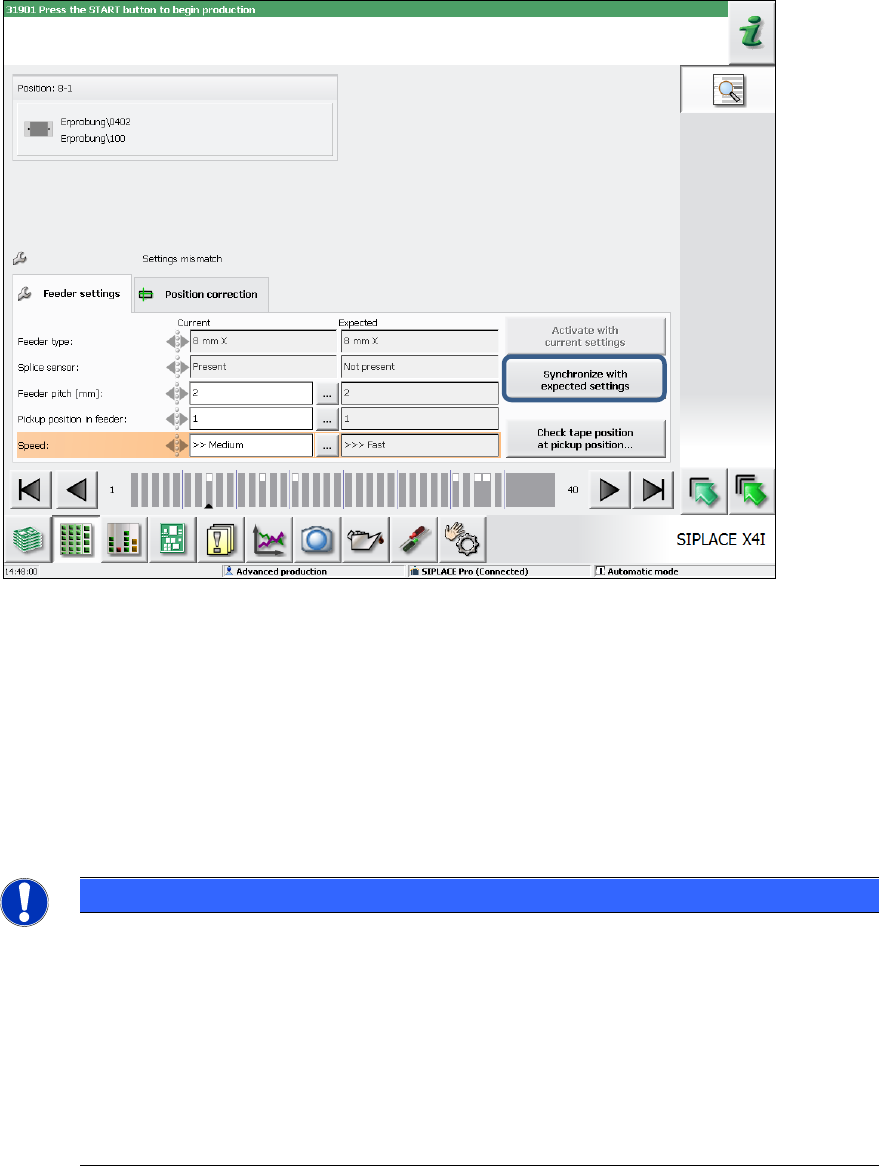
7.38.5 Displaying Deviating Feeder Parameter Settings
Compatible mode: Not supported
Figure 7-36: Deviating feeder parameter settings
The following entries/icons/warnings are displayed on the GUI:
● Original feeder parameters
The original expected settings of the feeder parameter are displayed in the Details view of the
feeder. They can be restored anytime by clicking on the Syncronize with expected settings
button.
The original settings will be unchanged until new defined job or setup data is effective.
Restoring to the old settings is possible on all activity levels.
NOTICE
Workflow with Handling Option 2
With handling option 2, changes of the feeder parameter are uploaded to SIPLACE Pro
into the local setup data. Thereafter, the changed setup data is redefined by SIPLACE
Pro at the station. At the station they will not be effective until the current produced board
has left the machine.
If the machine has already run empty, the updated setup data will be effective
immediately. As soon as the setup data is effective, the expected feeder settings will be
reset accordingly. From this time, it is not possible to restore the original feeder
parameters anymore!
Station Software 7xx to 714.0 (R20-2) / Feature Description 11/2020 Edition
105
● Icon / Warning for changed feeder parameters
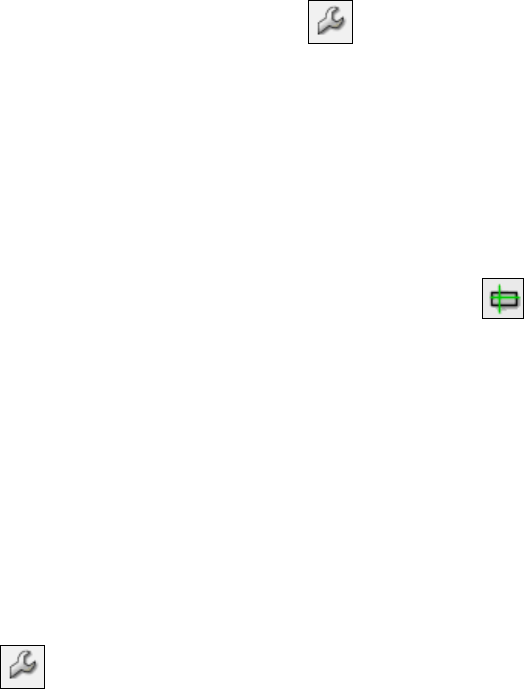
Changed feeder parameters are displayed with the icon and, if applicable, a warning if
the concerned feeder is present in the current setup. The warning is displayed in the Details
view of the feeder and is highlighted in orange in the location and main views. Depending on
the set handling option, the following is valid:
– Handling option 1: Display of icon and warning.
– Handling option 2: Display of icon, no warning.
– Handling option 3: Display of icon, no warning.
● Icon/ Warning for changed pick-up coordinates (XY, angle)
Changed pick-up coordinates and pick-up angle are displayed with the icon if the
operator has changed the pick-up position by teaching or has adjusted the pick-up angle. This
display is only displayed if the feeder is present in the current setup, as well.
If the pick-up coordinates (XY) are changed, the icon is displayed only. If the pick-up angle is
adjusted, a warning will be additionally displayed, as this causes another alignment of the
component on the board, what might lead to a faulty placement angle.
The warning mechanism is always activated, independent of the set handling options.
● Icon / Warning if pitch settings too high in dependence of the pick-up position
If the operator tries to set a too large pitch in dependence of the pick-up position (larger as the
default values in the subsequent tables) or changes the pick-up position, a warning will be
displayed. The warning is displayed in the Details view of the feeder and is highlighted in
orange in the location and main views.
Additionally, the icon is displayed in the setup view.
The warning mechanism is always activated, independent of the set handling options.