SIPLACE Station Software 7xx to 714 介绍.pdf - 第122页
Station Software 7xx to 714.0 (R20-2) / Feature Description 11/2020 Edition 122 7.50 Additional Error Detection Options Two new error detection options c an be set in the Machine option s . Figure 7- 51 : Additional opti…
Station Software 7xx to 714.0 (R20-2) / Feature Description 11/2020 Edition
121
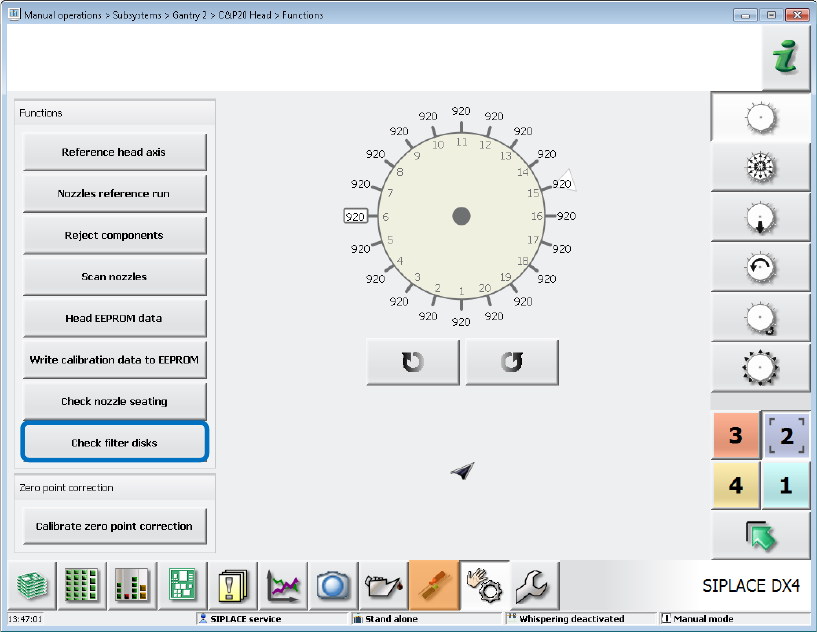
Figure 7-50: Checking filter disks
The nozzles must be removed manually before the test run is started. If nozzles are present at the
placement head, the test run will be aborted with an error message.
7.49 Extension of Nozzle Maintenance Intervals by Cyclic Cleaning
Cyclic cleaning of the nozzles can be performed on placement machines with blowing off stations
to extend the nozzle maintenance intervals.
In the overall reference run it will be checked if a nozzle must be cleaned. For this, the new optional
CleanNozzle configuration node is available in the NozzleType.xml file.
As soon as this feature is activated, the CleanNozzle will be performed for all nozzles that must be
cleaned during the overall reference run.
Station Software 7xx to 714.0 (R20-2) / Feature Description 11/2020 Edition
122
7.50 Additional Error Detection Options
Two new error detection options can be set in the Machine options.
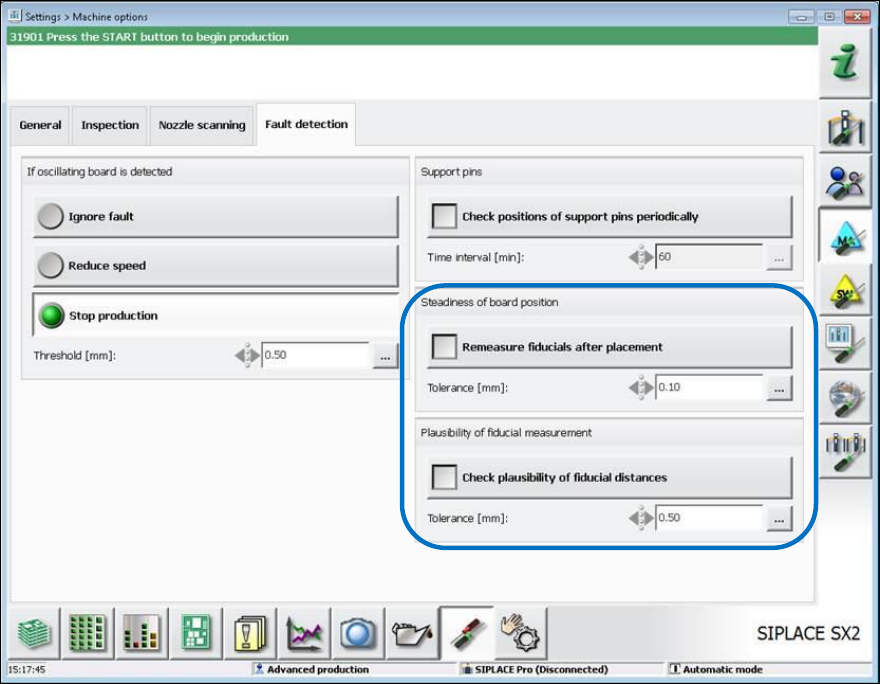
Figure 7-51: Additional options in machine options
Remeasure fiducials after placement
This option makes sure that the board has not been moved during placement. If a configurable
threshold is exceeded, the machine stops, and the operator is prompted to inspect the placement
positions of the boards.
Check plausibility of fiducial distances
With this option it can be decided if the fiducial distances on a panel shall be plausible to each
other. If the distance of the measured fiducials differs more than a configurable tolerance from the
target distance it is assumed that a faulty structure has been found. The user will be guided to the
teaching menu.
7.51 C&P12 Placement Head on SX1/SX2 V2
The C&P12 placement head is supported on the SX1/SX2 V2 placement machines. The same
prerequisites and restrictions apply as for the DX1/DX2 placement machines.

Station Software 7xx to 714.0 (R20-2) / Feature Description 11/2020 Edition
123
Features (V706.1 SP1: Compatible Mode V705.05 SP1)
7.52 "Set full" Function Linked to Activity Level
Until now, the operator could set the table full with the button in the main view as of the
Basic Production activity level.
As of this station software version, this function is linked to the activity level.
Default activity level: Advanced Production.
If required, the activity level may be changed.
7.53 New Nozzle Types: 1008 and 1009
The new 1008 and 1009 nozzle types are supported by the station software.