SIPLACE Station Software 7xx to 714 介绍.pdf - 第203页
Station Software 7xx to 714.0 (R20-2) / Feature Description 11/2020 Edition 203 10.13.9 Power Supplies The SMPS ( S witched M ode P ower S upply) diagnosis has been mo ved to the Maintenance – Verification view. Figure 1…
Station Software 7xx to 714.0 (R20-2) / Feature Description 11/2020 Edition
202
10.13.8 Conveyor Motor Verification
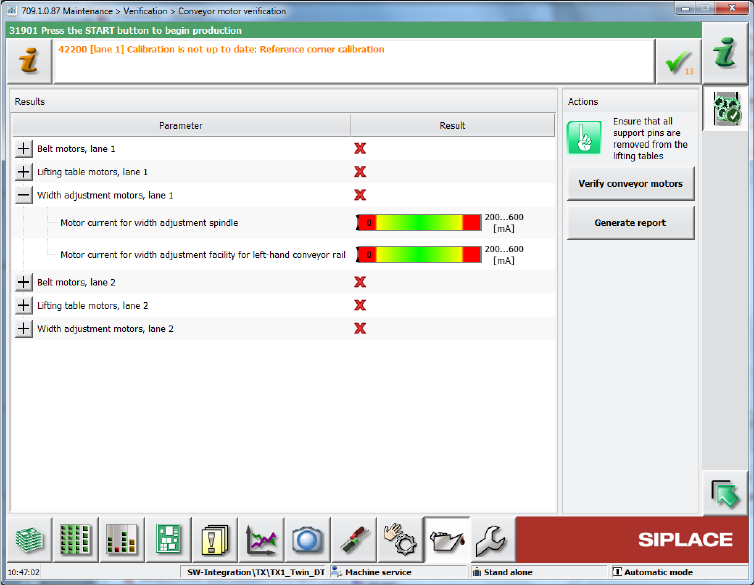
With the Conveyor motor verification in the Verification view, all current motors of the conveyor
can be verified (lifting tables, width adjustment and belt motors). The results are displayed together
with the limits (green mark if within the limits, red cross if outside the limits).
Figure 10-28: Verifying conveyor motors
The functionality is not supported on SIPLACE X-series conveyors.
Restrictions
No support on X-series conveyors.
Station Software 7xx to 714.0 (R20-2) / Feature Description 11/2020 Edition
203
10.13.9 Power Supplies
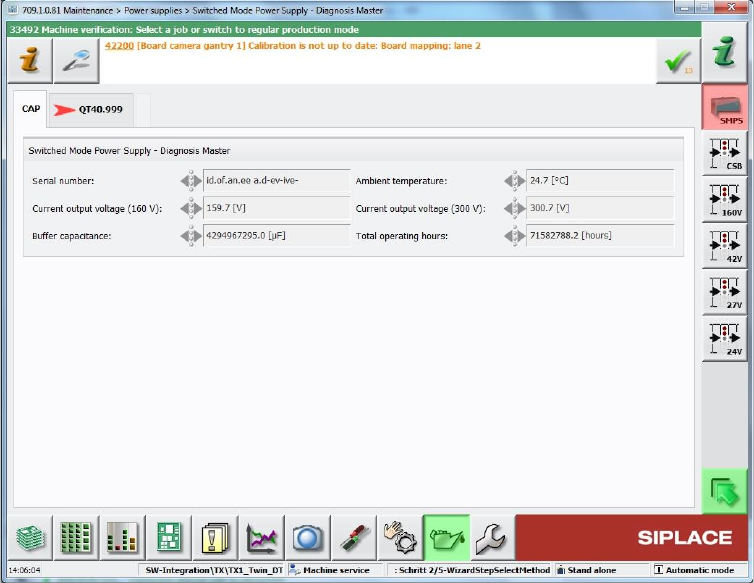
The SMPS (Switched Mode Power Supply) diagnosis has been moved to the Maintenance –
Verification view.
Figure 10-29: SMPS diagnosis
Station Software 7xx to 714.0 (R20-2) / Feature Description 11/2020 Edition
204
10.13.10 Feeder Verification
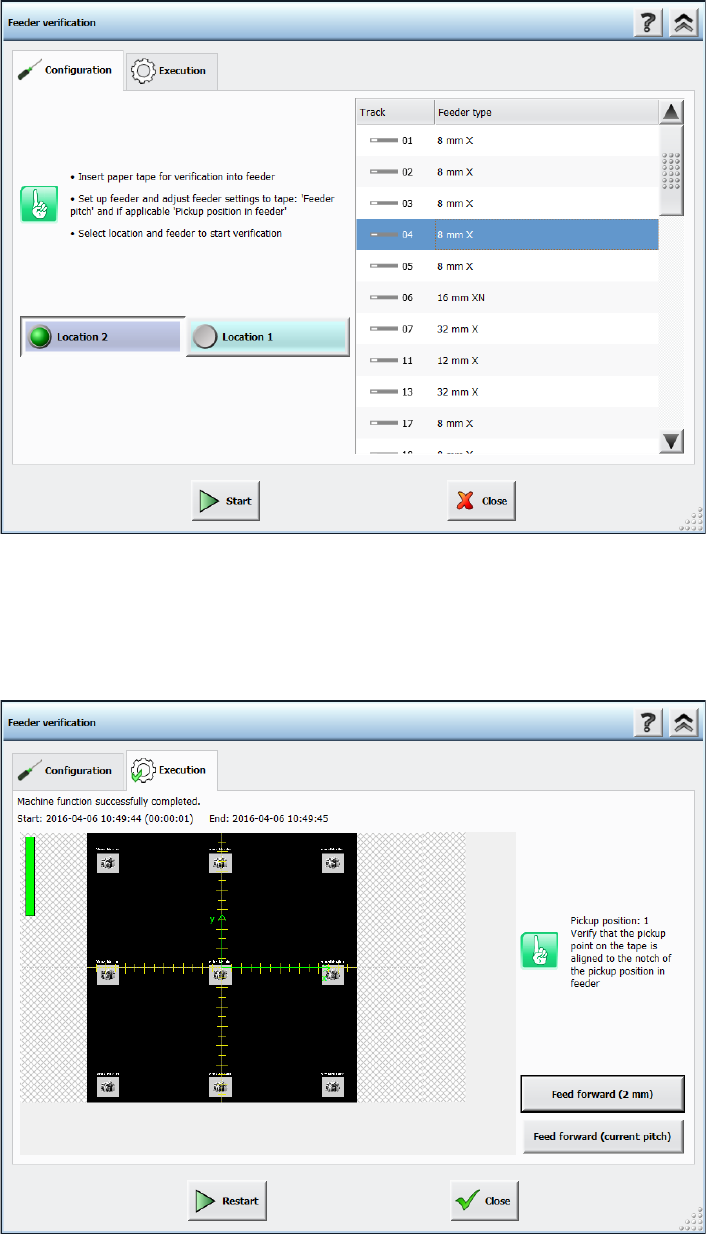
The pickup position of a tape feeder in the machine can be checked in the new Feeder
verification dialog. This check can be accessed in the Verification view from the Advanced
production activity level. The machine must have been calibrated.
After the Feeder verification button has been pressed, the following dialog box is displayed.
Figure 10-30: Preparing feeder verification
The operator has to prepare the feeder according to the instructions in the dialog box before
starting the verification.
After start, an image is taken by the camera at the pickup point of the feeder and displayed on the
GUI.
Figure 10-31: Verifying result