SIPLACE Station Software 7xx to 714 介绍.pdf - 第255页
Station Software 7xx to 714.0 (R20-2) / Feature Description 11/2020 Edition 255 13.14 Displaying Custo mer Messages The operator of the station software can leave a message for the n ext operator. Optionally, t he messag…
Station Software 7xx to 714.0 (R20-2) / Feature Description 11/2020 Edition
254
By clicking the Select all steps that have to be done button, all calibration steps that must be
performed are selected and also the locations where the calibration must be performed.
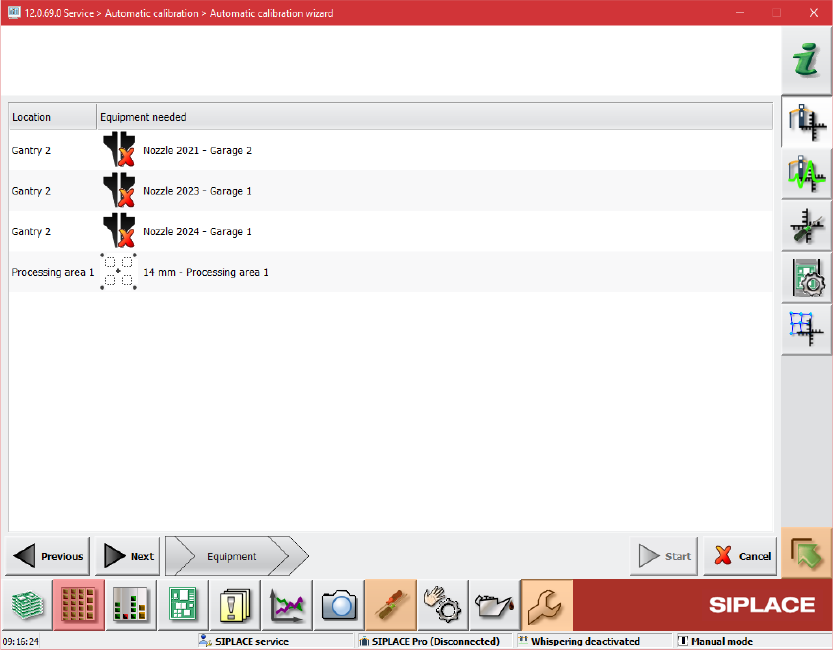
On the second page of the wizard the required equipment for the selected steps is displayed.
Figure 13-6: Required equipment
The third page of the wizard is reserved for preparation steps and will only be displayed if
preparation steps are needed, i.e. for mapping.
Station Software 7xx to 714.0 (R20-2) / Feature Description 11/2020 Edition
255
13.14 Displaying Customer Messages
The operator of the station software can leave a message for the next operator. Optionally, the
message can be displayed in a pop-up window.
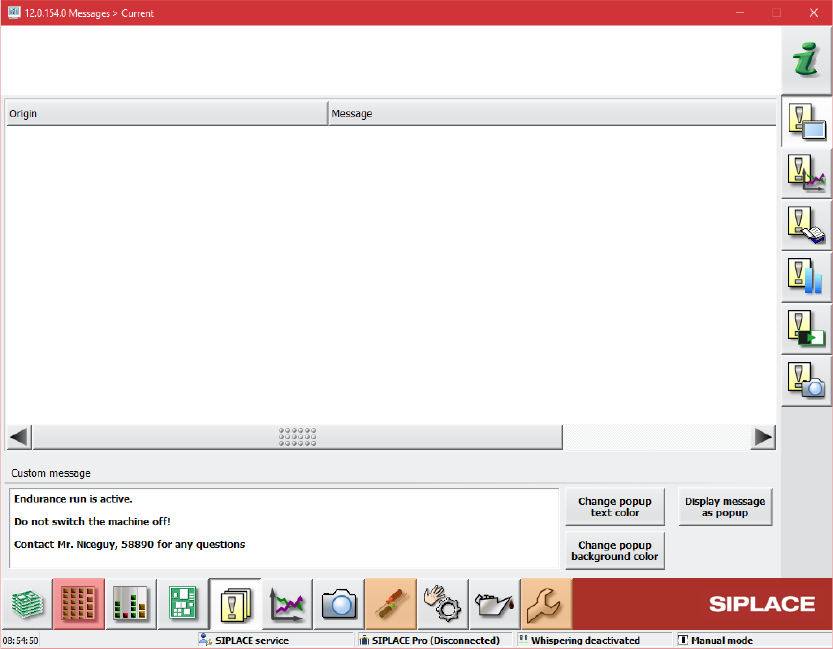
For this, the Messages – Current dialog has been extended in the Event analyzer.
Figure 13-7: Event analyzer – Messages – Current dialog
An entry field for the message text is available in the bottom part of the dialog. The message can
be displayed as a pop-up window covering a region of the application. The colors of the text and
background in the pop-up window can be set individually.
Station Software 7xx to 714.0 (R20-2) / Feature Description 11/2020 Edition
256
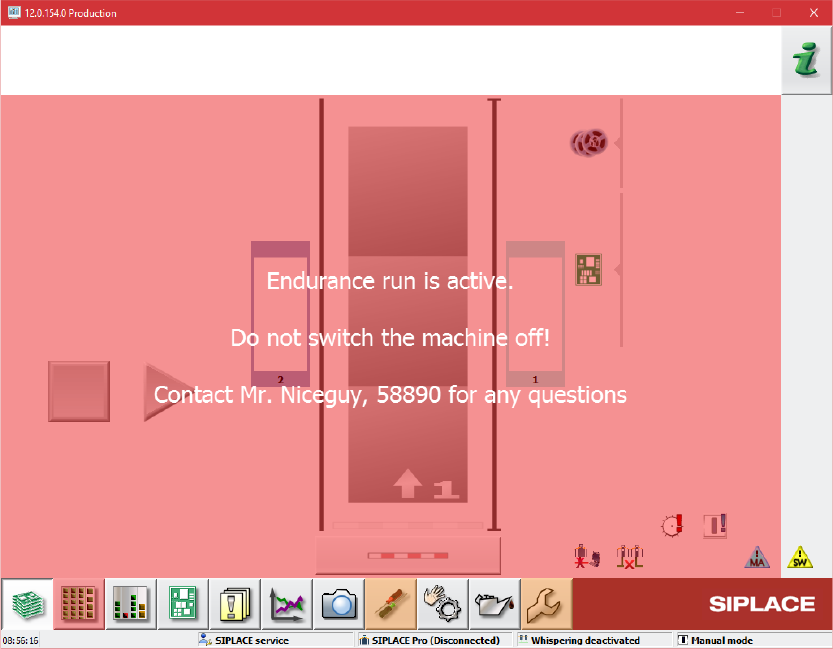
Display message as popup option enabled:
Figure 13-8: Pop-up window enabled
The pop-up window is closed whenever it is clicked. The navigation in the GUI is also possible
when the pop-up window is displayed.
13.15 SIPLACE Vision Functionality – Additional Enhancements
The main additional enhancements in SIPLACE Vision 5.6.1 are listed below.
13.15.1 Contamination Scan
Compatible mode: Hidden
SIPLACE Vision provides a new nozzle scan for customer-specific nozzles to detect contamination
by solder paste. Other defects will not be detected by this scan. The contamination check must be
configured and enabled in SIPLACE Pro and is supported for the following camera types:
SST23, SST25, SST28, SST29, SST30, SST33, SST36, SST38, SST41, SST45, SST48 and
SST49.
The scan will be performed automatically after the specified number of picked-up components per
nozzle. A manual scan can be started in the Check sensors and functions of specific
components – Head – Check vacuum, height and scan values view.