SIPLACE Station Software 7xx to 714 介绍.pdf - 第76页
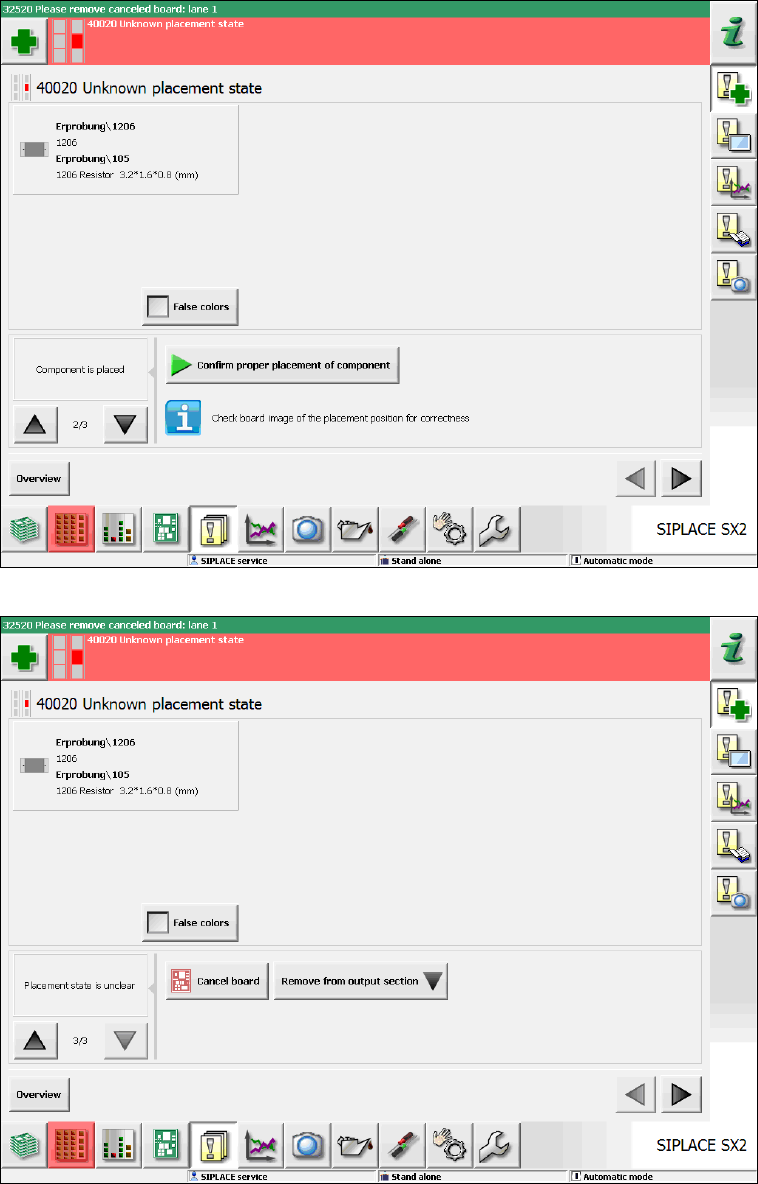
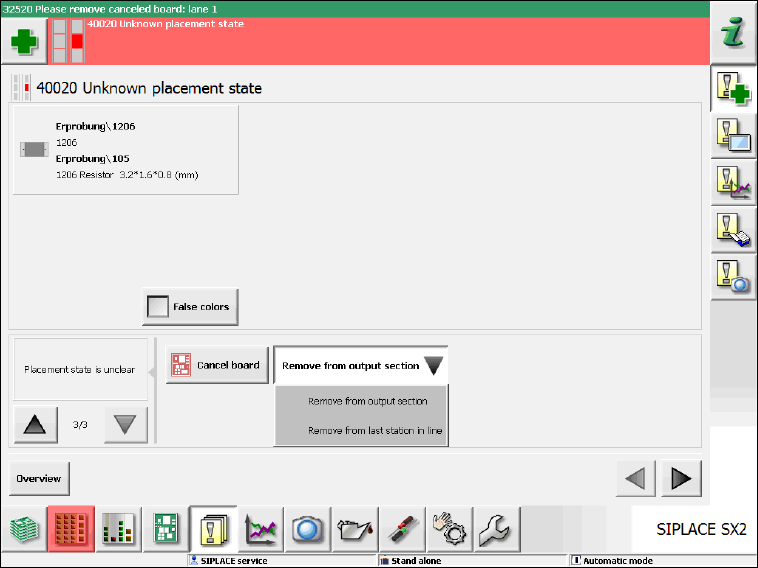
Station Software 7xx to 714.0 (R20-2) / Feature Description 11/2020 Edition 76 Figure 7- 11 : Unknown placement state – Component suc cessfully placed Figure 7- 12 : Unknown placement state – Cancel board
Station Software 7xx to 714.0 (R20-2) / Feature Description 11/2020 Edition
75
7.18 Automated Workflow after "Unknown placement status"
The Unknown placement status occurs when the placement machine recognizes or assumes
that components have been dipped in the solder paste or swept away. Up to now, the operator had
to act himself and navigate to a dialog box to create an image of the placement position and take
one of the following decisions:
– Repair is possible.
– Component has been successfully placed.
– Processing of the board must be canceled.
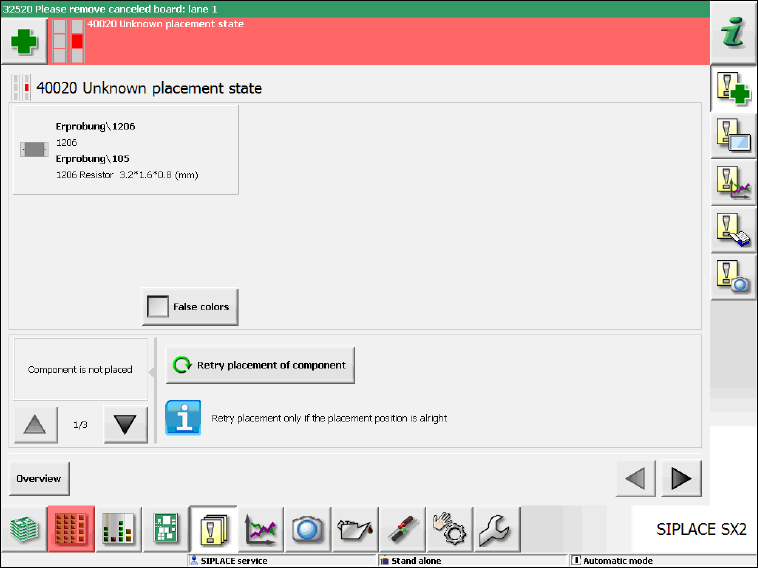
As of this station software version, a (multiple) image is automatically created of the placement
position. The inverse and abstract component shape is shown over the placement position. A
detailed error message is displayed and in this view the operator can take one of the above-
mentioned decisions (please refer to the following figures).
Figure 7-10: Unknown placement state – Repair possible
Station Software 7xx to 714.0 (R20-2) / Feature Description 11/2020 Edition
76
Figure 7-11: Unknown placement state – Component successfully placed
Figure 7-12: Unknown placement state – Cancel board
Station Software 7xx to 714.0 (R20-2) / Feature Description 11/2020 Edition
77
If the board is canceled the operator can decide from where the board shall be removed (output
section or last station in the line):
Figure 7-13: Unknown placement state – Remove board
7.19 Defragmenting Original Setup When Using SIPLACE Random
Setup
When using the SIPLACE Random Setup function, the original setup gradually gets fragmented
and is spread on the tracks, i.e. more and more feeders are no longer available on the tracks on
which they should be according to the downloaded setup.
As of this station software version, assistance is available on the GUI to bring back the feeders
onto the correct tracks.
Whenever the operator exits the Random Setup mode via the Clear Random Setup button in the
dual table view under Setup – Locations, feeders which are not located on the original tracks are
highlighted in orange color. If a highlighted feeder is selected in the Current graphic via the orange
arrow buttons, the corresponding feeder gets selected in the Expected graphic as well.
Now the operator must remove the first highlighted feeder. In the Expected graphic the feeder is
then marked as missing (red color). The red feeder shows the correct track for the removed feeder
onto which the operator shall put the feeder back. After that, the red highlighting disappears, and
the operator can continue with the next feeder highlighted in orange color.