SIPLACE Station Software 7xx to 714 介绍.pdf - 第286页
Station Software 7xx to 714.0 (R20-2) / Feature Description 11/2020 Edition 286 15.12 Changed Behavior When Com ponents Cannot Be Rejected Compatible mode: Complete To avoid time-consuming o perator assists when a co mpo…
Station Software 7xx to 714.0 (R20-2) / Feature Description 11/2020 Edition
285
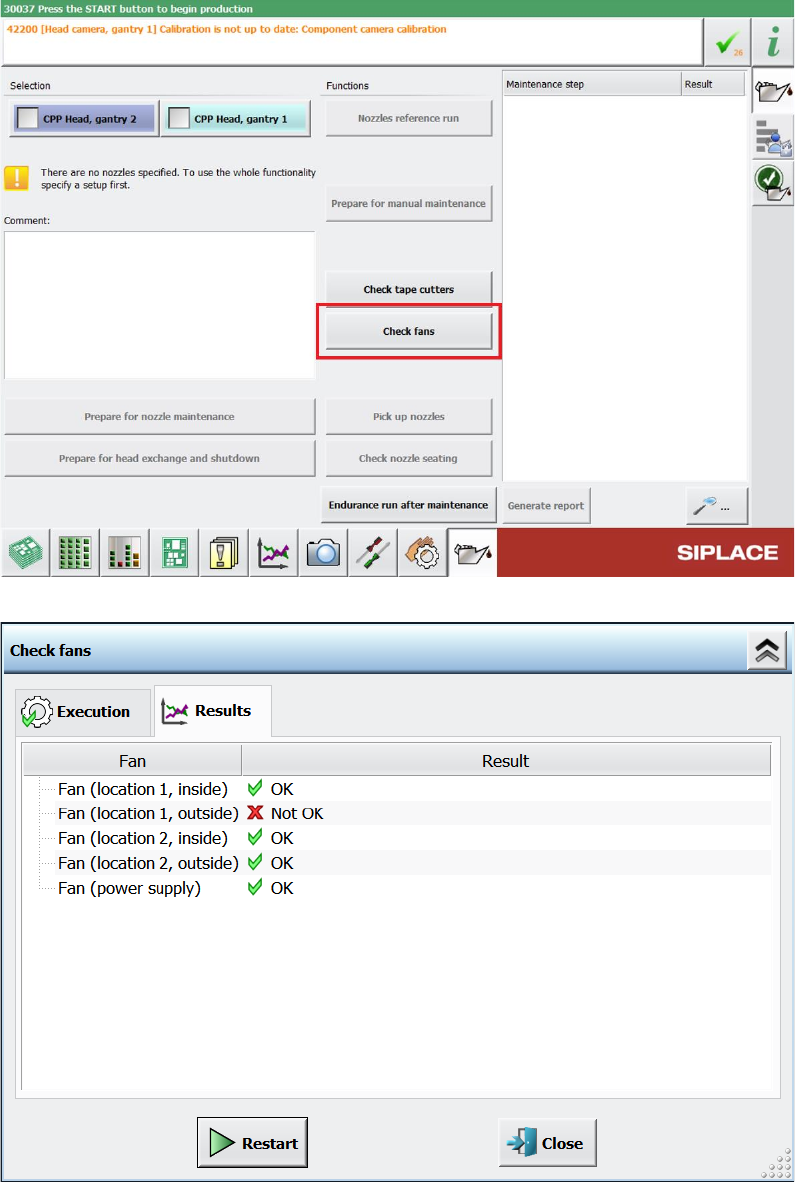
Figure 15-7: Check fans button under Preventive maintenance
Figure 15-8: Check fans result dialog
Station Software 7xx to 714.0 (R20-2) / Feature Description 11/2020 Edition
286
15.12 Changed Behavior When Components Cannot Be Rejected
Compatible mode: Complete
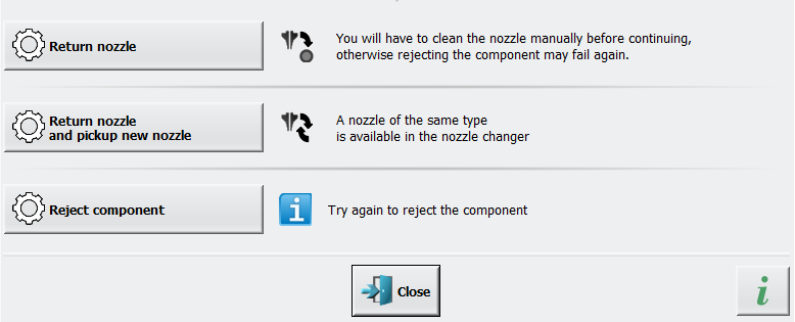
To avoid time-consuming operator assists when a component cannot be rejected in the nozzle
cleaning station, a nozzle return, and pickup sequence is performed. This sequence can be
configured per nozzle type.
Furthermore, a detailed error message is displayed when a component cannot be rejected, where
one of the following options can be selected to solve the problem:
● Return the nozzle
● Return the nozzle and pick up a new nozzle
● Reject the component
Figure 15-9: Displayed detailed error message when component cannot be rejected
The second option can only be selected if a replacement nozzle of the same nozzle type is
available in the nozzle changer and the nozzle changer is calibrated accordingly as well.
The placement process is paused until the detailed error message is answered.
Station Software 7xx to 714.0 (R20-2) / Feature Description 11/2020 Edition
287
15.13 OSC Package – Enhancements
Compatible mode: Complete
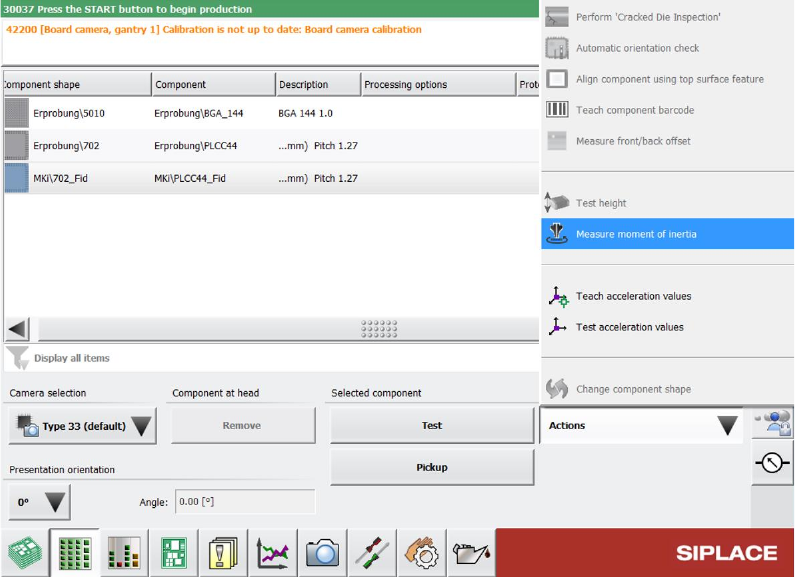
Under Setup – Component shapes it is now possible to measure the mass inertia of a nozzle and
heavier components. For this, the option Measure moment of inertia has been added in the
Actions list.
Figure 15-10: Measuring mass inertia of heavy components
This function can be used to measure the mass inertias of the nozzle and the component, making it
is possible to handle components with a weight of up to 300 g.
Detailed information on the OSC Package features can be found in the OSC Package User Guide,
item no. [00198374-xx].
Restrictions:
– This function is only available for the Twin Head and the Twin VHF placement head.
– Not available on X-series placement machines with A364
15.14 Password of Account ASM_Admin Can Be Freely Chosen
Compatible mode: Complete
The password of the ASM_Admin account can now be freely chosen, as long as it applies the
general security rules for passwords.