SIPLACE Station Software 7xx to 714 介绍.pdf - 第196页
Station Software 7xx to 714.0 (R20-2) / Feature Description 11/2020 Edition 196 ● Teaching placement positions Figure 10 - 20 :Teaching plac ement positions ● Teaching tray (like teaching component shapes) ● Correcting p…
Station Software 7xx to 714.0 (R20-2) / Feature Description 11/2020 Edition
195
When, for example, teaching is triggered by pressing the appropriate buttons, the GUI prompts for
machine stop like this:
Figure 10-18: Prompt for machine stop
The teaching workflow does not change in 2-in-1 mode. The only difference is that the other
conveyor lane will continue producing while the operator is teaching.
The following dialogs allow editing while simultaneously producing on the other conveyor lane in
2-in-1 mode:
● Teaching board fiducials, component shapes and fiducials for feeder modules.
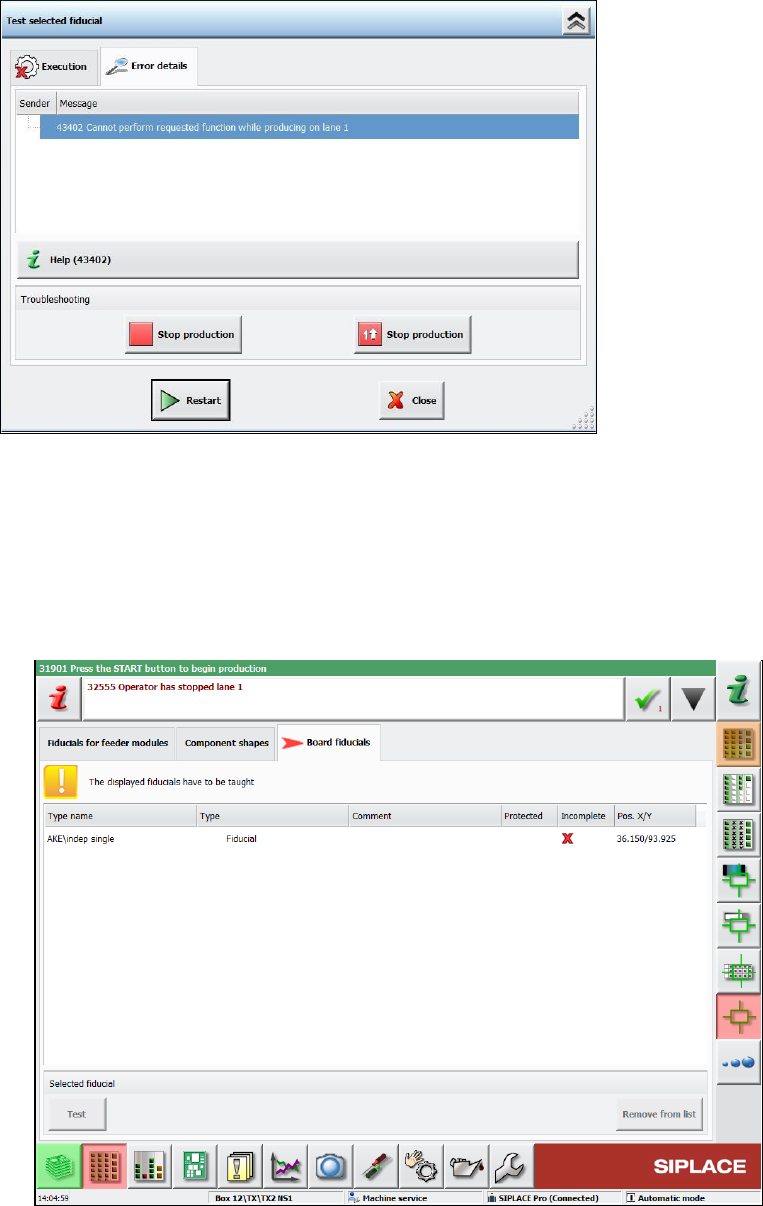
These machine requests can be taught in the following new dialog.
Figure 10-19: Teaching machine requests
Station Software 7xx to 714.0 (R20-2) / Feature Description 11/2020 Edition
196
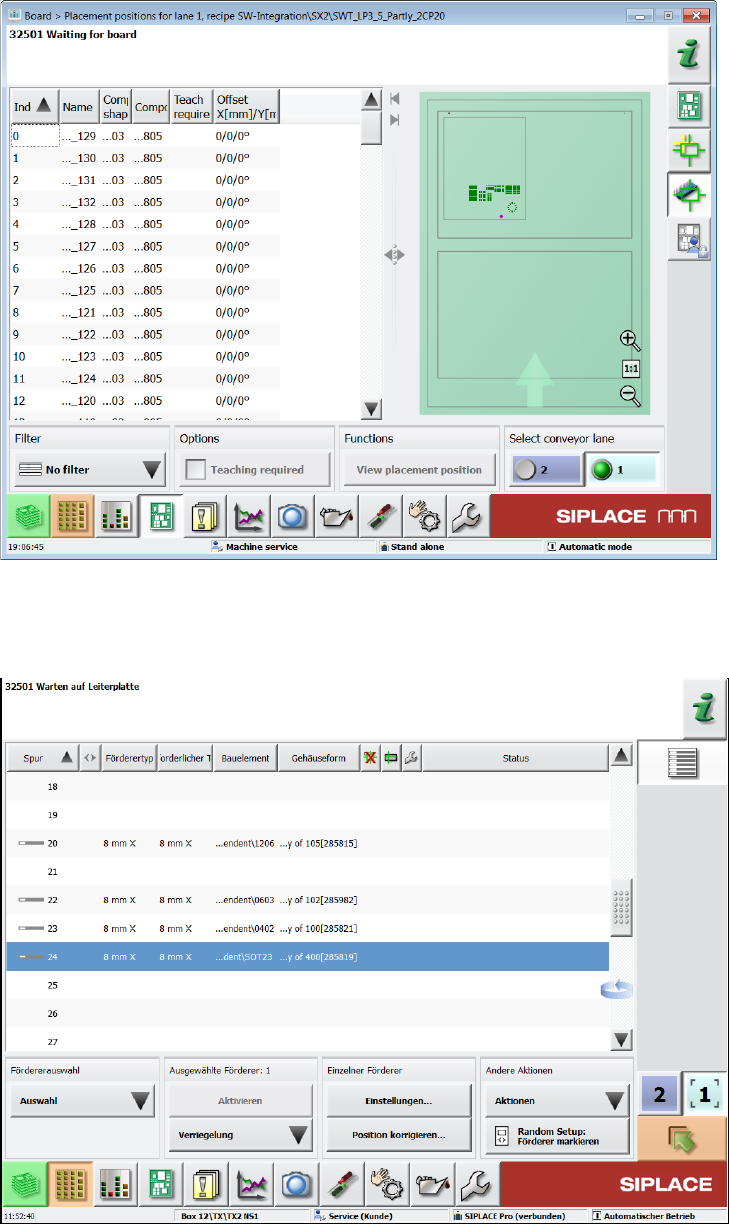
● Teaching placement positions
Figure 10-20:Teaching placement positions
● Teaching tray (like teaching component shapes)
● Correcting pickup position
Figure 10-21: Correcting pickup position
Station Software 7xx to 714.0 (R20-2) / Feature Description 11/2020 Edition
197
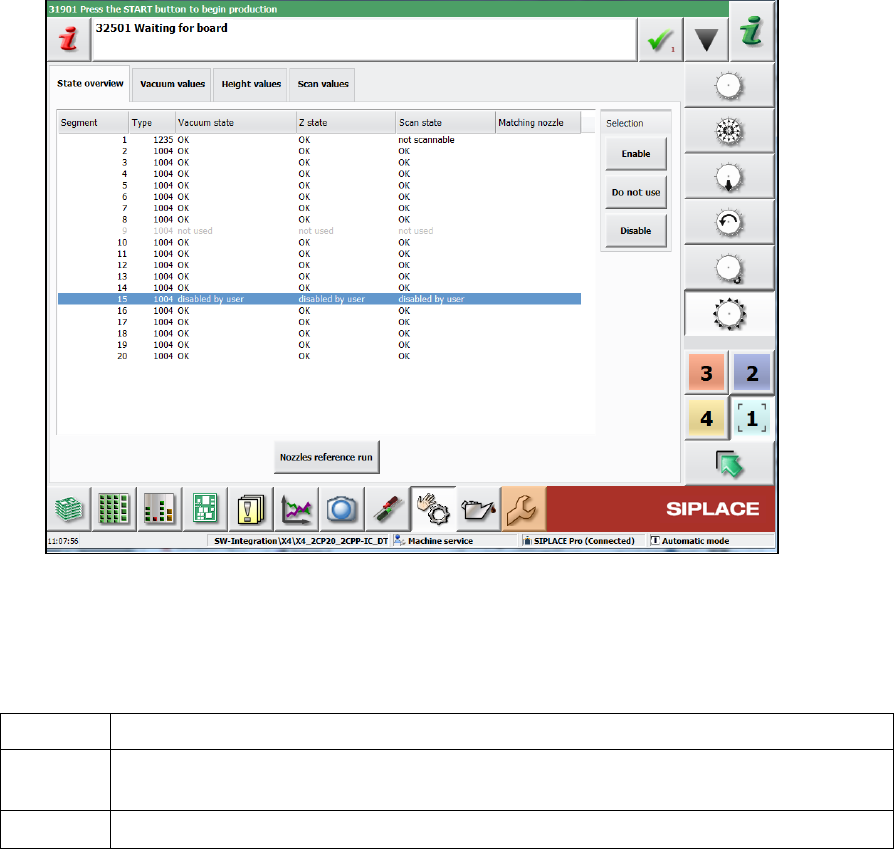
● Not using/enabling segments
Figure 10-22: Not using/enabling segments
Lamps
The green light of the lamp towers has the following meaning in 2-in-1-mode:
off
Job stopped on this conveyor lane.
blinking
Job is ready for production (conveyor lane unblocked) or a manual function is active
for the conveyor lane/gantries associated with this job.
on
Job on this conveyor lane is actively producing.
Error handling in 2-in-1-mode
Detailed errors only lead to a stop of the affected conveyor lane. The conveyor lane will be stopped
in the following cases:
– Fiducial error or fiducial requires teaching
– Component requires teaching
– Placement position requires teaching
– Check whether a component was placed or not
Several of the detailed errors can accumulate in the error bar without interrupting the current
workflow: The operator can finish the current workflow (e.g. use-initiated teaching) on one conveyor
lane, while a detailed error is pending for the other conveyor lane. Alternatively, the operator could
cancel the current workflow, navigate to the detailed error, solve it, restart the conveyor lane and
start the user-requested workflow again.
Restrictions
Not applicable for single conveyor, synchronous mode, alternating placement or machines
equipped with Smart Pin Support.