SIPLACE Station Software 7xx to 714 介绍.pdf - 第221页
Station Software 7xx to 714.0 (R20-2) / Feature Description 11/2020 Edition 221 11.5.4 Support to Find Best Acceleration A new teaching function s upports finding the highest acceleration or speed values for a comp onent…
Station Software 7xx to 714.0 (R20-2) / Feature Description 11/2020 Edition
220
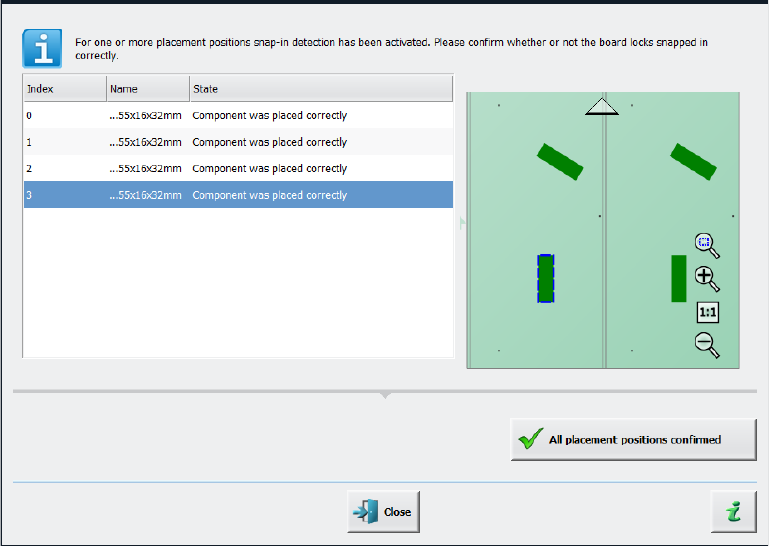
When the board enters the output section, a detailed message is displayed.
Figure 11-6: Confirming placement positions
It contains:
– The position of the board in the machine.
– A list including all placement positions on the board which must be confirmed.
– A graphical board overview in which the selected items in the list are highlighted.
There are two options for each row in the list:
– Component was placed correctly
The Z-height will be set as good for the snap-in detection.
– Repeat measurement
The measured height will be ignored, and the user must confirm the height whenever the next
component is placed. The board keeps marked for inspection.
After setting the results for all placement positions, the settings must be confirmed with the All
placement positions confirmed button.
In the Placement positions view, there are two new icons under the Options column:
– Snap-in confirmation required
is displayed if the correct Z-height has not yet been confirmed by the operator.
– Snap-in detection active
is displayed if the confirmation has already been done by the operator.
Station Software 7xx to 714.0 (R20-2) / Feature Description 11/2020 Edition
221
11.5.4 Support to Find Best Acceleration
A new teaching function supports finding the highest acceleration or speed values for a component
shape. For this, the dialog for teaching component shapes has been enhanced by the new Teach
acceleration values menu entry under Actions as of the Machine service activity level. By
triggering this action, a Configuration page is displayed.
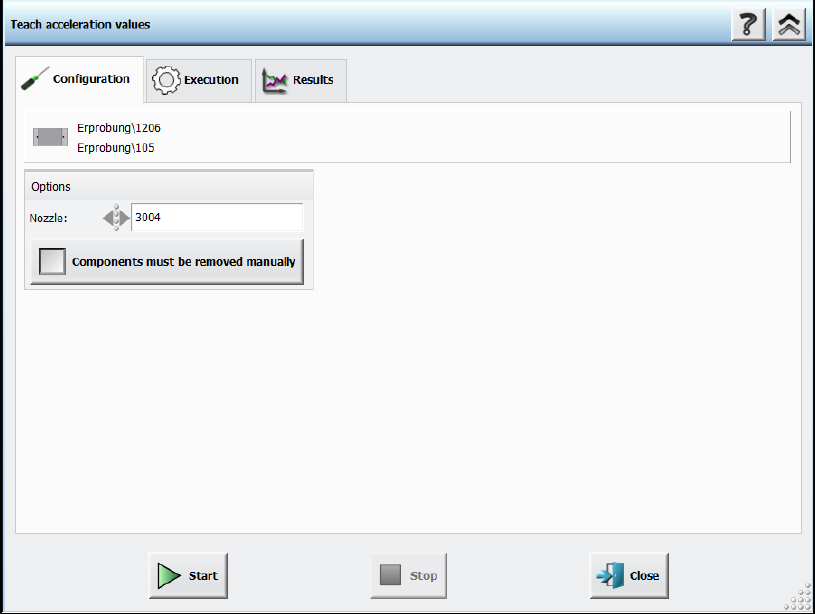
Figure 11-7: Teach acceleration values – Configuration
Following decisions must be made:
– Nozzle to be used
If the user wants to perform the teaching with another nozzle, the nozzle can be selected from
a list. Only available nozzles will be displayed.
– Option for disabling the rejection of components
The default value is to reject the components automatically. But if the Components must be
removed manually option is set, the operator will be prompted to remove the component
manually from the placement head as soon as the check fails. The option is only available for
placement heads for which this is possible. Once set, the value is saved for the next run.
Station Software 7xx to 714.0 (R20-2) / Feature Description 11/2020 Edition
222
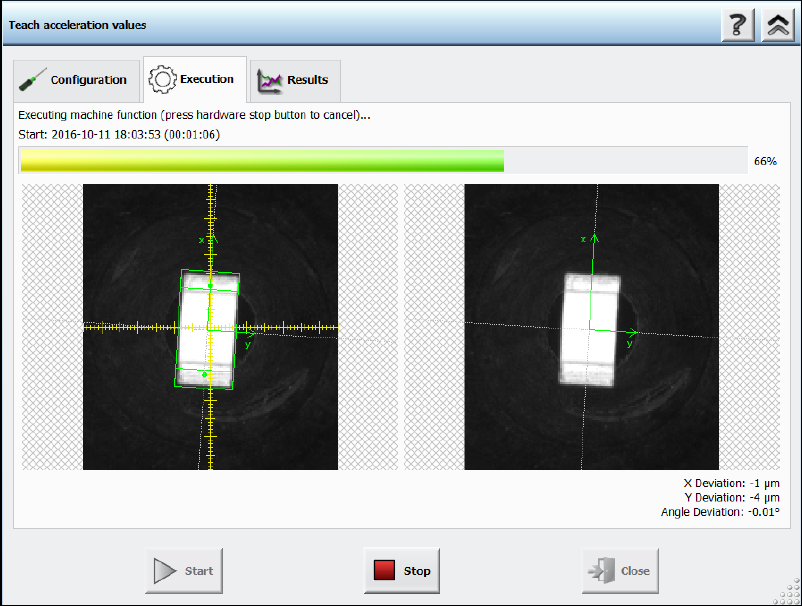
After pressing the Start button the Execution page will be opened.
Figure 11-8: Teach acceleration values – Execution
The execution steps are displayed together with the reference Vision image and the last Vision
image done by the camera. Additionally, the current acceleration values of the axes and the
measured deviations are displayed. If the operator must remove a component from the placement
head manually or if the component is lost, a hint will be displayed, and the operator must confirm
the action to continue.
If an error occurs during execution, the error causes are displayed on the last page in an error list.
Otherwise, the results are presented in a table with all the measured values of the deviations and
the recommended accelerations values.