SIPLACE Station Software 7xx to 714 介绍.pdf - 第285页
Station Software 7xx to 714.0 (R20-2) / Feature Description 11/2020 Edition 285 Figure 15 -7: Check fans button under Preventi ve maintenance Figure 15 -8: Check fans result di alog
Station Software 7xx to 714.0 (R20-2) / Feature Description 11/2020 Edition
284
15.11 Status of Fans Displayed in Station GUI for SIPLACE SX V3
Placement Machine
Compatible mode: Complete
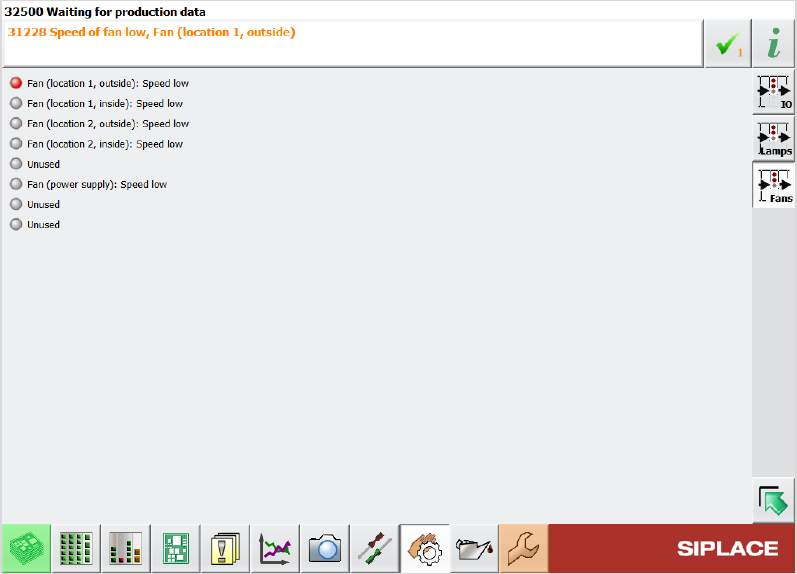
The station GUI on SIPLACE SX V3 placement machines now displays the status of the fans. The
status of the fans can be viewed in the in the following instances:
● Warning messages that are displayed in case of low fan speed
● Fan Ports view under Manual operations – Subsystems – Inputs/Outputs
Figure 15-6: Fan status in Fan Ports view
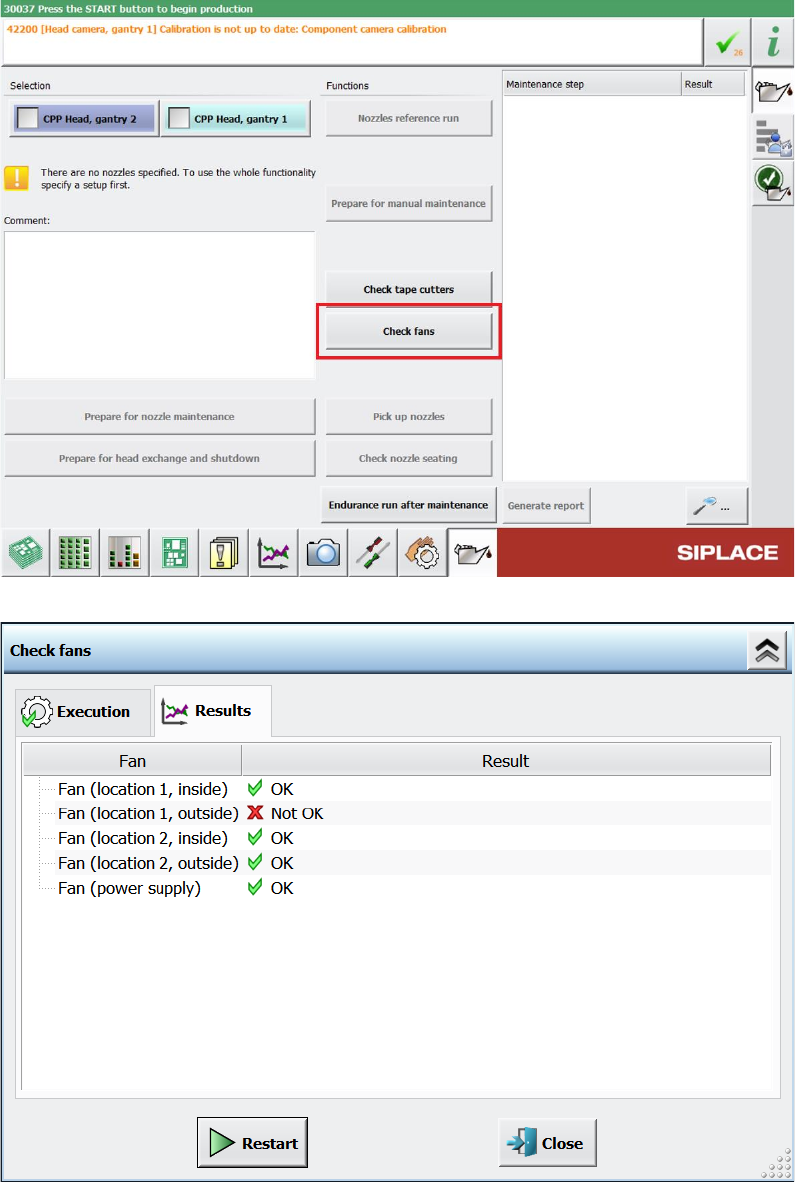
● Check fans function under Maintenance – Preventive Maintenance and the respective
results dialog
Station Software 7xx to 714.0 (R20-2) / Feature Description 11/2020 Edition
285
Figure 15-7: Check fans button under Preventive maintenance
Figure 15-8: Check fans result dialog
Station Software 7xx to 714.0 (R20-2) / Feature Description 11/2020 Edition
286
15.12 Changed Behavior When Components Cannot Be Rejected
Compatible mode: Complete
To avoid time-consuming operator assists when a component cannot be rejected in the nozzle
cleaning station, a nozzle return, and pickup sequence is performed. This sequence can be
configured per nozzle type.
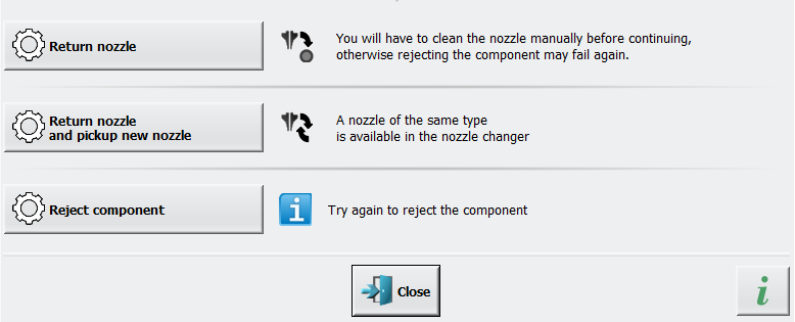
Furthermore, a detailed error message is displayed when a component cannot be rejected, where
one of the following options can be selected to solve the problem:
● Return the nozzle
● Return the nozzle and pick up a new nozzle
● Reject the component
Figure 15-9: Displayed detailed error message when component cannot be rejected
The second option can only be selected if a replacement nozzle of the same nozzle type is
available in the nozzle changer and the nozzle changer is calibrated accordingly as well.
The placement process is paused until the detailed error message is answered.