SIPLACE Station Software 7xx to 714 介绍.pdf - 第78页
Station Software 7xx to 714.0 (R20-2) / Feature Description 11/2020 Edition 78 Example In the following Random Setup scenario, the components on Track 1, 2 and 3 may have dynamic alternatives on the Tracks 1, 22 and 23 r…
Station Software 7xx to 714.0 (R20-2) / Feature Description 11/2020 Edition
77
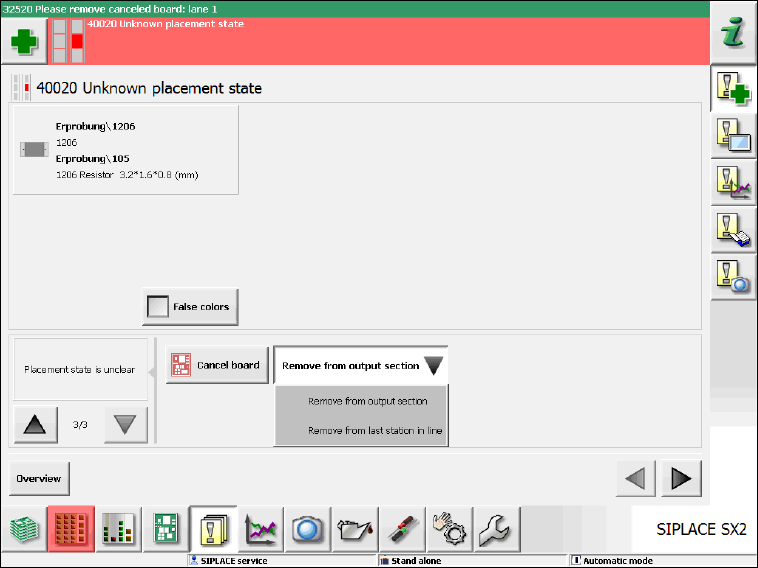
If the board is canceled the operator can decide from where the board shall be removed (output
section or last station in the line):
Figure 7-13: Unknown placement state – Remove board
7.19 Defragmenting Original Setup When Using SIPLACE Random
Setup
When using the SIPLACE Random Setup function, the original setup gradually gets fragmented
and is spread on the tracks, i.e. more and more feeders are no longer available on the tracks on
which they should be according to the downloaded setup.
As of this station software version, assistance is available on the GUI to bring back the feeders
onto the correct tracks.
Whenever the operator exits the Random Setup mode via the Clear Random Setup button in the
dual table view under Setup – Locations, feeders which are not located on the original tracks are
highlighted in orange color. If a highlighted feeder is selected in the Current graphic via the orange
arrow buttons, the corresponding feeder gets selected in the Expected graphic as well.
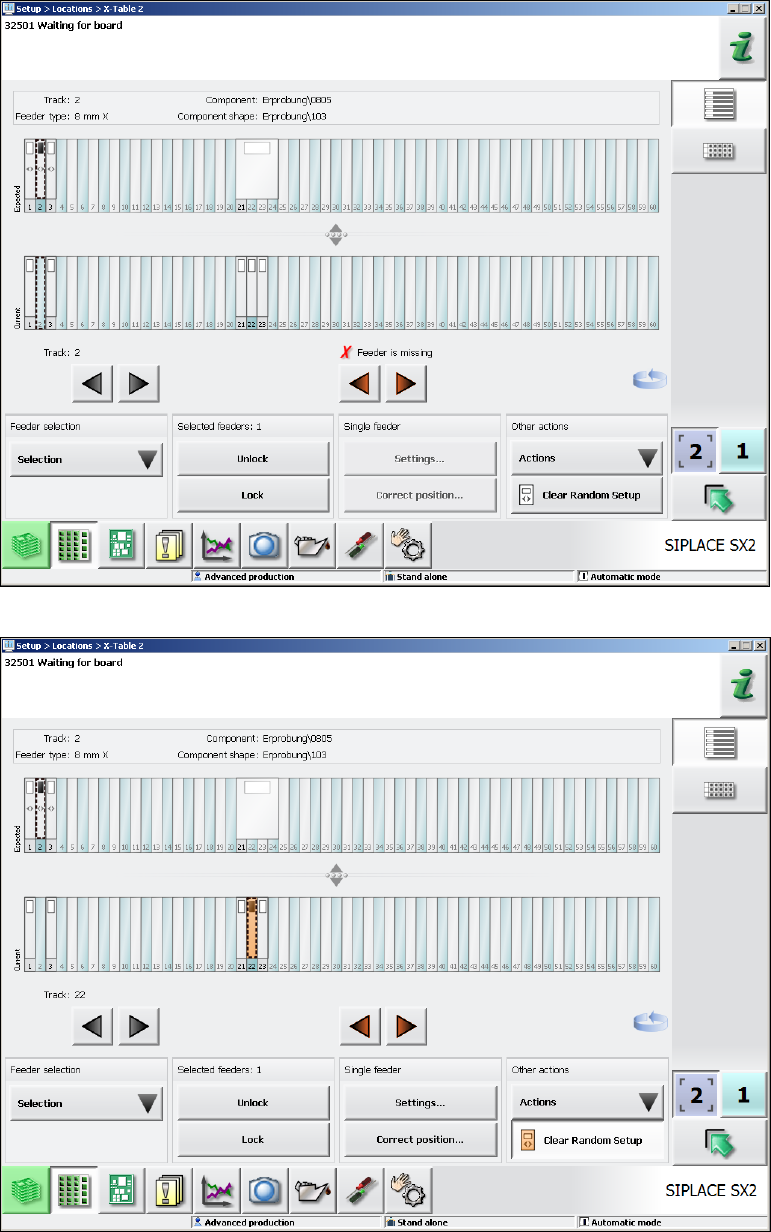
Now the operator must remove the first highlighted feeder. In the Expected graphic the feeder is
then marked as missing (red color). The red feeder shows the correct track for the removed feeder
onto which the operator shall put the feeder back. After that, the red highlighting disappears, and
the operator can continue with the next feeder highlighted in orange color.
Station Software 7xx to 714.0 (R20-2) / Feature Description 11/2020 Edition
78
Example
In the following Random Setup scenario, the components on Track 1, 2 and 3 may have dynamic
alternatives on the Tracks 1, 22 and 23 respectively. The feeder on Track 21 (32mm) is not
required for the current product. When the feeder has been removed from Track 2, the feeder on
Track 22 shall be put back onto Track 2.
Figure 7-14: Feeder was removed from Track 2
Figure 7-15: Feeder on Track 22 shall be put back onto Track 2
Station Software 7xx to 714.0 (R20-2) / Feature Description 11/2020 Edition
79
7.20 Changed User Guidance at Pickup Errors
As of this station software version the user guidance at pickup errors and the corresponding
deactivation of the feeders has been changed.
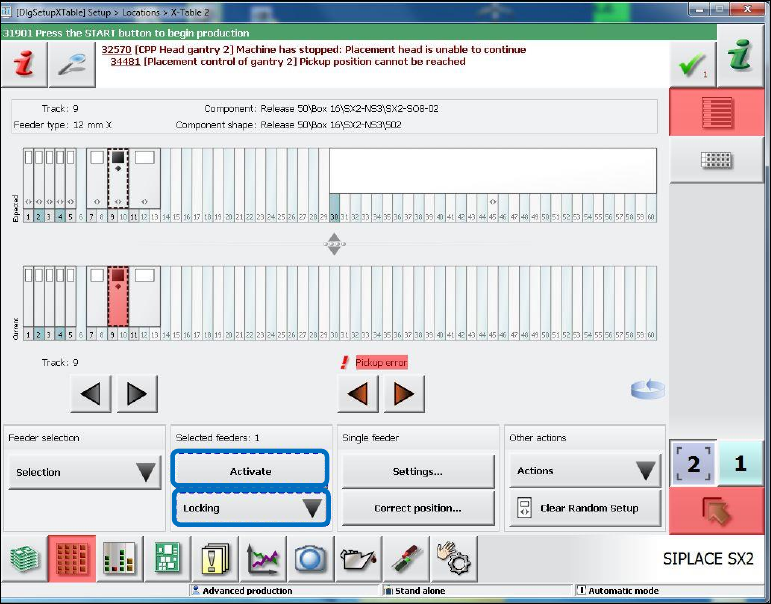
At pickup errors (i.e. for every deactivation reason) the colored marks now lead up to the setup
views and no longer to the Deactivated tracks view. For this, the Activate button has been added
to some views for the operator to handle the error in these views. The changes apply to the
following views:
Figure 7-16: Setup view for X-table
– The Locking menu with the selection Lock/Unlock.
– The Activate button is new and is activated if the operator can activate the selected track (in
the Current graphic).