00197395-03_AI_3D_Sensor-Koplan_X-Serie_S_DE_EN.pdf - 第101页
3 Installation 3.3 Fastening the 3D Coplanarity Module Assembly Instructions / Montageanleitung SIPLACE X-Series S 3D-Sensor 06/2020 101 3.3 Fastening the 3D Coplanarity Module Fig.12: Screws Screws required: 1. Four sc…
3 Installation
3.2 Preparing the Installation of the IC Camera (Type 33)
100 Assembly Instructions / Montageanleitung SIPLACE X-Series S 3D-Sensor 06/2020
Replacing the IC camera
If a stationary camera is present, move the camera from location 3 to location 2.
► Read the relevant assembly instructions (see above).
However, do not refit the camera yet.
Observe the following points in particular:
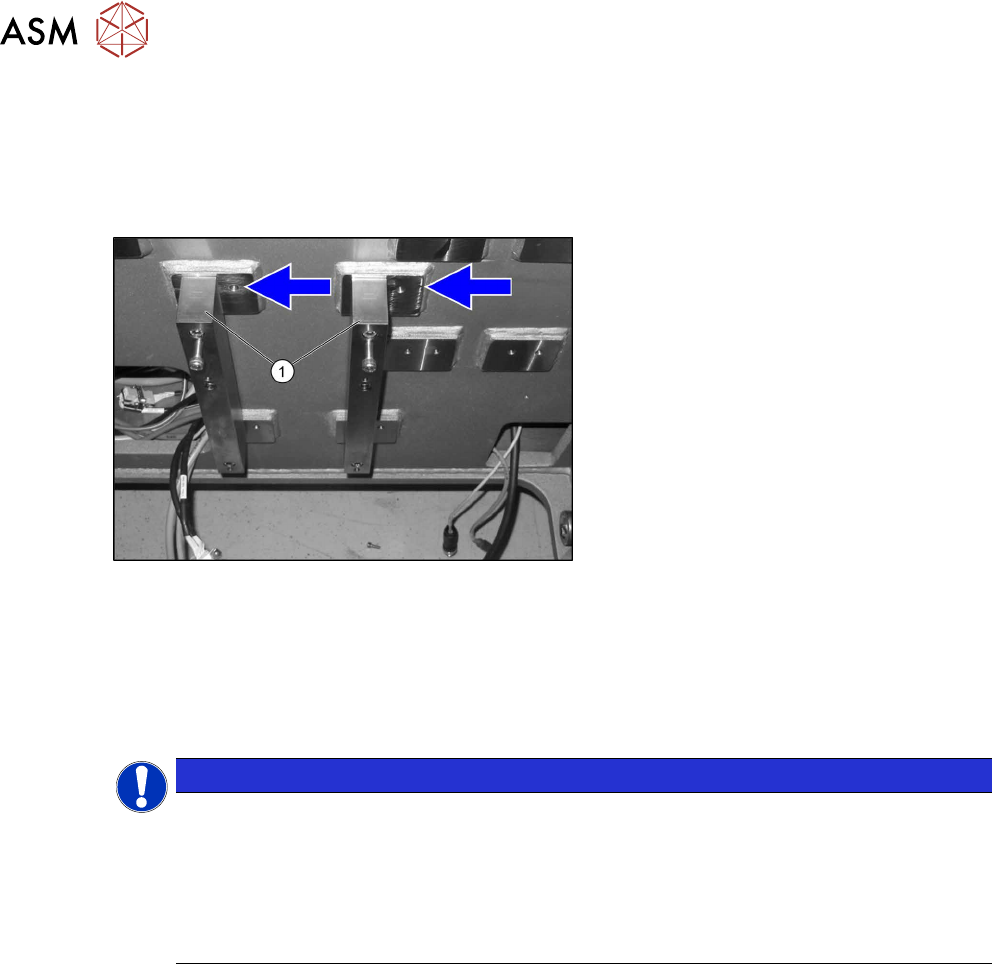
Fig.11: Spacer
► Fit the spacer plates(1) to the left posi-
tion, as the space is needed for the 3D
coplanarity module.
Camera coding
The camera needs to be re-encoded accordingly:
► Remove the lighting unit and the cover from the camera.
► Set the DIP switch (1) at the camera, according to the configuration and DIP switch type.
NOTICE
Coding the DIP switch
► The ending is based on the location and not on the gantry.
► IC cameras of type 33 up to version 07 are equipped with an 8-pin DIP switch. IC
cameras of type 33 from version 07 are equipped with a 6‑pin DIP switch.
► More details can be found in the relevant assembly instruction manual itself (see
above).
Fitting the IC camera
The camera is fixed on two spacer plates, which have already been screwed to the screw fixing
points on the machine base.
► Read the relevant assembly instructions (see above).
However, do not refit the camera yet.
3 Installation
3.3 Fastening the 3D Coplanarity Module
Assembly Instructions / Montageanleitung SIPLACE X-Series S 3D-Sensor 06/2020 101
3.3 Fastening the 3D Coplanarity Module
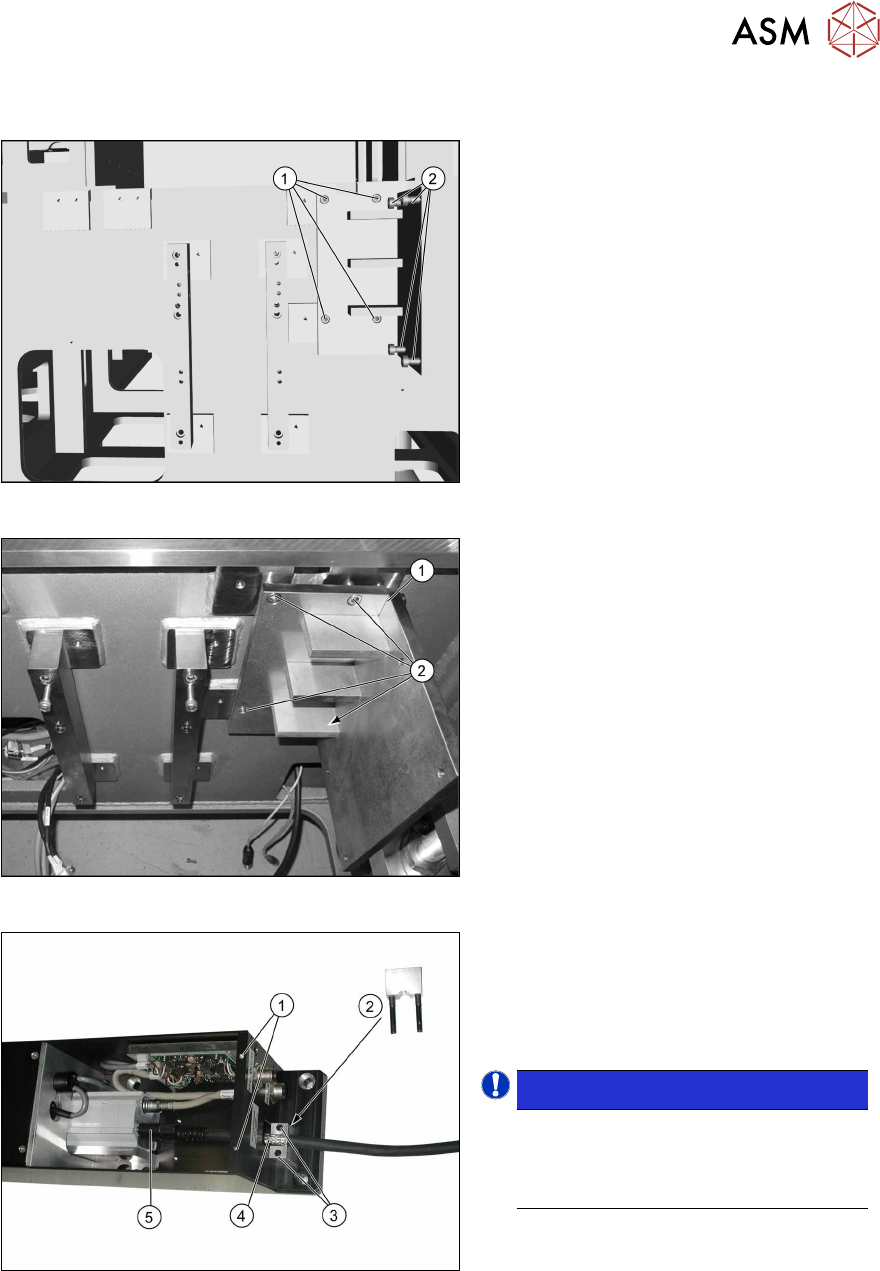
Fig.12: Screws
Screws required:
1. Four screws M6x12
2. Four fitting screws M6x12
Fig.13: Fitting the holder
► Place the holder (1) onto the machine
base, next to the camera blocks which
were moved.
► Screw the holder into place with the
four M6x12 (2)
screws.
Fig.14: Fitting the camera link cable
► Remove the screws (1) fastening the
cover on the electronics and remove
the cover.
► Remove the screws(3) for the shield
clamp(2)
.
NOTICE!
The strain relief parts on the 3D co-
planarity module are asymmetrical.
The narrower side must point to the 3D
coplanarity module.
.
► Connect the bare end of the camera
link cable(4)
to the 3D coplanarity
sensor at the 3PY terminal and secure
it to the connector with the two
screws(5)
.
► Screw the shield clamp(2) to the bare
end of the cable.
3 Installation
3.4 Sticking the Laser Warning Labels Into Place
102 Assembly Instructions / Montageanleitung SIPLACE X-Series S 3D-Sensor 06/2020
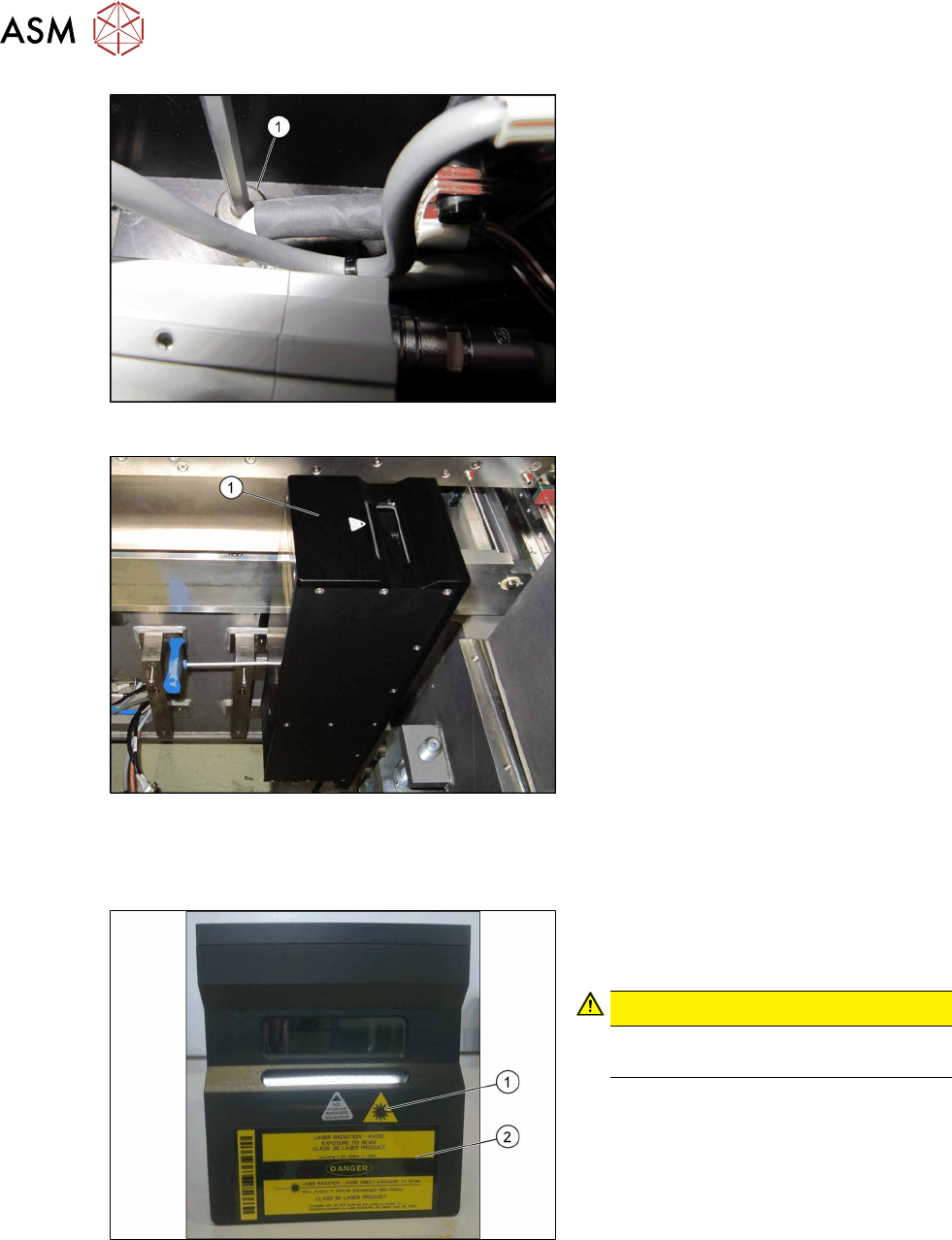
Fig.15: Inserting the fitting screws
► Insert the top fitting screws M8x12 (1),
before you fit the 3D coplanarity mod-
ule.
Fig.16: Installing the coplanarity module
► Position the 3D coplanarity module (1)
on the holder.
► Loosely insert the two lower screws.
► Tighten the screws only after all screws
have been loosely inserted.
► Fit the cover onto the 3D coplanarity
module.
3.4 Sticking the Laser Warning Labels Into Place
Fig.17: Adhesive label
► Stick both labels (1) and (2) to the top
side of the 3D coplanarity module as
shown.
CAUTION!
Now, it is clearly visible that a class 3B
laser is installed.
.