00197395-03_AI_3D_Sensor-Koplan_X-Serie_S_DE_EN.pdf - 第131页
3 Installation 3.17 Commissioning with SW 70x Assembly Instructions / Montageanleitung SIPLACE X-Series S 3D-Sensor 06/2020 131 Up to SW 711.x Fig.77: Coplanarity sensor ► Select the Coplan Sensor(1) button. ► Select t…
3 Installation
3.17 Commissioning with SW 70x
130 Assembly Instructions / Montageanleitung SIPLACE X-Series S 3D-Sensor 06/2020
3.17.3 Calibrating the 3D Coplanarity Module
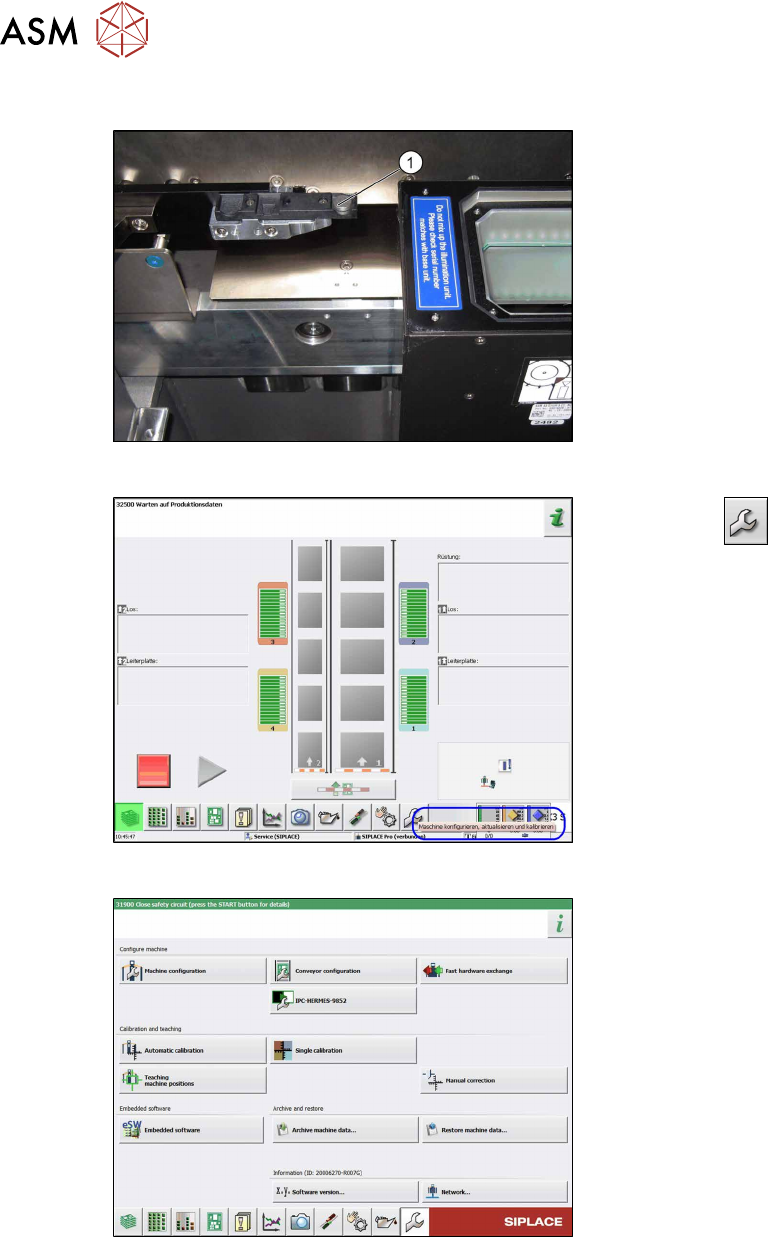
Fig.74: Calibration tool
► Remove the calibration tool and place
the supplied "calibration jig coplan
module" [00315365S-xx] on the center
of the pocket (1)
.
► Prerequisite: Pick up the calibration
nozzle.
Twin: 517
CPP: 2057
Fig.75: Start screen
► Select the button.
ð The Configure, update and cali-
brate the machine view will be
shown.
Fig.76: Automatic calibration
► Select the Automatic calibration but-
ton.
ð The Automatic calibration view
will be shown.
3 Installation
3.17 Commissioning with SW 70x
Assembly Instructions / Montageanleitung SIPLACE X-Series S 3D-Sensor 06/2020 131
Up to SW 711.x
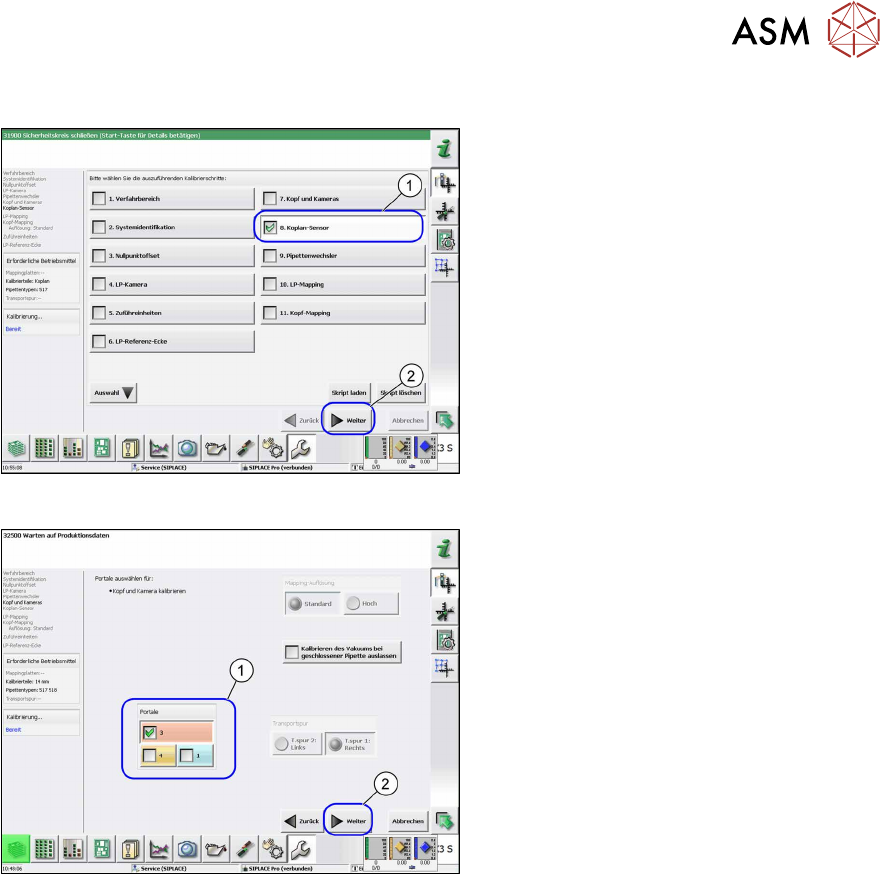
Fig.77: Coplanarity sensor
► Select the Coplan Sensor(1) button.
► Select the Next(2) button.
ð The Coplan Sensor view will be
shown.
Fig.78: Gantry selection
► Select the relevant gantry (1).
► Select the Next(2) button.
ð The calibration will be started.
► Once the calibration values are dis-
played, click on the Accept
button.
► Remove the calibration jig.
3 Installation
3.17 Commissioning with SW 70x
132 Assembly Instructions / Montageanleitung SIPLACE X-Series S 3D-Sensor 06/2020
From SW 712.x
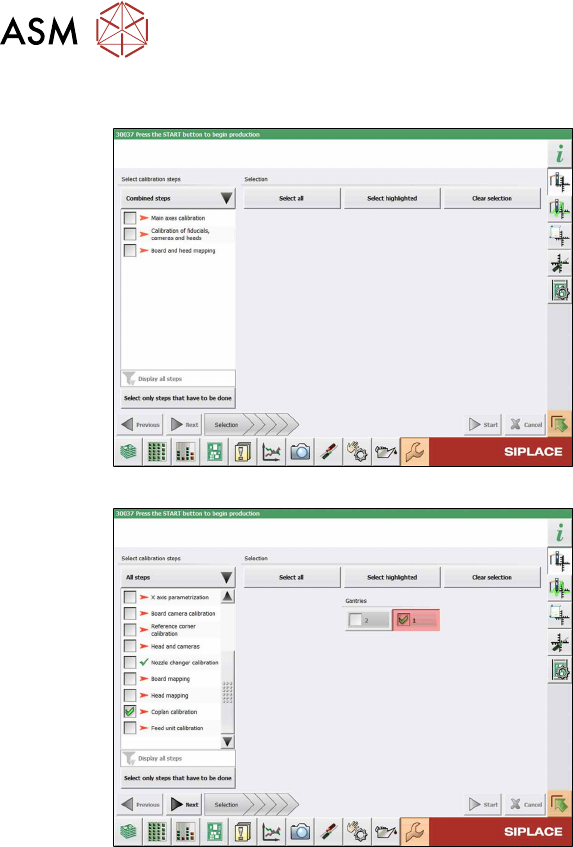
Fig.79: Calibration (combined steps)
Fig.80: Calibration (all steps)
You can choose between Combined steps
and All steps.
The procedure for All steps is described
below.
► Go to Select calibration steps and se-
lect All steps
.
► Select Coplan Calibration.
► Select the relevant gantries and then
click on the Next
button.
Follow the instructions on the next pages.
► The next step is to check the calibration
conditions (calibration tool etc.). Follow
the instructions provided.
After this step, the calibration will begin. All
required intermediate steps will be per-
formed automatically.