00197395-03_AI_3D_Sensor-Koplan_X-Serie_S_DE_EN.pdf - 第106页
3 Installation 3.7 Connecting the Cable to the (M)GCU 106 Assembly Instructions / Montageanleitung SIPLACE X-Series S 3D-Sensor 06/2020 Fig.26: Running the "Axis signals 3D sensor" cable ► Pull one end of the …
3 Installation
3.6 Running the cable for the coplanarity computer
Assembly Instructions / Montageanleitung SIPLACE X-Series S 3D-Sensor 06/2020 105
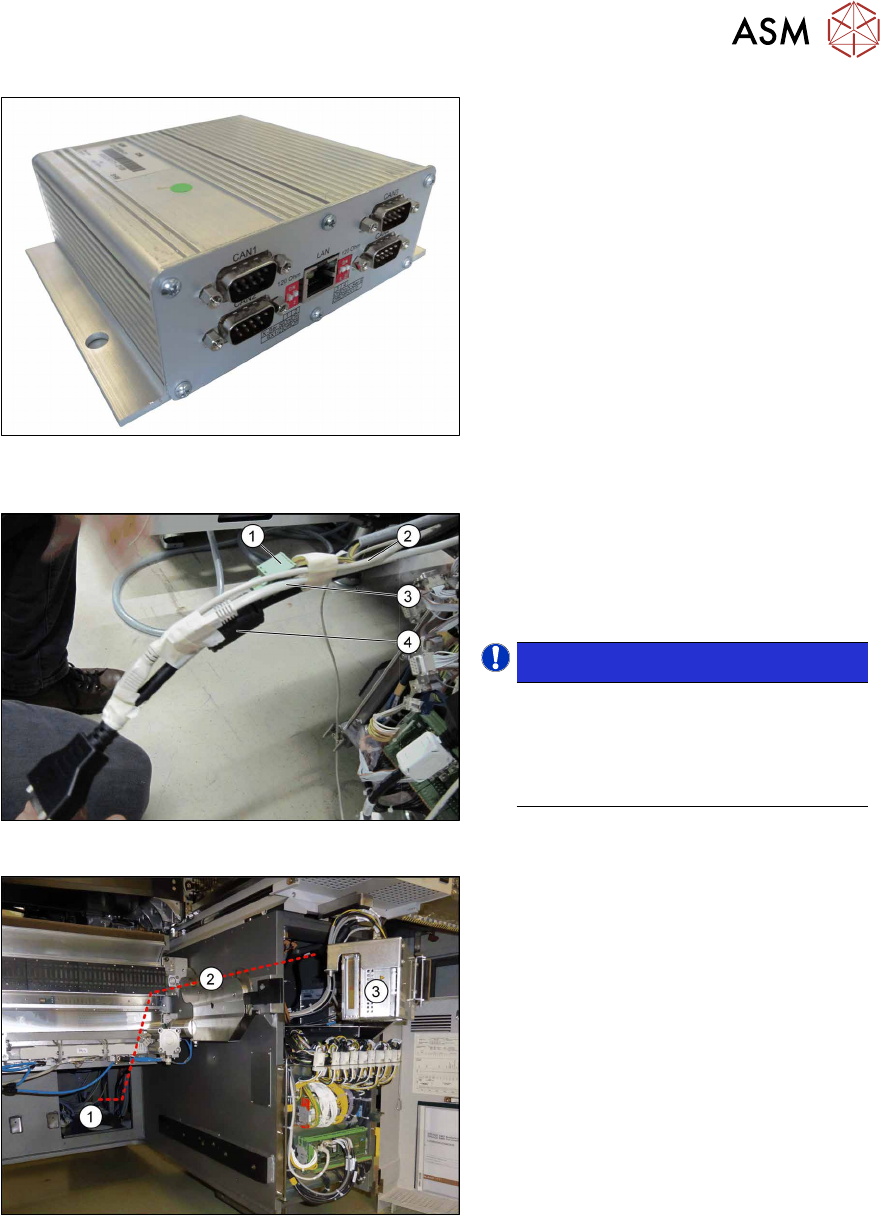
Fig.23: CIN box
From serial no. Hxxxx:
► Unplug the present power cable
[03112403‑xx]
from the CIN box.
► Connect the power cable [03112403-
xx] to the new "Adapter cable power
BoxPC and coplanarity PC" [03090848-
xx] from the set of cables.
The "Adapter cable power BoxPC and co-
planarity PC" [03090848‑xx] is split into two
parts. It merges into a long cable and a short
cable with a connector.
► Plug the short end of the adapter cable
into the CIN box.
In the next steps, the long end is run through
the machine and then connected to the co-
planarity computer.
Fig.24: Tying up cables
► Tie up the long end of the adapter
cable "Power BoxPC and coplanarity
PC" (1)
, the DVI extension cable (4),
the patch cable CAT.5e (3)
and the
USB extension cable (2)
.
NOTICE!
The USB cable and the DVI cable are
used only for the installation of the co-
planarity computer.
The LAN cable connects the coplanar-
ity computer to the station computer.
.
Fig.25: Running cables
► Push the four tied up cables from the
station computer(3)
through the
machine frame(2)
to the installation
location(1)
of the coplanarity computer
at location1.
3 Installation
3.7 Connecting the Cable to the (M)GCU
106 Assembly Instructions / Montageanleitung SIPLACE X-Series S 3D-Sensor 06/2020
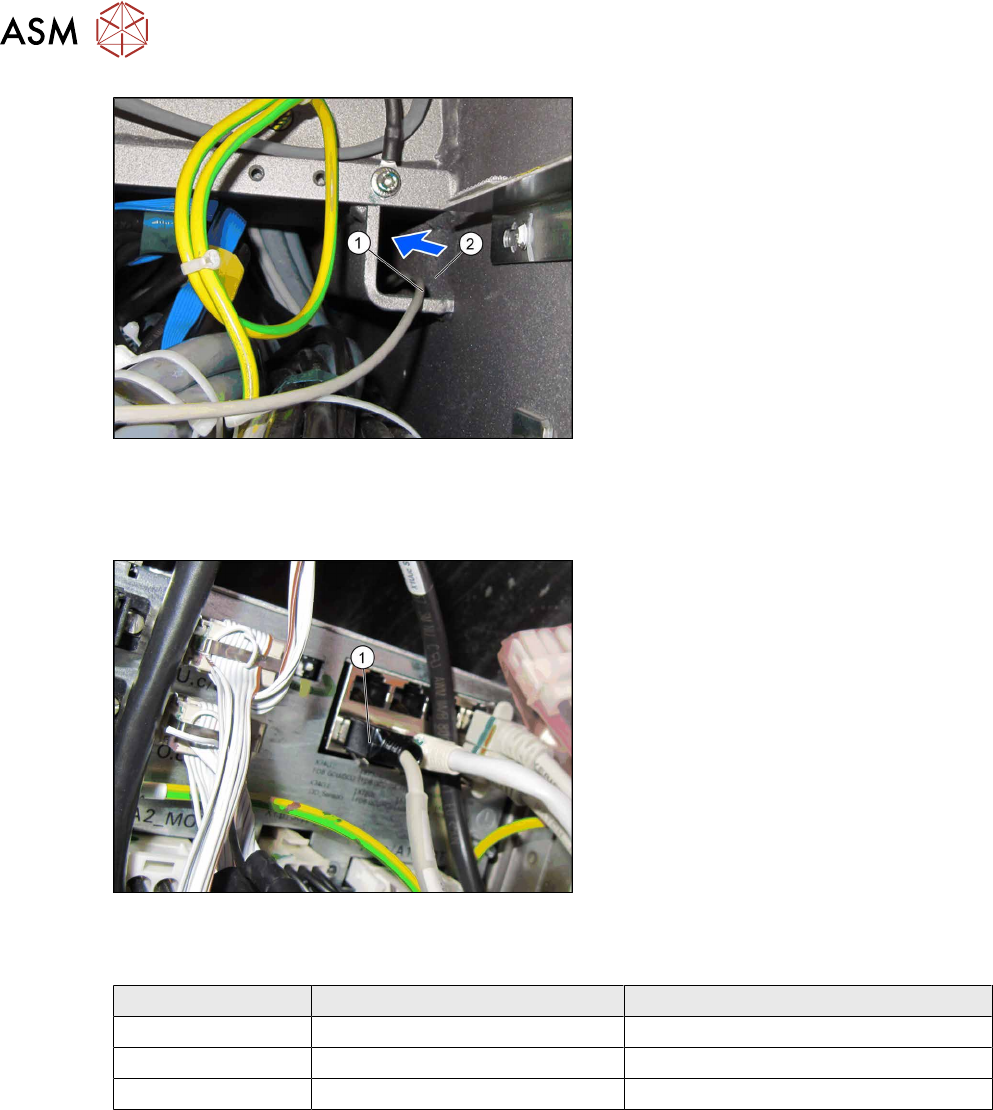
Fig.26: Running the "Axis signals 3D sensor" cable
► Pull one end of the "Axis signals 3D
sensor" [03055217-xx] cable (1)
through the traverse (2) to location2.
3.7 Connecting the Cable to the (M)GCU
Fig.27: MGCU / GCU
Also observe the following sections:
●
Up to serial no. Gxxxx:
3.7.1
"Overview of GCUs" [}108]
●
From serial no. Hxxxx:
3.7.2
"Overview of MGCUs" [}110]
► Pull the GCU slide to a certain extent
out of the machine. You need to loosen
the fastening screw at the bottom left.
► Connect the other end of the "Axis sig-
nals 3D sensor" cable (see in the
table).
Connection of the "Axis signals 3D sensor" cable [03055217-xx] in X-Series S
Machine GCU up to serial no. Gxxxx MGCU from serial no. Hxxxx
X2S GCU gantry 3, X74Ouc MGCU position 3, X74O_c
X3S GCU gantry 3, X74Ouc MGCU position 3, X74O_c
X4S GCU gantry 2, X74Otc MGCU position 2, X74O_c
3 Installation
3.7 Connecting the Cable to the (M)GCU
Assembly Instructions / Montageanleitung SIPLACE X-Series S 3D-Sensor 06/2020 107
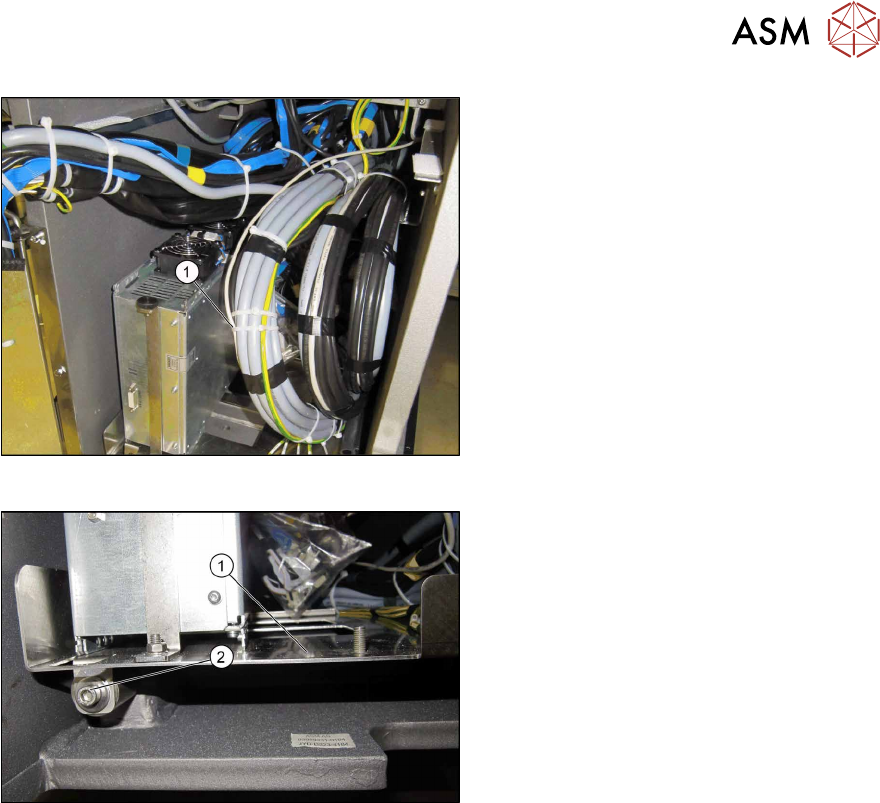
Fig.28: Cable tie
► Secure the cable with a cable tie (1)
and push the GCUs back into the
machine.
Fig.29: Securing the slide
► Tighten the screw (2) fastening the
slide (1)
.