00197395-03_AI_3D_Sensor-Koplan_X-Serie_S_DE_EN.pdf - 第128页
3 Installation 3.17 Commissioning with SW 70x 128 Assembly Instructions / Montageanleitung SIPLACE X-Series S 3D-Sensor 06/2020 Up to SW 711.x Fig.69: Head and Cameras ► Select the Head and cameras(1) but- ton. ► Selec…
3 Installation
3.17 Commissioning with SW 70x
Assembly Instructions / Montageanleitung SIPLACE X-Series S 3D-Sensor 06/2020 127
3.17.2 Calibrating the Stationary Camera SST33
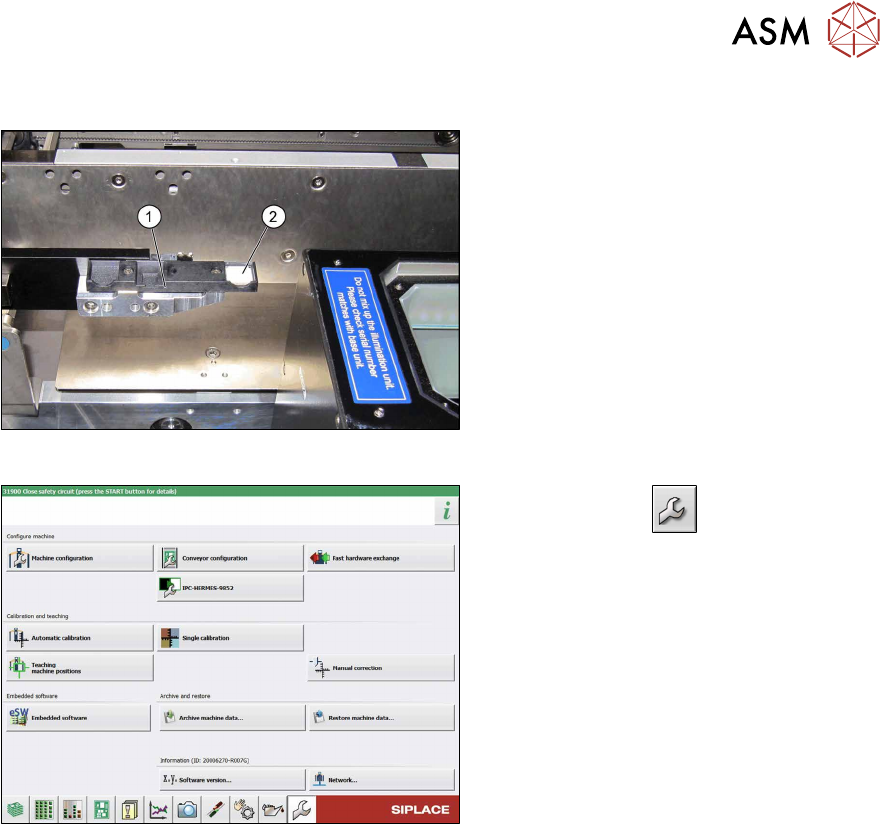
Fig.67: Calibration tool
► Place the calibration tool (2) into the
calibration tool repository (1)
.
Fig.68: Service menu
► Use the button to switch to the
Service menu.
► Click the Automatic calibration but-
ton.
3 Installation
3.17 Commissioning with SW 70x
128 Assembly Instructions / Montageanleitung SIPLACE X-Series S 3D-Sensor 06/2020
Up to SW 711.x
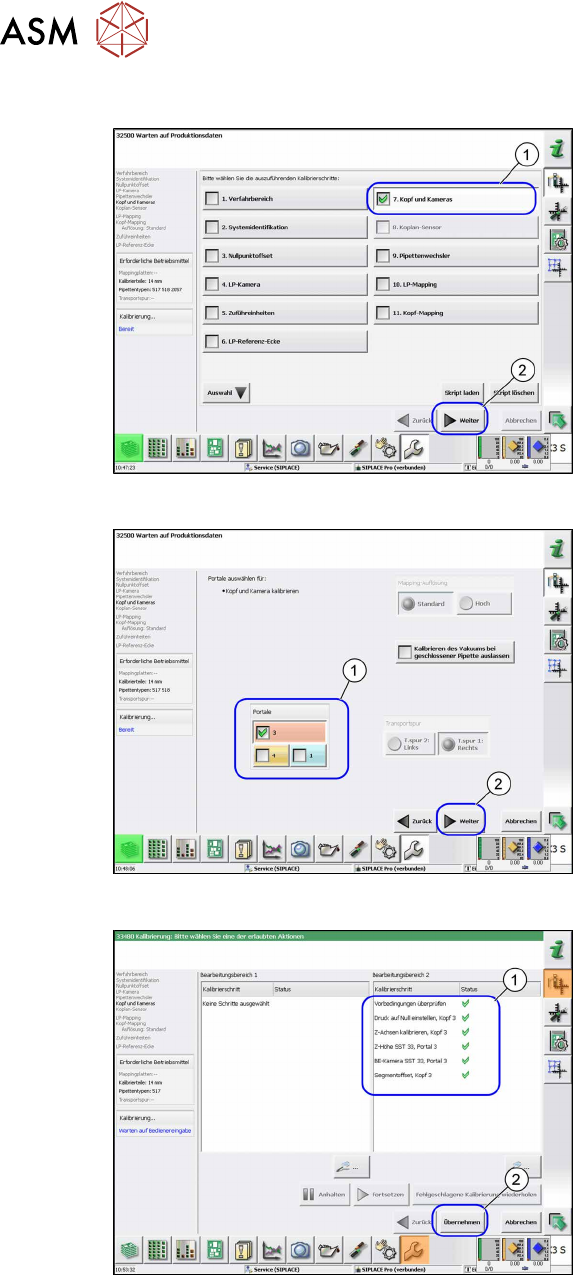
Fig.69: Head and Cameras
► Select the Head and cameras(1) but-
ton.
► Select the Next(2) button.
ð The Head and Cameras view will
be shown.
Fig.70: Gantry selection
► Select the relevant gantry (1).
► Select the Next(2) button.
ð The calibration will be started.
Fig.71: Calibration values
► Select the Accept(2) button, to accept
the calibration values shown(1)
.
3 Installation
3.17 Commissioning with SW 70x
Assembly Instructions / Montageanleitung SIPLACE X-Series S 3D-Sensor 06/2020 129
From SW 712.x
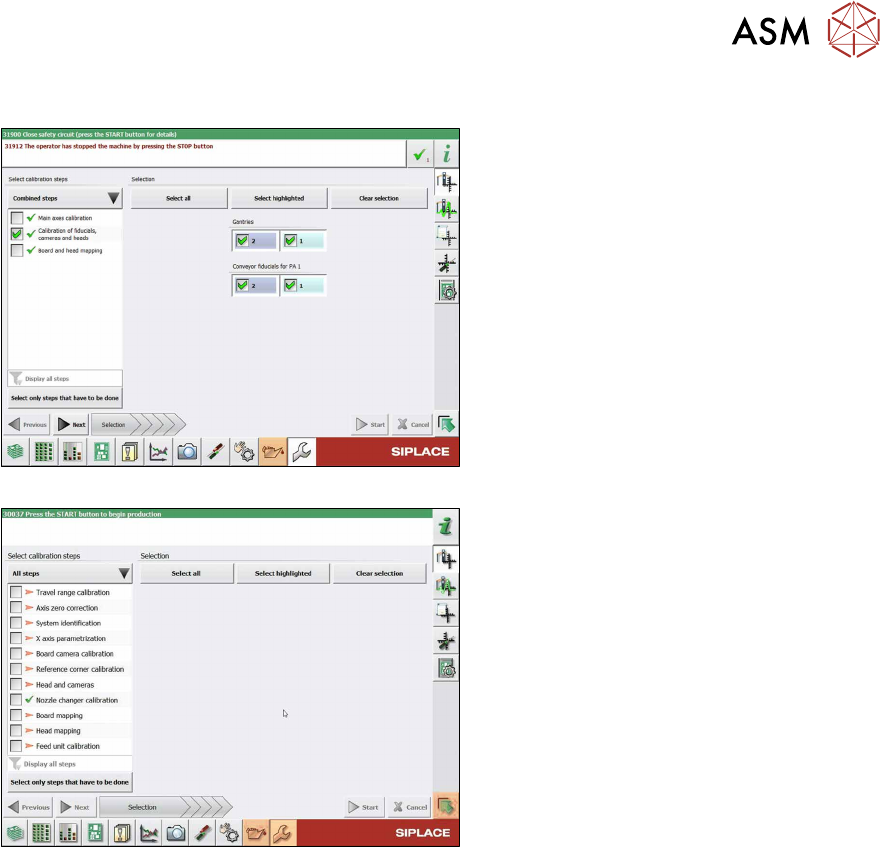
Fig.72: Calibration (combined steps)
Fig.73: Calibration (all steps)
You can choose between Combined steps
and All steps.
The procedure for All steps is described
below.
► Go to Select calibration steps and se-
lect All steps
.
► Choose Heads and cameras.
► On the next page, select the gantries
on which the heads to be calibrated are
located and then click on the Next
but-
ton.
Follow the instructions on the next pages:
► The next step is to check the calibration
conditions (nozzle, calibration tool etc.).
Follow the instructions provided.
After this step, the calibration will begin. All
required intermediate steps (head height
etc.) will be performed automatically.