00197395-03_AI_3D_Sensor-Koplan_X-Serie_S_DE_EN.pdf - 第115页
3 Installation 3.10 Fitting the station computer (from Hxxxx) Assembly Instructions / Montageanleitung SIPLACE X-Series S 3D-Sensor 06/2020 115 3.10 Fitting the station computer (from Hxxxx) Fig.37: BoxPC ► Reinsert the…
3 Installation
3.9 Installing the LAN card in the station computer (from Hxxxx)
114 Assembly Instructions / Montageanleitung SIPLACE X-Series S 3D-Sensor 06/2020
3.9 Installing the LAN card in the station computer (from Hxxxx)
If a 3D Coplan or a barcode scanner is installed, the "LAN card PCI Express 2x Gigabit
LAN" [03118416-xx] is needed in addition.
This LAN card is fitted in the "BoxPC 427D" [03114177‑xx] from serial no. Hxxxx. Older machines
do not require this LAN card.
Overview
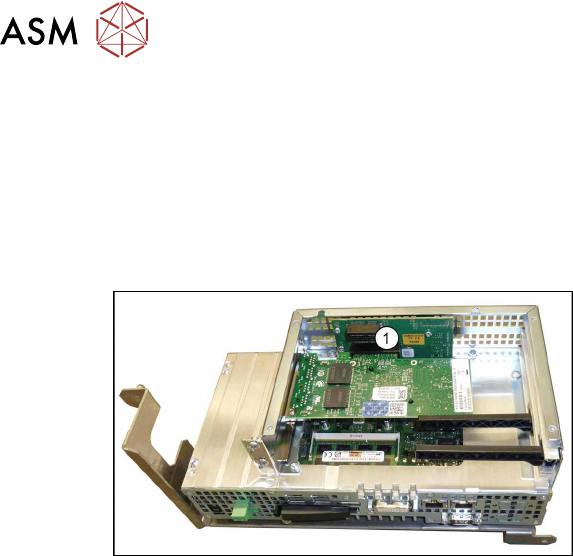
Fig.36: Station computer (BoxPC 427D)
1. Free slot for the LAN card
Installation
► Open the covers above the plug-in cards.
► Insert the LAN card into the free slot. Make sure that it fits correctly.
► Refit the cover.
3 Installation
3.10 Fitting the station computer (from Hxxxx)
Assembly Instructions / Montageanleitung SIPLACE X-Series S 3D-Sensor 06/2020 115
3.10 Fitting the station computer (from Hxxxx)
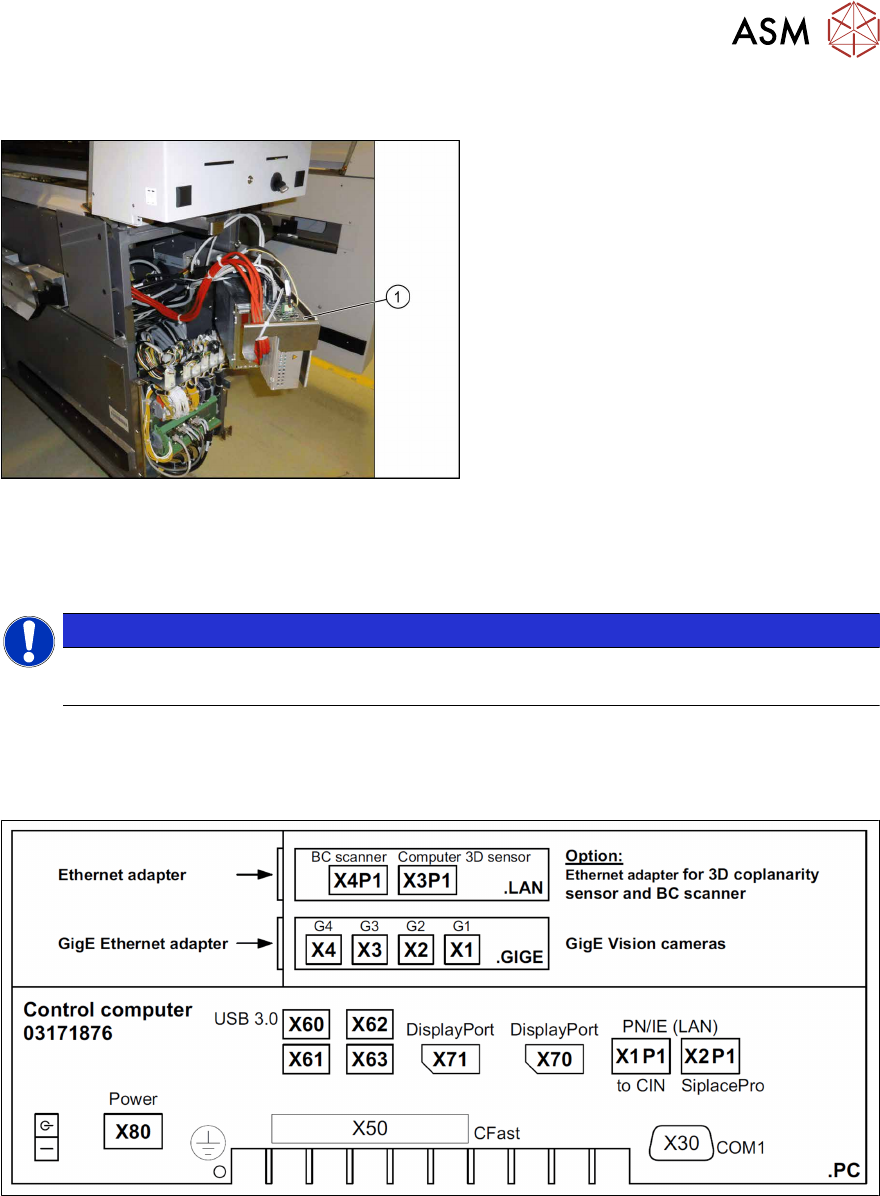
Fig.37: BoxPC
► Reinsert the BoxPC(1) and fix it into
place.
Connecting the cables to the station computer
► Reestablish all connections to the BoxPC.
NOTICE
Monitor
Do not plug in the monitor cable yet.
► Connect the LAN cable from the coplanarity computer with the connection X4 (X4P1) for the
"LAN card PCI-Express 2x Gigabit-LAN" [03118416‑xx].
Overview of connections for BoxPC 427D
Fig.38: BoxPC 427D connections
3 Installation
3.11 Installing the station computer (up to Gxxxx)
116 Assembly Instructions / Montageanleitung SIPLACE X-Series S 3D-Sensor 06/2020
3.11 Installing the station computer (up to Gxxxx)
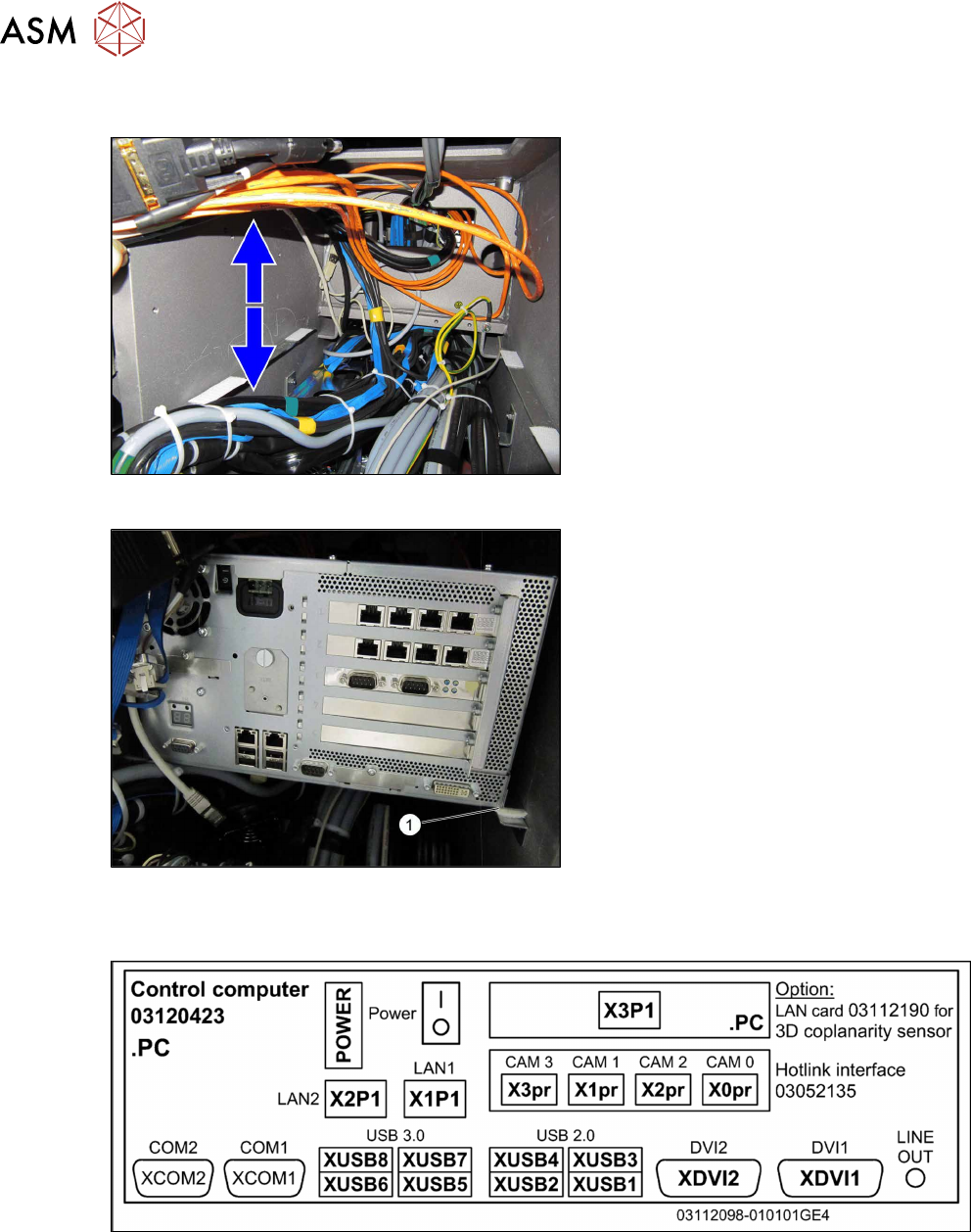
Fig.39: Moving the cable
► Push the cable upwards and down-
wards, so that there is enough room for
the BoxPC.
Fig.40: Inserting the station computer
► Position the station computer back on
the Velcro fixtures on the frame (1)
.
Overview of connections
Fig.41: Connections BoxPC ABP402-A CPU1020E 2xPCI SSD (iBase)