00197395-03_AI_3D_Sensor-Koplan_X-Serie_S_DE_EN.pdf - 第121页
3 Installation 3.12 Installing the Coplanarity Computer Assembly Instructions / Montageanleitung SIPLACE X-Series S 3D-Sensor 06/2020 121 Fig.53: Velcro strips ► Pull the protective foil off the Velcro strips and positi…
3 Installation
3.12 Installing the Coplanarity Computer
120 Assembly Instructions / Montageanleitung SIPLACE X-Series S 3D-Sensor 06/2020
3.12.2 Fixing the Coplan Computer and Routing the Cables
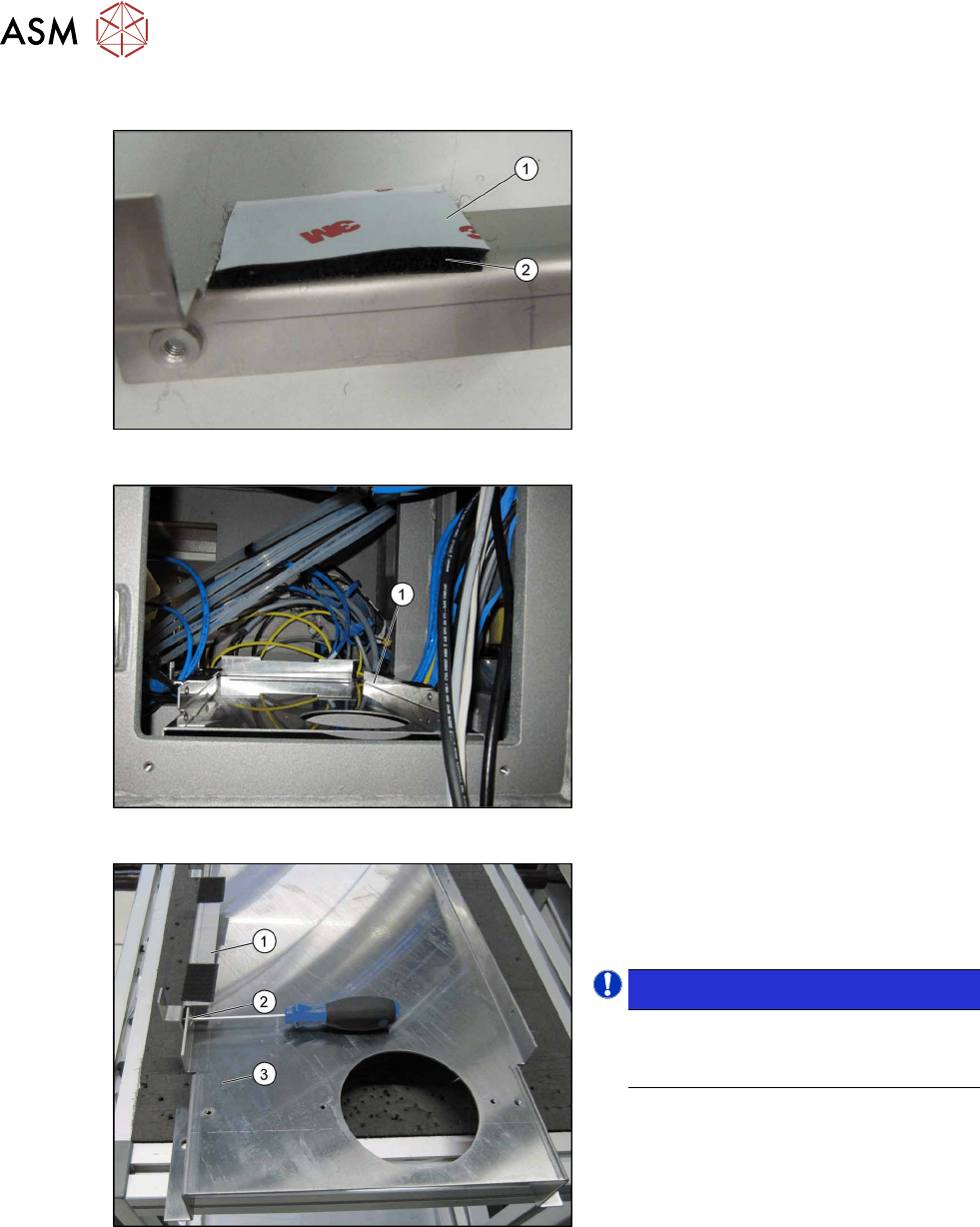
Fig.50: Sticking the Velcro strips into place
► Stick four Velcro strips to the retaining
brackets ,[03102046‑xx] and
[03102026‑xx] with the hard side(2)
fa-
cing down. Leave the protective foil(1)
on the soft side. This is only removed
just before the installation of the co-
planarity computer.
Fig.51: Support plate installed
Support plate (1) inside the machine.
Fig.52: Fixing the retaining bracket
► Fasten the fixture bracket(1) for the co-
planarity computer on the left and right,
using the four M4x6screws (2)
, to the
support plate(3)
at location1.
NOTICE!
Assembly direction:
Make sure that you fit the bracket with
the angle pointing to the left.
.
3 Installation
3.12 Installing the Coplanarity Computer
Assembly Instructions / Montageanleitung SIPLACE X-Series S 3D-Sensor 06/2020 121
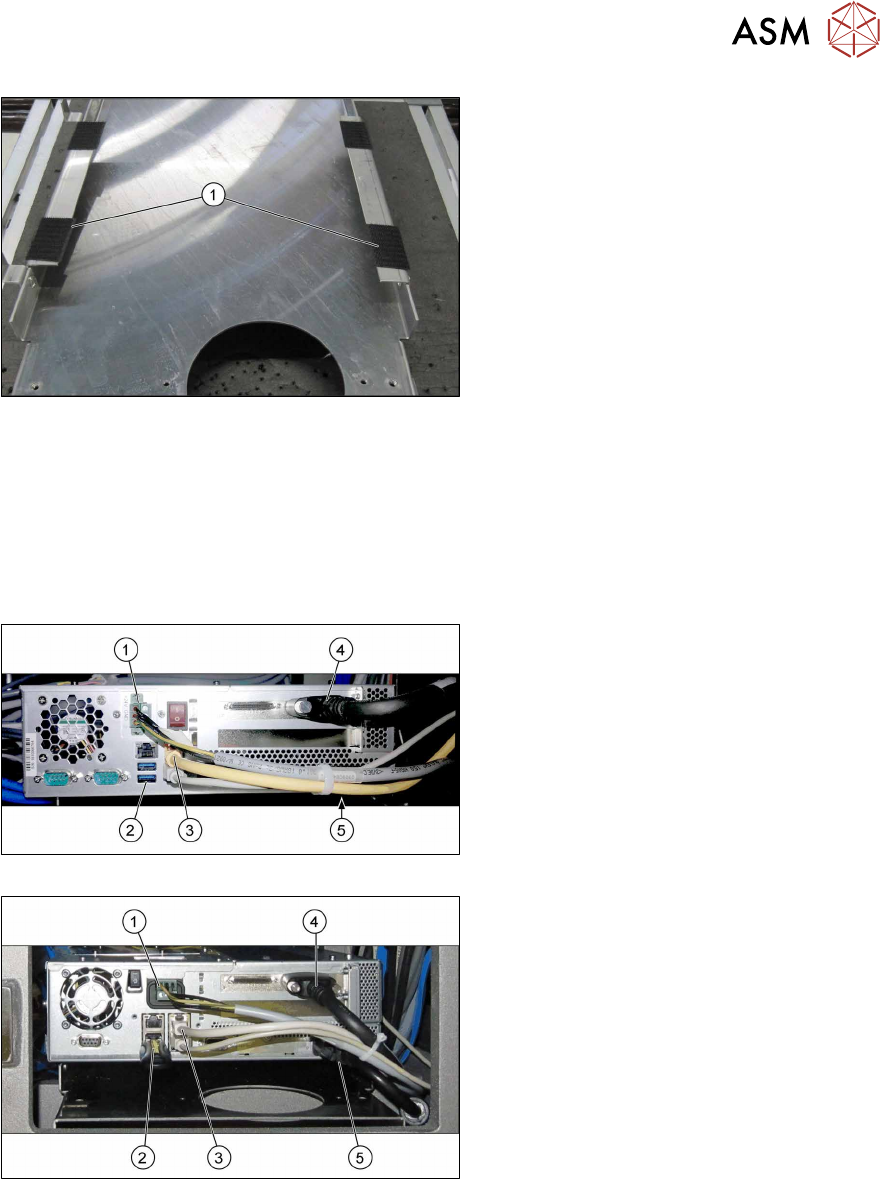
Fig.53: Velcro strips
► Pull the protective foil off the Velcro
strips and position the coplanarity com-
puter onto the brackets.
► Place the coplanarity computer onto
the brackets so that the Velcro
strips(1)
cover one another exactly.
► Reestablish all connections to the coplanarity computer.
See also:
– 3.10 "Fitting the station computer (from Hxxxx)" [}115]
– 3.11 "Installing the station computer (up to Gxxxx)" [}116]
– 4.4 "Circuit Diagrams" [}153]
► Connect the LAN cable to the station computer.
Fig.54: Cabling for coplanarity computer (BoxPC 627C)
Fig.55: Cabling for coplanarity computer (iBase)
Cables
1. Power connection: [03090848‑xx] X1qb
2. USB bottom right: USB extension cable
[03057639‑xx] X7qb
Only used for the installation of the co-
planarity computer.
USB bottom left: slot for installation me-
dium (e.g. USB stick)
3. Right LAN socket: LAN cable
[03103204‑xx] X5qb
This LAN cable connects the coplanar-
ity computer to the station computer.
4. Camera link cable from the coplanarity
computer: [03053017‑xx] X1pn
5. DVI extension cable : [03103212‑xx]
X4qb
Only used for the installation of the co-
planarity computer.
3 Installation
3.13 Completing the Mechanical Work
122 Assembly Instructions / Montageanleitung SIPLACE X-Series S 3D-Sensor 06/2020
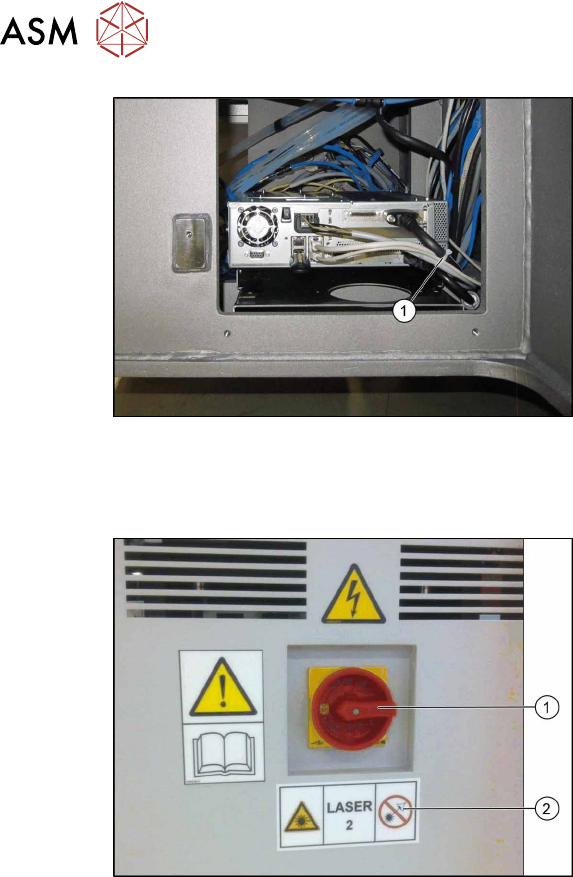
Fig.56: Cable ties (example of BoxPC 627C shown)
► Fasten the cable with cable ties(1).
3.13 Completing the Mechanical Work
Fig.57: Laser warning label
► Complete the installation of the IC cam-
era. For details, read the assembly
instructions "Stationary Camera Type
25/33" [00197397-xx].
► Fit the used tape chutes (see 4.1.1 "Re-
placing the waste tape slide" [}137]).
► As shown in the diagram, stick the
laser warning label(2)
next to the main
switch(1)
.
► Push the component trolley into the
machine.