CP7 Series Level3 Tutorial Manual.pdf - 第130页
8.1.2 Parts Camera Installation Procedure: 1. Ensure to make the following amplifier and aperture settings prior to returning the cameras to the machine. 2. Install the lens assembly to the new CCD module and remount the…
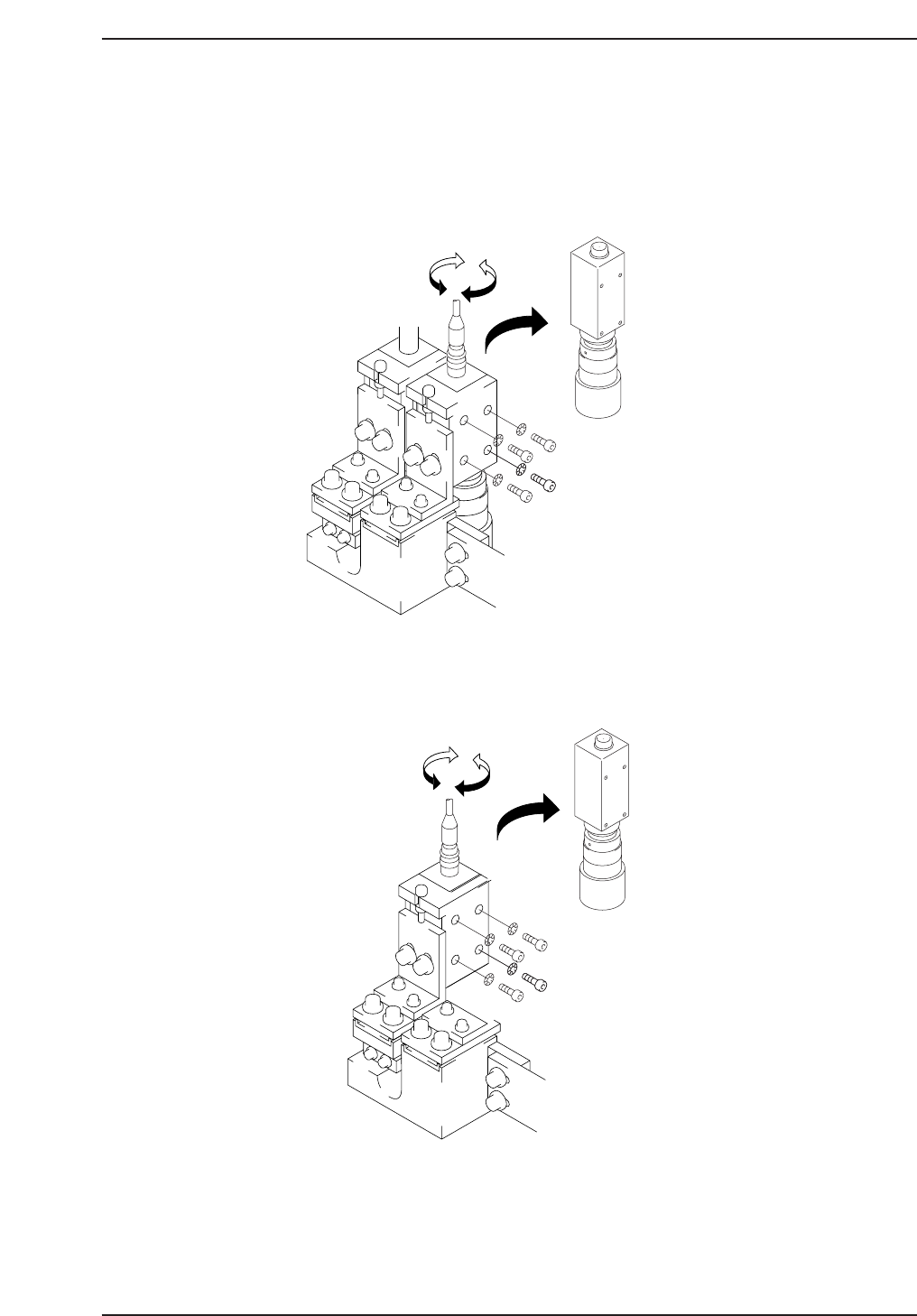
8.1.1 Parts Camera Removal
Procedure:
1. With the machine powered OFF, remove the video cables from the
cameras as shown below.
2. Remove the four (4) CCD mounting bolts from the right hand side of the
bracket and carefully remove the cameras.
3. Remove the lens assembly from the CCD module using the appropriate
size allen wrench.
Narrow
CP7T38004
Wide
CP7T38003
Chapter 8 8.1 Parts Cameras
Edition 2.0 8-3 CP-7-series Level 3 Tutorial
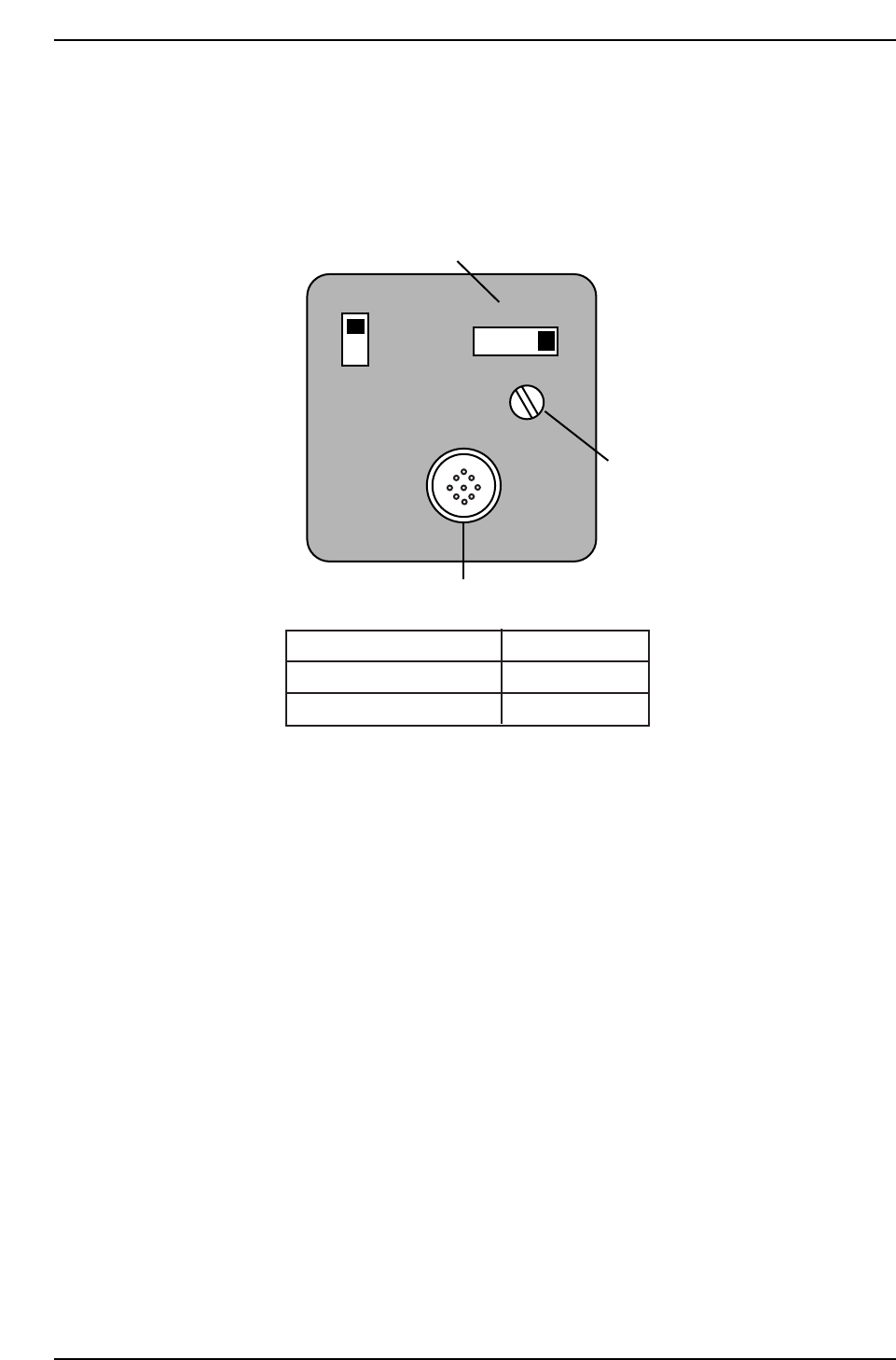
8.1.2 Parts Camera Installation
Procedure:
1. Ensure to make the following amplifier and aperture settings prior to
returning the cameras to the machine.
2. Install the lens assembly to the new CCD module and remount the unit
with the two (2) mounting bolts.
3. Reconnect the video cable to the camera unit.
SIGNAL
AFM
1N
1l
Power/Video connector
Gain switch
Manual Gain adj. trimmer
Camera
Apperture
Narrow
Wide
2
2.8
CP7T38005
Chapter 8 8.1 Parts Cameras
Edition 2.0 8-4 CP-7-series Level 3 Tutorial
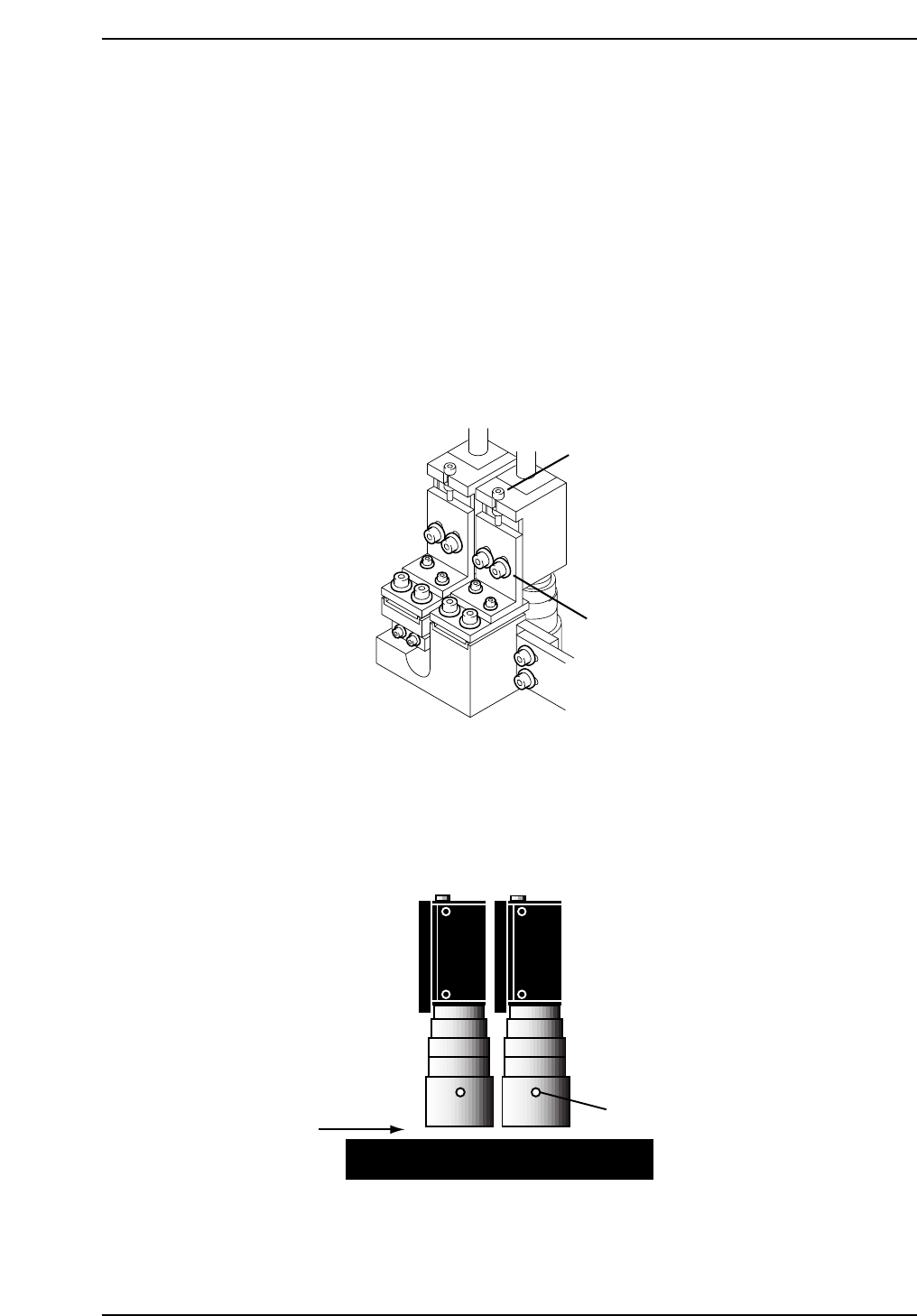
8.2 Parts Camera Adjustments
8.2.1 Focus Adjustment
Procedure:
1. With the cam at “200°”, open the vacuum spool for the nozzle at Station
5, and place a small leaded (or nozzle jig) part on the nozzle tip.
2. To display a raw image of the part, open the [CCD MONITOR] at the
bottom of the screen, and specify either [WIDE] or [NARROW].
3. Adjust the focus by loosening the two (2) positioning bolts and use the
adjustment bolt to raise and lower the camera (refer to the figure below).
4. Once the camera focus adjustment procedure has been completed for the
wide camera, repeat the procedure for the narrow camera.
5. Loosen the set screw on the lens cover to adjust 0.5 mm above the prism
box surface.
0.5 mm
Set screw
CP7T38007
Adjustment bolts
Positioning bolts
CP7T38006
Chapter 8 8.2 Parts Camera Adjustments
Edition 2.0 8-5 CP-7-series Level 3 Tutorial