CP7 Series Level3 Tutorial Manual.pdf - 第65页
2.3 Z-Axis Calibration Data Adjustments 2.3.1 Middle Loading Position ML Procedure: 1. Take the lower value of ZL_IN and ZL_OUT and deduct 9250 pulses (18.5 mm). (CP-742E(ME): 14000 pulses (28 mm)) e.g. CP-732E ZL_IN = 1…
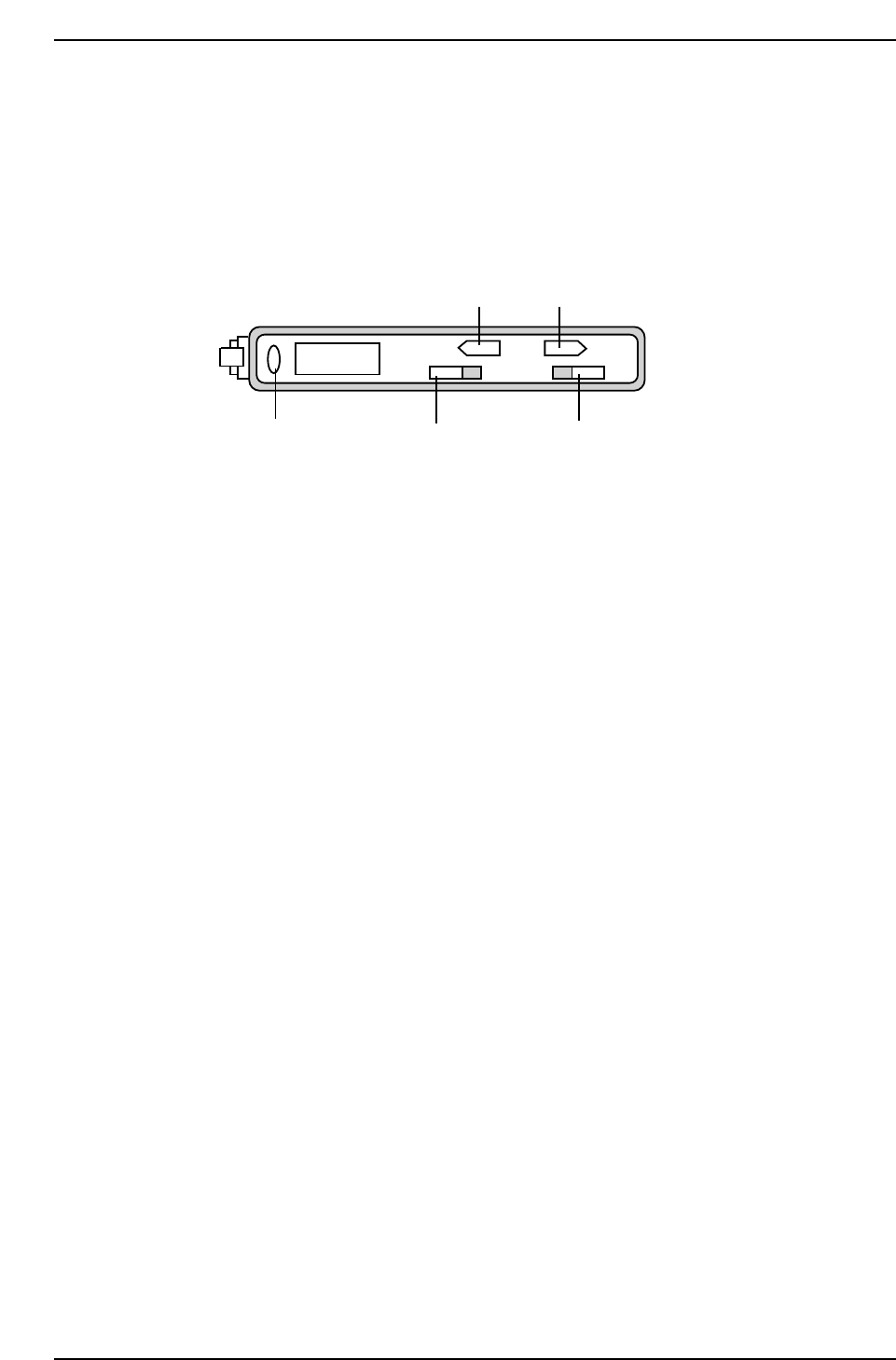
2.2.4 Loading Position Sensor Adjustment
Procedure:
1. Adjust the bracket so that the sensor beam is centered directly over the
reflective silver area of the sensor dog.
2. Ensure that there is a space of 11.5 mm between the sensor and the dog.
3. Confirm the sensor reaction at the I/O, XOBF XY-Table Inside Loading
Position Check, X0DA XY-Table Outside Loading Position Check.
4. Move the table to the respective loading position and inch 250 motor
pulse counts in the plus and minus X and Y directions. Note the four
values displayed on the sensor amplifier at each of theses points and set
the highest one as the amplifier sensitivity threshold level.
5. To adjust the amplifier, move back to the loading position once more,
ensure that switch 1 is set to “L”(light ON), and then set switch 2 to
“ADJ”.
6. Use the up and down buttons (3 and 4) to adjust the amplifier reading to
the previously noted threshold value and return switch 2 to “RUN”.
7. Inch away from loading position then move back to confirm that the
LED (5) comes on.
ADJ MODE
RUN DLSET
TEACH
2504
1
2
34
5
CP7T32007
Chapter 2 2.2 Loading Position Adjustments
Edition 2.0 2-8 CP-7-series Level 3 Tutorial
2.3 Z-Axis Calibration Data Adjustments
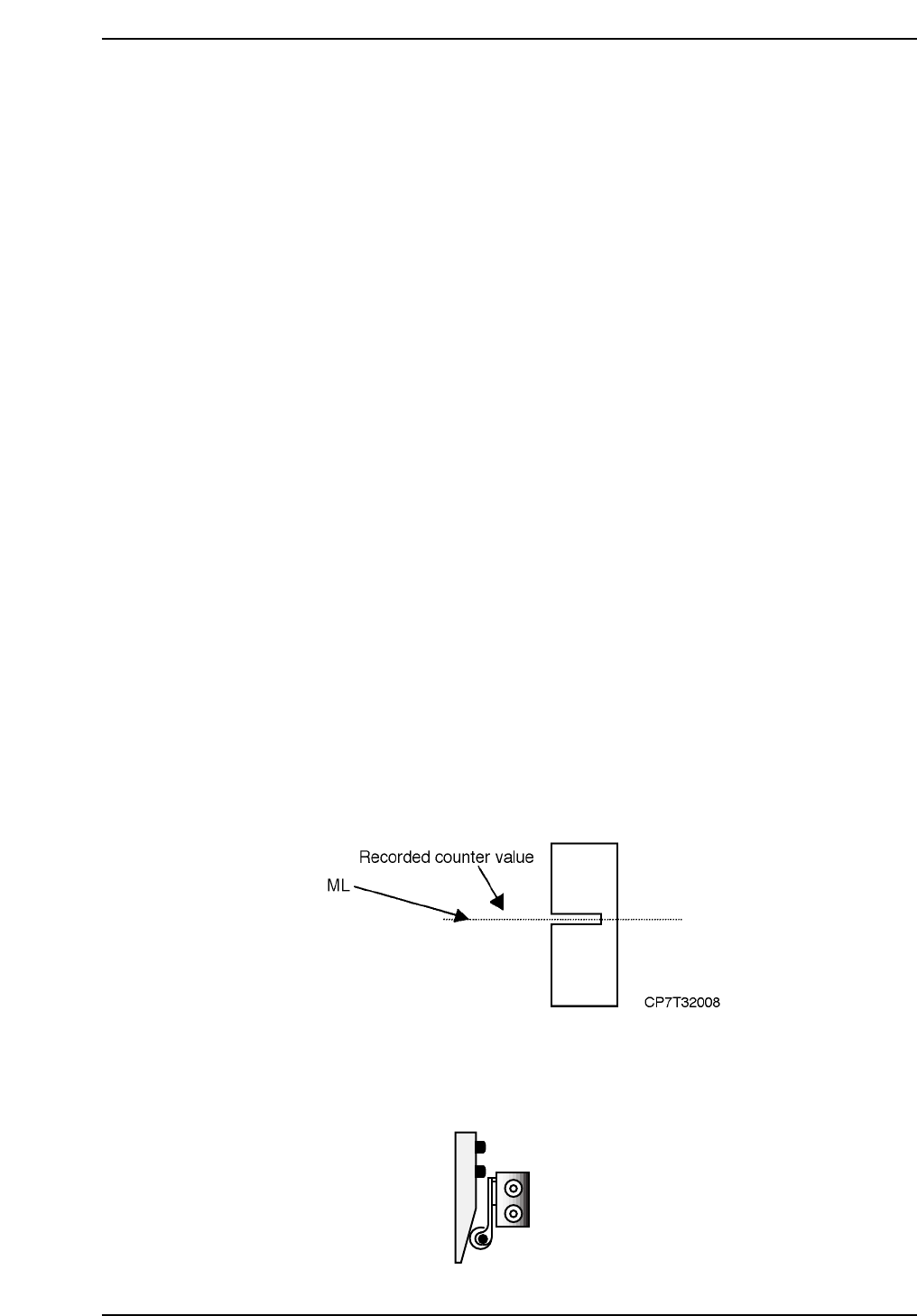
2.3.1 Middle Loading Position ML
Procedure:
1. Take the lower value of ZL_IN and ZL_OUT and deduct 9250 pulses
(18.5 mm). (CP-742E(ME): 14000 pulses (28 mm))
e.g. CP-732E
ZL_IN = 15750
ZL_OUT = 15725
Middle Loading Position ML = 15725 - 9250
= 6475 pulses
Record this motor pulse count.
e.g. CP-742E(ME)
ZL_IN = 23300
ZL_OUT = 23275
Middle Loading Position ML = 23275 - 14000
= 9275 pulses
Record this motor pulse count.
2. Move the Z-axis to that position (ML), then move the X-axis from
XL_OUT to XL_IN by hand, verifying that there is no interference
between the OUT-carrier cylinder/nut and the table piping.
2.3.2 Upper Limit Sensor 1
1. The upper limit sensor dog should be adjusted to trigger when the Z-axis
is at ML-125 ± 50 pulses.
2. Confirm the position of the dog using the I/O, [MAINTENANCE] - [I/O
CHECK] - [STANDARD] - [X05C Table Loading Height Check].
2.3.3 Rail Clamper Adjustment
1. Adjust the rail clamper air valve to activate the clamper at ZL(lower) -
650 ± 50 pulses.
Loosen and adjust up or down
CP7T32009
Chapter 2 2.3 Z-Axis Calibration Data Adjustments
Edition 2.0 2-9 CP-7-series Level 3 Tutorial
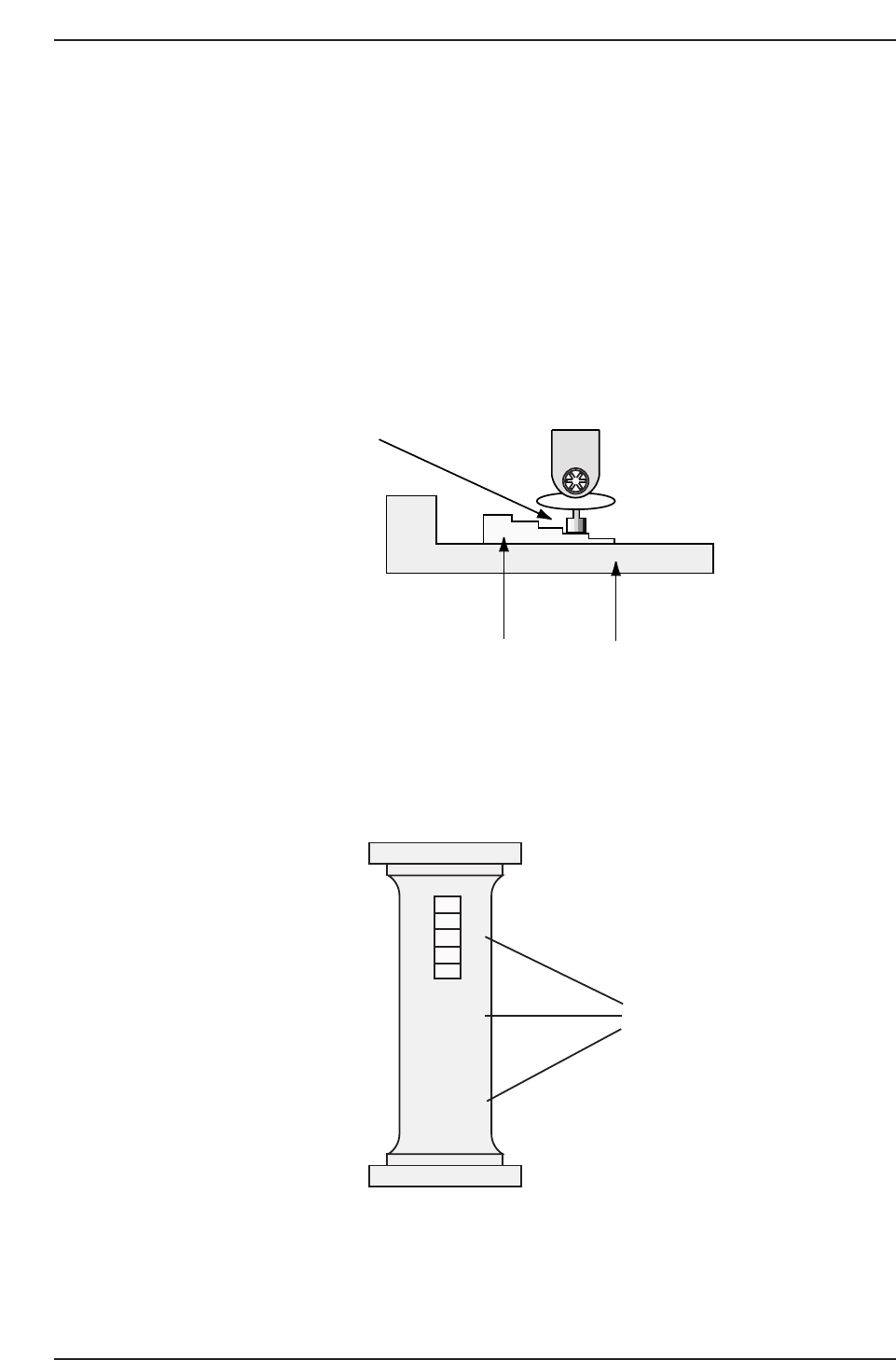
2.3.4 ZØ Measurement
1. Activate the station 9 solenoid valve with the cam at 0°.
[MAINTENANCE] → [I/O CHECK] → [STANDARD] → [Y034 PLACE
SOL ENGAGED].
2. Mount the CP-7-series ZØ adjustment jig on the center of the main
clamper. Attach the nozzle jig to Head A no. 1. Then inch the XY-table
to the placing position at station 9.
3. With the cam angle at 180°, raise the Z-axis until the nozzle jig just comes
into contact with the -0.3 mm spacer. Record the motor pulse count.
4. Repeat the adjustment with the spacer at the middle and at the front of
the bar jig as shown below. Take the average of the three values and
register the position in machine calibration data using the following
commands:
[MAINTENANCE] → [CALIBRATION] → [PLACING REF] → [SET].
Note: If no jig is available, use a fiducial plate jig and add 1000 pulses to the resultant value.
0
-0.1
-0.2
-0.3
-0.4
X
X
X
Measure at these
three points
CP7T32011
CP7T32010
0.3 mm
Nozzle jig (Z9326DCPJ4130)
Z adjustment jig (Z9530PJ1060/Z5313WPJ0180)
Chapter 2 2.3 Z-Axis Calibration Data Adjustments
Edition 2.0 2-10 CP-7-series Level 3 Tutorial