CP7 Series Level3 Tutorial Manual.pdf - 第5页
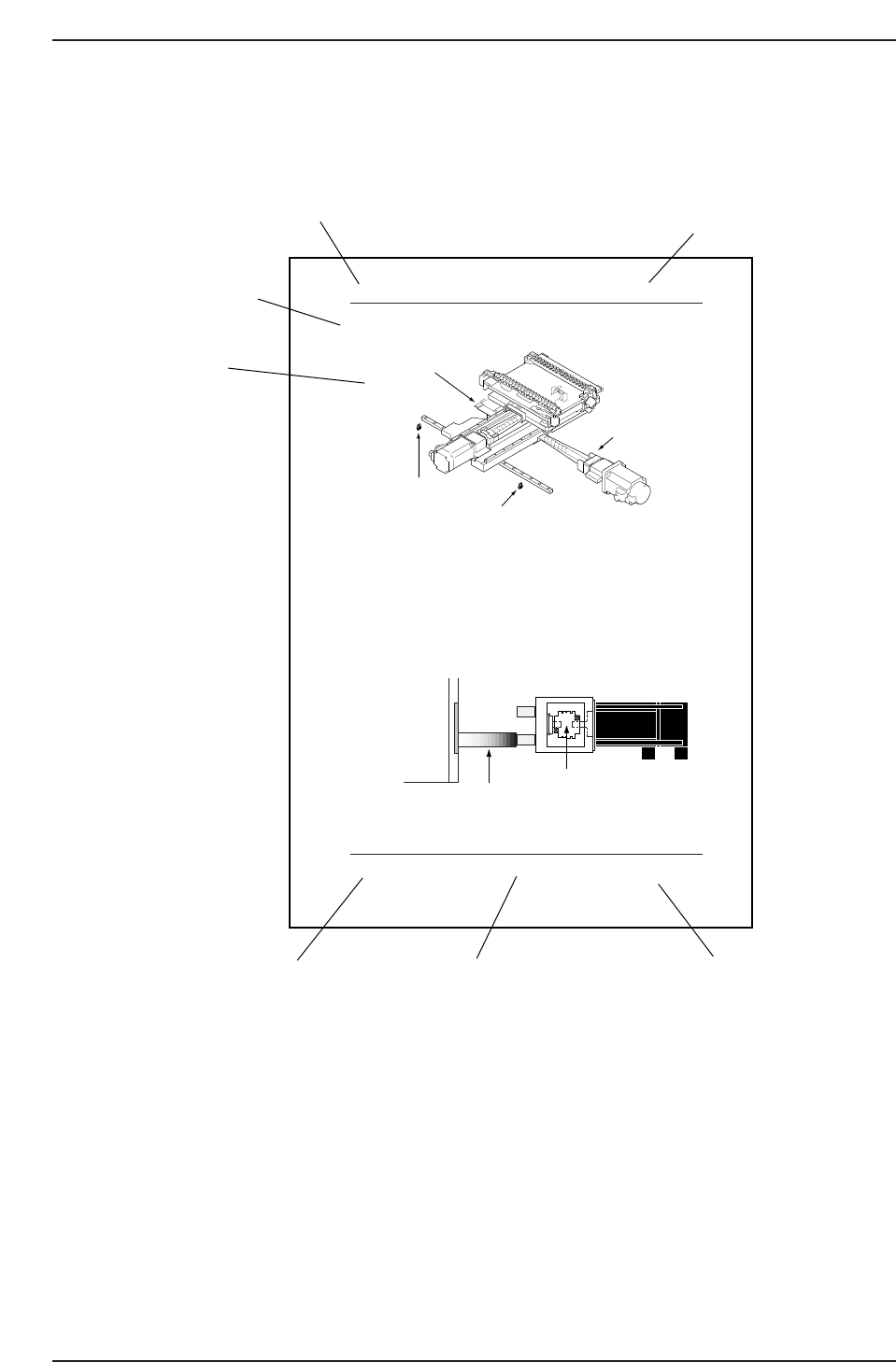
Page Layout Each page indicates the chapter number, section number and title, body, manual name, page number, and the edition number. Chapter number The chapter number to which each section belongs is shown on the header…

About This Manual
This manual contains important machine maintenance information for the user.
The manual content is intended for specialized technicians who are familiar with the
systems used in this machine.
Please read this manual carefully in order to ensure safe and efficient machine
maintenance.
Some of the machine names used in this manual are not the formal machine names.
(Formal machine name) (Notation used in this manual)
FUJI CP-732E CP-732E
FUJI CP-742E CP-742E
FUJI CP-742ME CP-742ME
Manual Structure
This manual consists of the following ten chapters.
Safety Guidelines
Chapter 1 X, Y, and Z-Axes
Chapter 2 X, Y, and Z-Axes Calibration Data Measurements
Chapter 3 D-Axes
Chapter 4 PQ, FQ, and RQ-Axes
Chapter 5 NC-Axis
Chapter 6 NZ-Axis
Chapter 7 Mark Camera
Chapter 8 Parts Cameras
Chapter 9 Placement Accuracy Measurement (PAM)
About This Manual
Edition 2.0 i CP-7-series Level 3 Tutorial
Page Layout
Each page indicates the chapter number, section number and title, body, manual name,
page number, and the edition number.
Chapter number
The chapter number to which each section belongs is shown on the header on each page.
Section number and title
The number and title of each section is shown in the header on each page. Each chapter
may contain one or more sections.
Section title
Each section may be divided into several sub-sections. The sub-section number is
composed of the number of the section to which the sub-section belongs, followed by a
sequential number for each sub-section.
1.2 X-Axis Adjustments
Procedure:
CP732E Only
1. Temporarily remove the -OT sensor dog prior to performing the X-axis
adjustments.
2. Either manually, or by means of the inching keys, move the motor until
the pulse count reads -75000 pulses.
3. Place the 155 mm spacer between the X-axis plus mechanical stopper and
the X-axis base (refer to the diagram below). At this point, tighten the
coupling bolts with 7 N.m torque.
4. Remove the spacer and push the X-axis against the plus side mechanical
stopper. Record the motor pulse count at this position.
XY-table
155 mm spacer
X-motor
CP7T31005
X-axis coupling
CP7T31004
- OT sensor
(SX00A X-AXIS -OT)
+ OT sensor
(SX009 X-AXIS +OT)
+ Mechanical stopper
- Mechanical stopper
Chapter 1 1.2 X-Axis Adjustments
Edition 2.0 1-5 CP-7-series Level 3 Tutorial
Chapter number
Section number and title
Section title
Body
Edition number
Page number
Manual name
CP732TC1
About This Manual
Edition 2.0 ii CP-7-series Level 3 Tutorial

Body
The information needed to understand the workings of the machine and how to perform
operation is explained using text and illustrations.
Page number
A two digit hyphenated number appears in the footer on each page. The first digit of
each page number indicates the chapter number and the second digit is the sequential
page number within that chapter. Page 1-2, for example, indicates that this is the second
page in the first chapter.
Manual name
The name of the manual that appears on the cover is also shown in the footer on each
page.
Edition number
The edition number is updated each time the manual is revised, with the number
reflecting the scale of changes that were made.
Minor revision: Minor changes are reflected in the part of the edition number after
the decimal point, for example, a change from edition 1.0 to 1.1.
Major revision: If major changes are made, the edition number is increased by one,
for example, a change from edition 1.0 to 2.0. This change is made on
all pages, including the cover.
Notation Conventions Used in this Manual
The notation conventions employed in this manual are described below.
[Production] command The names of the command buttons are enclosed in brackets,
and use the verb “press”.
START button Buttons on the machine are written exactly as they appear,
and use the verb “press”.
“Production” command section The names of commands that have been grouped
together are enclosed in quotation marks.
[TAB] key Keys on the keyboard appear in brackets.
About This Manual
Edition 2.0 iii CP-7-series Level 3 Tutorial