CP7 Series Level3 Tutorial Manual.pdf - 第147页
9.1.6 Editing USL and LSL Press [Maintenance] - [PAM Measure] - [100%/80%] - [OK] - [PAM Measure] - [Result] - [Edit USL/LSL] to display the following screen. 9.1.6.1 Set Press [Set] to the left of the item to be edited,…
9.1.5 Displaying the Measurement Results
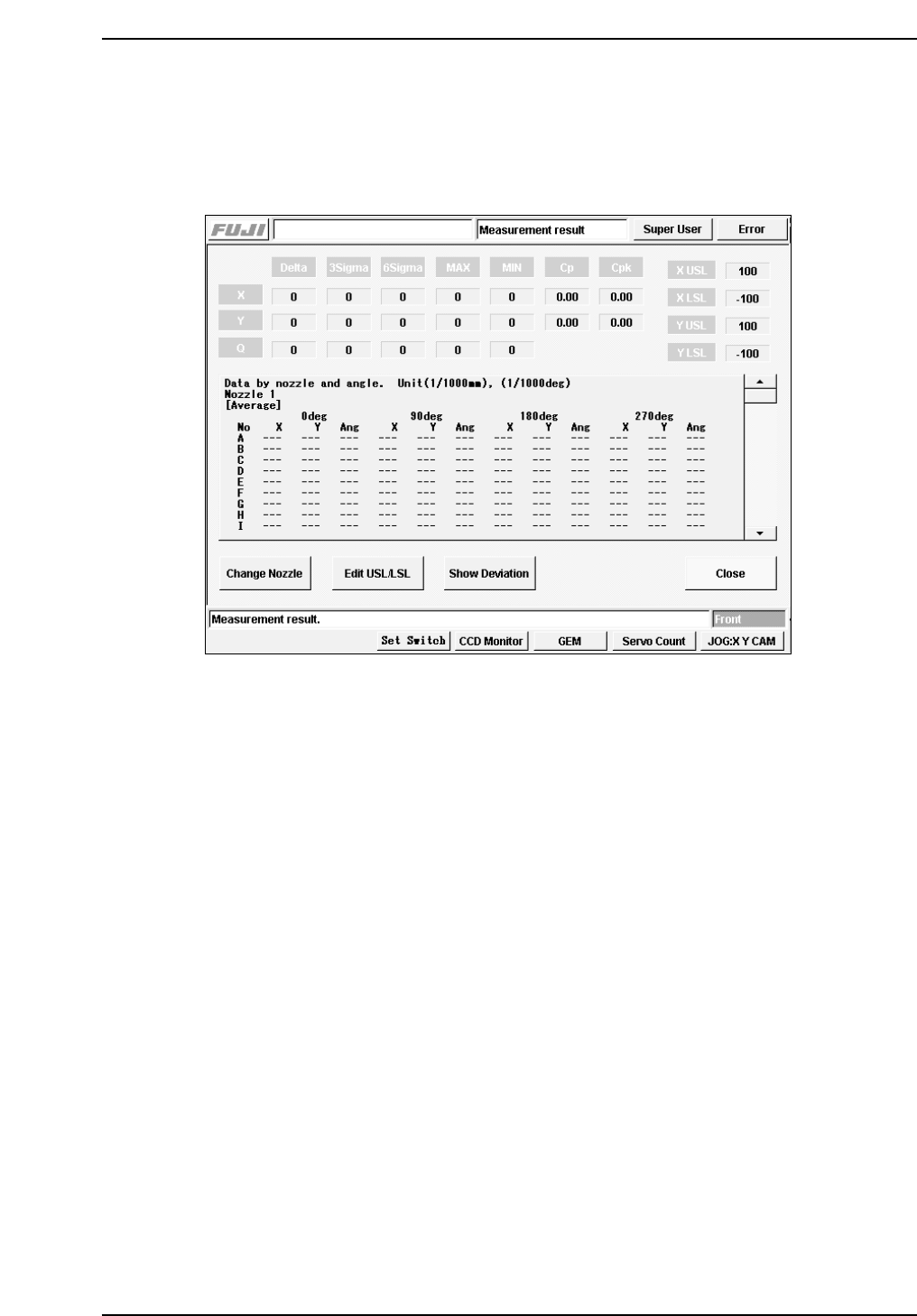
Press [Maintenance] - [PAM Measure] - [100%/80%] - [OK] - [PAM Measure] - [Result] to
display the following screen. The results for all the measurements display (Avg., 3s, 6s,
Max., Min., Cp, Cpk).
9.1.5.1 Change Nozzle
The nozzle display can be changed.
9.1.5.2 Edit USL/LSL
The data (USL, LSL) can be set for the calculation of Cp and Cpk.
9.1.5.3 Show Deviation
The measurement results for each sequence are displayed.
CP7T39005
Chapter 9 9.1 PAM
Edition 2.0 9-5 CP-7-series Level 3 Tutorial
9.1.6 Editing USL and LSL
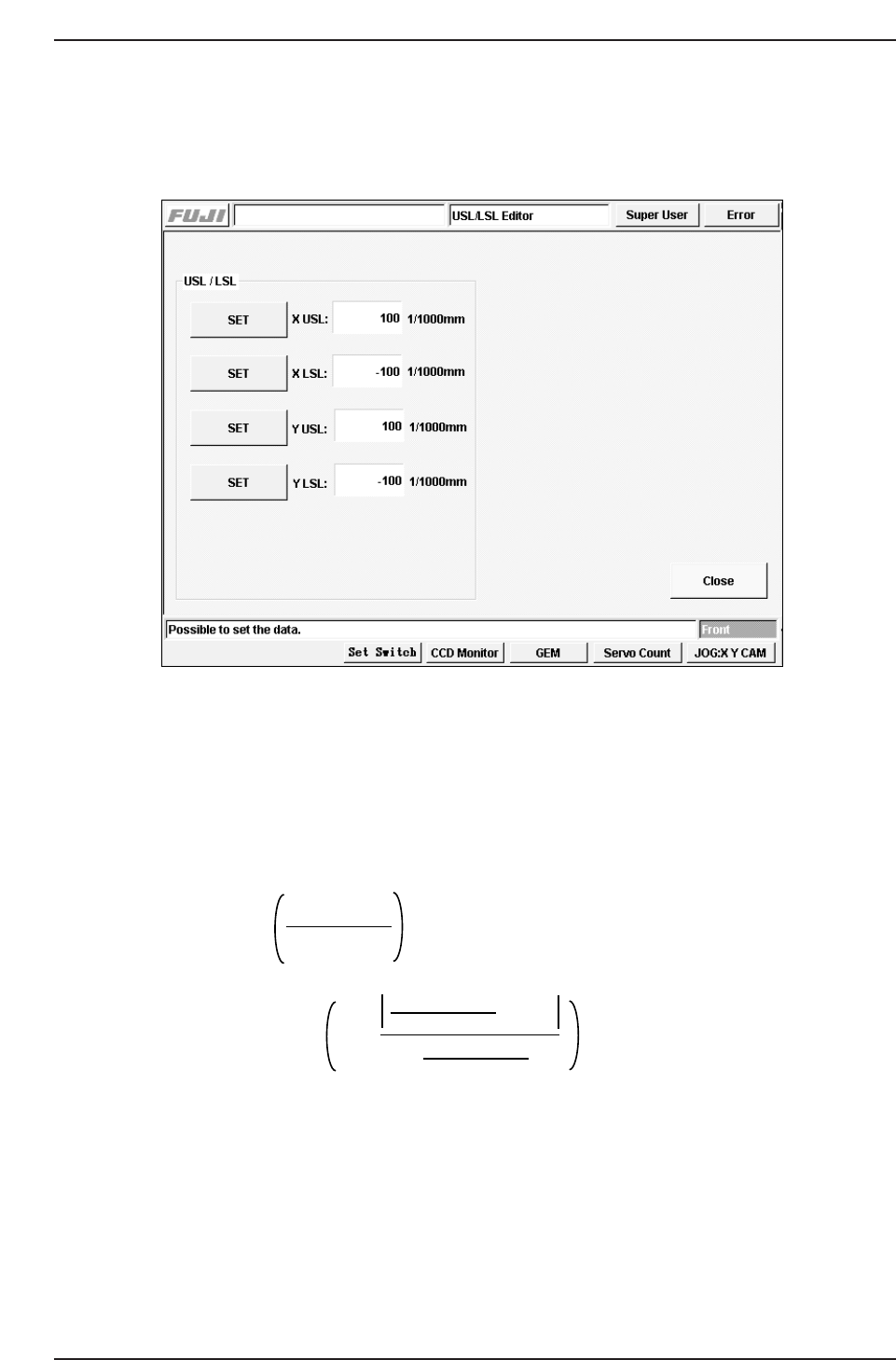
Press [Maintenance] - [PAM Measure] - [100%/80%] - [OK] - [PAM Measure] - [Result] -
[Edit USL/LSL] to display the following screen.
9.1.6.1 Set
Press [Set] to the left of the item to be edited, and input the setting using the numerical
keypad.
9.1.6.2 Cp and Cpk Calculation Functions
The functions to calculate Cp and Cpk are as follows.
Ave: Average amount of misalignment
σ: Standard deviation
USL: Upper limit
LSL: Lower limit
Cp =
Cpk = Cp x 1 -
USL - LSL
6 x σ
USL + LSL
2
- Ave
USL - LSL
2
CP7T39006
Chapter 9 9.1 PAM
Edition 2.0 9-6 CP-7-series Level 3 Tutorial
9.1.7 Displaying the Distribution
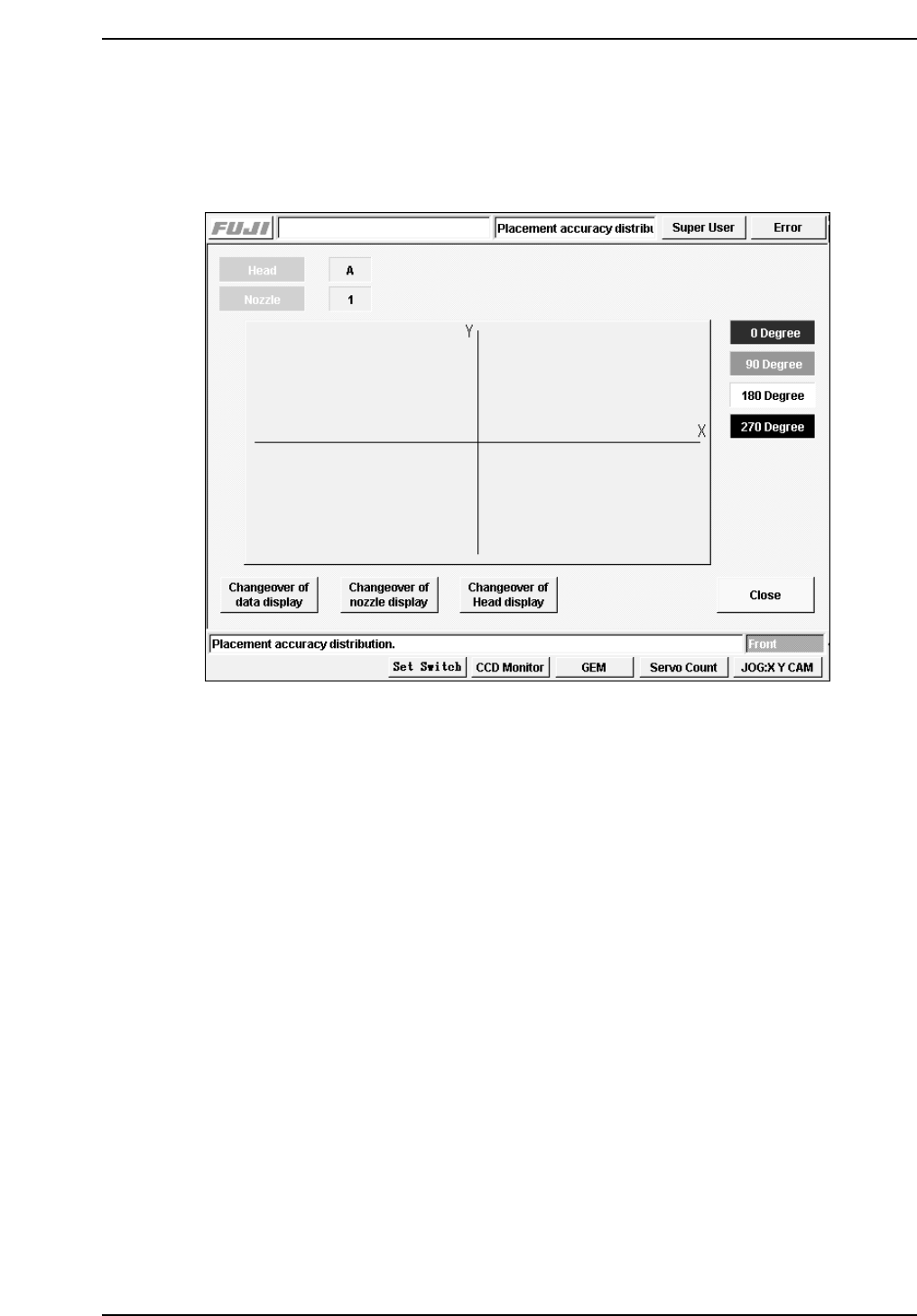
Press [Maintenance] - [PAM Measure] - [100%/80%] - [OK] - [PAM Measure] - [Result] -
[Indicate Distribution] to display the following screen. A measurement results diagram
for each nozzle can be displayed.
9.1.7.1 Changeover of Data Display
The display can be switched to the standard distribution display.
9.1.7.2 Changeover of Nozzle Display
The nozzle display can be switched.
9.1.7.3 Changeover of Head Display
The placing head display can be switched.
CP7T39007
Chapter 9 9.1 PAM
Edition 2.0 9-7 CP-7-series Level 3 Tutorial