CP7 Series Level3 Tutorial Manual.pdf - 第137页
6. Inch the dial in the X-axis (1% inching speed) from right to left. Align the nozzle jig parallel with the X-axis (within 0.01 mm) by rotating the nozzle shaft. 7. Remove the dial gauge and inch the cam in the clockwis…
8.2.4.2 Adjusting the Narrow Camera
Procedure:
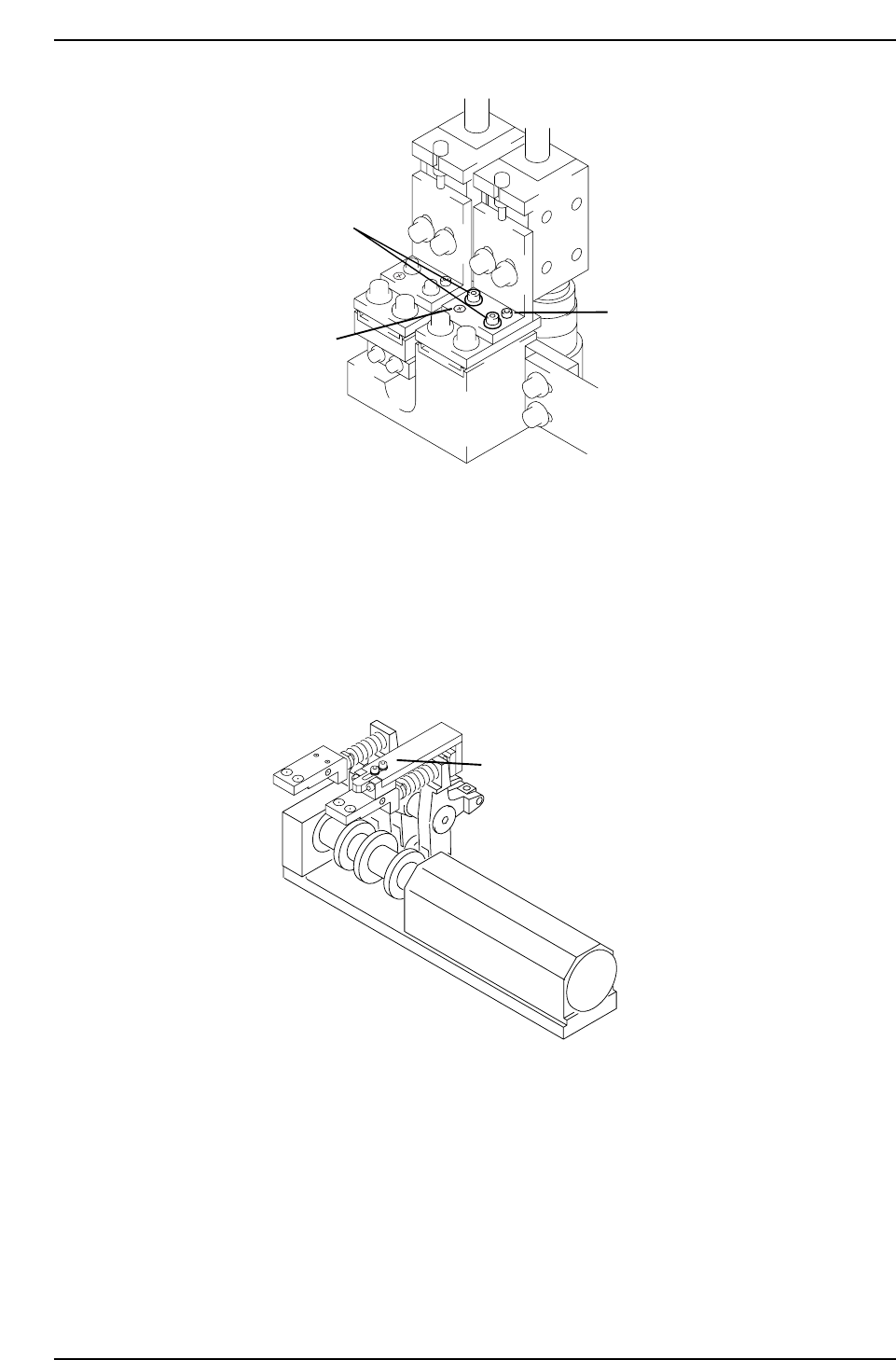
1. Install the cam lever stopper jig as shown in the diagram below before
the clutch descends. This will prevent the clutch descending during
measurement.
2. Insert a By-pass key into both front door interlocks.
3. Atach the narrow camera nozzle jig on Head A No.1, at station 9.
4. Remove the back-up pin plates and attach the XY-table magnet stand to
the XY-table.
5. Rotate the shaft with the jig attached to 200° station 9 with the pick-up
solenoid off. Set the dial gauge to the stand and attach the needle to the
horizontal flat edge of the jig.
Station 8
Attach jig here
CP7T38015
Fixing bolts
Adjustment
bolt
Pivot
CP7T38014
Chapter 8 8.2 Parts Camera Adjustments
Edition 2.0 8-10 CP-7-series Level 3 Tutorial
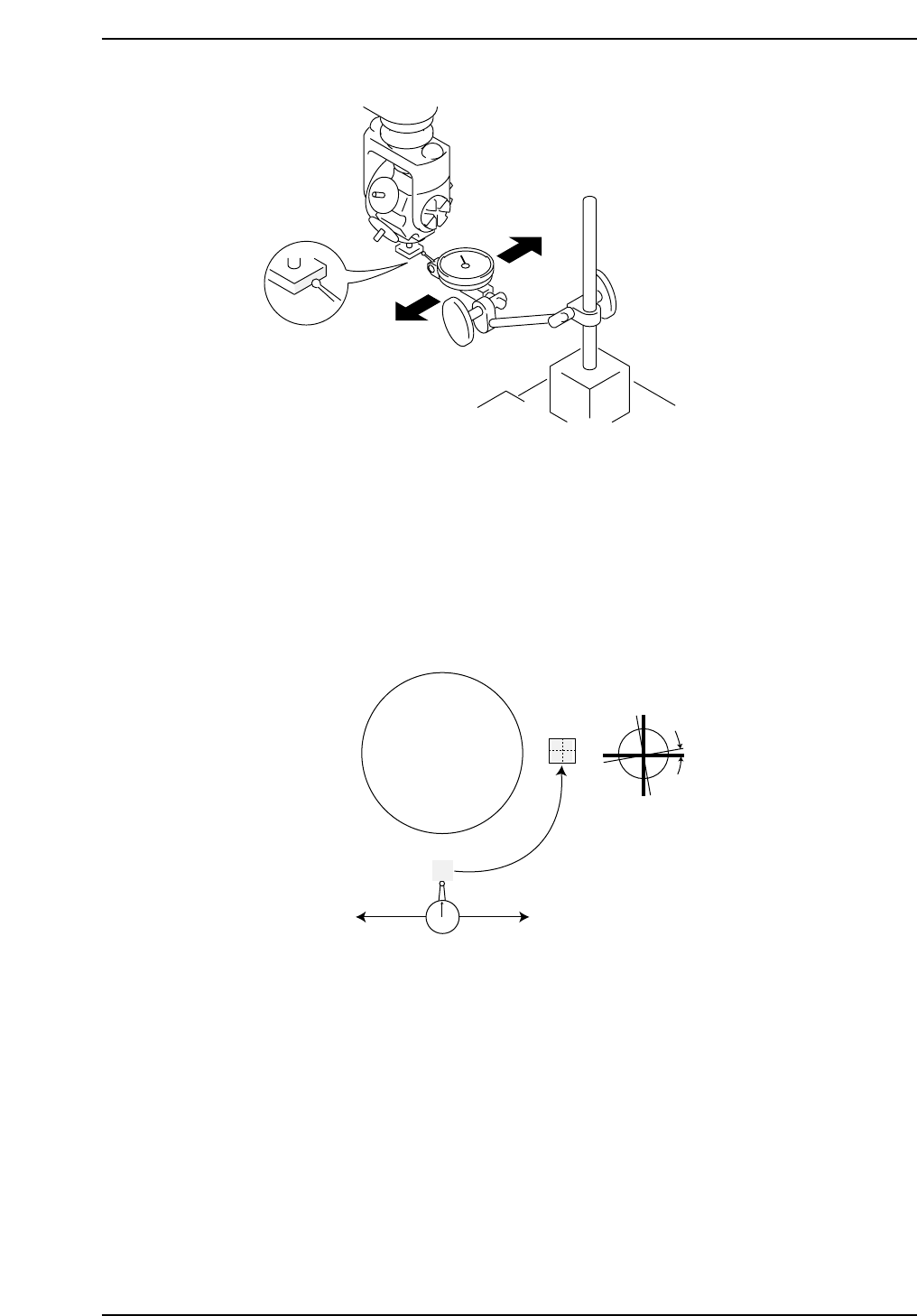
6. Inch the dial in the X-axis (1% inching speed) from right to left. Align
the nozzle jig parallel with the X-axis (within 0.01 mm) by rotating the
nozzle shaft.
7. Remove the dial gauge and inch the cam in the clockwise direction to 0°.
Position the shaft at 200°, station 5 using the following commands:
[MAINTENANCE] → [CALIBRATION] → [PARTS CAMERA
RESOLUTION] → [MOVE] → START.
8. Press [MEASURE] → START to perform the measurement procedure.
Confirm that the resolution and skew fall withing the following ranges:
Delta (skew) Q: 0 ± 0.05 deg
Narrow Camera (resolution) X : 11.81 ~ 13.06 um/pixel
Narrow Camera (resolution) Y : 11.88 ~ 13.13 um/pixel
9. If the resolution is out of range, loosen the lens cover, and adjust the
camera height. Return the lens cover to its original height 0.5 mm above
the prism box.
Turret
Delta Q
5th Station
9th Station
CP7T38017
CP7T38016
Chapter 8 8.2 Parts Camera Adjustments
Edition 2.0 8-11 CP-7-series Level 3 Tutorial
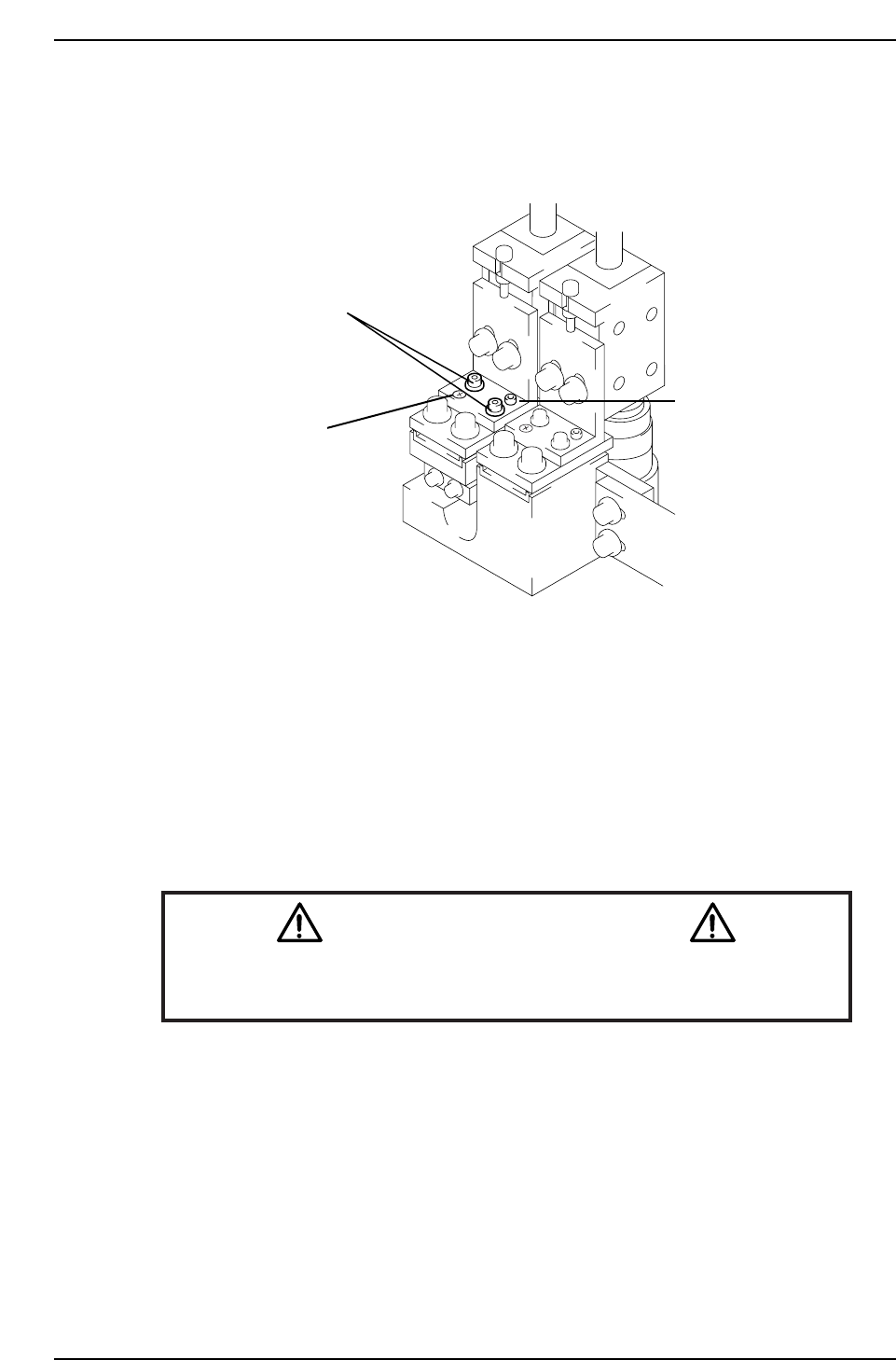
10. To adjust Delta Q, loosen the two (2) fixing bolts holding the camera
position and turn the adjustment bolt to alter the camera angle. Repeat
until within range. Tighten fixing bolts when finished and recheck
(torque = 8 Nm).
Note: On the CP-742E and CP-742ME, there are two fixing bolts only. Loosen the two bolts
and manually adjust the angle of the camera.,
11. Once the calibration procedure has been performed on both cameras,
press [BACK] → START, and the shaft will return to its original position.
12. Remove the cam lever stopper jig.
13. Finally, ensure to perform a nozzle center check in order to update he
calibration data.
Caution
Ensure that new calibration data is backed-up to the host computer once
the adjustment procedure is complete.
CN002
Fixing bolts
Adjustment
bolt
Pivot
CP7T38018
Chapter 8 8.2 Parts Camera Adjustments
Edition 2.0 8-12 CP-7-series Level 3 Tutorial