CP7 Series Level3 Tutorial Manual.pdf - 第152页
9.1.10 Production Program Settings In order to use the [PAM Equip] and [PAM Measure] commands, the nozzle name (GNANAM) used in the production program must be set at the part data special nozzle name (PENNZN). By making …
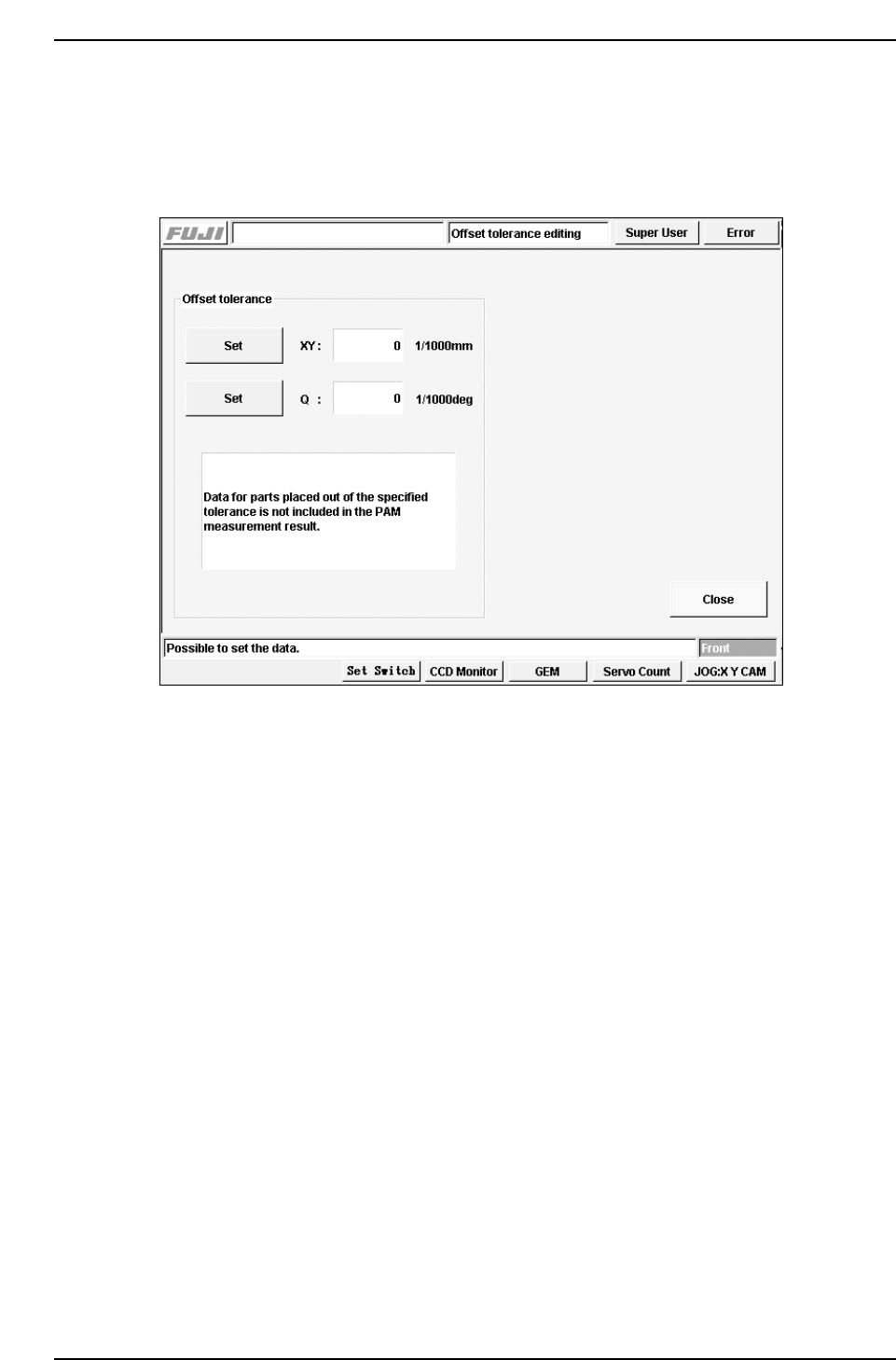
9.1.9 Editing the Offset Tolerances
Press [Maintenance] - [PAM Measure] - [100%/80%] - [OK] - [PAM Measure] - [Setting
offset tolerance] to display the following screen. The offset tolerances can be set at this
screen.
9.1.9.1 Set
Press [Set] to the left of the item to be edited, and input the setting using the numerical
keypad.
9.1.9.2 Offset Tolerances
PAM parts which are found to be outside these tolerances when they are inspected
during the PAM placement measurement are treated as error data.
Parts which fall within the range indicated by the following function are regarded as
valid. Parts outside this range are treated as errors.
- Offset tolerance < Inspection result < + Offset tolerance
CP7T39009
Chapter 9 9.1 PAM
Edition 2.0 9-10 CP-7-series Level 3 Tutorial

9.1.10 Production Program Settings
In order to use the [PAM Equip] and [PAM Measure] commands, the nozzle name
(GNANAM) used in the production program must be set at the part data special nozzle
name (PENNZN). By making this setting, the parts are only placed using the specified
nozzle.
"UNIT", "NOZZLE"
"BLOCK", "CP732+"
"GNANN", "GNANAM"
1, "R08-007"
2, "R08-010"
3, "R08-013" ← This nozzle must be set in part data.
4, "R16-018"
5, "R16-025"
6, "R08-004"
"UNIT", "PARTS"
Omitted
"ELEMENT", "VISION-"
"PTPVICVT", 10
"PENVILIT", 0
"PTPVILCA", 0
"PTPVILB", 0
"AUTOHEIGHTCHK", 1
"PARTHEIGHTTOL", 0
"PTPVIPL", 0
"ELEMENT", "ENVDT"
"LEVEL1", "CP732ENVDT-"
"PENNMI", 1.3
"PENNMA", 1.3
"PENNZN", "R08-013" ← For PAM placement and measurement.
"PENBLM", 9
Omitted
Chapter 9 9.1 PAM
Edition 2.0 9-11 CP-7-series Level 3 Tutorial

9.1.11 Saved Files
The files are saved when the [File Save] command is selected at the PAM measurement
commands screen. The files have the following format.
PAMNEW_512_CP7.PGO [100%]
Panel SeqNo Mode X Y Q (1/1000mm,1/1000degree)
P1 N 1 F -113 -396
P1 N 2 F -65 -324
P1 N 3 D 162 -63 148
P1 N 4 D 143 86 408
P1 N 5 D 138 13 285
P1 N 6 D 175 -26 486
P1 N 7 D 156 -10 372
P1 N 8 D 157 -62 545
P1 N 9 D 198 -34 -57
P1 N 10 D 67 -14 -357
P1 N 11 D 104 -52 444
P1 N 12 D 190 -34 19
P1 N 13 D 221 46 361
P1 N 14 D 129 -16 -41
P1 N 15 D 131 -17 191
P1 N 16 D 90 -24 53
P1 N 17 D 145 -7 450
P1 N 18 D 153 -69 390
P1 N 19 D 152 -25 -3
P1 N 20 D 130 69 769
P1 N 21 D 156 27 295
P1 N 22 D 206 -22 228
P1 N 23 D 177 1 768
P1 N 24 D 156 -50 525
P1 N 25 D 192 -10 -133
X USL Y USL (1/1000mm)
100 100
X LSL Y LSL (1/1000mm)
-100 -100
All data. X(1/1000mm) Y(1/1000mm) Ang(1/1000deg)
X Y Ang
4 -5 187
3sigmaX 3sigmaY 3sigmaAng
333 330 918
6sigmaX 6sigmaY 6sigmaAng
666 660 1836
dXmax dYmax dAng max
231 206 1164
dXmin dYmin dAng min
-218 -228 -693
CpX CpY
8.33 -40.00
CpkX CpkY
8.00 -38.00
Chapter 9 9.1 PAM
Edition 2.0 9-12 CP-7-series Level 3 Tutorial