00190725-01.pdf - 第19页
• AXES MOVE MENT MENU: These submenus allow y ou to c heck the movement / positioning of the X and Y-axes in the event of a malfunction and t o perform the adjus tment of the axes, if required. When the continuous run fu…
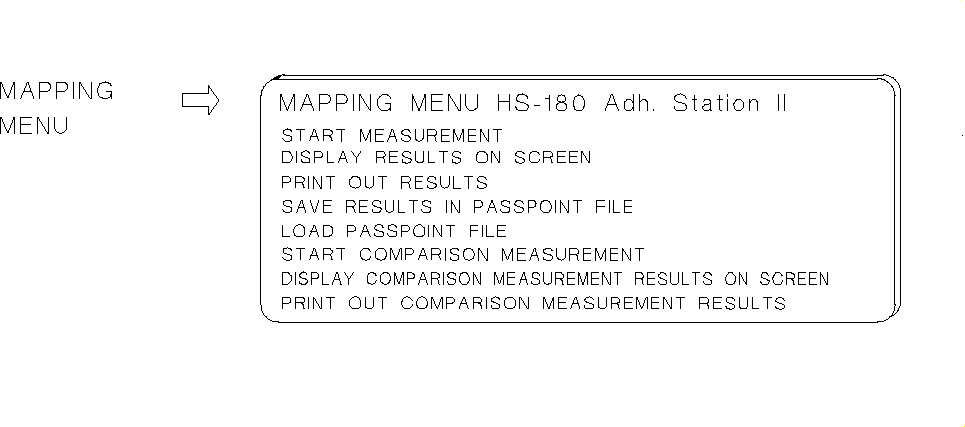
This submenu is designed to determine the gantry offset.
The
MAPPING MENU
is only offered on the Adhesive Station II if a head camera (PCB camera) is activated
in the MA-data.
The mapping procedure on the Adhesive Station II is performed by means of "glass mapping". The glass
mapping plate must be available for the performance of the procedure (see "Testing Aids", chap. 3)
A precondition for "Glass mapping" is the calibration of the head camera (see Fig. 1.2).
Fig. 1.7 HS-180 Adhesive Station II: Submenus
1 Overview of the Program User’s Manual AutoCal Program
1.4 Program Run and Operation Software Version 114.xxx
1 - 12
•
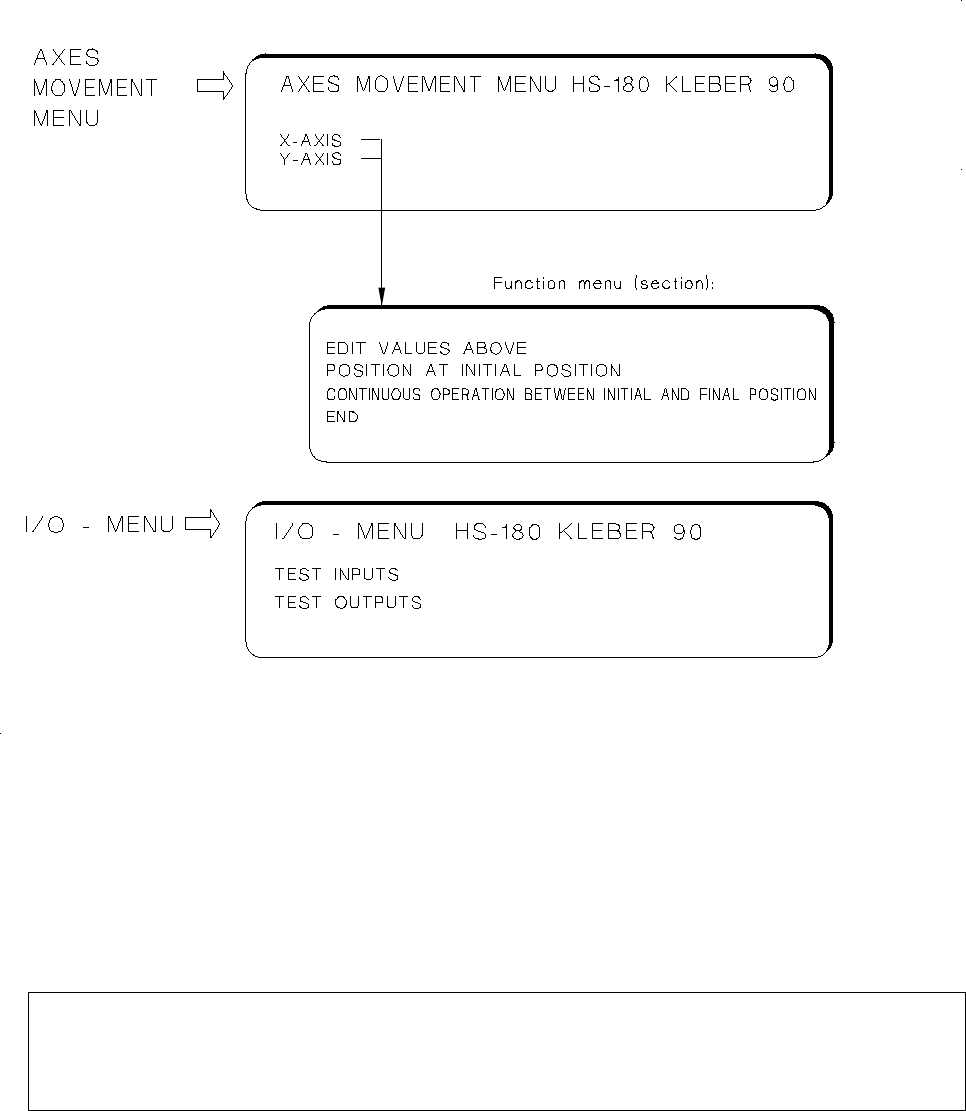
AXES MOVEMENT MENU:
These submenus allow you to check the movement / positioning of the X and
Y-axes in the event of a malfunction and to perform the adjustment of the axes, if required.
When the continuous run function of the Y-axis is selected, the left table side is approached and the possi-
ble travel range is determined.
For further information relating to this menu option refer to chap. 5.
NOTE
For the adjustment of an axis you require additionally the documentation pertaining to the adjustment
of axes (machine adjustment instructions).
•
I/O MENU:
This menu permits you to set the desired outputs by selecting "TEST OUTPUTS", to toggle the out-
puts by selecting "ENDURANCE RUN" and to read the updated inputs in each case off the screen when so
doing. Selecting "TEST INPUTS" causes all signal state changes of the inputs to be displayed successively on
the screen. Further information on the I/O Menu is contained in chap. 5.
Fig. 1.8 HS-180 Adhesive Station II: Submenus
User’s Manual AutoCal Program 1 Overview of the Program
Software Version 114.xxx 1.4 Program Run and Operation
1 - 13

WARNING
∆
!
∆
!
Any concurrent setting of competing outputs may result in damage to the machine!
N o (!) verification by the software is carried out !
1 Overview of the Program User’s Manual AutoCal Program
1.4 Program Run and Operation Software Version 114.xxx
1 - 14