00190725-01.pdf - 第23页
These submenus are des igned for the deter minati on of MA -Data , adjustment of axes or testi ng inp uts an d out puts: • NO ZZLE MEN U : Serves to determine all X,Y and Z-nozzle positions either for all X- Y or all Z-p…
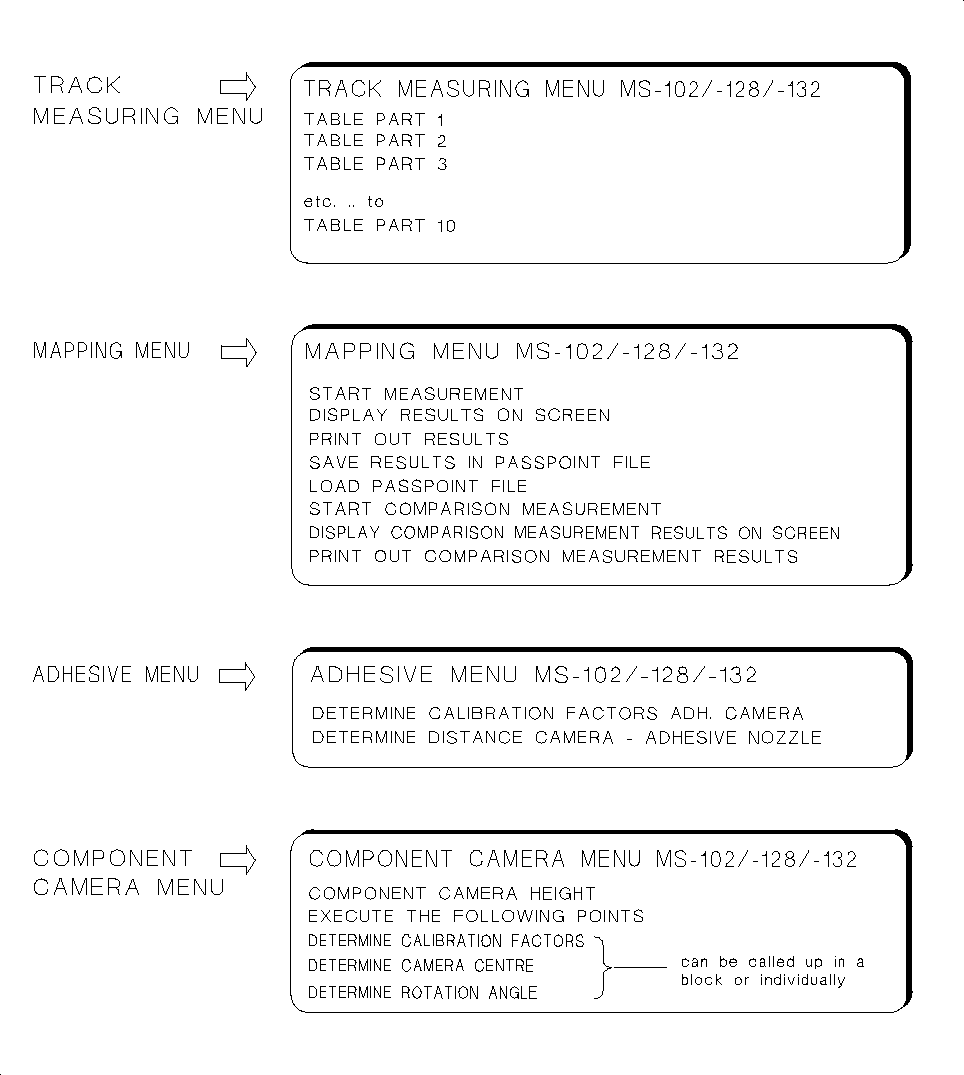
These submenus are designed to determine MA-Data and the gantry offset:
• The
TRACK MEASURING MENU
is displayed for the feeder parts 1 to 10.
• The
MAPPING MENU
is offered on MS-machines for "steel mapping".
• The
COMPONENT CAMERA MENU
allows you to call up a number of measuring routines either blockwi-
se or individually. In this connection, pay attention to the information contained in section 1.4.2.
Fig. 1.10 Submenus MS-102/-128/-132
1 Overview of the Program User’s Manual AutoCal Program
1.4 Program Run and Operation Software Version 114.xxx
1 - 16
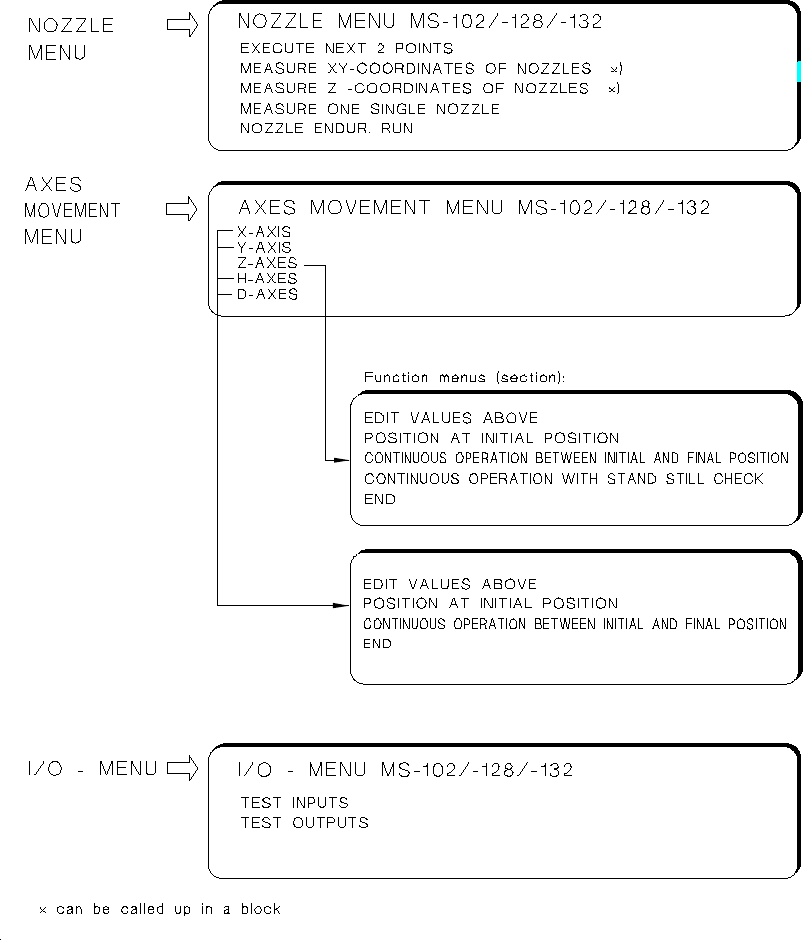
These submenus are designed for the determination of MA-Data, adjustment of axes or testing inputs
and outputs:
•
NOZZLE MENU
: Serves to determine all X,Y and Z-nozzle positions either for all X-Y or all Z-positions wit-
hin a given measuring sequence, or selectively by selecting only individual nozzles.
Fig. 1.11 Submenus MS-102/-128/-132
User’s Manual AutoCal Program 1 Overview of the Program
Software Version 114.xxx 1.4 Program Run and Operation
1 - 17

Moreover, the "NOZZLE ENDUR. RUN" function allows you to check the nozzle pick-up and returning
operations.
•
AXES MOVEMENT MENU
: These functions allow you to check the movement / positioning of individual
axes in the event of a malfunction and to perform the axis adjustment, if required.
For the Z-axis the continuous run function including standstill control and the force values are offered on
the functions menu in addition (for details see chap. 5 "Description of the Menu Options").
NOTE:
For the adjustment of an axis the documentation pertaining to the adjustment of axes is required in additi-
on (adjustment instructions of the machine).
•
I/O MENU:
This menu permits you to set the desired outputs by selecting "TEST OUTPUTS", to toggle
the outputs by selecting "ENDURANCE RUN" and to read the updated inputs in each case off the screen
when so doing. Selecting the "TEST INPUTS" causes all signal state changes of the inputs to be dis-
played successively on the screen. Further information about the I/O MENU is contained in chap. 5.
WARNING
∆
!
∆
!
Any concurrent setting of competing outputs may result in damage to the machine!
N o (!) verification by the software is carried out !
1 Overview of the Program User’s Manual AutoCal Program
1.4 Program Run and Operation Software Version 114.xxx
1 - 18