00190725-01.pdf - 第22页
These submenus are des igned to determine MA-Data and the gantry offset: • The TRACK MEASURING ME NU is displayed for t he feeder parts 1 to 10. • The MAP PING MENU is offered on MS-machines for "steel m apping"…
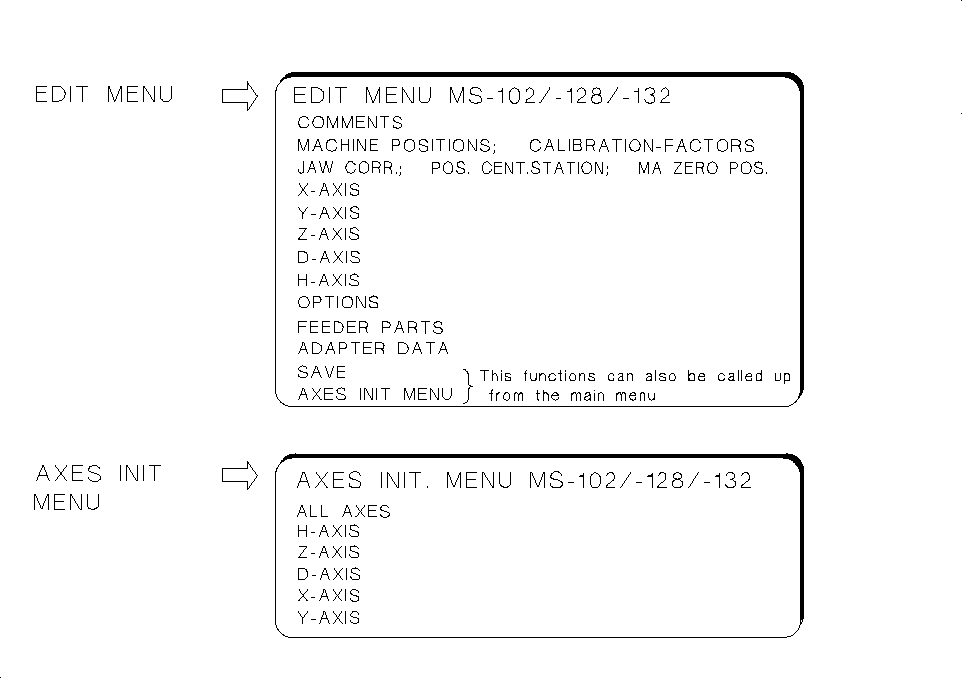
1.4.5 Submenus MS-102, 128 and 132
The display of the submenus - similarly to the main menu - is dependent on the options activated.
Details relating to these submenus → see chap. 5 " Description of the Menu Options for MS-102 / 132".
These submenus are designed for
checking and correcting MA-data:
• The
EDIT MENU
allows you to enter the data that cannot be captured automatically (e.g. zero point cor-
rection values of the axes) directly into the MA-data and to initialize the axes directly from the EDIT MENU.
• Upon starting the AutoCal program: If you have to respond to the first query "Z AXIS IN UPPER POSI-
TION?" with NO, the main menu is displayed from which the EDIT MENU can be selected enabling
you to check / edit the zero point correction and to initialize the axes.
• Under "Options" you can review the activation of a given option, yet no changes can be made.
• Under "ADAPTER DATA" you can (with the
Nozzle changer
activated)
obtain a display of the X, Y and
Z-pick-up positions of the nozzles, the adapter lengths and the Z-position following the pick-up of the
adapters.
• Within the measuring sequence of the routine check, call up the EDIT MENU to check, for instance,
the "min. / max. X and Y-travel paths" and to correct them, if required (see AutoCal measuring sequen-
ce description).
• The
AXES INITIALIZING MENU
enables you to initialize individual or all axes.
Fig. 1.9 Submenus MS-102/-128/-132
User’s Manual AutoCal Program 1 Overview of the Program
Software Version 114.xxx 1.4 Program Run and Operation
1 - 15
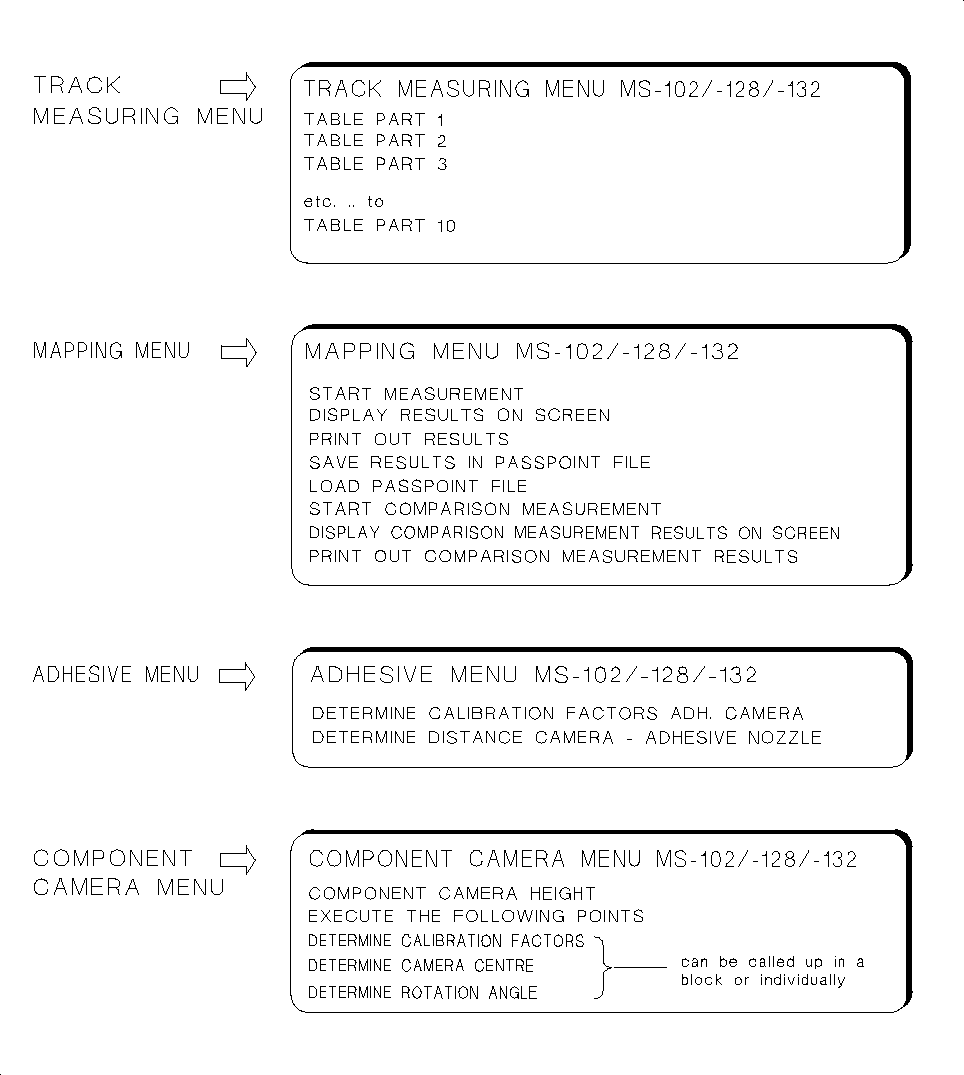
These submenus are designed to determine MA-Data and the gantry offset:
• The
TRACK MEASURING MENU
is displayed for the feeder parts 1 to 10.
• The
MAPPING MENU
is offered on MS-machines for "steel mapping".
• The
COMPONENT CAMERA MENU
allows you to call up a number of measuring routines either blockwi-
se or individually. In this connection, pay attention to the information contained in section 1.4.2.
Fig. 1.10 Submenus MS-102/-128/-132
1 Overview of the Program User’s Manual AutoCal Program
1.4 Program Run and Operation Software Version 114.xxx
1 - 16
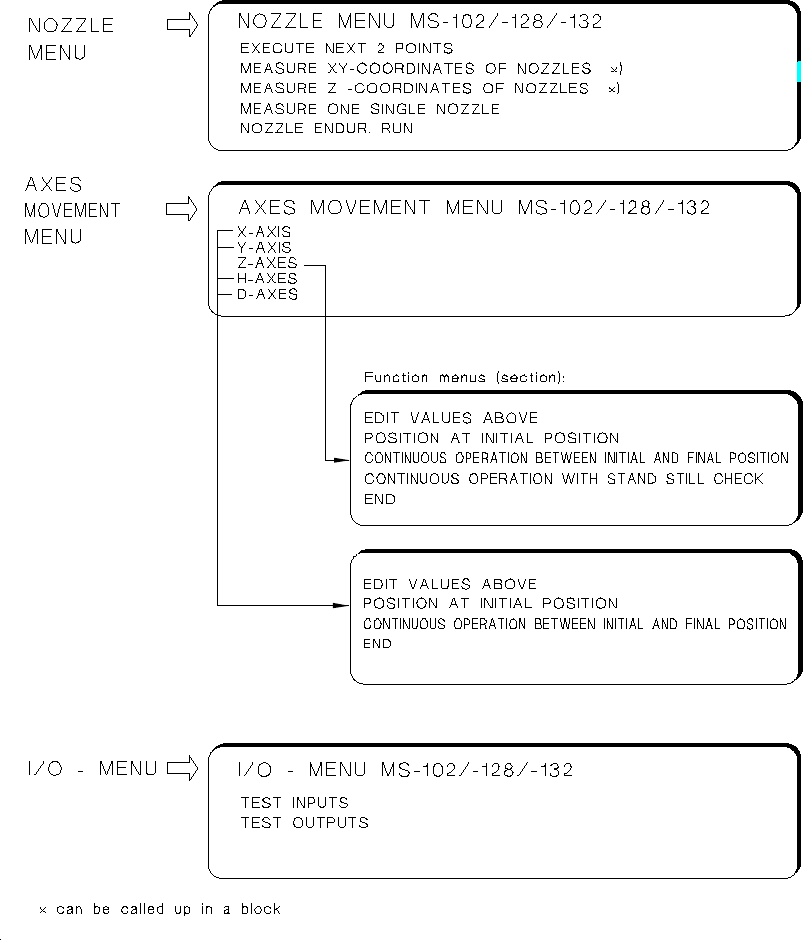
These submenus are designed for the determination of MA-Data, adjustment of axes or testing inputs
and outputs:
•
NOZZLE MENU
: Serves to determine all X,Y and Z-nozzle positions either for all X-Y or all Z-positions wit-
hin a given measuring sequence, or selectively by selecting only individual nozzles.
Fig. 1.11 Submenus MS-102/-128/-132
User’s Manual AutoCal Program 1 Overview of the Program
Software Version 114.xxx 1.4 Program Run and Operation
1 - 17