00190725-01.pdf - 第20页
WARNING ∆ ! ∆ ! Any concurrent sett in g of competing outputs may result in damage to the mach in e ! N o (!) verification b y the software i s carried out ! 1 O ver view of the P ro gram Us er’s M anu al Auto Cal P rogr…
•
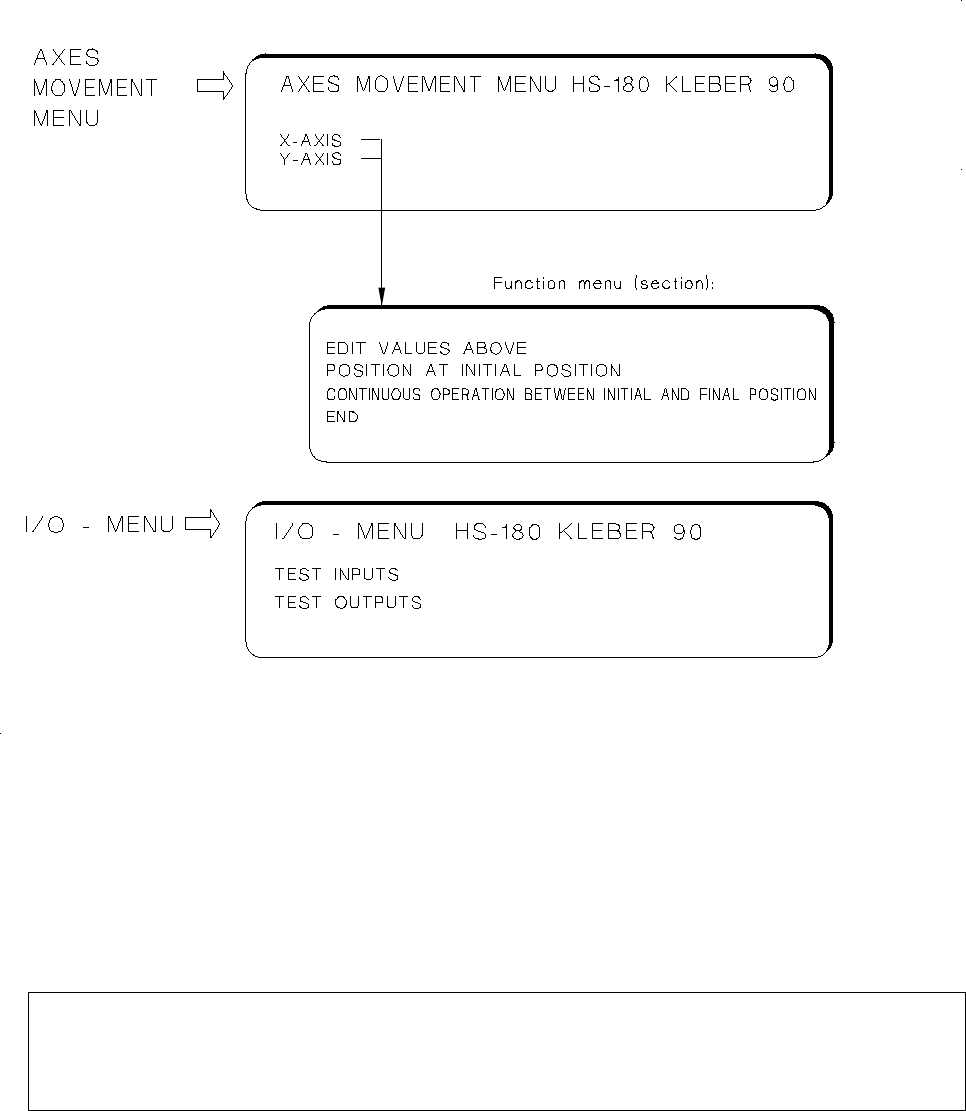
AXES MOVEMENT MENU:
These submenus allow you to check the movement / positioning of the X and
Y-axes in the event of a malfunction and to perform the adjustment of the axes, if required.
When the continuous run function of the Y-axis is selected, the left table side is approached and the possi-
ble travel range is determined.
For further information relating to this menu option refer to chap. 5.
NOTE
For the adjustment of an axis you require additionally the documentation pertaining to the adjustment
of axes (machine adjustment instructions).
•
I/O MENU:
This menu permits you to set the desired outputs by selecting "TEST OUTPUTS", to toggle the out-
puts by selecting "ENDURANCE RUN" and to read the updated inputs in each case off the screen when so
doing. Selecting "TEST INPUTS" causes all signal state changes of the inputs to be displayed successively on
the screen. Further information on the I/O Menu is contained in chap. 5.
Fig. 1.8 HS-180 Adhesive Station II: Submenus
User’s Manual AutoCal Program 1 Overview of the Program
Software Version 114.xxx 1.4 Program Run and Operation
1 - 13

WARNING
∆
!
∆
!
Any concurrent setting of competing outputs may result in damage to the machine!
N o (!) verification by the software is carried out !
1 Overview of the Program User’s Manual AutoCal Program
1.4 Program Run and Operation Software Version 114.xxx
1 - 14
1.4.5 Submenus MS-102, 128 and 132
The display of the submenus - similarly to the main menu - is dependent on the options activated.
Details relating to these submenus → see chap. 5 " Description of the Menu Options for MS-102 / 132".
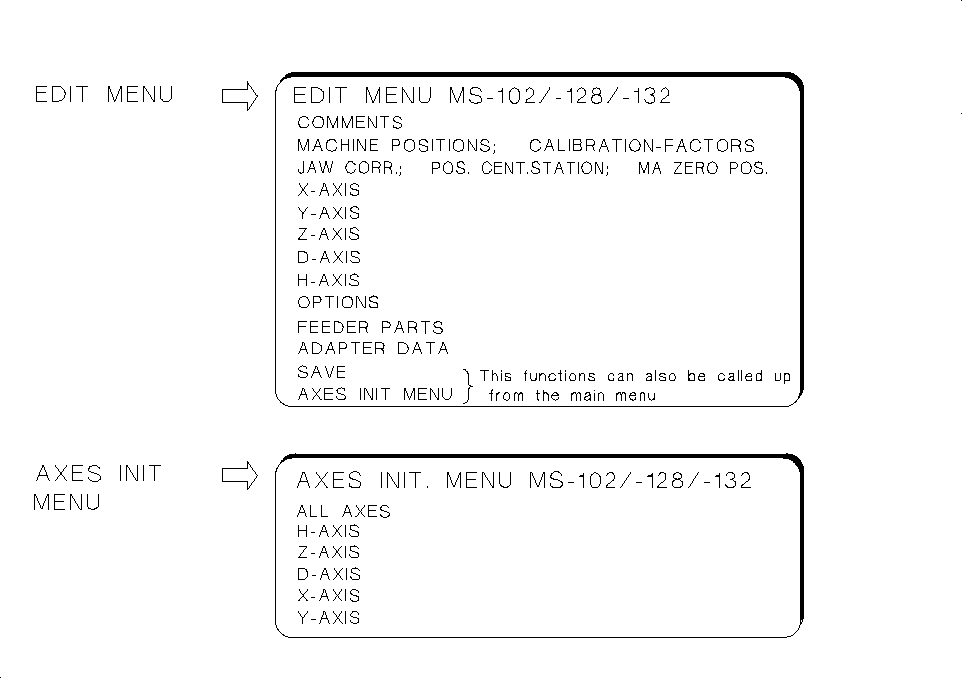
These submenus are designed for
checking and correcting MA-data:
• The
EDIT MENU
allows you to enter the data that cannot be captured automatically (e.g. zero point cor-
rection values of the axes) directly into the MA-data and to initialize the axes directly from the EDIT MENU.
• Upon starting the AutoCal program: If you have to respond to the first query "Z AXIS IN UPPER POSI-
TION?" with NO, the main menu is displayed from which the EDIT MENU can be selected enabling
you to check / edit the zero point correction and to initialize the axes.
• Under "Options" you can review the activation of a given option, yet no changes can be made.
• Under "ADAPTER DATA" you can (with the
Nozzle changer
activated)
obtain a display of the X, Y and
Z-pick-up positions of the nozzles, the adapter lengths and the Z-position following the pick-up of the
adapters.
• Within the measuring sequence of the routine check, call up the EDIT MENU to check, for instance,
the "min. / max. X and Y-travel paths" and to correct them, if required (see AutoCal measuring sequen-
ce description).
• The
AXES INITIALIZING MENU
enables you to initialize individual or all axes.
Fig. 1.9 Submenus MS-102/-128/-132
User’s Manual AutoCal Program 1 Overview of the Program
Software Version 114.xxx 1.4 Program Run and Operation
1 - 15