00190725-01.pdf - 第54页
The inputs are also updated on the s creen during the c ontinuous run. Each input is checked 8 times before the out put is changed again. After selecting the continuous run, the label of function key F1 is changed t o &q…
5.1.21 I/O MENU
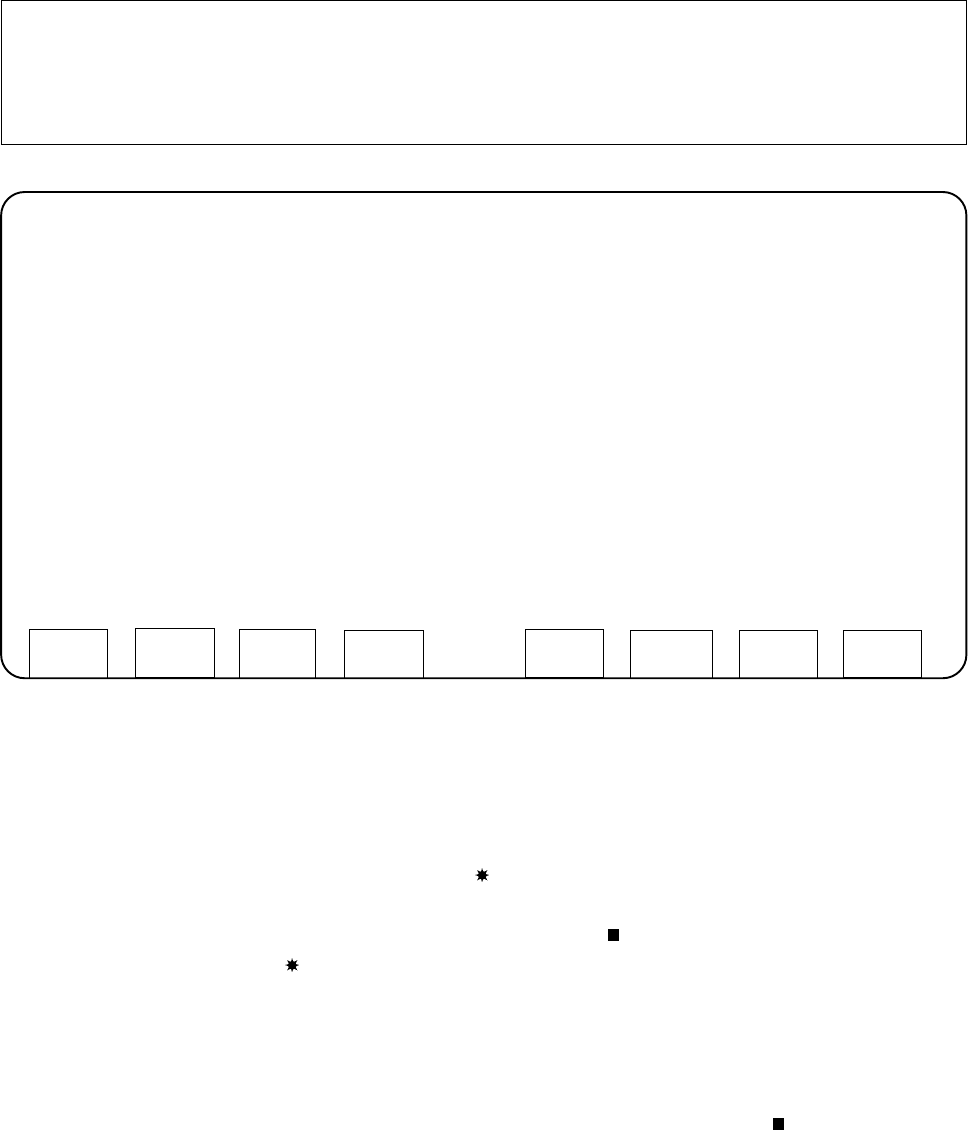
This menu permits you to set the desired outputs by selecting "TEST OUTPUTS", to toggle the outputs by se-
lecting "Endurance run" and to check the updated inputs in each case on the screen. Selecting "TEST IN-
PUTS" causes all signal state changes of the inputs to be displayed on the screen in an additive process.
WARNING
∆
!
∆
!
Any
concurrent setting
of competing outputs may result in
damage to the machine!
N o (!)
verification by the software is carried out !
•
TEST OUTPUTS
After selecting the "TEST OUTPUTS" function the screen for the inputs and outputs is displayed (see next
page).
—
The signal state of the inputs is continuously monitored and updated on the screen.
Signal state 1 is indicated on the screen by the character enclosed in parentheses.
— At the start, all outputs are set to "ZERO". Using the cursor keys you can move around in the matrix
displayed and select the output. The cursor is identified by the character. Active outputs are marked -
just as the inputs - by the character.
Pay attention to the WARNING, above:
It is possible that several outputs are set simultaneously!
— To "toggle" (signal state change from 1 to 0 or from 0 to 1) the selected output, press the RETURN
key.
— If you actuate "CONT. OP. START" (function key F1) the output identified by the character is
toggled.
SIEMENS CALIBRATION PROGRAM AutoCal 114.xxx
STATION 1 -----------------------------------------------------------------------------------------------------------------------
I/O MENU
TEST INPUTS
TEST OUTPUTS
-------------------------------------------------------------------------------------------------------------------------------------------
MOVE WITH CURSOR KEYS ( ^, v, PREV, NEXT)
SELECT WITH <RETURN> KEY
END
User’s Manual AutoCal Program 5 Description of the Menu Options
Software Version 114.xxx 5.1 Description of the Menu Options for HS-180 Placement Stations
5 - 11
The inputs are also updated on the screen during the continuous run. Each input is checked
8 times before the output is changed again.
After selecting the continuous run, the label of function key F1 is changed to "CONT. OP. STOP".
Any change of the other outputs is no longer possible.
— The continuous run is terminated by pressing function key f1 once more.
— Actuating the "RESET" key causes all outputs to be set to zero. The "RESET" key is not active during
the continuous run.
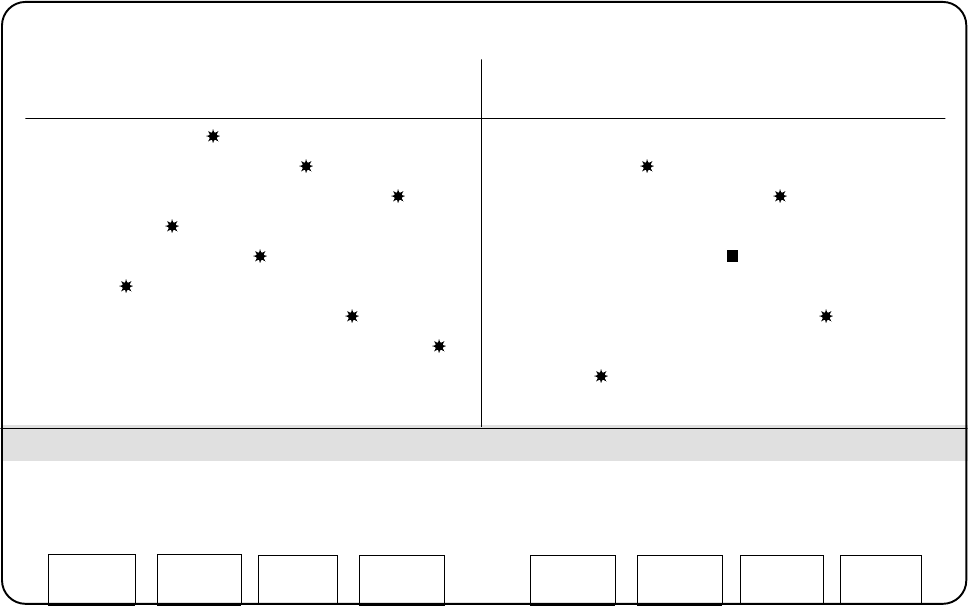
Screen display after selecting "TEST OUTPUTS":
SIEMENS CALIBRATION PROGRAM AutoCal 114.xxx
STATION 1 ----------------------------------------------------------------------------------------------------------------------
INPUTS OUTPUTS
Bit 0 1 2 3 4 5 6 7 Bit 0 1 2 3 4 5 6 7
EF820 ( ) ( ) ( ) ( ) ( ) ( ) ( ) ( ) AF800 ( ) ( ) ( ) ( ) ( ) ( ) ( ) ( )
EF821 ( ) ( ) ( ) ( ) ( ) ( ) ( ) ( ) AF801 ( ) ( ) ( ) ( ) ( ) ( ) ( ) ( )
EF822 ( ) ( ) ( ) ( ) ( ) ( ) ( ) ( ) AF802 ( ) ( ) ( ) ( ) ( ) ( ) ( ) ( )
EF823 ( ) ( ) ( ) ( ) ( ) ( ) ( ) ( ) AF803 ( ) ( ) ( ) ( ) ( ) ( ) ( ) ( )
EF824 ( ) ( ) ( ) ( ) ( ) ( ) ( ) ( ) AF804 ( ) ( ) ( ) ( ) ( ) ( ) ( ) ( )
EF825 ( ) ( ) ( ) ( ) ( ) ( ) ( ) ( ) AF805 ( ) ( ) ( ) ( ) ( ) ( ) ( ) ( )
EF826 ( ) ( ) ( ) ( ) ( ) ( ) ( ) ( ) AF806 ( ) ( ) ( ) ( ) ( ) ( ) ( ) ( )
EF827 ( ) ( ) ( ) ( ) ( ) ( ) ( ) ( ) AF807 ( ) ( ) ( ) ( ) ( ) ( ) ( ) ( )
AF808 ( ) ( ) ( ) ( ) ( ) ( ) ( ) ( )
AF809 ( ) ( ) ( ) ( ) ( ) ( ) ( ) ( )
ATTENTION! SETTING COMPETING OUTPUTS SIMULTANEOUSLY MAY RESULT DAMAGE!
TO CHANGE AN OUTPUT, PRESS <Return>
➤ When setting outputs, pay attention to the WARNING on page 11!
CONT. OP.
START
RESET
END
5 Description of the Menu Options User’s Manual AutoCal Program
5.1 Description of the Menu Options for HS-180 Placement Stations Software Version 114.xxx
5 - 12
•
TEST INPUTS
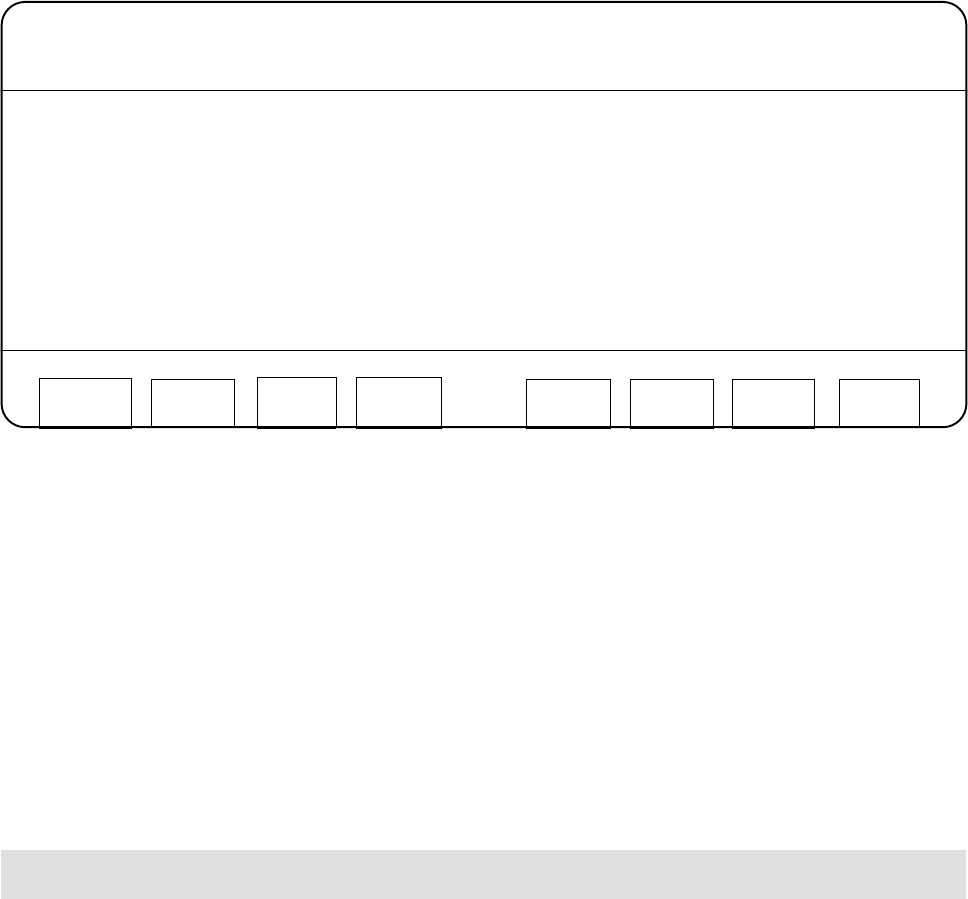
After selecting "TEST INPUTS" the following screen appears.
SIEMENS CALIBRATION PROGRAM AutoCal 114.xxx
STATION 1 ----------------------------------------------------------------------------------------------------------------------
TEST INPUTS
EF821.1=1 EF821.1=0 EF821.1=1 EF821.1=0 EF821.1=0
EF821.1=0 EF821.1=1 EF821.1=0 EF821.1=1 EF821.1=0
EF825.5=1 EF825.5=0 EF825.5=1 EF825.5=0 EF825.5=0
EF824.7=1
In the view area, which is delimited by two lines, all changes of the status changes of the inputs are dis-
played. Use function key f1 for "CLEAR DISPLAY" to delete the inputs displayed.
5.1.22 STORING
The values determined can be saved from the main memory to the work diskette by selecting this menu opti-
on available on the main menu and the EDIT menu.
A save should be performed after each measuring routine so as to preclude any data loss due to any malfun-
ctions that might occur.
If the work diskette containing the machine data is write protected, the software will issue the following mes-
sage after "STORING" has been selected:
"NO SPACE TO STORE".
This is, however, not the case. Deactivate the write protect tab on the work diskette and select "STORING"
once more.
CLEAR
DISPLAY
END
User’s Manual AutoCal Program 5 Description of the Menu Options
Software Version 114.xxx 5.1 Description of the Menu Options for HS-180 Placement Stations
5 - 13