EUKYX-199-2100_G5S2_Instruction_Vol2_E.pdf - 第112页
EUKYX 1-62 199-2100 7. "Recall" Submenu 7 . "R ecall " S ubme nu Graphic Development MTN:NotRdy RCG:NotRdy F2A48 The "Recal l" submenu is p rovi ded with the fol lowin g five buttons. When a…
EUKYX
1-61199-2100
6. "Manage" Submenu
6. "Manage" Submenu
Graphic
Development
MTN:NotRdy RCG:NotRdy
F2A47
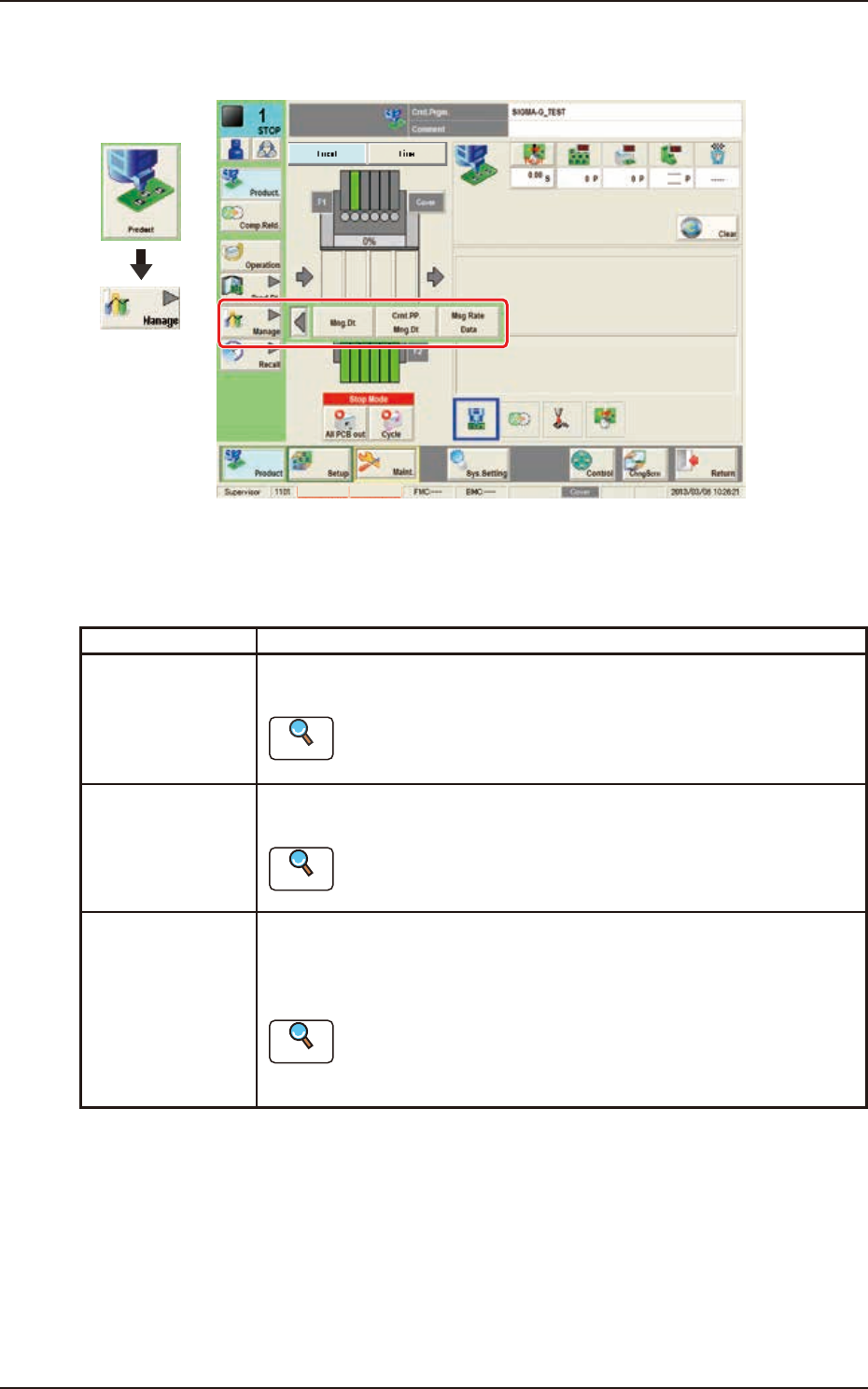
The "Manage" submenu is provided with the following three buttons.
When a button is pressed, the corresponding window opens, enabling the operator to select the
required data.
Buttons Description
Mng.Dt. When pressed, the "Management Data" window is displayed and operated for
totaling the management data for the whole system.
Reference
Refer to “2. “MNG.DT.” Window” in Chapter 4 for the details.
Crnt.PP.Mng.Dt When pressed, the "Crnt.PP.Mng.Dt" window is displayed and operated for
totaling the current pattern program management data for each pattern program.
Reference
Refer to”3. “CRNT.PP.MNG.DT” Window” in Chapter 4 for the details.
Msg Rate Data When pressed, the "Msg Rate Data" window is displayed and operation for
displaying the component handling error rate managed for each feeder or nozzle
based on each component handling error rate specified in the operation
parameter setting.
Reference
Refer to”4. “MESSAGE.RATE.DT” Window” in Chapter 4 for the
details.
EUKYX
1-62199-2100
7. "Recall" Submenu
7. "Recall" Submenu
Graphic
Development
MTN:NotRdy RCG:NotRdy
F2A48
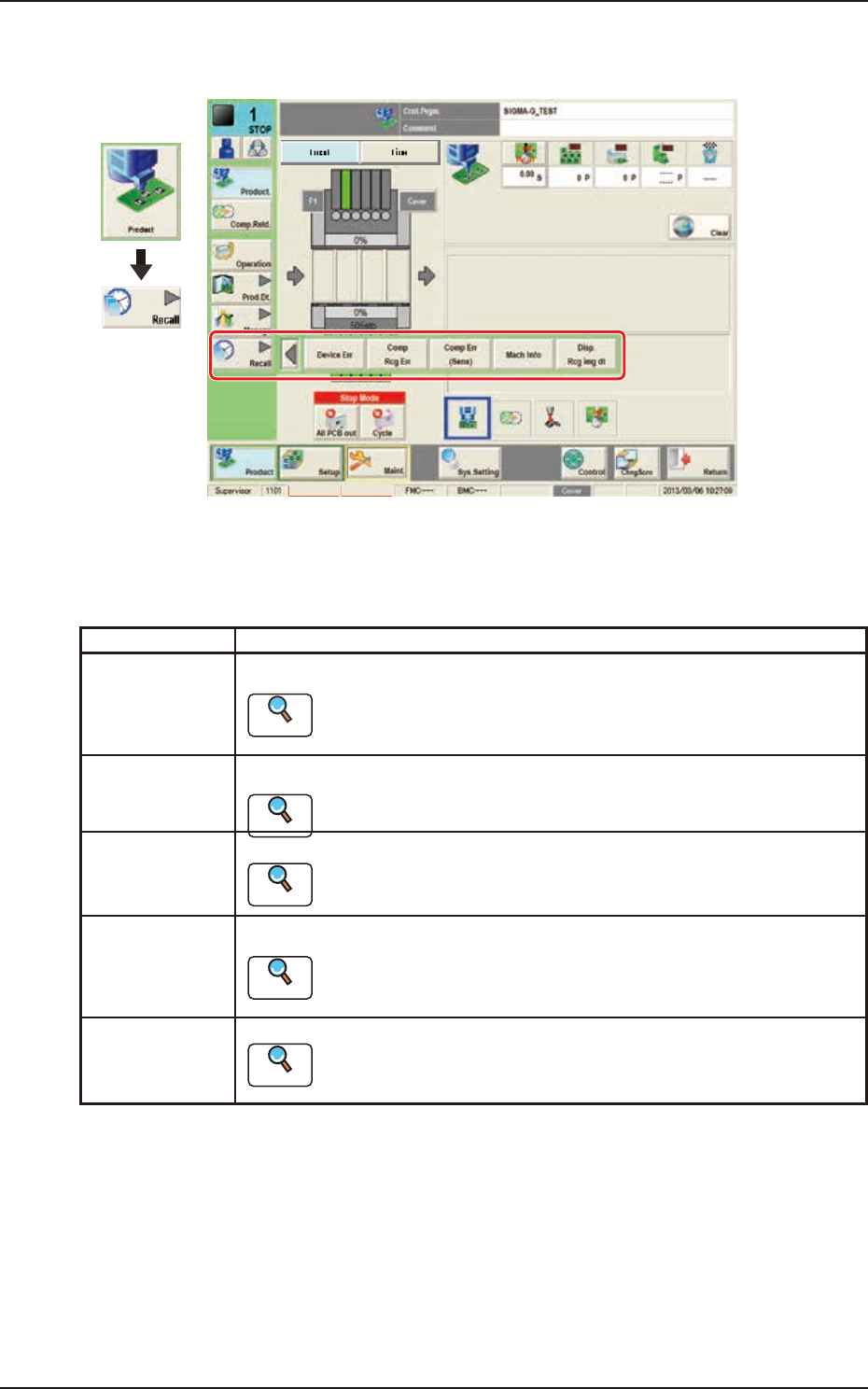
The "Recall" submenu is provided with the following five buttons.
When a button is pressed, the corresponding window opens, enabling the operator to select the
required data.
Buttons Description
Device Err When pressed, the device error history is displayed.
Reference
Refer to “2. “Device Err” Window” in Chapter 5 for the details.
Comp Rcg Err When pressed, the component recognition error history is displayed.
Reference
Refer to “3. “Comp Rcg Err” Window” in Chapter 5, for the details.
Comp Err(Sens) When pressed, the detected component posture error history is displayed.
Reference
Refer to “4. “Comp Err(Sens)” Window” in Chapter 5, for the details.
Mach Info When pressed, the machine information history is displayed.
Reference
Refer to “5. “Mach Info” Window” in Chapter 5, for the details.
Disp. Rcg img dt When pressed, the "Disp. Rcg Img Dt" window appears.
Reference
Refer to “6. “RECOG IMAGE” Window” in Chapter 5, for the details.

199-2100
Chapter 2
Pattern Program
This chapter describes of the pattern program.
1. Outline of Pattern Program
2. Composition of Pattern Program
3. Explanation of Pattern Program
EUKYX