EUKYX-199-2100_G5S2_Instruction_Vol2_E.pdf - 第136页
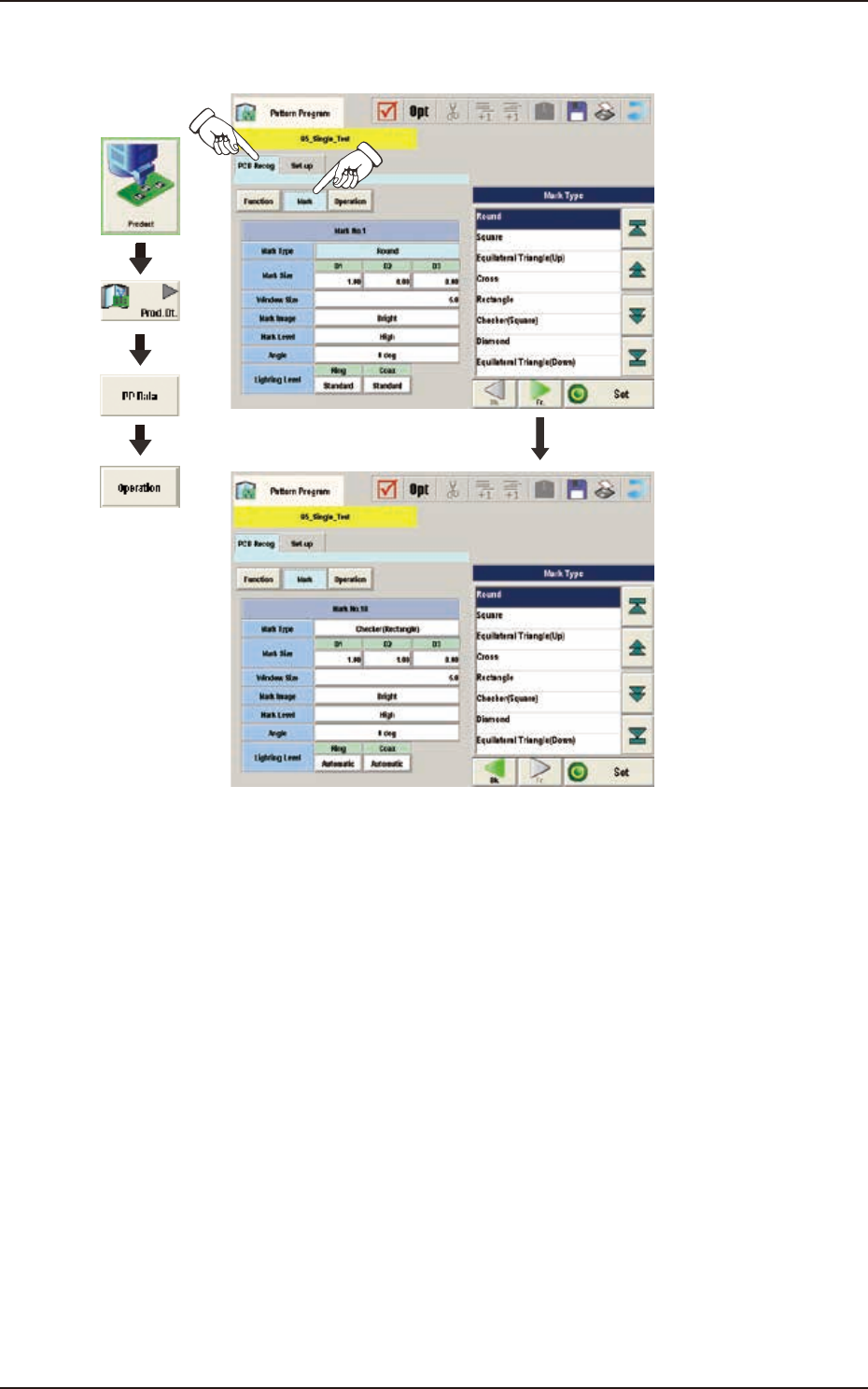
EUKYX 2-23 199-2100 3.3 Operation (C02) P EC Recognition M ark Dat a When the [ Mark] button is pressed in the "Op erati on" wi ndow , the fol low in g wi ndow appears. Graphic Development F2B21
EUKYX
2-22199-2100
3.3 Operation
(C01_03)
Image
When "Enable" is selected, set one of the following options as an image recognition mode.
Disable : The image recognition function is not used.
Enable : The image recognition function is used.
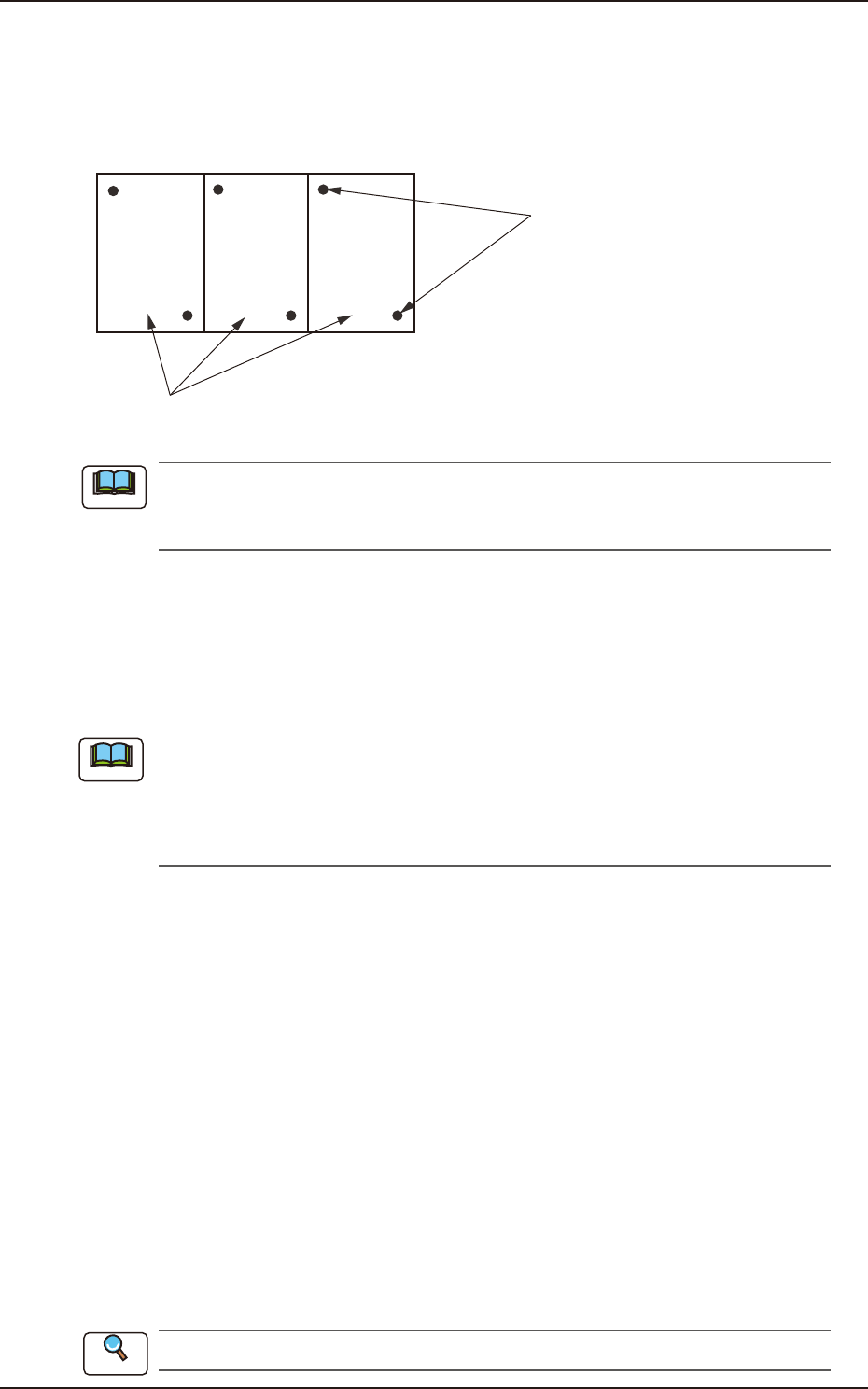
Unit PCB (Multi-Unit PCB)
Fiducial Marks
F2B20
When the global recognition function is used together with the image recognition function,
both recognizing actions take place but the placement coordinates are corrected according to
the result of the image recognition.
(C01_04)
Local
Select one of the following options to determine whether or not the fiducial mark on each
component placement point should be recognized.
Disable : The local recognition function is not used.
Enable : The local recognition function is used.
(a) When "Enable" is set in the text box, the deviation of each component placement point
can be corrected.
(b) A component placement point and each recognition mode can be specified in "(D02_09)
V" of the placement data (P-data) and the coordinates and mark code of a fiducial mark
can be designated in (D02_12), (D02_13), and (D02_14) of the placement data (P-data).
(C01_05)
Zones 1, 2, 3, 4, and 5
When the PEC recognition mode is set with “All” function enabled, the coordinates and mark code
of each fiducial mark must be set.
1st Point X [mm] (Horizontal) and Y [mm] (Vertical)
Set the coordinates of the first fiducial mark in the text boxes.
1st Point Mark Code
Set the mark code of the first fiducial mark in this text box.
2nd Point X [mm] (Horizontal) and Y [mm] (Vertical)
Set the coordinates of the second fiducial mark in the text boxes.
2nd Point Mark Code
Set the mark code of the second fiducial mark in the text box.
3rd Point X [mm] (Horizontal) and Y [mm] (Vertical)
Set the coordinates of the third fiducial mark in the text boxes.
3rd Point Mark Code
Set the mark code of the third fiducial mark in the text box.
Refer to (C02) PEC Recognition Mark Data for the mark codes.
Note
Note
Reference
EUKYX
2-23199-2100
3.3 Operation
(C02) PEC Recognition Mark Data
When the [Mark] button is pressed in the "Operation" window, the following window appears.
Graphic
Development
F2B21
EUKYX
2-24199-2100
3.3 Operation
(C02_01)
Mark No.
The mark Nos. correspond to the mark codes and the specified parameters of each fiducial mark
used in the PEC recognition function. 10 types of mark codes can be registered for each pattern
program.
(C02_02)
Mark Type
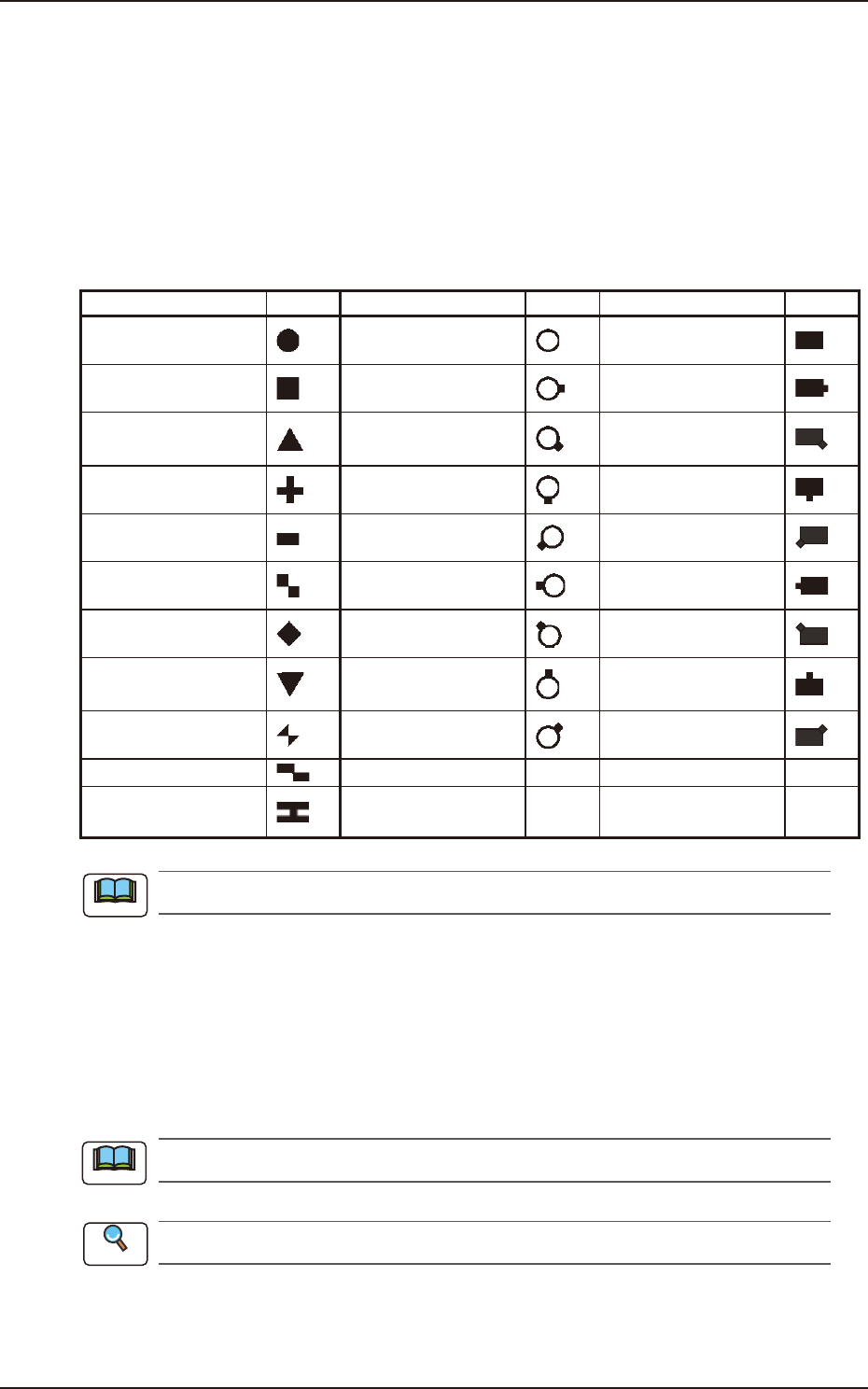
The following options can be selected as shapes of fiducial marks.
Mark Type Shape Mark Type Shape Mark Type Shape
Round
Through Hole / No
Land
Pad Mark / No Land
Square
Through Hole / No
Land (E)
Pad Mark / No Land
(E)
Equilateral Triangle
(Up)
Through Hole / No
Land (SE)
Pad Mark / No Land
(SE)
Cross
Through Hole / No
Land (S)
Pad Mark / No Land
(S)
Rectangle
Through Hole / No
Land (SW)
Pad Mark / No Land
(SW)
Checker (Square)
Through Hole / No
Land (W)
Pad Mark / No Land
(W)
Diamond
Through Hole / No
Land (NW)
Pad Mark / No Land
(NW)
Equilateral Triangle
(Down)
Through Hole / No
Land (N)
Pad Mark / No Land
(N)
Bow Tie
Through Hole / No
Land (NE)
Pad Mark / Land (NE)
Checker (Rectangle) POP Round land Round (Special)
H Shape
Round (Cross) Round (Special 2)
The POP round land cannot be specified as a normal fiducial mark.
(C02_03)
Mark Sizes D1 [mm], D2 [mm] and D3 [mm]
Set the size of the fiducial mark.
• Data Input Range
Mark Size D1 : 0.50 (for a circle or square, 0.30) to 3.00
Mark Size D2 : 0.00 to 3.00
The “Mark Size D3” cannot be used. (Reserved Data)
Refer to “4. Fiducial Marks” in Chapter 4 in Volume 1 for details.
Note
Note
Reference